Mod Menu Needed by Echo HUD echohud-1.0.2.jar
requiredMatching file found Matched file: v18.0.2 for 26.1

CurseForge · Minecraft mod
Directional sound indicators around your crosshair in real time.
Quick answer
Echo HUD echohud-1.0.2.jar targets 26.1 with Fabric. The project page does not say whether this file belongs on the client, dedicated server, or both. All 5 required mods have matching files.
Where it goes
The project page does not say whether this file belongs on the client, dedicated server, or both.
The source does not explicitly classify this release as client-only or server-only.
echohud-1.0.2.jar on 26.1. Every mod below is checked against that same setup.
Install Mod Menu, Fabric API, Mod Menu, Text Placeholder API and 1 more first. We found matching files for this game-version and loader setup. 2 come through another mod in the chain.
2 extra mods were pulled in by other dependencies. Indented rows show who needs each one. We only count dependency files that match this setup. A file for another loader does not fill the gap.
Before you install it
Built for Echo HUD echohud-1.0.2.jar on 26.1. Pick another file and the loader, install side or required mods may change.
Use echohud-1.0.2.jar. It targets 26.1 with Fabric; another release may have different loader, side or dependency requirements.
Install Mod Menu, Fabric API, Mod Menu, Text Placeholder API and 1 more first. We found matching files for this game-version and loader setup. 2 come through another mod in the chain.
The project page does not say whether this file belongs on the client, dedicated server, or both.
Use the “Get this file” button beside echohud-1.0.2.jar. It opens that exact file at the source.
About this project
EchoHUD brings modern, FPS-style spatial audio visualization to Minecraft. Instead of relying on the vanilla subtitles buried in the corner of your screen, this mod adds a sleek, customizable ring around your crosshair that points exactly to where sounds are coming from.
Directional Indicators: Visual pings show the exact direction of sounds relative to where you are looking. Overlapping sounds from the same source are grouped together to prevent screen clutter.
Categorized Filters: Sounds are split into categories like Hostile, Passive, Players, Blocks, Weather, and Explosions. You can toggle each category individually and assign custom colors, so you immediately know if that footstep is a zombie or another player.
Deep Customization: Open the settings via Mod Menu to tweak everything. Change the indicator shapes, adjust the ring radius, edit the glow intensity, add pulse animations, or change the maximum detection distance.
Project description from CurseForge.
Pick your setup
Choose the version and loader you play, then open the matching release.
Check the dependencies, then try the file in a copied instance before changing a world you care about.
Recent files
31 Mar 2026
25 Mar 2026
Looking for an older file? The official CurseForge project page is in Resources.
 mod
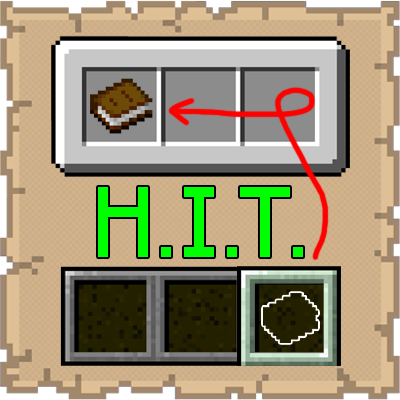
This mod lets you instantly send items from your hotbar back to your inventory without ever having to open it.
 mod
Broadcast audio to everyone
 mod
An immersive and fully functioning computer that provides an anternative to the stale and overused quest book and guide book