Fabric API Needed by Pine 2.1+26.1.2
requiredMatching file found Matched file: 0.155.3+26.1.2

Modrinth · Minecraft mod
New wood in Minecraft's Taiga! Adding gorgeous starter blocks, while remaining grounded in the vanilla feel.
Quick answer
Pine 2.1+26.1.2 targets 26.1.2 with Fabric. Installation on the client is optional. Installation on the dedicated server is optional. All 1 required mods have matching files.
Where it goes
Installation on the client is optional. Installation on the dedicated server is optional.
The source marks this as usable on both the client and server.
2.1+26.1.2. Change the file and its required mods may change too.
Install Fabric API first. We found matching files for this game-version and loader setup.
We only count dependency files that match this setup. A file for another loader does not fill the gap.
Before you install it
Built for Pine 2.1+26.1.2. Pick another file and the loader, install side or required mods may change.
Use 2.1+26.1.2. It targets 26.1.2 with Fabric; another release may have different loader, side or dependency requirements.
Install Fabric API first. We found matching files for this game-version and loader setup.
Installation on the client is optional. Installation on the dedicated server is optional.
Use the “Get this file” button beside 2.1+26.1.2. It opens that exact file at the source.
About this project
Pine adds a new wood type to Minecraft! With a brand new tree & exciting new blocks, the feel of vanilla is kept while also majorly improving on it's early game resources available to the Taiga!
The new blocks are tailored to work well with Minecraft's existing palette, while also expanding it's limits. Pine Logs perfectly blend with Minecraft's earthy tones, such as Bricks & Terracotta. Pine Planks offer a contrast to Spruce's dark brown, while also blending in with the whiter blocks such as Snow, Diorite & Quartz.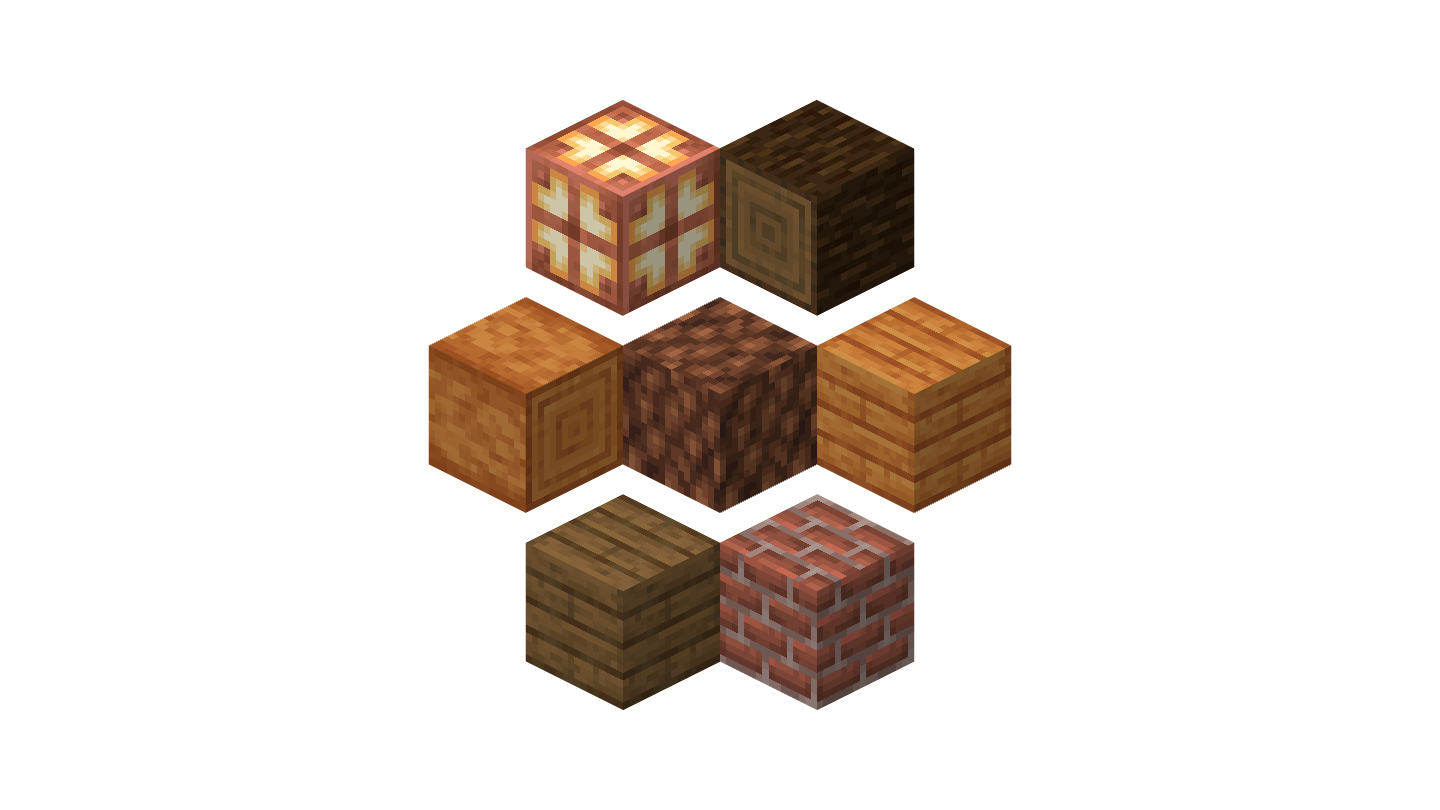
Pine trees can be found in the Taiga. Grounded in their vanilla look, they expand upon the look of the biome by adding more contrast and variation. Old Growth Forests will also feature a mega variant of the Pine tree.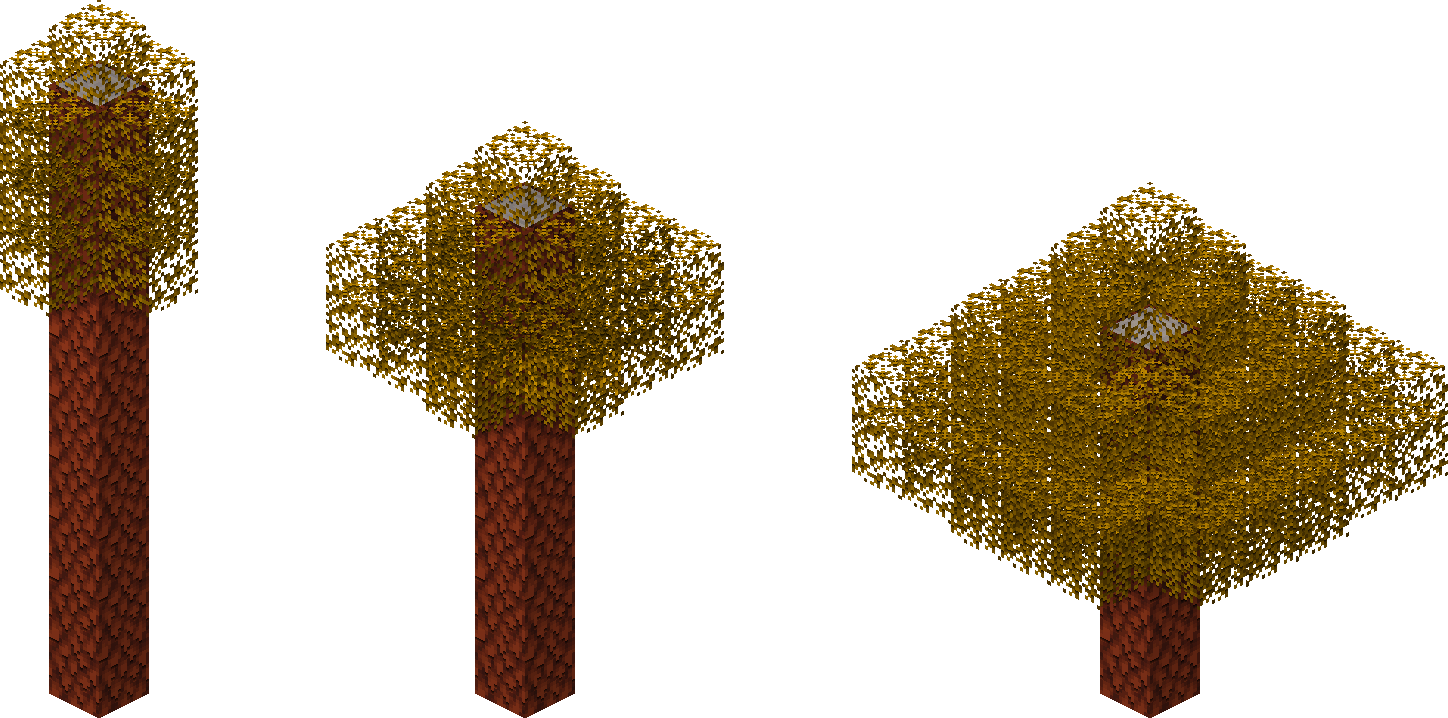
With its ornamental & see-through textures, both Pine Doors and Pine Trapdoors are perfectly suitable for the extra detail used on walls & lights, giving them a massive decorative purpose beyond their normal utilitarian use.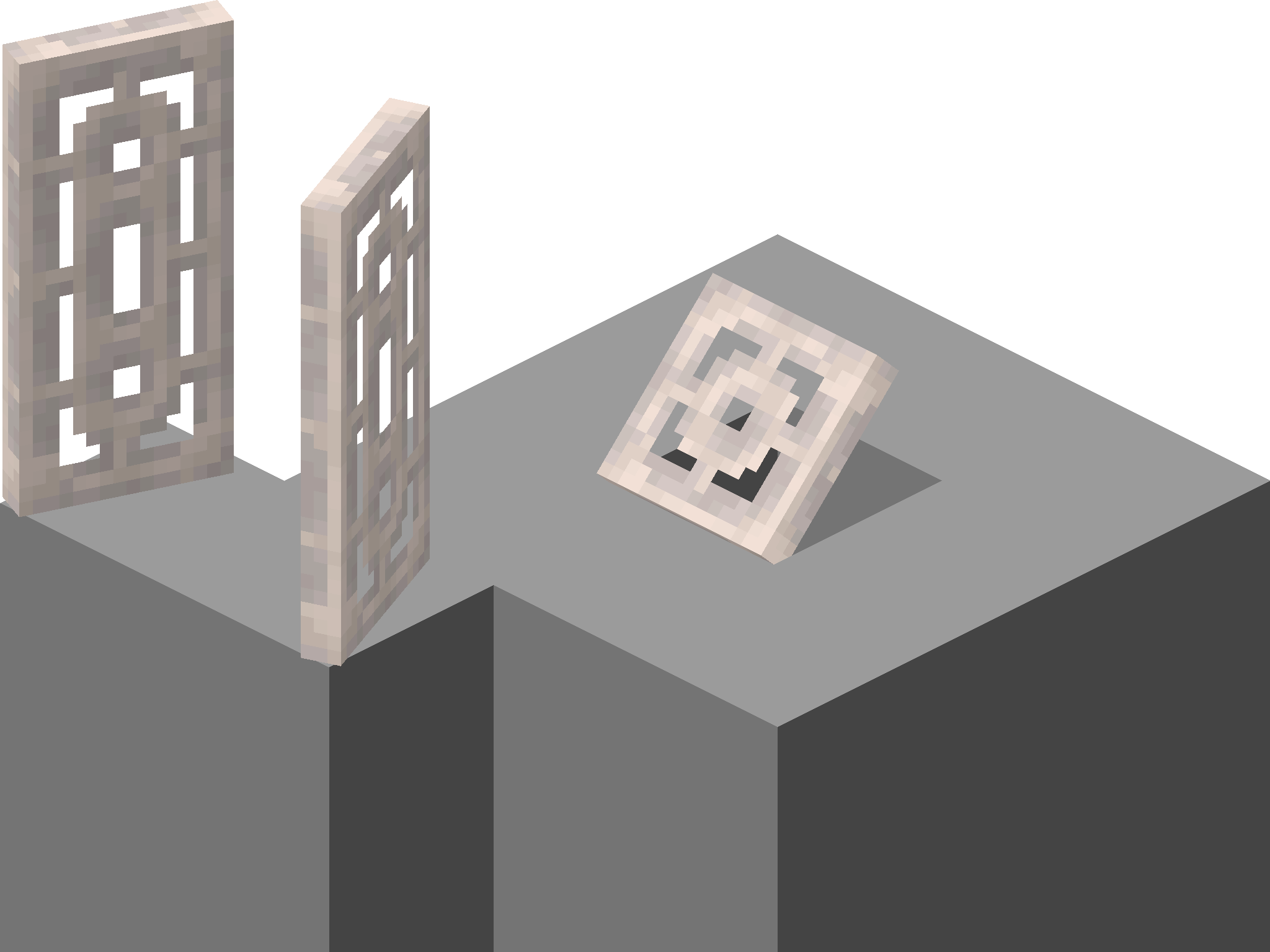
Project description from Modrinth.
Pick your setup
Choose the version and loader you play, then open the matching release.
Showing the newest 12 of 15 game versions. Older files are in the list below.
Check the dependencies, then try the file in a copied instance before changing a world you care about.
Recent files
pine-2.1+26.1.2.jar
29 Apr 2026
pine-2.1+1.21.9.jar
9 Dec 2025
pine-2.0+1.21.9.jar
30 Sept 2025
pine-2.0+1.21.6.jar
17 Jun 2025
pine-2.0+1.21.5.jar
25 Mar 2025
pine-2.0+1.21.4.jar
3 Dec 2024
pine-2.0+1.21.2-rc1.jar
21 Oct 2024
pine-2.0+1.21.jar
17 Sept 2024
pine-1.2+1.21.jar
13 Jun 2024
pine-1.1+1.20.5.jar
29 May 2024
Looking for an older file? The official Modrinth project page is in Resources.
 mod
This mod lets you instantly send items from your hotbar back to your inventory without ever having to open it.
 mod
Adventure time inspired dungeon crawler on a train. Procedurally generated carriages on a infinite sable physics train. Rich narrative, with custom made mods for a completely unique experience.
 mod
Storage, computation and crafting extensions for Neo ECO AE Extension, with KubeJS integration for custom infinite matrices.