Polymorph Needed by Unidye 1.2.4+1.21-1.21.1.jar
requiredMatching file found Matched file: polymorph-fabric-1.1.0+1.21.1.jar

CurseForge · Minecraft mod
Create your own custom dyes by mixing the existing ones! Bring the dye count up to infinity!
Quick answer
Unidye 1.2.4+1.21-1.21.1.jar targets 1.21, 1.21.1 with Fabric. The project page does not say whether this file belongs on the client, dedicated server, or both. All 2 required mods have matching files.
Where it goes
The project page does not say whether this file belongs on the client, dedicated server, or both.
The source does not explicitly classify this release as client-only or server-only.
Unidye 1.2.4+1.21-1.21.1.jar on Fabric. Every mod below is checked against that same setup.
Install Polymorph, Fabric API first. We found matching files for this game-version and loader setup. 1 comes through another mod in the chain.
1 extra mod was pulled in by another dependency. Indented rows show who needs each one. We only count dependency files that match this setup. A file for another loader does not fill the gap.
Before you install it
Built for Unidye 1.2.4+1.21-1.21.1.jar on Fabric. Pick another file and the loader, install side or required mods may change.
Use Unidye 1.2.4+1.21-1.21.1.jar. It targets 1.21, 1.21.1 with Fabric; another release may have different loader, side or dependency requirements.
Install Polymorph, Fabric API first. We found matching files for this game-version and loader setup. 1 comes through another mod in the chain.
The project page does not say whether this file belongs on the client, dedicated server, or both.
Use the “Get this file” button beside Unidye 1.2.4+1.21-1.21.1.jar. It opens that exact file at the source.
About this project
Feel free to include this project in modpacks!
Use with Sinytra Connector for Forge Compatibility!
Unidye adds an ability to mix any dyes (alike leather armor dyeing) to get custom blends! Craft your own dyes and use them to dye wool, terracotta, make fireworks, banners, etc. The amount of minecraft dyes isn't finite anymore!
First of all, I heavily recommend using Polymorph to avoid vanilla dye recipe conflicts. If you do not use Polymorph, you will need to use a stick as an additional item when crafting custom dyes from vanilla dyes only.
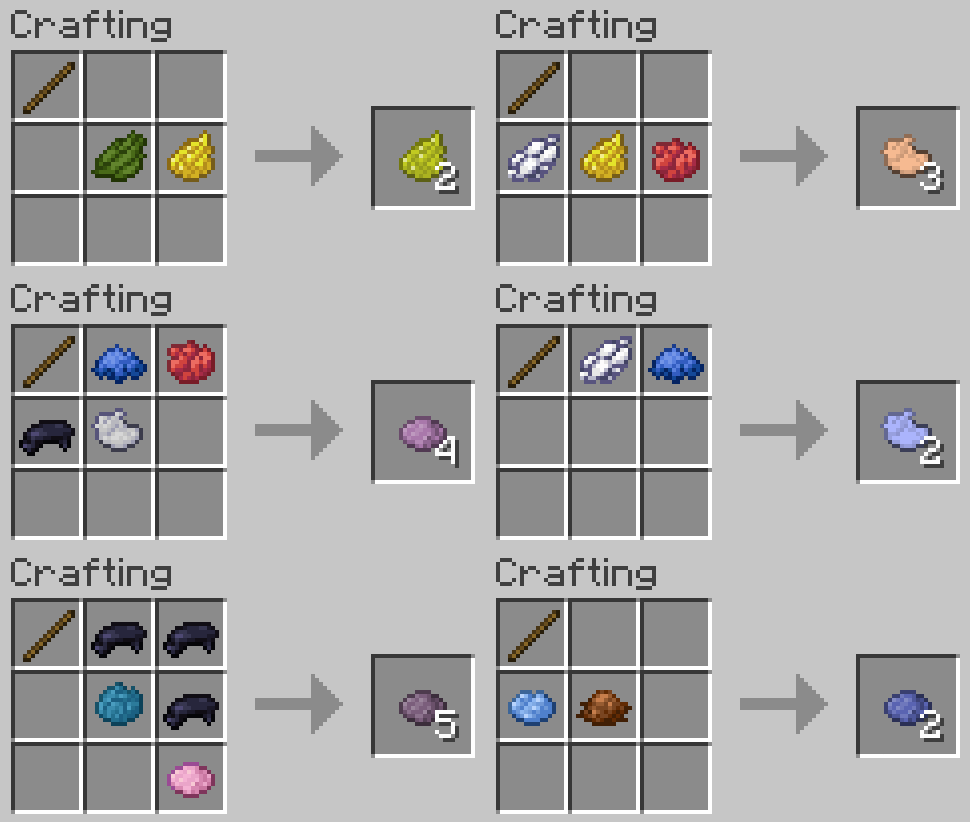
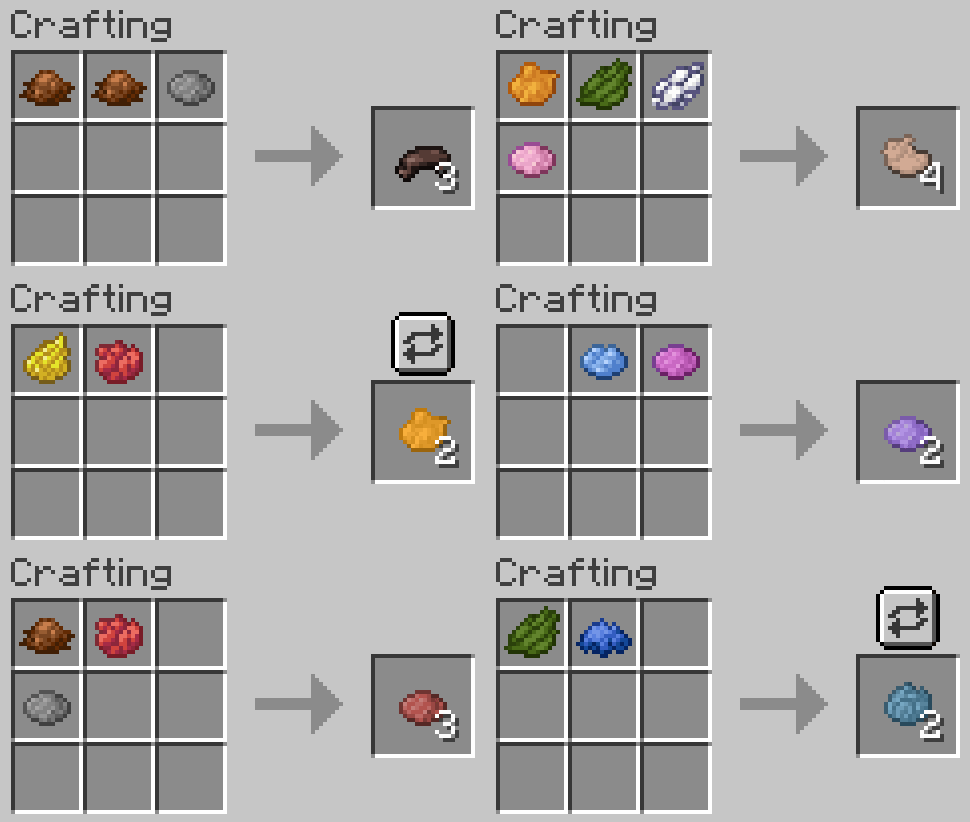
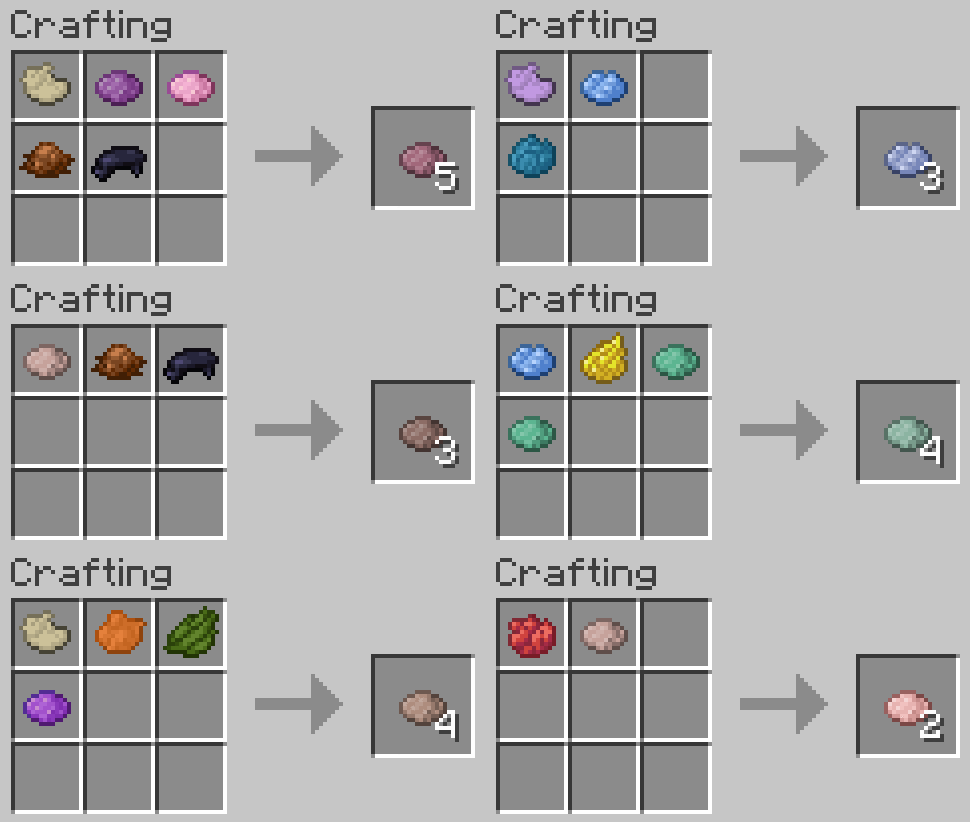
You can also use custom dyes when mixing new custom dyes! In this case you will not need a stick regardless of Polymorph being installed or not.
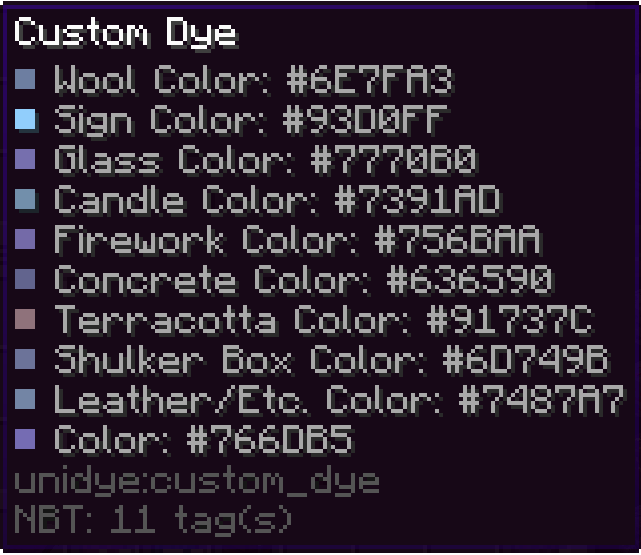
If you look at your custom dye, you can see that it has different colors depending on its use. This reflects the way that vanilla dyes have inconsistent colors depending on the way we use them (e.g. all terracottas are more muted than their concrete counterpart). This means that, for example, dyeing terracotta will result in a custom terracotta with a corresponding color.
You can use custom dyes to make dyed terracotta, concrete powder, glass, etc.
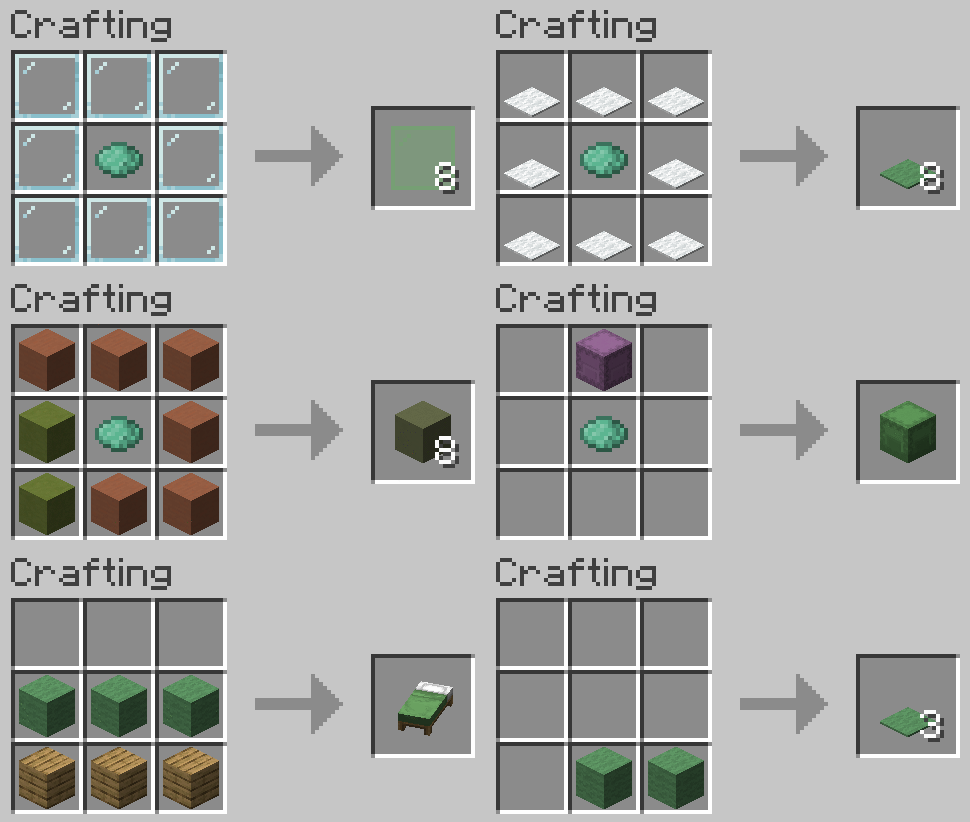
You can redye already dyed custom blocks, just like you can redye leather armor. The resulting block will have a color that is a mix between applied dyes and the color of the custom block.
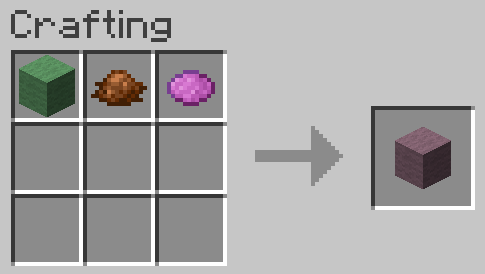
Dye your pets collars, your sheep's wool, craft custom colored fireworks, dye beacon beams, and do all other sorts of dye related things with custom dyes! (see gallery)
To clean any custom or vanilla dyed items just right-click a water cauldron.
You can use the following command to give yourself custom block with any color you want (where the color is in decimals)
For minecraft 1.20-1.20.4
/give @p unidye:custom_concrete{display:{color: }}

For minecraft 1.20.5+
/give @p unidye:custom_concrete[minecraft:dyed_color= ]
Forge/Neoforge ports are not coming in near times due to my lack of knowledge of these loaders, but maybe someday it will happen.
Planned Minecraft Versions: Currently no versions above 1.21.1 are planned with the new drop system pushing updates that frequently
Compatibility: Mods like Dye Depot that add new base dyes are semi-supported at the moment, but I will work on making a full compat. Mods that add their own uses to vanilla dyes are going to be compatted with at my own pace, since I cannot account for all the mods that add new uses. If you are a developer, and you would like to work on compatibility with Unidye and your mod, you can leave a feature suggestion at GitHub.
Project description from CurseForge.
Pick your setup
Choose the version and loader you play, then open the matching release.
Check the dependencies, then try the file in a copied instance before changing a world you care about.
Recent files
unidye-1.2.4+1.21-1.21.1.jar
4 Jun 2025
unidye-1.2.4+1.20-1.20.1.jar
4 Jun 2025
unidye-1.2.3+1.21-1.21.1.jar
10 Feb 2025
unidye-1.2.3+1.20.5-1.20.6.jar
10 Feb 2025
unidye-1.2.2-1.21-1.21.1.jar
7 Feb 2025
unidye-1.2.2-1.20.5-1.20.6.jar
7 Feb 2025
unidye-1.2.2-1.20.4.jar
7 Feb 2025
unidye-1.2.2-1.20.3.jar
7 Feb 2025
unidye-1.2.2-1.20.2.jar
7 Feb 2025
unidye-1.2.2-1.20-1.20.1.jar
7 Feb 2025
unidye-1.2.1-1.20.5-1.20.6.jar
2 Feb 2025
unidye-1.2.2-ALPHA-1.20-1.20.1.jar
20 Jan 2025
Looking for an older file? The official CurseForge project page is in Resources.
 mod
Create decorated railways and stations with few clicks!
 mod
A Modern falling Meteor mod, highly configurable, pretty and with spirt of the old ones!
 mod
Unofficial Fabric port of FramedBlocks by XFactHD for Minecraft 1.21.1. About 230 framed block shapes, from slopes and stairs to doors and chests, that take on the look of any block. Includes tools and the Framing Saw.