Minecraft version
Back to mods 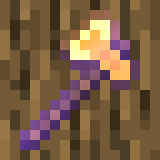
Modrinth · Minecraft mod
Timber: Enchantment addon
Adds an axe enchantment called Timber Strike, which lets you instantly chop trees by destroying a single log!
Choose a version Pick your version below, then grab the matching file.
Quick answer
Which Timber: Enchantment addon release should I use?
Latest stable file 4.1
Game version 1.21, 1.21.1, 1.21.2
Loader datapack
Timber: Enchantment addon 4.1 targets 1.21, 1.21.1, 1.21.2 with datapack. Installation on the client is optional. Installation on the dedicated server is optional. No extra mods listed for this file.
Where it goes
Is Timber: Enchantment addon required on the client, server, or both?
Installation on the client is optional. Installation on the dedicated server is optional.
Client Optional
Dedicated server Optional
Loader for this release datapack
Required install it here Optional supported, not mandatory Not supported do not install here Source doesn’t say do not assume
The source marks this as usable on both the client and server.
What else does Timber: Enchantment addon 4.1 need?
4.1. Change the file and its required mods may change too.
This file does not list any required mods. Do not add a library just because a different file uses it.
This file does not list any required or optional mods.
Before you install it
Add Timber: Enchantment addon without breaking your instance.
Built for Timber: Enchantment addon 4.1. Pick another file and the loader, install side or required mods may change.
- 01
Stick to this file
Use 4.1. It targets 1.21, 1.21.1, 1.21.2 with datapack; another release may have different loader, side or dependency requirements.
- 02
Bring the mods it needs
This file does not list any required mods. Do not add a library just because a different file uses it.
- 03
Put it on the correct side
Installation on the client is optional. Installation on the dedicated server is optional.
- 04
Pick the file you checked
Use the “Get this file” button beside 4.1. It opens that exact file at the source.
About this project
What does Timber: Enchantment addon add?
DESCRIPTION
The Timber Strike enchantment makes the whole tree get instantly destroyed when one log is broken. You can also mine a log normally if you press shift while breaking it. This makes it really convenient and fast to farm trees. The datapack/mod can be customized to enable or disable leaf breaking, to consume axe durability, and to enable or disable giant mushrooms.
DATAPACK INSTALLATION GUIDE
- go to your saves folder located here on Windows:
C:\Users(your name)\AppData\Roaming\.minecraft\saves
put the zipped file in the data packs folder, and either restart your world or execute /reload
UNINSTALLATION GUIDE
- run
function timberstrikeenchantment:uninstall. Do not reload before deleting the pack. - delete the datapack/mod and then run
/reload
OTHER THINGS TO NOTE
- The enchantment can be obtained by enchanting an axe or a book in an enchantment table.
- You may change settings by running
/function timberstrike:config. There are currently 6 settings:
| Setting | Default Value | Description |
|---|---|---|
mine_leaves |
true (1) | Makes tree leaves and mushroom blocks also get mined when the log/stem is broken. |
consume_durability |
true (1) | 1 durability point is consumed from the axe for every block that is broken using timber if this setting is enabled (unbreaking supported) |
enable_giant_mushrooms |
true (1) | Allows timber to be used on giant mushrooms. (red/brown) |
blocklimit |
500 | Limits the number of blocks that can be mined at once using timber. Set to 999999999 for practically infinite blocks. |
showanimation |
true (1) | If block breaking animation should be shown. When disabled, there will be no noise or particles and using timber would be less laggy |
trigger |
default (0) | Setting this to default will make timber not work when you are sneaking, to prevent unwanted destruction. For extra safety, set it to sneak so that timber will only work when you are shifting. |
- Want to have timber work for everybody regardless of the enchantment? Get the normal version version here!
[note: from v4.0 on, this HAS to be installed for it to work.] - Due to minecraft limitations and the nature of the datapack/mod, you will also need to have silk touch on your axe when mining overworld giant mushrooms along with the Timber Strike enchantment.
- for feedback, bug reports, or other help, join the discord server from the links section of this page!
Project description from Modrinth.
Pick your setup
Timber: Enchantment addon by Minecraft version and loader
Choose the version and loader you play, then open the matching release.
Minecraft version
1.21.9
5 loader buildsMinecraft version
1.21.8
5 loader buildsMinecraft version
1.21.7
5 loader buildsMinecraft version
1.21.6
5 loader buildsMinecraft version
1.21.5
5 loader buildsMinecraft version
1.21.4
5 loader buildsMinecraft version
1.21.3
5 loader buildsMinecraft version
1.21.2
5 loader buildsMinecraft version
1.21.1
5 loader buildsMinecraft version
1.21
5 loader buildsCheck the dependencies, then try the file in a copied instance before changing a world you care about.
Recent files
Timber: Enchantment addon versions and loaders
4.1
Timber Strike Enchantment v4.1 1.21 - 1.21.10.zip
5 Nov 2025
Client Optional Server Optional Dependencies No extras listed Listed on Release listing
Check the 1.21.10 · datapack setup 1.211.21.11.21.21.21.3 release
4.1
Timber Strike Enchantment v4.1 1.21 - 1.21.4.zip
30 Mar 2025
Client Optional Server Optional Dependencies No extras listed Listed on Release listing
Check the 1.21.8 · datapack setup 1.211.21.11.21.21.21.3 release
4.1+mod
timber-strike-enchantment-4.1.jar
30 Mar 2025
Client Optional Server Optional Dependencies No extras listed Listed on Release listing
Check the 1.21.10 · Fabric setup 1.21.51.21.61.21.71.21.8 beta
4.0+mod
timber-strike-enchantment-4.0.jar
21 Feb 2025
Client Optional Server Optional Dependencies 1 required · 1 unchecked Listed on Release listing
Check the 1.21.4 · Fabric setup 1.21.4FabricForgeNeoForge beta
4.0+mod
timber-strike-enchantment-4.0.jar
21 Feb 2025
Client Optional Server Optional Dependencies 1 required · 1 unchecked Listed on Release listing
Check the 1.21.3 · Fabric setup 1.211.21.11.21.21.21.3 beta
4.0
Timber Strike Enchantment v4.0.0 1.21 - 1.21.4.zip
21 Feb 2025
Client Optional Server Optional Dependencies 1 required · 1 unchecked Listed on Release listing
Check the 1.21.4 · datapack setup 1.211.21.11.21.21.21.3 beta
3.2
timber-strike-enchantment-3.2 1.21.4.jar
28 Dec 2024
Client Optional Server Optional Dependencies No extras listed Listed on Release listing
Check the 1.21.4 · Fabric setup 1.21.4FabricForgeNeoForge release
3.2
timber-strike-enchantment-3.2 1.21.jar
28 Dec 2024
Client Optional Server Optional Dependencies No extras listed Listed on Release listing
Check the 1.21.3 · Fabric setup 1.211.21.11.21.21.21.3 release
3.2
Timber Strike Enchantments v3.2 1.21 - 1.21.4.zip
28 Dec 2024
Client Optional Server Optional Dependencies No extras listed Listed on Release listing
Check the 1.21.4 · datapack setup 1.211.21.11.21.21.21.3 release
3.1A+mod
timber-strike-enchantment-3.1A.jar
14 Dec 2024
Client Optional Server Optional Dependencies No extras listed Listed on Release listing
Check the 1.21.4 · Fabric setup 1.21.4FabricForgeNeoForge release
3.1A+mod
timber-strike-enchantment-3.1A.jar
14 Dec 2024
Client Optional Server Optional Dependencies No extras listed Listed on Release listing
Check the 1.21.3 · Fabric setup 1.211.21.11.21.21.21.3 release
3.0+mod
timber-strike-enchantment-3.0.jar
1 Dec 2024
Client Optional Server Optional Dependencies No extras listed Listed on Release listing
Check the 1.21.4 · Fabric setup 1.211.21.11.21.21.21.3 alpha
Looking for an older file? The official Modrinth project page is in Resources.
 mod
mod CurseForge + Modrinth · Minecraft
Open Together
Open matching double doors, trapdoors, and fence gates with a single click.
 mod
mod CurseForge + Modrinth · Minecraft
Skin Restorer
A server-side mod for managing and restoring player skins.
 mod
mod Modrinth · Minecraft
Balance Silverfishes
Makes some small tweaks to the silverfishes