Fabric API Needed by Possessive 1.0.4_1.21.11
requiredMatching file found Matched file: 0.141.6+1.21.11

Modrinth · Minecraft mod
A client addon for Armor Poser mod which allows you to possess the Armor Stand.
Quick answer
Possessive 1.0.4_1.21.11 targets 1.21.11 with Fabric. It must be installed on the client. Do not install it on the dedicated server. All 3 required mods have matching files.
Where it goes
It must be installed on the client. Do not install it on the dedicated server.
This file is marked client-only.
1.0.4_1.21.11 on Fabric. Every mod below is checked against that same setup.
Install Fabric API, Cloth Config API, Armor Poser first. We found matching files for this game-version and loader setup. 3 come through another mod in the chain.
3 extra mods were pulled in by other dependencies. Indented rows show who needs each one. We only count dependency files that match this setup. A file for another loader does not fill the gap.
Before you install it
Built for Possessive 1.0.4_1.21.11 on Fabric. Pick another file and the loader, install side or required mods may change.
Use 1.0.4_1.21.11. It targets 1.21.11 with Fabric; another release may have different loader, side or dependency requirements.
Install Fabric API, Cloth Config API, Armor Poser first. We found matching files for this game-version and loader setup. 3 come through another mod in the chain.
It must be installed on the client. Do not install it on the dedicated server.
Use the “Get this file” button beside 1.0.4_1.21.11. It opens that exact file at the source.
About this project
This client-side addon for Armor Poser mod enables players to possess an Armor Stand.
First of all, press SHIFT+R to enter the "Limbo" state (become ghost). You basically get a worse version of freecam with cool shaders. Then, to possess an armor stand, hover your cursor over it and press R. To leave the chosen armor stand's body just press SHIFT+R again. To return to your original body you'll have to manually fly over and use R on youself.
So, again,
SHIFT + R - become ghost
R - enter the body
You can reconfigure "R" to any other preferrable key.
While inside the Armor Stand, by pressing "Open Inventory" key you will open this Armor Stand's config menu. You can modify it on the fly!
You can also enable walking animation by pressing respective button in the menu.
There are a lot of known bugs and issues, sorry about that :(
This addon was created for a YouTube video and then published under the MIT License. Don't expect a lot of updates, code is opensource and free to expand on!
Project description from Modrinth.
Pick your setup
Choose the version and loader you play, then open the matching release.
Showing the newest 12 of 18 game versions. Older files are in the list below.
Check the dependencies, then try the file in a copied instance before changing a world you care about.
Recent files
possessive-1.0.4_1.21.11.jar
3 Jan 2026
possessive-1.0.4_1.21.10.jar
6 Nov 2025
possessive-1.0.4_1.21.6.jar
3 Sept 2025
possessive-1.0.4_1.21.5.jar
3 Sept 2025
possessive-1.0.4_1.21.3.jar
3 Sept 2025
possessive-1.0.4_1.21.1.jar
3 Sept 2025
possessive-1.0.4_1.20.5.jar
3 Sept 2025
possessive-1.0.4_1.20.4.jar
3 Sept 2025
possessive-1.0.4_1.20.2.jar
3 Sept 2025
possessive-1.0.4_1.20.1.jar
3 Sept 2025
possessive-1.0.4_1.21.4.jar
3 Sept 2025
possessive-1.0.3_1.21.5.jar
1 Sept 2025
Looking for an older file? The official Modrinth project page is in Resources.
 mod
A data-driven enchantment component and utility library.
 mod
Library/API for messing with time and space
 mod
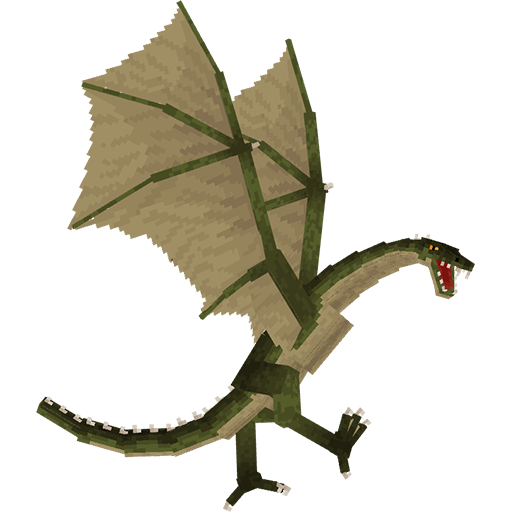
Adds a dragons that you can tame (and sometimes ride)