Minecraft version
Back to mods 
Modrinth · Minecraft mod
QuickBackupMulti
A backup / restore mod, with multiple backup slots
Choose a version Pick your version below, then grab the matching file.
Quick answer
Which QuickBackupMulti release should I use?
Latest stable file mc1.21.6-v3.3.3-neoforge
Game version 1.21.6
Loader NeoForge
QuickBackupMulti mc1.21.6-v3.3.3-neoforge targets 1.21.6 with NeoForge. Installation on the client is optional. Installation on the dedicated server is optional. No extra mods listed for this file.
Where it goes
Is QuickBackupMulti required on the client, server, or both?
Installation on the client is optional. Installation on the dedicated server is optional.
Client Optional
Dedicated server Optional
Loader for this release NeoForge
Required install it here Optional supported, not mandatory Not supported do not install here Source doesn’t say do not assume
The source marks this as usable on both the client and server.
What else does QuickBackupMulti mc1.21.6-v3.3.3-neoforge need?
mc1.21.6-v3.3.3-neoforge. Change the file and its required mods may change too.
This file does not list any required mods. Do not add a library just because a different file uses it.
This file does not list any required or optional mods.
Before you install it
Add QuickBackupMulti without breaking your instance.
Built for QuickBackupMulti mc1.21.6-v3.3.3-neoforge. Pick another file and the loader, install side or required mods may change.
- 01
Stick to this file
Use mc1.21.6-v3.3.3-neoforge. It targets 1.21.6 with NeoForge; another release may have different loader, side or dependency requirements.
- 02
Bring the mods it needs
This file does not list any required mods. Do not add a library just because a different file uses it.
- 03
Put it on the correct side
Installation on the client is optional. Installation on the dedicated server is optional.
- 04
Pick the file you checked
Use the “Get this file” button beside mc1.21.6-v3.3.3-neoforge. It opens that exact file at the source.
About this project
What does QuickBackupMulti add?
警告 / Warning
严禁自行删除备份文件夹内的所有备份文件, 如需删除请进入游戏内进行手动删除!
It is strictly prohibited to delete all backup files in the backup folder by oneself.
If you need to delete them, please enter the game and use the command to delete them!
A mod for backup / restore save, with multiple backup slots.
This mod will not have any impact on world generation.
For more details of the mod and builds for snapshots, check the github page
Project description from Modrinth.
Pick your setup
QuickBackupMulti by Minecraft version and loader
Choose the version and loader you play, then open the matching release.
Minecraft version
26.1.2
2 loader buildsMinecraft version
26.1.1
2 loader buildsMinecraft version
26.1
2 loader buildsMinecraft version
1.21.11
2 loader buildsMinecraft version
1.21.10
2 loader buildsMinecraft version
1.21.9
2 loader buildsMinecraft version
1.21.8
2 loader buildsMinecraft version
1.21.7
2 loader buildsMinecraft version
1.21.6
2 loader buildsMinecraft version
1.21.5
2 loader buildsMinecraft version
1.21.4
2 loader buildsShowing the newest 12 of 21 game versions. Older files are in the list below.
Check the dependencies, then try the file in a copied instance before changing a world you care about.
Recent files
QuickBackupMulti versions and loaders
mc1.21.6-v3.3.3-neoforge
QuickBakcupMulti-Reforged-mc1.21.6-neoforge-3.3.3.jar
24 Aug 2026
Client Optional Server Optional Dependencies No extras listed Listed on Release listing
Check the 1.21.6 · NeoForge setup 1.21.6NeoForge release
mc1.21.7-v3.3.3-neoforge
QuickBakcupMulti-Reforged-mc1.21.7-neoforge-3.3.3.jar
24 Aug 2026
Client Optional Server Optional Dependencies No extras listed Listed on Release listing
Check the 1.21.9 · NeoForge setup 1.21.71.21.81.21.9NeoForge release
mc1.21.7-v3.3.3-fabric
QuickBakcupMulti-Reforged-mc1.21.7-fabric-3.3.3.jar
24 Aug 2026
Client Optional Server Optional Dependencies 1 required · 1 unchecked Listed on Release listing
Check the 1.21.9 · Fabric setup 1.21.71.21.81.21.9Fabric release
mc26.2-v3.3.3-fabric
QuickBakcupMulti-Reforged-mc26.2-fabric-3.3.3.jar
24 Aug 2026
Client Optional Server Optional Dependencies 1 required · 1 unchecked Listed on Release listing
Check the 26.2 · Fabric setup 26.2Fabric release
mc1.20.5-v3.3.3-fabric
QuickBakcupMulti-Reforged-mc1.20.5-fabric-3.3.3.jar
24 Aug 2026
Client Optional Server Optional Dependencies 1 required · 1 unchecked Listed on Release listing
Check the 1.20.5 · Fabric setup 1.20.5Fabric release
mc1.21.4-v3.3.3-neoforge
QuickBakcupMulti-Reforged-mc1.21.4-neoforge-3.3.3.jar
24 Aug 2026
Client Optional Server Optional Dependencies No extras listed Listed on Release listing
Check the 1.21.4 · NeoForge setup 1.21.4NeoForge release
mc26.1-v3.3.3-fabric
QuickBakcupMulti-Reforged-mc26.1-fabric-3.3.3.jar
24 Aug 2026
Client Optional Server Optional Dependencies 1 required · 1 unchecked Listed on Release listing
Check the 26.1.2 · Fabric setup 26.126.1.126.1.2Fabric release
mc1.21.11-v3.3.3-fabric
QuickBakcupMulti-Reforged-mc1.21.11-fabric-3.3.3.jar
24 Aug 2026
Client Optional Server Optional Dependencies 1 required · 1 unchecked Listed on Release listing
Check the 1.21.11 · Fabric setup 1.21.11Fabric release
mc26.2-v3.3.3-neoforge
QuickBakcupMulti-Reforged-mc26.2-neoforge-3.3.3.jar
24 Aug 2026
Client Optional Server Optional Dependencies No extras listed Listed on Release listing
Check the 26.2 · NeoForge setup 26.2NeoForge release
mc1.21.6-v3.3.3-fabric
QuickBakcupMulti-Reforged-mc1.21.6-fabric-3.3.3.jar
24 Aug 2026
Client Optional Server Optional Dependencies 1 required · 1 unchecked Listed on Release listing
Check the 1.21.6 · Fabric setup 1.21.6Fabric release
mc26.1-v3.3.3-neoforge
QuickBakcupMulti-Reforged-mc26.1-neoforge-3.3.3.jar
24 Aug 2026
Client Optional Server Optional Dependencies No extras listed Listed on Release listing
Check the 26.1.2 · NeoForge setup 26.126.1.126.1.2NeoForge release
mc1.20.3-v3.3.3-neoforge
QuickBakcupMulti-Reforged-mc1.20.3-neoforge-3.3.3.jar
24 Aug 2026
Client Optional Server Optional Dependencies No extras listed Listed on Release listing
Check the 1.20.4 · NeoForge setup 1.20.31.20.4NeoForge release
Looking for an older file? The official Modrinth project page is in Resources.
 mod
mod CurseForge + Modrinth · Minecraft
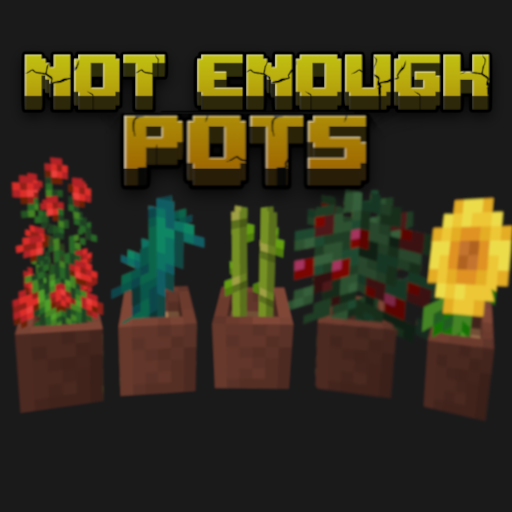
Not Enough Pots
Put all plants into flower pots
 mod
mod CurseForge + Modrinth · Minecraft
Goety - The Dark Arts
Perform necromancy and dark rituals using the power of souls. Highly configurable.
 mod
mod Modrinth · Minecraft
Planket
A mod that modifies creative mode inventory style.