Fabric Language Kotlin Needed by Aeonis 4.5
requiredMatching file found Matched file: 1.14.2+kotlin.2.4.21

Modrinth · Minecraft mod
Possess and control any Minecraft mob in first person using Fabric commands—fly as the Ender Dragon, fire Wither skulls, blink, dash, and summon combat pets.
Quick answer
Aeonis 4.5 targets 26.1, 26.1-pre-1, 26.1-pre-2 with Fabric, Quilt. Installation on the client is optional. Installation on the dedicated server is optional. All 2 required mods have matching files.
Where it goes
Installation on the client is optional. Installation on the dedicated server is optional.
The source marks this as usable on both the client and server.
4.5 on 26.1. Every mod below is checked against that same setup.
Install Fabric Language Kotlin, Fabric API first. We found matching files for this game-version and loader setup.
We only count dependency files that match this setup. A file for another loader does not fill the gap.
Before you install it
Built for Aeonis 4.5 on 26.1. Pick another file and the loader, install side or required mods may change.
Use 4.5. It targets 26.1, 26.1-pre-1, 26.1-pre-2 with Fabric, Quilt; another release may have different loader, side or dependency requirements.
Install Fabric Language Kotlin, Fabric API first. We found matching files for this game-version and loader setup.
Installation on the client is optional. Installation on the dedicated server is optional.
Use the “Get this file” button beside 4.5. It opens that exact file at the source.
About this project
A gameplay and world-content mod for Minecraft, available for both Fabric and NeoForge.
Aeonis adds player and mob transformation, AI-assisted command and control systems,
custom dimensions and progression hooks, unique animated mobs, and supporting
rendering and utility tooling.
Verified against the official Fabric, NeoForged, and Mojang metadata for the 26.3 line.
| Component | Version |
|---|---|
| Minecraft | 26.3 |
| Java | 25 (minimum for both build and runtime) |
| Gradle | 9.5.1 (via the included wrapper) |
| Fabric Loader | 0.19.5 or newer |
| Fabric API | 0.161.0+26.3 |
| Fabric Language Kotlin | 1.14.1+kotlin.2.4.20 |
| Fabric Loom | 1.17-SNAPSHOT |
| NeoForge | 26.3.0.6-beta |
| NeoGradle (userdev) | 7.1.39 |
| KotlinForForge | 6.3.0 or newer |
| Mod Menu (optional, Fabric only) | 21.0.0-beta.1 |
Mappings are the official Mojang mappings in the unobfuscated workflow. Yarn and
intermediary are no longer used anywhere in this project.
Two dependency notes worth reading before reporting a launch problem:
Install the jar that matches your loader. Both jars are built from the same source
tree and are not interchangeable.
AeonisCM-5.0.0.jar (Fabric) or aeonis-5.0.0.jar (NeoForge) in yourmods directory.A fresh clone builds both jars with a single command:
./gradlew build
Artifacts are written to:
fabric/build/libs/AeonisCM-5.0.0.jarneoforge/build/libs/aeonis-5.0.0.jarTo build one loader only:
./gradlew :fabric:build
./gradlew :neoforge:build
The first build downloads Minecraft, the loader toolchains, and mappings, and can
take several minutes. Java 25 must be available; the build requests a Java 25
toolchain and does not rely on a hardcoded JDK path.
Two helpers under scripts/ check a build without needing a launcher or an account.
Boot the mod in a real PolyMC instance and confirm the client reaches the main menu:
python3 scripts/mc-smoke-test.py
It builds the Fabric jar, copies it into the instance's mods/ folder, launches
Minecraft with that instance's own libraries and assets, and exits non-zero on a
crash, a mixin apply error or an entrypoint failure. Use --instance,--polymc-home or the POLYMC_HOME environment variable to target another instance,--no-build to reuse the existing jar, and --dry-run to inspect the launch command.
Check that every mixin still targets code that exists in the current Minecraft jar:
python3 scripts/check-mixin-targets.py
This resolves @Inject, @Redirect, @Accessor and @Shadow selectors against the
deobfuscated jar with javap, catching renames and signature changes that compile
cleanly and then fail at runtime. Run ./gradlew :fabric:build at least once first, so
that the jar it inspects has been produced.
Aeonis is a three-module Gradle build. The split is deliberate: the mod is large
and stateful, and both loaders share a single implementation of the gameplay
systems so that behaviour cannot silently diverge between them.
| Module | Purpose |
|---|---|
common |
Loader-agnostic game logic: commands, entities, items, dimensions, the transform/possession system, and the AI assistant. Compiled against Minecraft with Fabric Loom in the unobfuscated workflow. |
fabric |
Fabric entrypoints, mixins, client rendering, networking, and fabric.mod.json. |
neoforge |
NeoForge entrypoints, mixins, client rendering, networking, and neoforge.mods.toml. |
Both loader modules depend on common and shade its output into their own jar.
Architectury API was considered and rejected. Aeonis depends heavily on mixins
targeting vanilla classes and on a custom transform/possession system that needs
per-loader event wiring; Architectury's abstraction layer would have obscured those
without removing the need for loader-specific mixin code. A plain multi-project
Gradle build keeps each loader's entrypoints and mixins explicit and lets common
own the shared logic directly. Config screens use a small per-loader shim rather
than a third-party config library, since the existing screens are hand-written.
All commands require operator permissions unless noted.
| Command | Description |
|---|---|
/transform <entity> [variant...] |
Transform into a mob. Accepts an entity ID and optional variant arguments. |
/untransform |
Return to your normal player form. |
/exitbody s |
Exit to Survival mode. |
/exitbody c |
Exit to Creative mode. |
Examples:
/transform minecraft:zombie
/transform minecraft:wither
/transform minecraft:ender_dragon
/transform minecraft:breeze
/transform minecraft:phantom
/transform minecraft:ghast
/transform minecraft:bee
/transform minecraft:dolphin
/transform minecraft:creeper
/transform minecraft:skeleton
/transform minecraft:blaze
/transform minecraft:enderman
| Command | Description |
|---|---|
/prank smite <players> |
Strike with lightning. |
/prank yeet <players> |
Launch into the sky. |
/prank disco <players> |
Party effects. |
/prank supersize <players> |
Scale players up. |
/prank smol <players> |
Scale players down. |
/prank chaos <players> |
Three random effects. |
/prank rocket <players> |
Rocket launch. |
/prank spin <players> <times> |
Spin players. |
/prank freeze <players> |
Freeze in place. |
/prank burn <players> |
Set on fire. |
/prank drunk <players> |
Nausea and blindness. |
/prank boing <players> |
Super bounce. |
/prank confetti <players> |
Firework confetti burst. |
/prank swap <player_a> <player_b> |
Swap two players. |
/prank morph <players> <type> |
Temporary transform for two minutes. |
| Command | Description |
|---|---|
/event ambush |
Surprise mob ambush. |
/event scan |
Scan for hostiles nearby. |
/event thunder |
Start the thunder dome event. |
/event copper |
Drop copper on players. |
/event time <ticks> |
Warp time forward. |
/event cleanse <players> |
Remove all effects. |
/event crit_save |
Critical save (revive). |
/event pro_gamer |
Pro gamer mode. |
/event exitbody <s|c> |
Exit body (Survival or Creative). |
| Command | Description |
|---|---|
/ability mimic zombie |
Play the zombie ambient sound. |
/ability mimic wither |
Play the wither ambient sound. |
/ability mimic ghast |
Play the ghast cry. |
/ability mimic dragon |
Play the dragon growl. |
/ability dash |
Quick dash forward. |
/ability blink <range> |
Teleport a short distance. |
/ability jump |
Moon jump. |
/ability roar |
Warden roar. |
/ability darkness |
Darkness pulse. |
/ability summon vex |
Summon a pet vex. |
/ability summon wolves <count> |
Summon spirit wolves. |
| Command | Description |
|---|---|
/ai chaotic <entities> |
Enable chaotic AI (experimental). |
/ai chaotic stop |
Disable chaotic AI. |
/ai director <entities> walk_to <x y z> [speed] |
Walk entities to a position. |
/ai director <entities> look_at <target> |
Make entities look at a target. |
/ai director <entities> attack <target> |
Make entities attack a target. |
/ai director <entities> stop |
Stop all orders for entities. |
| Command | Description |
|---|---|
/aeonis soul |
Enter soul mode (spectator, possess with the P key). |
/aeonis unsoul |
Exit soul mode. |
/aeonis sys ping |
Show server and mod stats. |
/aeonis sys story |
Show Aeonis story flavour text. |
/aeonis help |
Show the in-game help listing. |
/aeonis reload |
Reload all mod features and reset state. |
/aeonis features extra_mobs |
Query whether Aeonis custom mobs are enabled. |
/aeonis features extra_mobs <true|false> |
Enable or disable Aeonis custom mob spawning. |
| Command | Description |
|---|---|
/comp spawn |
Spawn a companion bot. |
/comp mode <mode> |
Set the companion behaviour mode (attack, follow, retreat). |
The /ai command tree is backed by a configurable LLM integration supporting
OpenAI, OpenRouter, and Gemini. API keys and provider selection are configured
through the in-game config screen or the Aeonis/llm config file. The assistant can
both issue commands and run saved scripts, and it is subject to an operator-configurable
allowlist of executable commands. Treat API keys as secrets: they are stored in the
config file, not in the world save.
The 26.1 to 26.3 update followed this checklist. It is kept here because it remains
the right sequence for the next version bump.
gradle.properties with the new Minecraft, loader, Fabric API, NeoForge,EntityType to EntityTypes, renamingEntity.hurtMarked to syncVelocity, replacing Entity.setInvulnerable withsetPermanentlyInvulnerable, moving the current screen from Minecraft toGui, replacing GuiGraphics with GuiGraphicsExtractor for HUD elements,InputConstants.Type.KEYSYM to KEYBOARD.processResources in the loader modules; seeCHANGELOG.md, and the mod metadata files.mod_version in gradle.properties../gradlew clean build and confirm both jars are produced.fabric.mod.json and neoforge.mods.tomlCHANGELOG.md entry.Changelog entries live in CHANGELOG.md.
Aeonis is licensed under the GNU General Public License v3.0 or later.
Copyright (C) 2025-2026 Aevora Labs. See LICENSE.
Project description from Modrinth.
Pick your setup
Choose the version and loader you play, then open the matching release.
Showing the newest 12 of 30 game versions. Older files are in the list below.
Check the dependencies, then try the file in a copied instance before changing a world you care about.
Recent files
AeonisCM-26.1.2_fabric.jar
5 May 2026
aeonis-26.1.2_neoforge.jar
5 May 2026
Aeonis_fabric-4.7beta.jar
3 May 2026
aeonis_neoforge-4.7alpha.jar
3 May 2026
Aeonis 4.5.jar
30 Apr 2026
AeonisCM-4.0.jar
1 Apr 2026
Looking for an older file? The official Modrinth project page is in Resources.
 mod
A suite of integration and compatibility patches for Thermoo-based mods (including Frostiful and Scorchful) and other mods
 mod
Adds multiple new mob variants seamlessly integrated into your Minecraft world.
 mod
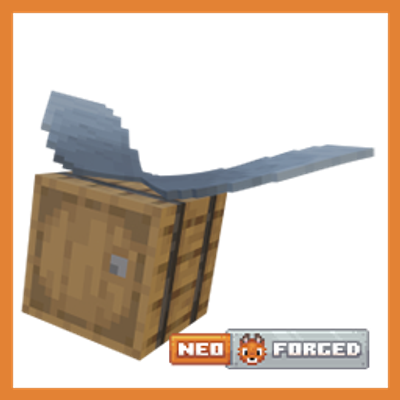
Microsoft flight simulator for Minecraft elytras, now native to NeoForge.