Minecraft version
Back to mods 
Modrinth · Minecraft mod
100Days Plugin
display current days for playinig 100Days !
Choose a version Pick your version below, then grab the matching file.
Quick answer
Which 100Days Plugin release matches 26.1.2?
Best match for your filters v1.1.0-mc26.1.2-neoforge
Game version 26.1.2
Loader NeoForge
100Days Plugin v1.1.0-mc26.1.2-neoforge targets 26.1.2 with NeoForge. It must be installed on the client. Do not install it on the dedicated server. No extra mods listed for this file.
Where it goes
Is 100Days Plugin required on the client, server, or both?
It must be installed on the client. Do not install it on the dedicated server.
Client Required
Dedicated server Not supported
Loader for this release NeoForge
Required install it here Optional supported, not mandatory Not supported do not install here Source doesn’t say do not assume
This file is marked client-only.
What else does 100Days Plugin v1.1.0-mc26.1.2-neoforge need?
v1.1.0-mc26.1.2-neoforge on 26.1.2. Every mod below is checked against that same setup.
This file does not list any required mods. Do not add a library just because a different file uses it.
This file does not list any required or optional mods.
Before you install it
Add 100Days Plugin without breaking your instance.
Built for 100Days Plugin v1.1.0-mc26.1.2-neoforge on 26.1.2. Pick another file and the loader, install side or required mods may change.
- 01
Stick to this file
Use v1.1.0-mc26.1.2-neoforge. It targets 26.1.2 with NeoForge; another release may have different loader, side or dependency requirements.
- 02
Bring the mods it needs
This file does not list any required mods. Do not add a library just because a different file uses it.
- 03
Put it on the correct side
It must be installed on the client. Do not install it on the dedicated server.
- 04
Pick the file you checked
Use the “Get this file” button beside v1.1.0-mc26.1.2-neoforge. It opens that exact file at the source.
About this project
What does 100Days Plugin add?
日本語の説明はこちらへ
100 Days plugin
Feature
- show current day at the bottom of window. (above inventory)
- show splash text when the night is over!
Install for Fabric
depends on
Install for NeoForge
no other dependent mod.
License
This template is available under the CC0 license. Feel free to learn from it and incorporate it in your own projects.
Project description from Modrinth.
Pick your setup
100Days Plugin by Minecraft version and loader
Choose the version and loader you play, then open the matching release.
Minecraft version
26.2
2 loader buildsMinecraft version
26.1.2
2 loader buildsMinecraft version
26.1.1
2 loader buildsMinecraft version
1.21.11
2 loader buildsMinecraft version
1.21.10
2 loader buildsMinecraft version
1.21.8
1 loader buildMinecraft version
1.21.5
1 loader buildMinecraft version
1.21
1 loader buildMinecraft version
1.20.4
1 loader buildMinecraft version
1.19.3
1 loader buildCheck the dependencies, then try the file in a copied instance before changing a world you care about.
Recent files
100Days Plugin versions and loaders
v1.1.0-mc26.1.2-neoforge
mc100days-1.1.0-neoforge-mc26.1.2.jar
6 Jun 2026
Client Required Server Not supported Dependencies No extras listed Listed on Release listing
Check the 26.1.2 · NeoForge setup 26.1.2NeoForge release
v1.1.0-mc26.1.2-fabric
mc100days-1.1.0-fabric-mc26.1.2.jar
6 Jun 2026
Client Required Server Not supported Dependencies 1 required · 1 unchecked Listed on Release listing
Check the 26.1.2 · Fabric setup 26.1.2Fabric release
Looking for an older file? The official Modrinth project page is in Resources.
 mod
CurseForge + Modrinth · Minecraft
Energized Power
A technology NeoForge/Fabric mod with many machines.
 mod
CurseForge · Minecraft
Coins N' Auctions
player ran economic auction house
 mod
CurseForge · Minecraft
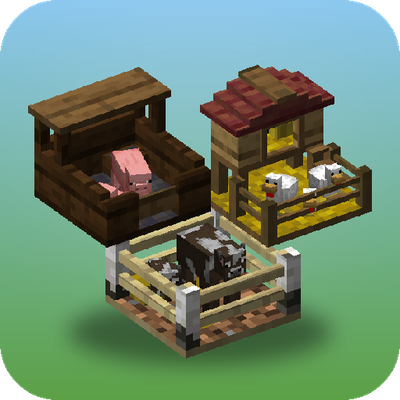
Penned In
Store, breed and farm animals in a single block, with no entity lag. Pens change their look to suit what's inside, breed, milk, shear and butcher on their own, and Hopper Pens pipe out items, milk and liquid XP