Minecraft version
Back to mods 
Modrinth · Minecraft mod
datapacktools
Useful tools for datapackers
Choose a version Pick your version below, then grab the matching file.
Quick answer
Which datapacktools release should I use?
Latest stable file 1.2.1
Game version 1.20.1, 1.20.2, 1.20.3
Loader Fabric
datapacktools 1.2.1 targets 1.20.1, 1.20.2, 1.20.3 with Fabric. Installation on the client is optional. Installation on the dedicated server is optional. No extra mods listed for this file.
Where it goes
Is datapacktools required on the client, server, or both?
Installation on the client is optional. Installation on the dedicated server is optional.
Client Optional
Dedicated server Optional
Loader for this release Fabric
Required install it here Optional supported, not mandatory Not supported do not install here Source doesn’t say do not assume
The source marks this as usable on both the client and server.
What else does datapacktools 1.2.1 need?
1.2.1. Change the file and its required mods may change too.
This file does not list any required mods. Do not add a library just because a different file uses it.
This file does not list any required or optional mods.
Before you install it
Add datapacktools without breaking your instance.
Built for datapacktools 1.2.1. Pick another file and the loader, install side or required mods may change.
- 01
Stick to this file
Use 1.2.1. It targets 1.20.1, 1.20.2, 1.20.3 with Fabric; another release may have different loader, side or dependency requirements.
- 02
Bring the mods it needs
This file does not list any required mods. Do not add a library just because a different file uses it.
- 03
Put it on the correct side
Installation on the client is optional. Installation on the dedicated server is optional.
- 04
Pick the file you checked
Use the “Get this file” button beside 1.2.1. It opens that exact file at the source.
About this project
What does datapacktools add?
What is this mod?
This mod adds useful tweaks for datapack creators. You can read more about all the included features below.
Tweaks
In-game Datapack Editor
A fully functional in-game datapack function editor! Available since version 1.1.0.
Supports creating functions, editing, comments, suggestions, and even folders!
In-game editor showcase
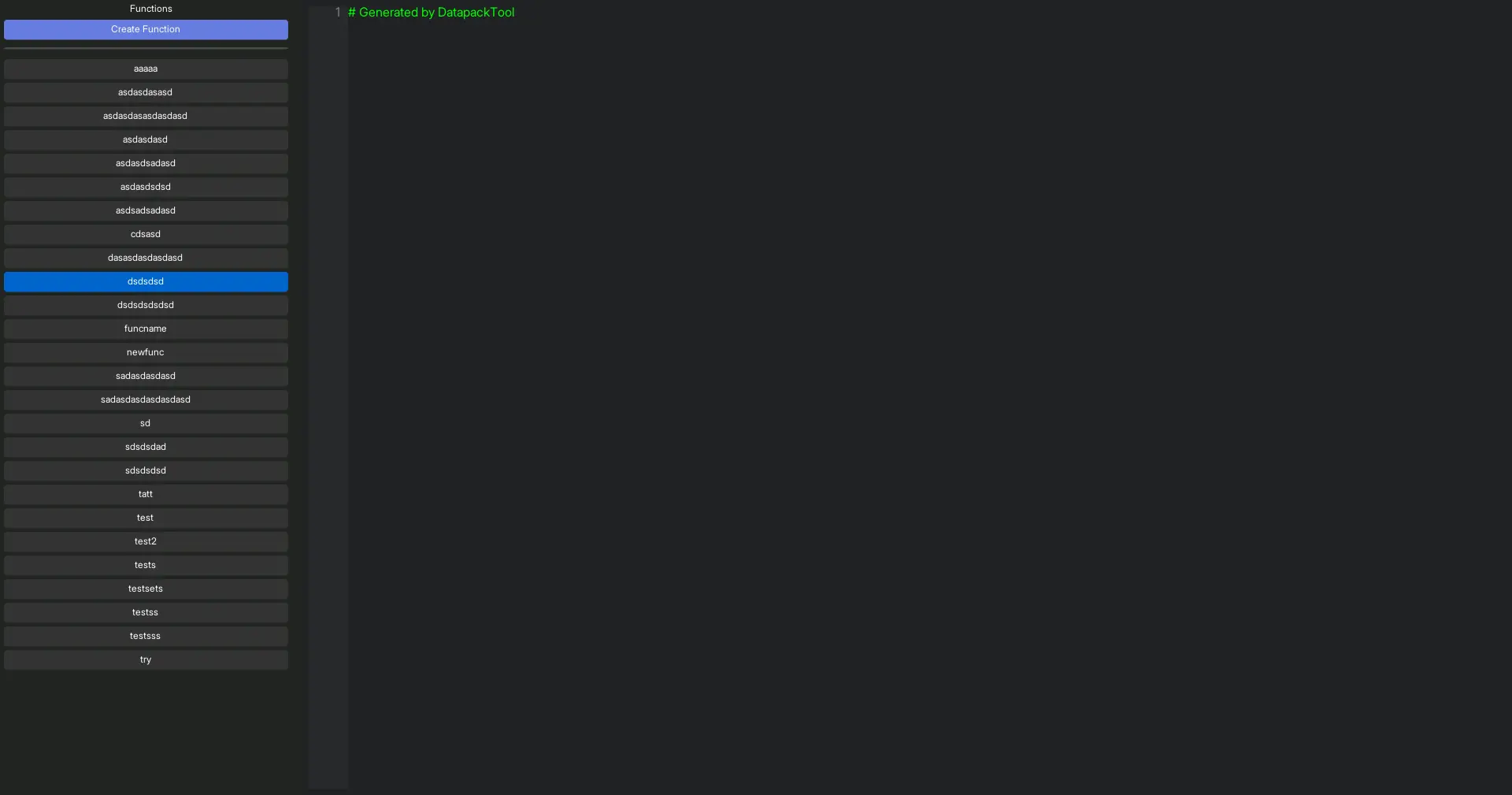

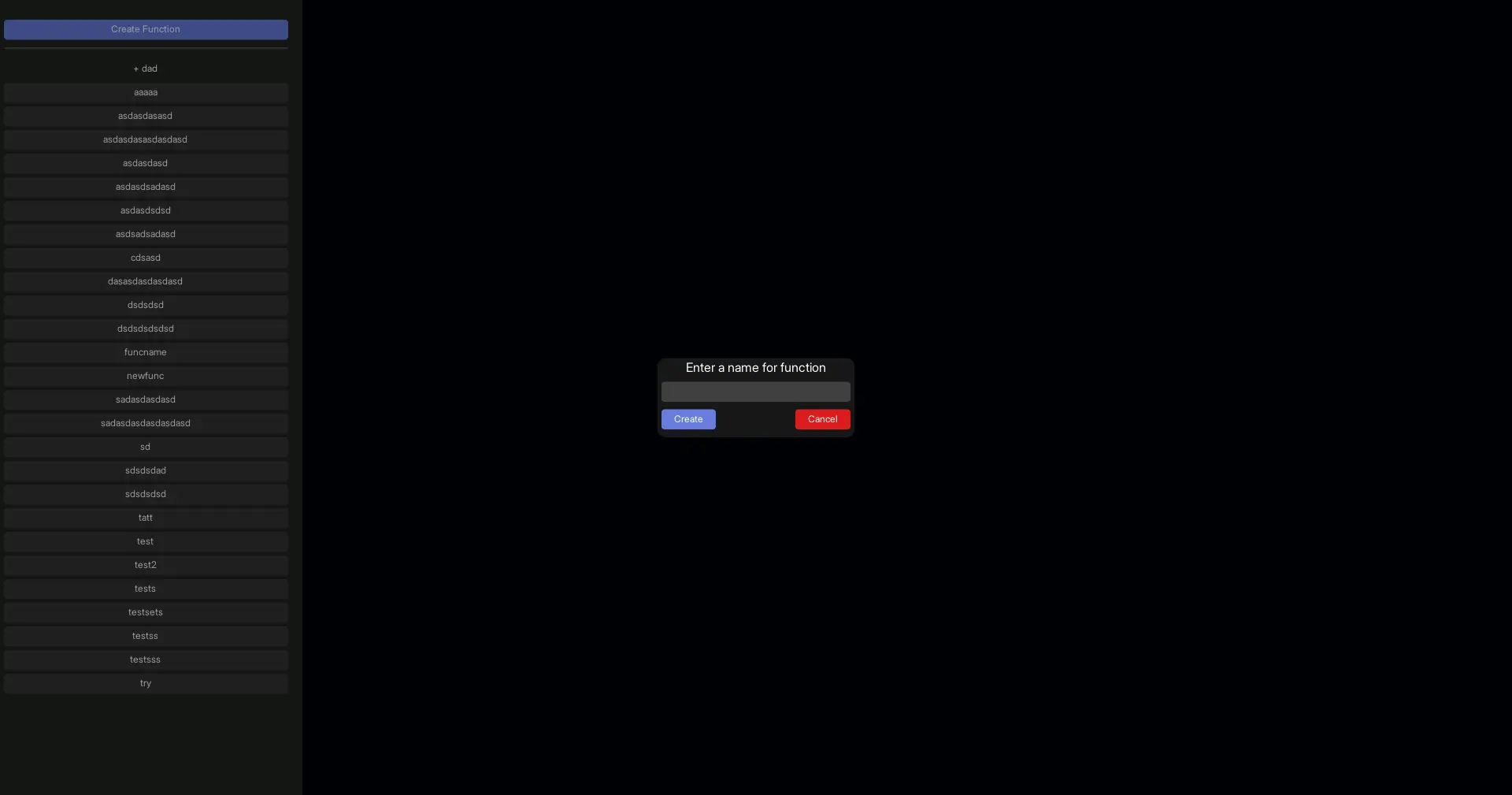
Converting Command Block Chains into Functions
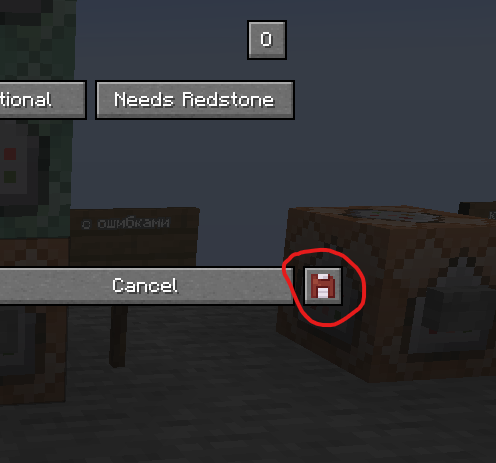
A new button has been added to the command block interface, allowing you to export a command block chain as a datapack function.
Alternatively, you can press F10 while in the command block interface, or hover over a command block and press F10 to open the conversion screen.
Button showcase
Export screen showcase
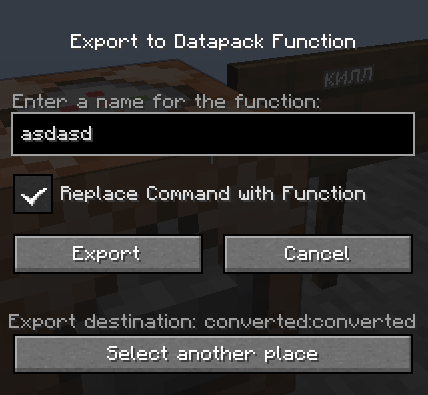
The mod also provides an option to remove the entire command block chain and replace the first command block with a call to the newly created function.
Important:
The start of the chain is defined by the command block from which the export is initiated. This allows you to convert only a selected portion of a command block chain into a function.
To export the entire chain, you must open the export screen from the command block at the very beginning of the chain.
Additional
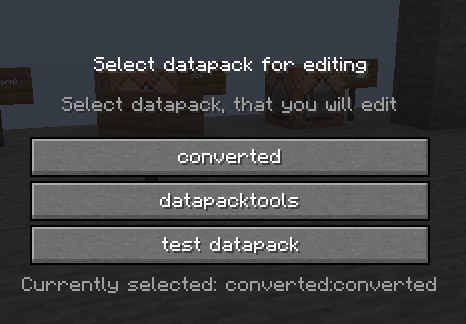
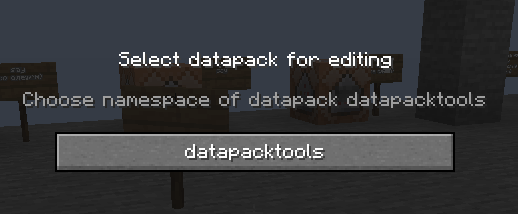
To select the datapack you want to edit, press F8 (or any key you have bound to this action).
Selecting datapack showcase
Thanks to..
- Dundunkin for the idea behind this mod and all the tweaks.
- Twemoji for the icons used in the project logo.
Project description from Modrinth.
Pick your setup
datapacktools by Minecraft version and loader
Choose the version and loader you play, then open the matching release.
Minecraft version
1.20.2
1 loader buildMinecraft version
1.20.1
1 loader buildCheck the dependencies, then try the file in a copied instance before changing a world you care about.
Recent files
datapacktools versions and loaders
1.2.1
datapacktools-1.2.1.jar
8 Nov 2025
Client Optional Server Optional Dependencies No extras listed Listed on Release listing
Check the 1.20.3 · Fabric setup 1.20.11.20.21.20.3Fabric release
1.2.0
datapacktools-1.2.0.jar
6 Nov 2025
Client Optional Server Optional Dependencies No extras listed Listed on Release listing
Check the 1.20.3 · Fabric setup 1.20.11.20.21.20.3Fabric release
1.1.4
datapacktools-1.1.4.jar
31 Oct 2025
Client Optional Server Optional Dependencies No extras listed Listed on Release listing
Check the 1.20.3 · Fabric setup 1.20.11.20.21.20.3Fabric release
1.1.1
datapacktools-1.1.1.jar
20 Oct 2025
Client Optional Server Optional Dependencies No extras listed Listed on Release listing
Check the 1.20.3 · Fabric setup 1.20.11.20.21.20.3Fabric release
1.1.0
datapacktools-1.1.0.jar
18 Oct 2025
Client Optional Server Optional Dependencies No extras listed Listed on Release listing
Check the 1.20.3 · Fabric setup 1.20.11.20.21.20.3Fabric release
1.0.1
datapacktools-1.0.1.jar
6 Oct 2025
Client Optional Server Optional Dependencies No extras listed Listed on Release listing
Check the 1.20.3 · Fabric setup 1.20.11.20.21.20.3Fabric release
1.0.0
datapacktools-1.0.0.jar
5 Oct 2025
Client Optional Server Optional Dependencies 1 required · 1 unchecked Listed on Release listing
Check the 1.20.3 · Fabric setup 1.20.11.20.21.20.3Fabric release
Looking for an older file? The official Modrinth project page is in Resources.
 mod
CurseForge + Modrinth · Minecraft
AntOS Computer | Quests + Guidebook
An immersive and fully functioning computer that provides an anternative to the stale and overused quest book and guide book
 mod
CurseForge + Modrinth · Minecraft
NEEPMeat
A tech mod with pipes, computers, guns, rusty machinery and meat.
 mod
CurseForge · Minecraft
KingKanman's Blood N' Guts
Disguise yourself from zombies by covering yourself in their flesh!