Minecraft version
Back to mods 
Modrinth · Minecraft mod
Linear Sensitivity
Make Sensitivity linear.
Choose a version Pick your version below, then grab the matching file.
Quick answer
Which Linear Sensitivity release matches 1.20.2 Forge?
Best match for your filters 0.3
Game version 1.20.1, 1.20.2, 1.20.3
Loader Forge
Linear Sensitivity 0.3 targets 1.20.1, 1.20.2, 1.20.3 with Forge. It must be installed on the client. Do not install it on the dedicated server. No extra mods listed for this file.
Where it goes
Is Linear Sensitivity required on the client, server, or both?
It must be installed on the client. Do not install it on the dedicated server.
Client Required
Dedicated server Not supported
Loader for this release Forge
Required install it here Optional supported, not mandatory Not supported do not install here Source doesn’t say do not assume
This file is marked client-only.
What else does Linear Sensitivity 0.3 need?
0.3 on 1.20.2 Forge. Every mod below is checked against that same setup.
This file does not list any required mods. Do not add a library just because a different file uses it.
This file does not list any required or optional mods.
Before you install it
Add Linear Sensitivity without breaking your instance.
Built for Linear Sensitivity 0.3 on 1.20.2 Forge. Pick another file and the loader, install side or required mods may change.
- 01
Stick to this file
Use 0.3. It targets 1.20.1, 1.20.2, 1.20.3 with Forge; another release may have different loader, side or dependency requirements.
- 02
Bring the mods it needs
This file does not list any required mods. Do not add a library just because a different file uses it.
- 03
Put it on the correct side
It must be installed on the client. Do not install it on the dedicated server.
- 04
Pick the file you checked
Use the “Get this file” button beside 0.3. It opens that exact file at the source.
About this project
What does Linear Sensitivity add?
Have you ever
- Wonder "Why is 200% sensitivity not twice as fast as 100%" ?
- Change your DPI and can't find optimal sens ?
- Find Minecraft's sensitivity setting is terrible ?
Then Fear Not!
Linear Sensitivity is for you!
Normally, Minecraft handles mouse sensitivity as a cubic function: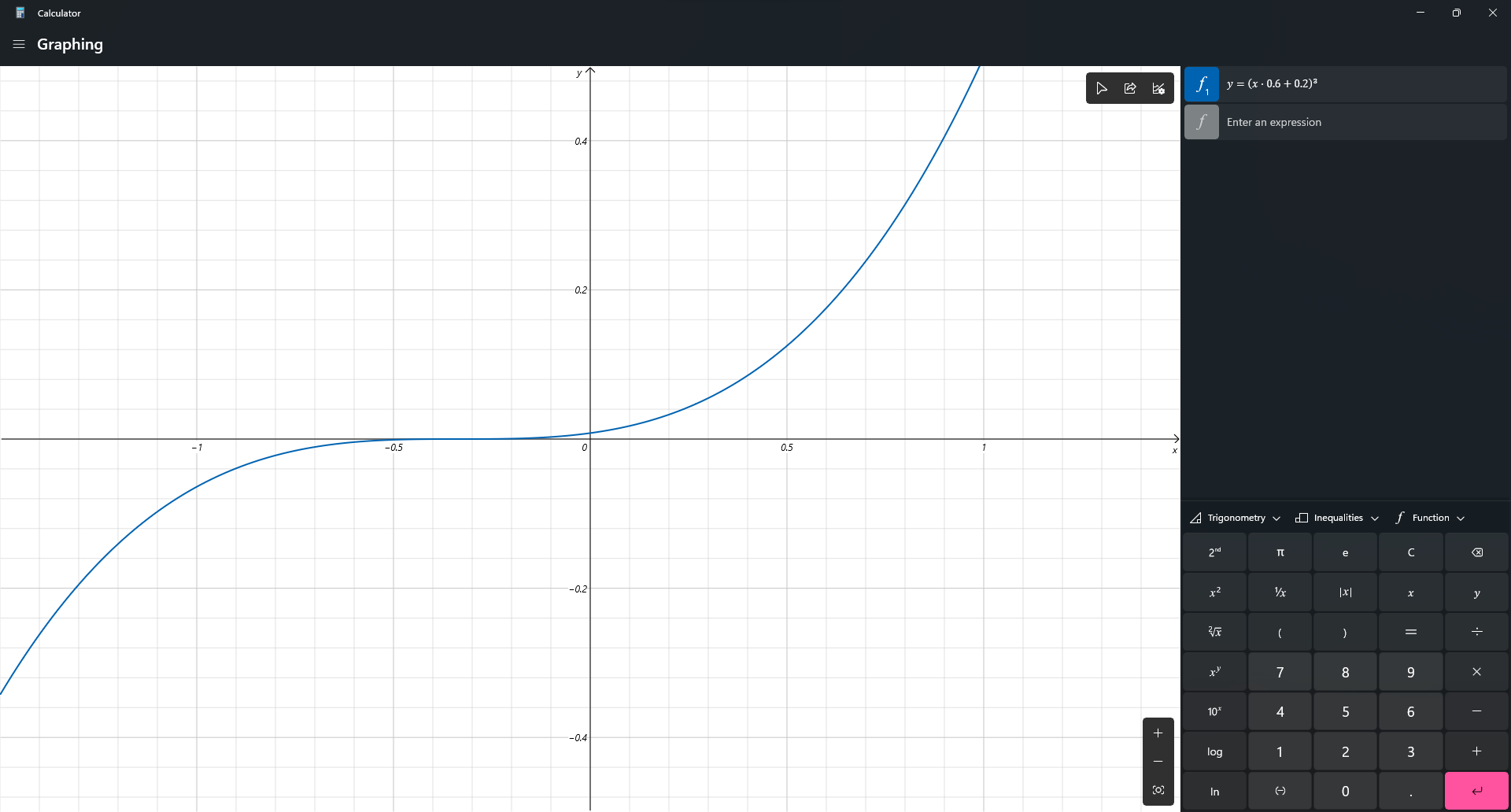
This mod change it. Instead of a cubic function, the sensitivity will be processed in a linear scale. So now, if you change your DPI from 400 up-to 1600, and your sens from 200% down-to 50%, you will feel exactly the same!
Bonus Feature:
/sens to change your sensitivity (Max: 1, Min: 0), based on advSensitivity. It supports Float value so you can make your sens 8 digits, like: 0.0000001 (Why you need so many '0'?)
Why I create this mod?
Long time ago, when I modify Timeless and Classic mod (the original on 1.18.2 one, not TAC:Z), I find zoom sensitivity is so wrong (it's faster than I expect). After 3 hours digging through the code, I found that the way Minecraft process mouse sens is so weird compared to other games. Therefore, I decide to create a mod to change it. After all, I'm a CS player who have fun when creating config files instead of actually playing the game.
Technical detail
I use a single mixin class to change a variable in updateMouse() method.
Planning
- Custom /m_yaw and /m_pitch like CS2, bonus, /fov
Credit
- Feature Image: Mebig
Project description from Modrinth.
Pick your setup
Linear Sensitivity by Minecraft version and loader
Choose the version and loader you play, then open the matching release.
Minecraft version
1.21.10
1 loader buildMinecraft version
1.21.9
1 loader buildMinecraft version
1.21.8
1 loader buildMinecraft version
1.21.7
1 loader buildMinecraft version
1.21.6
1 loader buildMinecraft version
1.21.5
1 loader buildMinecraft version
1.21.4
1 loader buildMinecraft version
1.21.3
1 loader buildMinecraft version
1.21.2
1 loader buildMinecraft version
1.21.1
1 loader buildMinecraft version
1.21
1 loader buildShowing the newest 12 of 19 game versions. Older files are in the list below.
Check the dependencies, then try the file in a copied instance before changing a world you care about.
Recent files
Linear Sensitivity versions and loaders
0.3
LinearSensitivity-1.20-Forge-0.3.jar
3 Mar 2025
Client Required Server Not supported Dependencies No extras listed Listed on Release listing
Check the 1.20.2 · Forge setup 1.20.11.20.21.20.31.20.4 release
Looking for an older file? The official Modrinth project page is in Resources.


