Minecraft version
Back to mods 
Modrinth · Minecraft mod
Villager Pickup
Allows you to pick up villagers and place them somewhere else
Choose a version Pick your version below, then grab the matching file.
Quick answer
Which Villager Pickup release should I use?
Latest stable file 1.4
Game version 26.2
Loader NeoForge
Villager Pickup 1.4 targets 26.2 with NeoForge. Do not install it on the client. It must be installed on the dedicated server. No extra mods listed for this file.
Where it goes
Is Villager Pickup required on the client, server, or both?
Do not install it on the client. It must be installed on the dedicated server.
Client Not supported
Dedicated server Required
Loader for this release NeoForge
Required install it here Optional supported, not mandatory Not supported do not install here Source doesn’t say do not assume
This file is marked server-only.
What else does Villager Pickup 1.4 need?
1.4. Change the file and its required mods may change too.
This file does not list any required mods. Do not add a library just because a different file uses it.
This file does not list any required or optional mods.
Before you install it
Add Villager Pickup without breaking your instance.
Built for Villager Pickup 1.4. Pick another file and the loader, install side or required mods may change.
- 01
Stick to this file
Use 1.4. It targets 26.2 with NeoForge; another release may have different loader, side or dependency requirements.
- 02
Bring the mods it needs
This file does not list any required mods. Do not add a library just because a different file uses it.
- 03
Put it on the correct side
Do not install it on the client. It must be installed on the dedicated server.
- 04
Pick the file you checked
Use the “Get this file” button beside 1.4. It opens that exact file at the source.
About this project
What does Villager Pickup add?
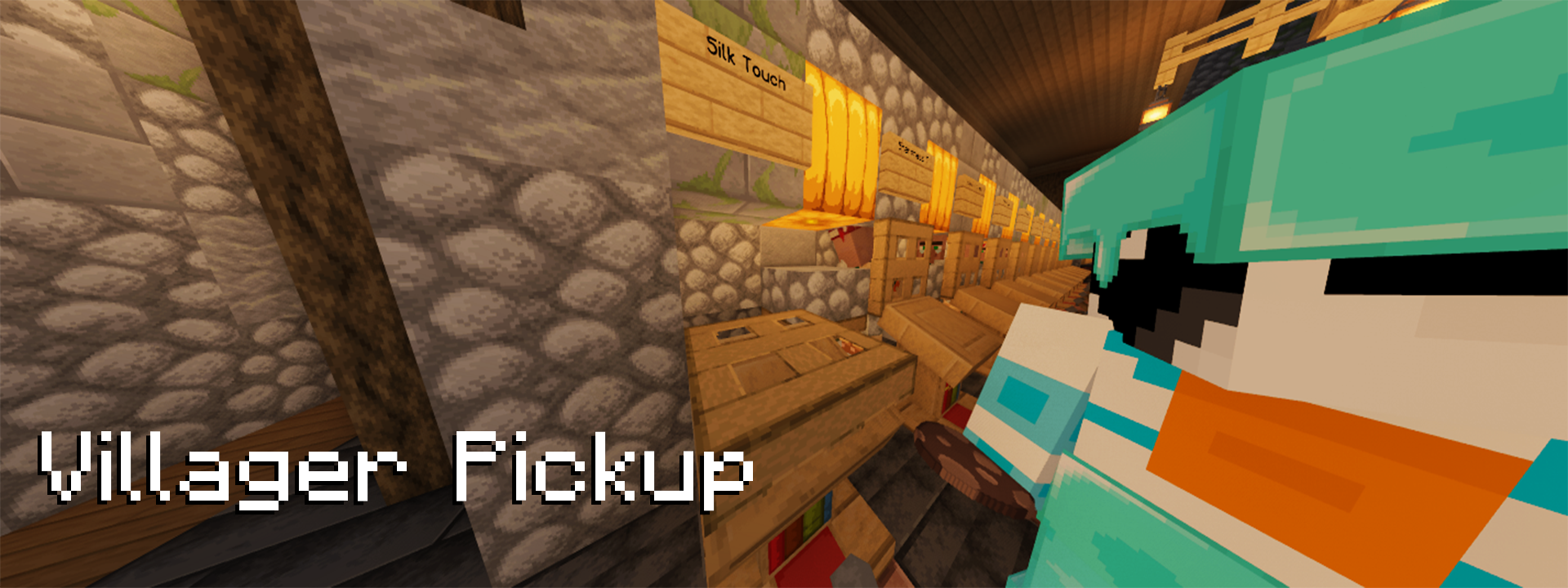
Villager Pickup
Villager Pickup allows you to pick up villagers
into spawn eggs by shift right-clicking on them.
The villager spawn egg will retain all NBT data of the previous villager,
meaning they stay exactly the same as before you picked them up.
Features
- Easy Villager Management: Effortlessly manage your villagers by picking them up and placing them wherever you need them.
- NBT Data Retention: Villagers retain all their data, ensuring they remain unchanged after being picked up.
- Fully Server-Sided: The mod is fully server-side, and vanilla clients can use it when installed on the server.
Compatibility
Due to the way this mod is coded, it works with all modded villagers by default if they are not a separate entity.
(for example, you can't pick up wandering traders).
Installation
- Download the mod from Modrinth or the GitHub Releases.
- Place the downloaded mod file into the
modsfolder of your Minecraft server. - Restart the server to apply the changes.
Configuration
Is there something you want to change about the mod?
Check out the config file that is generated after the server has started.
You will find it under config/villager-pickup.json.
After making changes, you don't have to restart! Just use the /villager-pickup reload Command.
You can also use the Ingame Config Editor using /villager-pickup config-gui.
Usage
Simply shift right-click on a Villager. The villager will be converted into a spawn egg.
You can place them down again afterward.
Links
- Source Code
- Issue Tracker/Feature Requests
- GitHub Releases
- Modrinth Page
CurseForge Page(Out of date, please avoid.)
Contributing and Development
Contributions are always welcome! Please feel free to submit a Pull Request.
For Development, the recommended IDE is IntelliJ IDEA.
You are also encouraged to install the Minecraft Development and manifold-ij plugins for it.
License
This project is licensed under the CC0-1.0 License. See the LICENSE file for details.
Project description from Modrinth.
Pick your setup
Villager Pickup by Minecraft version and loader
Choose the version and loader you play, then open the matching release.
Minecraft version
26.1.2
3 loader buildsMinecraft version
26.1.1
3 loader buildsMinecraft version
26.1
3 loader buildsMinecraft version
1.21.11
3 loader buildsMinecraft version
1.21.10
3 loader buildsMinecraft version
1.21.5
2 loader buildsMinecraft version
1.21.4
2 loader buildsMinecraft version
1.20.6
2 loader buildsMinecraft version
1.20.5
2 loader buildsMinecraft version
1.20.4
2 loader buildsMinecraft version
1.20.3
2 loader buildsShowing the newest 12 of 20 game versions. Older files are in the list below.
Check the dependencies, then try the file in a copied instance before changing a world you care about.
Recent files
Villager Pickup versions and loaders
1.4
villagerpickup-neoforge-26.2-1.4.jar
30 Aug 2026
Client Not supported Server Required Dependencies No extras listed Listed on Release listing
Check the 26.2 · NeoForge setup 26.2NeoForge release
1.4
villagerpickup-fabric-26.2-1.4.jar
30 Aug 2026
Client Not supported Server Required Dependencies 1 required · 1 unchecked Listed on Release listing
Check the 26.2 · Fabric setup 26.2FabricQuilt release
1.4
villagerpickup-neoforge-26.1-1.4.jar
30 Aug 2026
Client Not supported Server Required Dependencies No extras listed Listed on Release listing
Check the 26.1.2 · NeoForge setup 26.126.1.126.1.2NeoForge release
1.4
villagerpickup-fabric-26.1-1.4.jar
30 Aug 2026
Client Not supported Server Required Dependencies 1 required · 1 unchecked Listed on Release listing
Check the 26.1.2 · Fabric setup 26.126.1.126.1.2Fabric release
1.3.1
villagerpickup-neoforge-1.21.11-1.3.1.jar
3 Apr 2026
Client Not supported Server Required Dependencies No extras listed Listed on Release listing
Check the 1.21.11 · NeoForge setup 1.21.11NeoForge release
1.3.1
villagerpickup-fabric-1.21.11-1.3.1.jar
3 Apr 2026
Client Not supported Server Required Dependencies 1 required · 1 unchecked Listed on Release listing
Check the 1.21.11 · Fabric setup 1.21.11FabricQuilt release
1.3
villagerpickup-neoforge-1.21.11-1.3.jar
5 Jan 2026
Client Not supported Server Required Dependencies No extras listed Listed on Release listing
Check the 1.21.11 · NeoForge setup 1.21.11NeoForge release
1.3
villagerpickup-fabric-1.21.11-1.3.jar
5 Jan 2026
Client Not supported Server Required Dependencies 1 required · 1 unchecked Listed on Release listing
Check the 1.21.11 · Fabric setup 1.21.11FabricQuilt release
1.2-1.21.10
villagerpickup-neoforge-1.21.10-1.2.jar
18 Oct 2025
Client Not supported Server Required Dependencies No extras listed Listed on Release listing
Check the 1.21.10 · NeoForge setup 1.21.10NeoForge release
1.2-1.21.10
villagerpickup-fabric-1.21.10-1.2.jar
18 Oct 2025
Client Not supported Server Required Dependencies 1 required · 1 unchecked Listed on Release listing
Check the 1.21.10 · Fabric setup 1.21.10FabricQuilt release
1.1.7-1.21.10
villager-pickup-1.1.7-1.21.10.jar
16 Oct 2025
Client Not supported Server Required Dependencies 1 required · 1 unchecked Listed on Release listing
Check the 1.21.10 · Fabric setup 1.21.10FabricQuilt release
1.1.6-1.21.5
villager-pickup-1.1.6-1.21.5.jar
29 May 2025
Client Not supported Server Required Dependencies 1 required · 1 unchecked Listed on Release listing
Check the 1.21.5 · Fabric setup 1.21.5FabricQuilt release
Looking for an older file? The official Modrinth project page is in Resources.
 mod
mod CurseForge + Modrinth · Minecraft
Glow Ink Plus
Add more functions to the glow ink, in this mod you can make the wool and carpets glow
 mod
mod CurseForge + Modrinth · Minecraft
Ecologics
Simple vanilla biome updates, with fun mobs, blocks, and more!
 mod
mod CurseForge · Minecraft
Fossils and Archeology Refreshed
This is the first functional Faa add-on that adds creatures