Fabric API Needed by Quick Craft 1.4.0
requiredMatching file found Matched file: 0.155.3+26.1.2

Modrinth · Minecraft mod
This mod allows you to craft items from nearby chests without having to collect the items from them.
Quick answer
Quick Craft 1.4.0 targets 26.1, 26.1.1, 26.1.2 with Fabric. It must be installed on the client. Do not install it on the dedicated server. 1 required mod needs a matching file.
Where it goes
It must be installed on the client. Do not install it on the dedicated server.
This file is marked client-only.
1.4.0 on 26.1. Every mod below is checked against that same setup.
Install Fabric API, CodxLib first, but 1 required mod has no matching file for this setup. Do not mix loader builds to force a match.
We only count dependency files that match this setup. A file for another loader does not fill the gap.
Before you install it
Built for Quick Craft 1.4.0 on 26.1. Pick another file and the loader, install side or required mods may change.
Use 1.4.0. It targets 26.1, 26.1.1, 26.1.2 with Fabric; another release may have different loader, side or dependency requirements.
Install Fabric API, CodxLib first, but 1 required mod has no matching file for this setup. Do not mix loader builds to force a match.
It must be installed on the client. Do not install it on the dedicated server.
Use the “Get this file” button beside 1.4.0. It opens that exact file at the source.
About this project
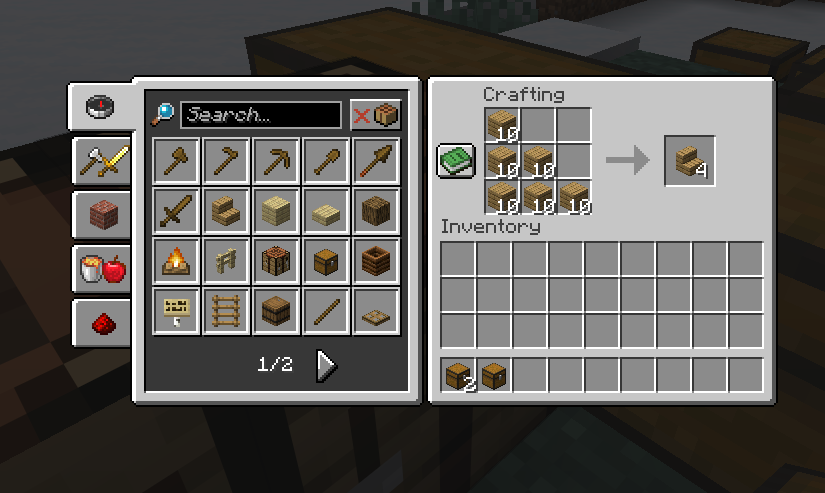
You decide how much QuickCraft makes:
Works at the crafting table and your inventory's 2×2 grid.
Available options:
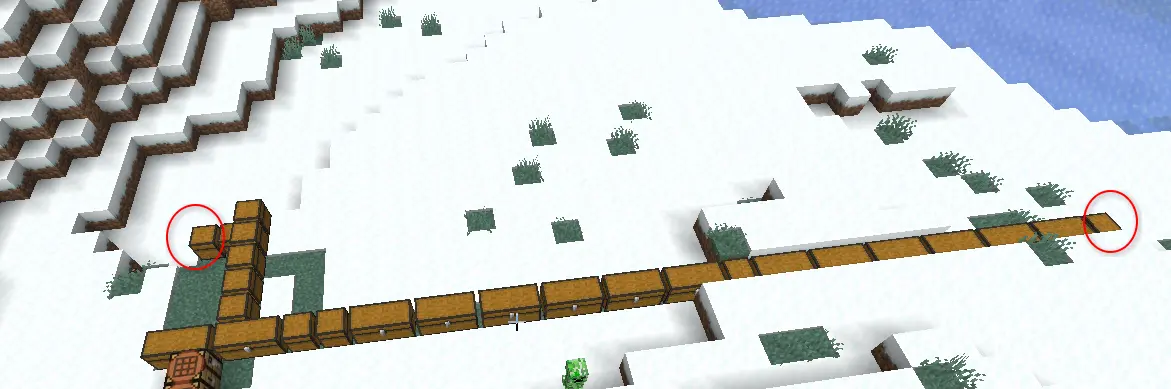 !
[ignore] andBy default QuickCraft uses every chest in range. To skip one, rename the chest in an
anvil so its name includes [ignore] (for example Decorations [ignore]) before you
place it. Want it back in? Just rename it without the tag.
Modded chests and barrels work as long as they act like normal storage. Big network-style
systems (like Applied Energistics 2 or Refined Storage) aren't supported automatically yet
— that's on the to-do list.
Most of these options can be adjusted in QuickCraft's config file if you want to fine-tune
things. Found a bug or have an idea? Let me know your loader and Minecraft version.
Thanks for using QuickCraft 💛
Project description from Modrinth.
Pick your setup
Choose the version and loader you play, then open the matching release.
Check the dependencies, then try the file in a copied instance before changing a world you care about.
Recent files
qc-fabric-26.1.2-1.4.0.jar
17 Jul 2026
qc-forge-26.1.2-1.4.0.jar
17 Jul 2026
qc-neoforge-26.1.2-1.4.0.jar
17 Jul 2026
qc-fabric-26.1.2-1.3.1.jar
14 Jun 2026
qc-forge-26.1.2-1.3.1.jar
14 Jun 2026
qc-neoforge-26.1.2-1.3.1.jar
14 Jun 2026
qc-fabric-26.1.2-1.3.0.jar
13 Jun 2026
qc-forge-26.1.2-1.3.0.jar
13 Jun 2026
qc-neoforge-26.1.2-1.3.0.jar
13 Jun 2026
qc-fabric-26.1.2-1.1.0.jar
11 Jun 2026
qc-forge-26.1.2-1.1.0.jar
11 Jun 2026
qc-neoforge-26.1.2-1.1.0.jar
11 Jun 2026
Looking for an older file? The official Modrinth project page is in Resources.
 mod
This mod increases damage to moving minecarts; the faster they move, the higher the damage, with virtually no damage limit!
 mod
Adds a survival thirst bar, drinking, and water purity to Minecraft.
 mod
A vanilla enhancing mod that aims to expand the food system with dynamic meals, while also adding stamina.