Minecraft version
Back to mods 
Modrinth · Minecraft mod
Armor Stand Editor
Pose and modify your armor stand with ease!
Choose a version Pick your version below, then grab the matching file.
Quick answer
Which Armor Stand Editor release should I use?
Latest stable file 2.13.0+26.2
Game version 26.2
Loader Fabric
Armor Stand Editor 2.13.0+26.2 targets 26.2 with Fabric. Do not install it on the client. It must be installed on the dedicated server. No extra mods listed for this file.
Where it goes
Is Armor Stand Editor required on the client, server, or both?
Do not install it on the client. It must be installed on the dedicated server.
Client Not supported
Dedicated server Required
Loader for this release Fabric
Required install it here Optional supported, not mandatory Not supported do not install here Source doesn’t say do not assume
This file is marked server-only.
What else does Armor Stand Editor 2.13.0+26.2 need?
2.13.0+26.2. Change the file and its required mods may change too.
This file does not list any required mods. Do not add a library just because a different file uses it.
This file does not list any required or optional mods.
Before you install it
Add Armor Stand Editor without breaking your instance.
Built for Armor Stand Editor 2.13.0+26.2. Pick another file and the loader, install side or required mods may change.
- 01
Stick to this file
Use 2.13.0+26.2. It targets 26.2 with Fabric; another release may have different loader, side or dependency requirements.
- 02
Bring the mods it needs
This file does not list any required mods. Do not add a library just because a different file uses it.
- 03
Put it on the correct side
Do not install it on the client. It must be installed on the dedicated server.
- 04
Pick the file you checked
Use the “Get this file” button beside 2.13.0+26.2. It opens that exact file at the source.
About this project
What does Armor Stand Editor add?
Armor Stand Editor
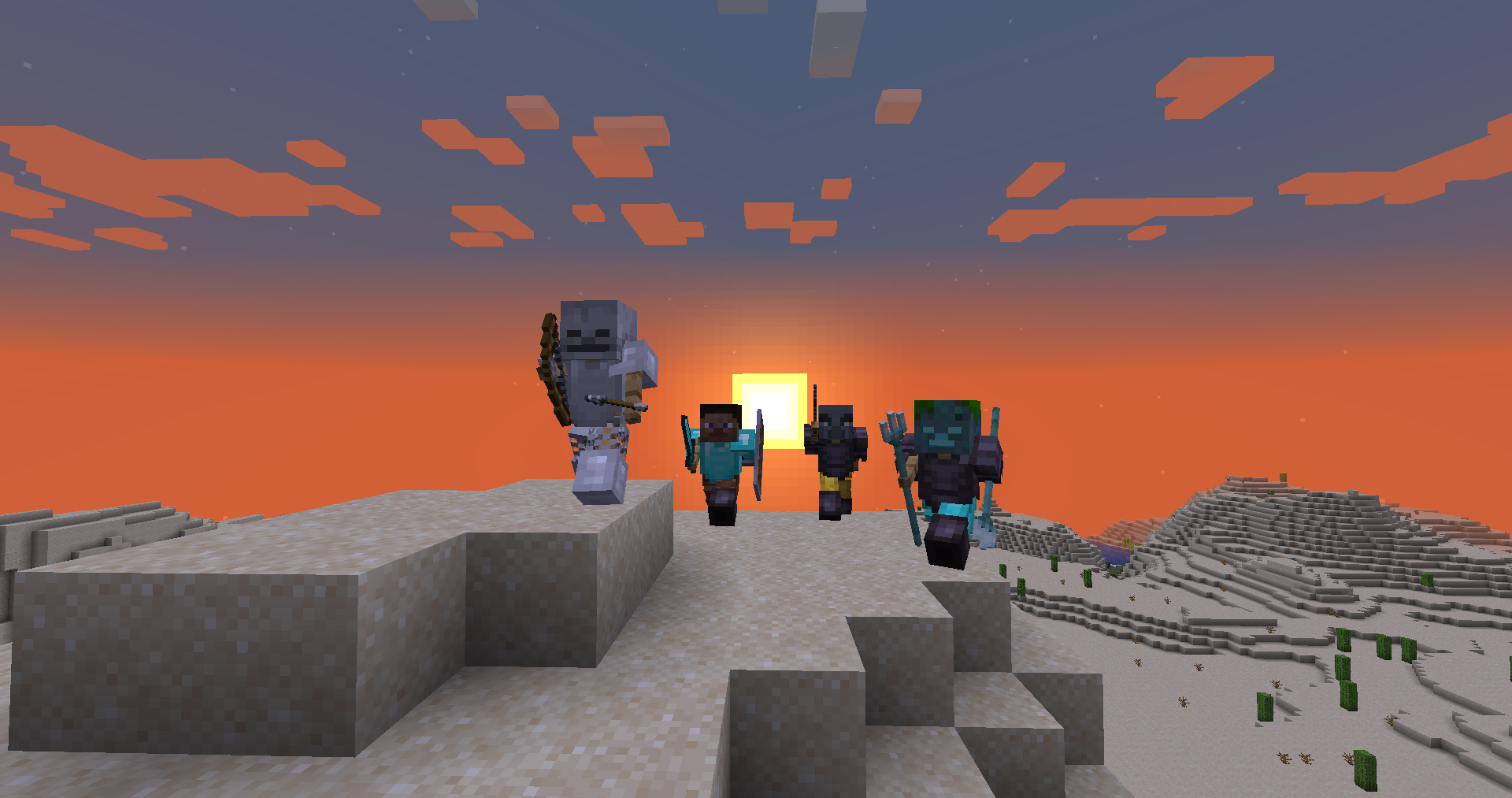
Armor Stand Editor a simple to use mod, allowing you to pose/modify Armor Stand in game,
without need to use commands or external websites.
It was designed with survival usage in mind, so you can use it on your survival world/server without having
to worry about it breaking the experience.
It is compatible with Fabric and Quilt and can work purely server side, allowing vanilla
players to use all capabilities of it, while still being fully functional in singleplayer.
Usage
First you need to get flint (or other configured item). Then you just click with it Armor Stand
you want to modify. Your hotbar will get replaced with setting selector (only visually, your inventory is untouched).
By using right mouse button (use/place action), you can enter/activate action bound to it (which is described
in its name). To change angle/value of movement/pose related options, sneak while having it selected and use scroll
to change value up or down.
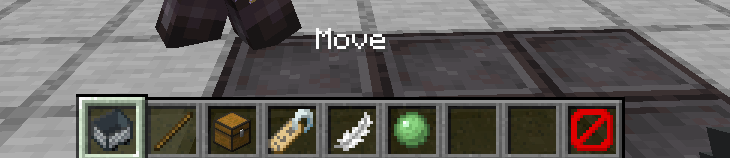
To go back you can click the barrier/icon on right side.
To close it completely, press Q (drop item).
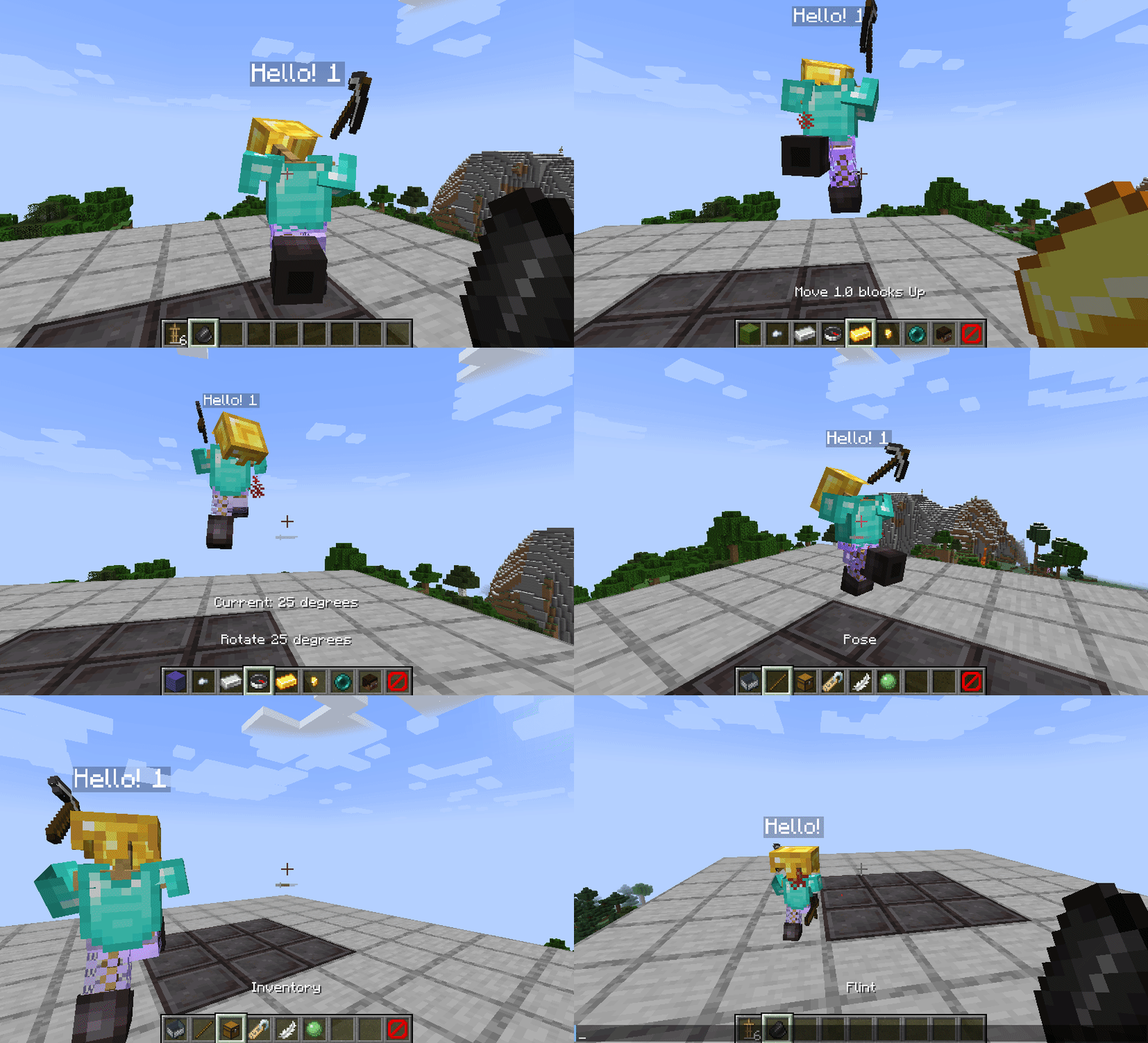
Showcase
- Showcase by Patbox: https://www.youtube.com/watch?v=E7eCwKVZeqY
- Polish showcase by Patbox: https://www.youtube.com/watch?v=6aqd5d9NkeU
Config
{
  "CONFIG_VERSION_DONT_TOUCH_THIS": 2,
  "armorStandTool": "minecraft:flint",   // Item that acts as editor, can be from a mod
  "requireIsArmorStandEditorTag": false, // Makes item require nbt tag isArmorStandEditor of item
  "holdingToolSpawnsParticles": true,    // If true, player will see particles around armor stand while holding tool
  "useLegacyUiByDefault": false,         // Forces usage of legacy ui, not recommended
  "blackListedBuildInPresets": [],       // Removes default presets
  "allowedByDefault": [/*...*/]          // Actions allowed by default
}
Permissions
Additionally, command /armorstandeditor uses armorstandeditor.commands.<subcommand or main>.
Format of editors permissions looks like armorstandeditor.edit.<type>, look at this file
For Armor Stand Editing you can give players armorstandeditor.use permission and for Item Flames armorstandeditor.useItemFrame
If you want to allow others to modify entities disguised as Armor Stands, give them armorstandeditor.useDisguised permission,
By default, players can edit them as they want.
Project description from Modrinth.
Pick your setup
Armor Stand Editor by Minecraft version and loader
Choose the version and loader you play, then open the matching release.
Minecraft version
26.1.2
1 loader buildMinecraft version
26.1.1
1 loader buildMinecraft version
26.1
1 loader buildMinecraft version
1.21.11-pre3
2 loader buildsMinecraft version
1.21.11
2 loader buildsMinecraft version
1.21.10
2 loader buildsMinecraft version
1.21.9-pre4
2 loader buildsMinecraft version
1.21.9
2 loader buildsMinecraft version
1.21.8
2 loader buildsMinecraft version
1.21.7
2 loader buildsMinecraft version
1.21.6
2 loader buildsShowing the newest 12 of 48 game versions. Older files are in the list below.
Check the dependencies, then try the file in a copied instance before changing a world you care about.
Recent files
Armor Stand Editor versions and loaders
2.13.0+26.2
armor-stand-editor-2.13.0+26.2.jar
16 Jun 2026
Client Not supported Server Required Dependencies No extras listed Listed on Release listing
Check the 26.2 · Fabric setup 26.2Fabric release
2.12.1+26.1.2
armor-stand-editor-2.12.1+26.1.2.jar
15 May 2026
Client Not supported Server Required Dependencies No extras listed Listed on Release listing
Check the 26.1.2 · Fabric setup 26.1.2Fabric release
2.12.0+26.1
armor-stand-editor-2.12.0+26.1.jar
26 Mar 2026
Client Not supported Server Required Dependencies No extras listed Listed on Release listing
Check the 26.1.2 · Fabric setup 26.126.1.126.1.2Fabric release
2.11.1+1.21.11
armor-stand-editor-2.11.1+1.21.11.jar
1 Jan 2026
Client Not supported Server Required Dependencies No extras listed Listed on Release listing
Check the 1.21.11 · Fabric setup 1.21.11FabricQuilt release
2.11.0+1.21.11-pre3
armor-stand-editor-2.11.0+1.21.11-pre3.jar
30 Nov 2025
Client Not supported Server Required Dependencies No extras listed Listed on Release listing
Check the 1.21.11-pre3 · Fabric setup 1.21.11-pre31.21.11FabricQuilt release
2.10.0+1.21.9-pre4
armor-stand-editor-2.10.0+1.21.9-pre4.jar
24 Sept 2025
Client Not supported Server Required Dependencies No extras listed Listed on Release listing
Check the 1.21.10 · Fabric setup 1.21.9-pre41.21.91.21.10Fabric release
2.9.0+1.21.6
armor-stand-editor-2.9.0+1.21.6.jar
17 Jun 2025
Client Not supported Server Required Dependencies No extras listed Listed on Release listing
Check the 1.21.8 · Fabric setup 1.21.61.21.71.21.8Fabric release
2.8.0+1.21.5-rc1
armor-stand-editor-2.8.0+1.21.5-rc1.jar
23 Mar 2025
Client Not supported Server Required Dependencies No extras listed Listed on Release listing
Check the 1.21.5-rc1 · Fabric setup 1.21.5-rc11.21.5FabricQuilt release
2.5.2+1.21.1
armor-stand-editor-2.5.2+1.21.1.jar
12 Mar 2025
Client Not supported Server Required Dependencies No extras listed Listed on Release listing
Check the 1.21.1 · Fabric setup 1.21.1FabricQuilt release
2.7.0+1.21.4-rc1
armor-stand-editor-2.7.0+1.21.4-rc1.jar
28 Nov 2024
Client Not supported Server Required Dependencies No extras listed Listed on Release listing
Check the 1.21.4-rc1 · Fabric setup 1.21.4-rc11.21.4FabricQuilt release
2.6.0+1.21.2-rc1
armor-stand-editor-2.6.0+1.21.2-rc1.jar
20 Oct 2024
Client Not supported Server Required Dependencies No extras listed Listed on Release listing
Check the 1.21.3 · Fabric setup 1.21.2-rc11.21.21.21.3Fabric release
2.5.1+1.21.1
armor-stand-editor-2.5.1+1.21.1.jar
6 Oct 2024
Client Not supported Server Required Dependencies No extras listed Listed on Release listing
Check the 1.21.1 · Fabric setup 1.21.1FabricQuilt release
Looking for an older file? The official Modrinth project page is in Resources.
 mod
mod Modrinth · Minecraft
Integrated Dynamics
A mod to take full and automated control of your appliances
 mod
mod Modrinth · Minecraft
LazyTrade
It adds a GUI which helps you get any trade you want from villagers.
 mod
mod Modrinth · Minecraft
ALOH (at least one hp)
A Fabric mod for Minecraft 1.21.1+ that prevents selected players from dying by keeping their health at a minimum of half a heart.