Simple Voice Chat Needed by Simple Voice Chat Soundboard fabric-0.3.1+26.2
requiredNo matching file

Modrinth · Minecraft mod
Client-side soundboard for Simple Voice Chat to play custom sounds with keybinds.
Quick answer
Simple Voice Chat Soundboard fabric-0.3.1+26.2 targets 26.2 with Fabric. It must be installed on the client. Do not install it on the dedicated server. 1 required mod needs a matching file.
Where it goes
It must be installed on the client. Do not install it on the dedicated server.
This file is marked client-only.
fabric-0.3.1+26.2. Change the file and its required mods may change too.
Install Simple Voice Chat first, but 1 required mod has no matching file for this setup. Do not mix loader builds to force a match.
We only count dependency files that match this setup. A file for another loader does not fill the gap.
Before you install it
Built for Simple Voice Chat Soundboard fabric-0.3.1+26.2. Pick another file and the loader, install side or required mods may change.
Use fabric-0.3.1+26.2. It targets 26.2 with Fabric; another release may have different loader, side or dependency requirements.
Install Simple Voice Chat first, but 1 required mod has no matching file for this setup. Do not mix loader builds to force a match.
It must be installed on the client. Do not install it on the dedicated server.
Use the “Get this file” button beside fabric-0.3.1+26.2. It opens that exact file at the source.
About this project
A client-side soundboard mod for Simple Voice Chat. Play your own sounds through voice chat so everyone using Simple Voice Chat can hear them.
This is not an official Simple Voice Chat addon. Please do not ask for support in the Simple Voice Chat Discord server. Instead, use the GitHub issue tracker; I will try to help as soon as possible.
.mp3 file through Simple Voice ChatCtrl + Shift + 1)sounds folder is created in your Minecraft instance..mp3 files into that folder.O by default.All currently playing sounds are shown in a small HUD at the bottom-right of the screen. Looping sounds are marked accordingly. You can disable this indicator in the settings.

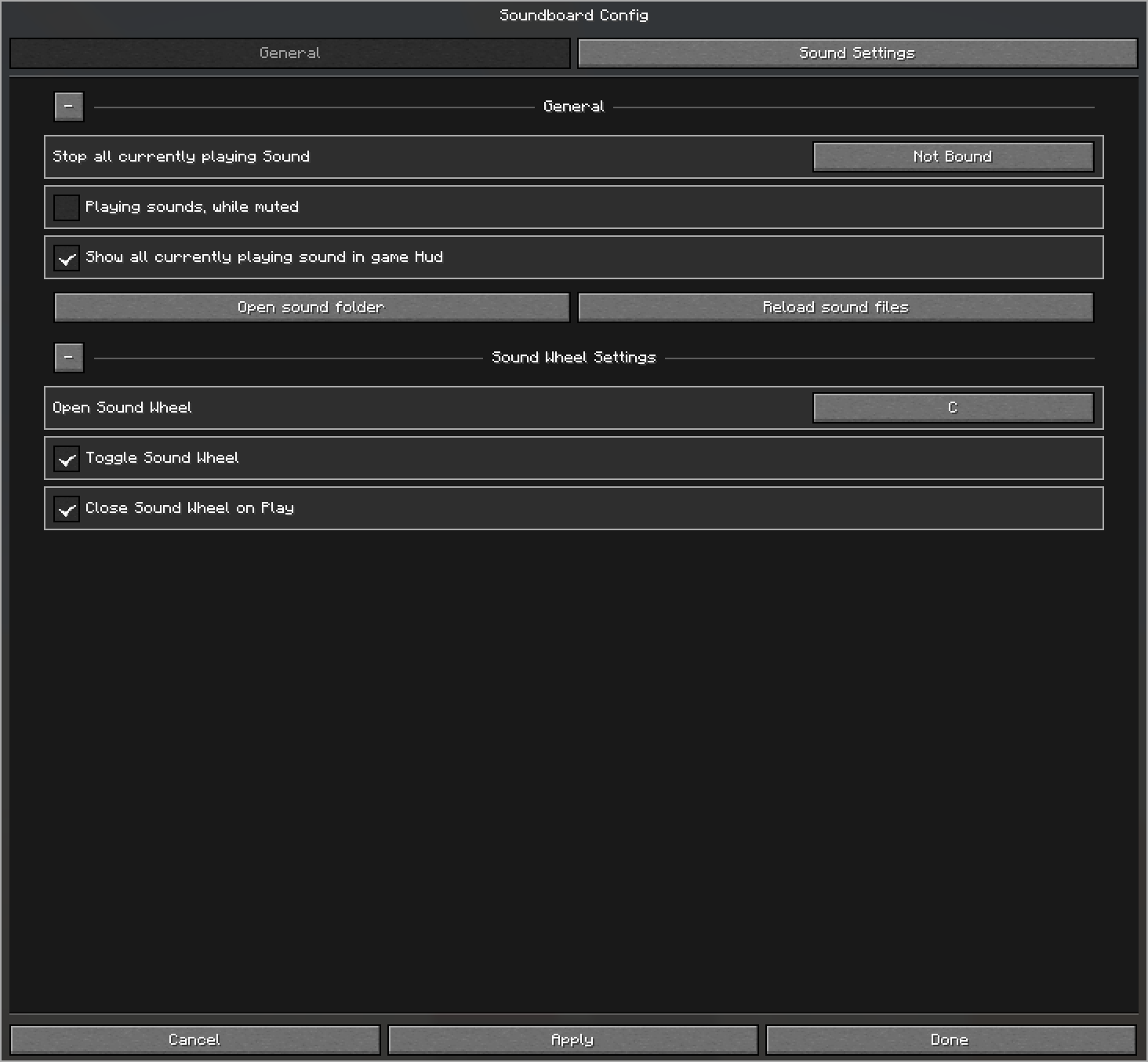
Assign a keybind to Open Sound Wheel in the General tab. By default, the wheel stays open while you hold the keybind. You can instead enable toggle mode and optionally close the wheel after playing a sound.
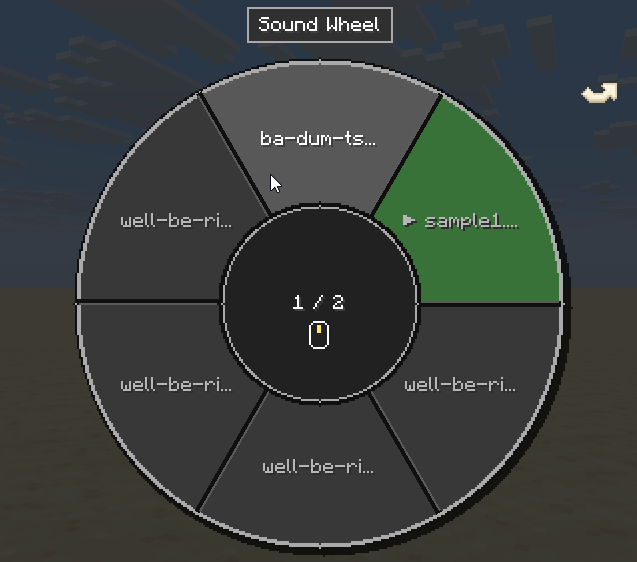
The wheel shows six alphabetically sorted sounds per page. Change pages with the mouse wheel, the left and right arrow keys, or the clickable page arrows. Hover over a sound and left-click it to start or stop it. Indicators show which sounds are currently playing or set to loop, and you can keep walking, jumping, sneaking, and sprinting while the wheel is open.
Change how loud the soundboard is for you with the Soundboard category in Simple Voice Chat's Adjust Volumes menu. This only affects local playback and does not change the amplifier or how loud other players hear the sounds.

Open the custom Minecraft-style config screen with O by default. You can change this key in Minecraft's Controls menu. Use Apply to save without closing the screen, or Done to save and close it.
The General tab contains the global options and keybinds. Its persistent, collapsible sections let you:
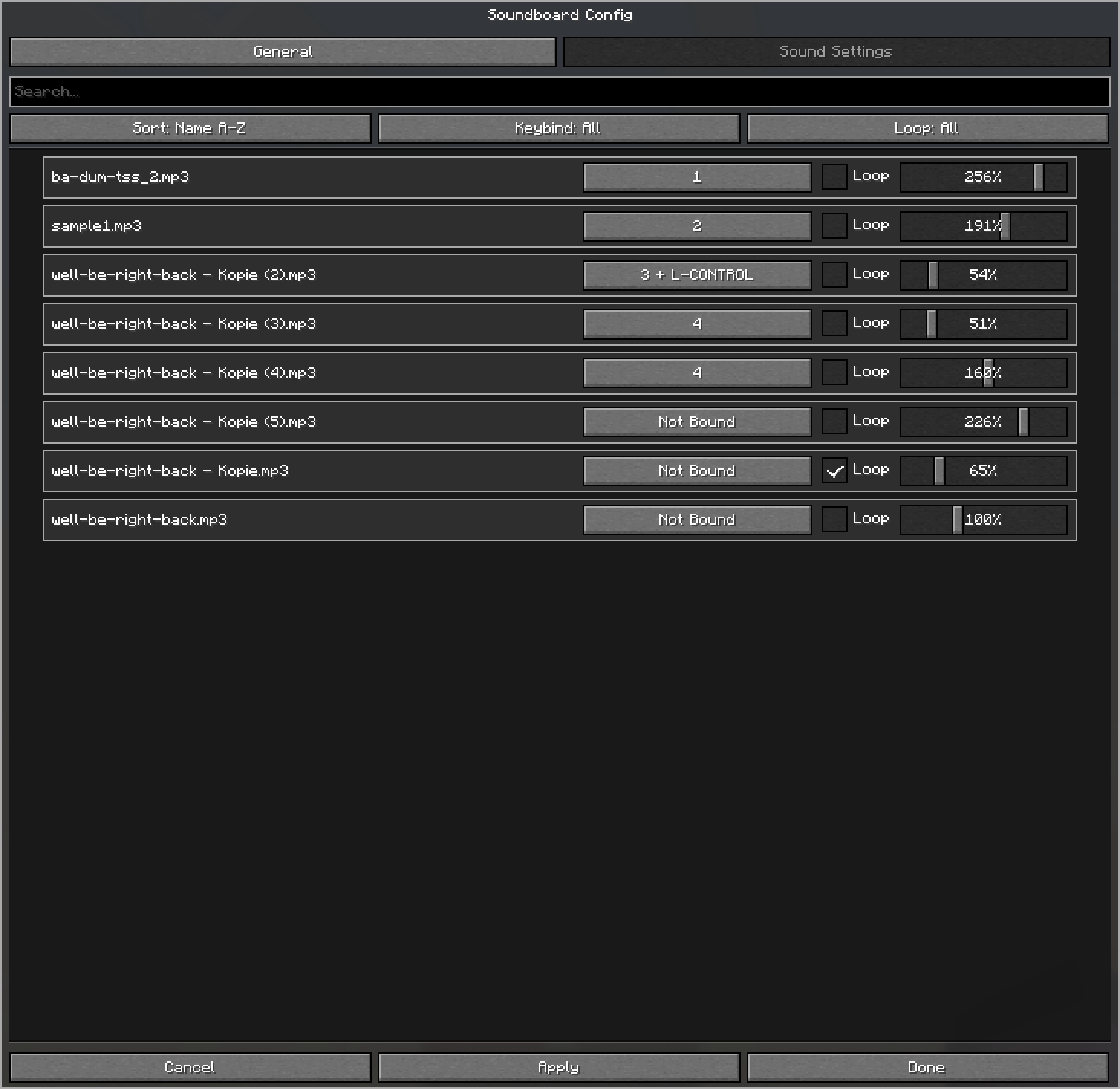
The Sound Settings tab lists all .mp3 files detected in your sounds folder. Search by name, sort from A-Z or Z-A, and filter sounds by whether they have a keybind or use looping.
Each sound can be customized individually:
Project description from Modrinth.
Pick your setup
Choose the version and loader you play, then open the matching release.
Check the dependencies, then try the file in a copied instance before changing a world you care about.
Recent files
fabric-0.3.1+26.2.jar
20 Jul 2026
fabric-0.3.1+26.1.jar
20 Jul 2026
fabric-0.3.1+1.21.11.jar
20 Jul 2026
fabric-0.3.0+26.2.jar
19 Jul 2026
fabric-0.3.0+26.1.jar
19 Jul 2026
fabric-0.3.0+1.21.11.jar
19 Jul 2026
fabric-0.3.0+26.2-alpha.jar
17 Jul 2026
fabric-0.2.1+26.2.jar
16 Jul 2026
fabric-0.2.1+26.1.2.jar
16 Jul 2026
Looking for an older file? The official Modrinth project page is in Resources.
 mod
modA Minecraft mod bringing a stealth and alert system just like what in other games.
 mod
modAdds 2 new dimensions, new combat mechanics, 4 new ore types, and a heavy emphasis on Copper and Amethyst!
 mod
modReduces the delay between server packets and client ticks. 서버에서 도착한 패킷과 클라이언트 틱 사이의 딜레이를 완화합니다.