Minecraft version
Back to mods 
Modrinth · Minecraft mod
Spotify In Minecraft
A modern in-game music player with themes, queues, and Simple Voice Chat support.
Choose a version Pick your version below, then grab the matching file.
Quick answer
Which Spotify In Minecraft release matches Fabric?
Best match for your filters 0.3.2+1.21.11
Game version 1.21.11
Loader Fabric
Spotify In Minecraft 0.3.2+1.21.11 targets 1.21.11 with Fabric. It must be installed on the client. Do not install it on the dedicated server. No extra mods listed for this file.
Where it goes
Is Spotify In Minecraft required on the client, server, or both?
It must be installed on the client. Do not install it on the dedicated server.
Client Required
Dedicated server Not supported
Loader for this release Fabric
Required install it here Optional supported, not mandatory Not supported do not install here Source doesn’t say do not assume
This file is marked client-only.
What else does Spotify In Minecraft 0.3.2+1.21.11 need?
0.3.2+1.21.11 on Fabric. Every mod below is checked against that same setup.
This file does not list any required mods. Do not add a library just because a different file uses it.
This file does not list any required or optional mods.
Before you install it
Add Spotify In Minecraft without breaking your instance.
Built for Spotify In Minecraft 0.3.2+1.21.11 on Fabric. Pick another file and the loader, install side or required mods may change.
- 01
Stick to this file
Use 0.3.2+1.21.11. It targets 1.21.11 with Fabric; another release may have different loader, side or dependency requirements.
- 02
Bring the mods it needs
This file does not list any required mods. Do not add a library just because a different file uses it.
- 03
Put it on the correct side
It must be installed on the client. Do not install it on the dedicated server.
- 04
Pick the file you checked
Use the “Get this file” button beside 0.3.2+1.21.11. It opens that exact file at the source.
About this project
What does Spotify In Minecraft add?
Afrikalify
Afrikalify is a modern in-game music player for Minecraft, made for players who want a Spotify-like music menu directly inside the game.
Open the Afrikalify menu, search your local songs, play music, queue tracks, change the look of the GUI, and optionally mix your music into Simple Voice Chat so friends can hear it too.
What It Offers
- Modern transparent music GUI
- Open with the keybind or through Mod Menu
- Search and play local music files
- Queue system for tracks
- Music folder button so you can quickly open where songs go
- Volume controls
- Softer sound option for smoother playback
- Simple Voice Chat support
- Configurable settings through Mod Menu
- Custom Afrikalify logo
- GUI credit:
By: BestOfAfrika
How It Works
Afrikalify reads music from a local folder on your computer. Put your supported music files into the Afrikalify music folder, open the menu in-game, press reload, then search and play your tracks.
The mod does not stream from Spotify or YouTube. It plays your own local music files.
For Simple Voice Chat broadcasting, enable the broadcast option inside Afrikalify. You may need to use open mic or hold your push-to-talk key so Simple Voice Chat sends audio.
Themes
Afrikalify includes a bunch of built-in themes so you can style the menu your way:
- Emerald
- Ocean
- Rose
- Cat Pink
- Cat Mint
- Cat Lavender
- Cat Blue
- Cat Fire
- Dog
- Dog Blue
- Elephant
- Elephant Rose
- Afrika Red
- Afrika Sunset
- Sakura
- Petal Dream
- Forest
- Ice
- Lava
- Candy
- Midnight
- Gold
- Neon Gradient
- Sunset Gradient
- Afrika Gradient
Some themes include extra animated details, like cat ears, dog ears, elephant ears, gradients, and falling petals.
Requirements
- Fabric Loader
- Fabric API
- Minecraft 1.21.11
- Mod Menu is recommended
- Simple Voice Chat is optional, only needed for voice broadcast features
Notes
Afrikalify is client-side focused. Other players do not need Afrikalify installed to hear music through Simple Voice Chat, but they do need to be connected to a server using Simple Voice Chat.
Project description from Modrinth.
Pick your setup
Spotify In Minecraft by Minecraft version and loader
Choose the version and loader you play, then open the matching release.
Check the dependencies, then try the file in a copied instance before changing a world you care about.
Recent files
Spotify In Minecraft versions and loaders
0.3.2+1.21.11
Afrikalify-0.3.2+1.21.11.jar
4 Jun 2026
Client Required Server Not supported Dependencies No extras listed Listed on Release listing
Check the 1.21.11 · Fabric setup 1.21.11Fabric release
Looking for an older file? The official Modrinth project page is in Resources.
 mod
Modrinth · Minecraft
MaLiLib API
API for MaLiLib designed to make configs easier.
 mod
CurseForge + Modrinth · Minecraft
Origins: Legacy
Unofficial forward port of Origins 1.20.1 up to the latest version of Minecraft.
 mod
CurseForge + Modrinth · Minecraft
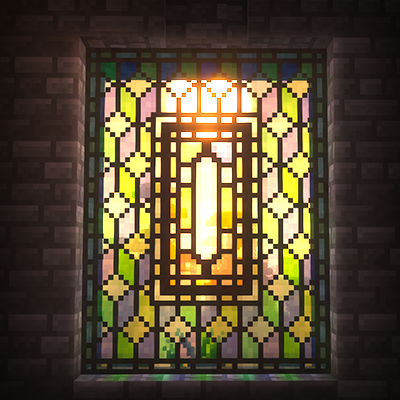
Medieval Glass
Adds proper leaded glass panes to Minecraft