Minecraft version
Back to mods 
Modrinth · Minecraft mod
The One Probe
TOP, a WAILA alternative that shows information about what you're looking at
Choose a version Pick your version below, then grab the matching file.
Quick answer
Which The One Probe release should I use?
Latest stable file 26.2_neo-15.0.1
Game version 26.2
Loader NeoForge
The One Probe 26.2_neo-15.0.1 targets 26.2 with NeoForge. Installation on the client is optional. Installation on the dedicated server is optional. No extra mods listed for this file.
Where it goes
Is The One Probe required on the client, server, or both?
Installation on the client is optional. Installation on the dedicated server is optional.
Client Optional
Dedicated server Optional
Loader for this release NeoForge
Required install it here Optional supported, not mandatory Not supported do not install here Source doesn’t say do not assume
The source marks this as usable on both the client and server.
What else does The One Probe 26.2_neo-15.0.1 need?
26.2_neo-15.0.1. Change the file and its required mods may change too.
This file does not list any required mods. Do not add a library just because a different file uses it.
This file does not list any required or optional mods.
Before you install it
Add The One Probe without breaking your instance.
Built for The One Probe 26.2_neo-15.0.1. Pick another file and the loader, install side or required mods may change.
- 01
Stick to this file
Use 26.2_neo-15.0.1. It targets 26.2 with NeoForge; another release may have different loader, side or dependency requirements.
- 02
Bring the mods it needs
This file does not list any required mods. Do not add a library just because a different file uses it.
- 03
Put it on the correct side
Installation on the client is optional. Installation on the dedicated server is optional.
- 04
Pick the file you checked
Use the “Get this file” button beside 26.2_neo-15.0.1. It opens that exact file at the source.
About this project
What does The One Probe add?
The One Probe
The One Probe (or TOP in short) is a more immersive version of WAILA. You don't get to see the information tooltip all the time but only when you have the probe in your hand (note that this mod can be configured to show the information all the time just like WAILA).
Note! The One Probe is NOT a client-only mod! It must be present on the server too!
Note! This mod works on 1.10.2 and 1.11.2 with the same JAR and requires CompatLayer
The 1.12 version is separate and does not require CompatLayer.
The purpose of this mod is to show on-screen information about the block you are looking at whenever you hold the probe in your hand (or off-hand). The mod itself will show basic information like the name of the block, the mod for the block and also the tool to use for harvesting the block. In addition this mod will also show the amount of RF energy that is stored in the block (if the block supports RF) and if you are sneaking it will also give a list of all items that are in the block if it is an inventory (like a chest).
This mod is very configurable so you can disable all the features mentioned above if they do not fit your playing style or modpack.
API
This mod also has a flexible API that other mods can use to add more information. Deep Resonance will use this mod to show information about the crystals and liquids. RFTools will also have support for this mod. The API can be found here.
See the wiki for more information.
Modpacks
You are free to use this mod in any modpack
Project description from Modrinth.
Pick your setup
The One Probe by Minecraft version and loader
Choose the version and loader you play, then open the matching release.
Minecraft version
26.1.2
1 loader buildMinecraft version
19w08a
1 loader buildMinecraft version
19w02a
1 loader buildMinecraft version
18w50a
1 loader buildMinecraft version
1.21.11
1 loader buildMinecraft version
1.21.1
1 loader buildMinecraft version
1.21
1 loader buildMinecraft version
1.20.5
1 loader buildMinecraft version
1.20.4
1 loader buildMinecraft version
1.20.1
1 loader buildMinecraft version
1.20
1 loader buildShowing the newest 12 of 35 game versions. Older files are in the list below.
Check the dependencies, then try the file in a copied instance before changing a world you care about.
Recent files
The One Probe versions and loaders
26.2_neo-15.0.1
theoneprobe-26.2_neo-15.0.1.jar
15 Sept 2026
Client Optional Server Optional Dependencies No extras listed Listed on Release listing
Check the 26.2 · NeoForge setup 26.2NeoForge release
1.20.1-10.0.4
theoneprobe-1.20.1-10.0.4.jar
11 Sept 2026
Client Optional Server Optional Dependencies No extras listed Listed on Release listing
Check the 1.20.1 · Forge setup 1.20.1Forge beta
26.2_neo-15.0.0
theoneprobe-26.2_neo-15.0.0.jar
3 Sept 2026
Client Optional Server Optional Dependencies No extras listed Listed on Release listing
Check the 26.2 · NeoForge setup 26.2NeoForge release
26.1.2_neo-14.0.0
theoneprobe-26.1.2_neo-14.0.0.jar
3 Sept 2026
Client Optional Server Optional Dependencies No extras listed Listed on Release listing
Check the 26.1.2 · NeoForge setup 26.1.2NeoForge release
1.21.11_neo-13.0.0
theoneprobe-1.21.11_neo-13.0.0.jar
3 Sept 2026
Client Optional Server Optional Dependencies No extras listed Listed on Release listing
Check the 1.21.11 · NeoForge setup 1.21.11NeoForge release
1.21_neo-12.0.8
theoneprobe-1.21_neo-12.0.8.jar
4 Dec 2025
Client Optional Server Optional Dependencies No extras listed Listed on Release listing
Check the 1.21.1 · NeoForge setup 1.21.1NeoForge release
1.21_neo-12.0.7
theoneprobe-1.21_neo-12.0.7.jar
27 Sept 2025
Client Optional Server Optional Dependencies No extras listed Listed on Release listing
Check the 1.21.1 · NeoForge setup 1.21.1NeoForge release
1.21_neo-12.0.6
theoneprobe-1.21_neo-12.0.6.jar
20 Jan 2025
Client Optional Server Optional Dependencies No extras listed Listed on Release listing
Check the 1.21.1 · NeoForge setup 1.21.1NeoForge release
1.20.1-10.0.3
theoneprobe-1.20.1-10.0.3.jar
20 Jan 2025
Client Optional Server Optional Dependencies No extras listed Listed on Release listing
Check the 1.20.1 · Forge setup 1.20.1Forge beta
1.21_neo-12.0.5
theoneprobe-1.21_neo-12.0.5.jar
22 Oct 2024
Client Optional Server Optional Dependencies No extras listed Listed on Release listing
Check the 1.21.1 · NeoForge setup 1.21.1NeoForge release
1.21_neo-12.0.4
theoneprobe-1.21_neo-12.0.4.jar
17 Oct 2024
Client Optional Server Optional Dependencies No extras listed Listed on Release listing
Check the 1.21.1 · NeoForge setup 1.21.1NeoForge release
1.21_neo-12.0.3
theoneprobe-1.21_neo-12.0.3.jar
4 Jul 2024
Client Optional Server Optional Dependencies No extras listed Listed on Release listing
Check the 1.21 · NeoForge setup 1.21NeoForge beta
Looking for an older file? The official Modrinth project page is in Resources.
 mod
mod CurseForge + Modrinth · Minecraft
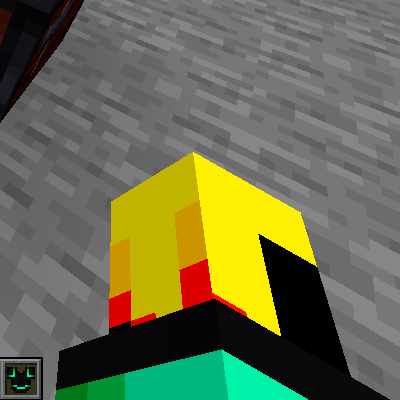
I See My Armored Hand
Render your armor in first-person view for a more immersive Minecraft experience! Supports trims, colors, and enchantments.
 mod
mod CurseForge + Modrinth · Minecraft
NovoAtlas
A data-driven image based world generator for Minecraft.
 mod
mod CurseForge + Modrinth · Minecraft
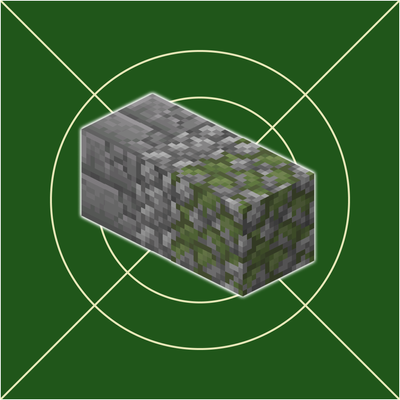
World Degrade
A mod That converts player made structures into ruins