Minecraft version
Back to mods 
Modrinth · Minecraft mod
-FakePlayer-
A next-generation fake player mod that optimizes and provides more practical features, making it suitable as a companion in the game.
Choose a version Pick your version below, then grab the matching file.
Quick answer
Which -FakePlayer- release should I use?
Latest stable file 26.2-fabric-1.2.7
Game version 26.2
Loader Fabric
-FakePlayer- 26.2-fabric-1.2.7 targets 26.2 with Fabric. Installation on the client is optional. Installation on the dedicated server is optional. No extra mods listed for this file.
Where it goes
Is -FakePlayer- required on the client, server, or both?
Installation on the client is optional. Installation on the dedicated server is optional.
Client Optional
Dedicated server Optional
Loader for this release Fabric
Required install it here Optional supported, not mandatory Not supported do not install here Source doesn’t say do not assume
The source marks this as usable on both the client and server.
What else does -FakePlayer- 26.2-fabric-1.2.7 need?
26.2-fabric-1.2.7. Change the file and its required mods may change too.
This file does not list any required mods. Do not add a library just because a different file uses it.
This file does not list any required or optional mods.
Before you install it
Add -FakePlayer- without breaking your instance.
Built for -FakePlayer- 26.2-fabric-1.2.7. Pick another file and the loader, install side or required mods may change.
- 01
Stick to this file
Use 26.2-fabric-1.2.7. It targets 26.2 with Fabric; another release may have different loader, side or dependency requirements.
- 02
Bring the mods it needs
This file does not list any required mods. Do not add a library just because a different file uses it.
- 03
Put it on the correct side
Installation on the client is optional. Installation on the dedicated server is optional.
- 04
Pick the file you checked
Use the “Get this file” button beside 26.2-fabric-1.2.7. It opens that exact file at the source.
About this project
What does -FakePlayer- add?
Summon fake players who fight for you and handle the boring grind while you're busy or away. They behave like real players: same inventory, same combat, same survival needs.
Core Idea
Fake players are full in-game characters you create with a command. Each one can:
- Follow you and fight enemies you point them at
- Run repetitive tasks on their own — mining, farming, chopping, planting, fishing, trading, looting, organizing
- Be possessed directly: sneak + right-click to see through their eyes and play as them
Fake Player Traits
- Fake players do not count toward the server's maximum player count.
- They keep ticking even when the world is frozen, and they do not block sleeping through the night.
Summoning
Two ways to create one:
/0— spawns a fake player with an auto-generated name (001, 002, 003…)/0 <name>— spawns one with the name you choose
After running the command, wait about one second. The fake player appears after the short delay. If the name is taken, already spawning, too long, or banned, you'll get a message explaining why it failed.
Working with Them
Right-click a fake player to open its inventory. The screen has three areas.
Inventory and Containers
The fake player has 41 storable slots:
- Left column, 4 slots — armor: helmet / chestplate / leggings / boots. Placing an item here equips it.
- Center column, bottom slot — offhand. Placing an item here puts it in the left hand.
- Lower 4×9 area, 36 slots — 27 backpack slots plus 9 hotbar slots. The selected hotbar slot is the main hand; the fake player switches weapons automatically when needed.
4 armor + 1 offhand + 36 backpack/hotbar = the full 41-slot inventory. The bottom two rows of the lower-left panel have 8 Collect filter slots, which are not part of the 41-slot inventory; see the Collect switch below. The remaining slots are buttons, switches, or display-only.
Top-center head slot: skin changer (left-click random skin, right-click clear skin — needs StraySkins).
Below it are three special slots: - Equip — click to equip the best armor immediately; keeps checking for upgrades; turning it off removes the armor.
- Undying — click to toggle an infinite totem effect. Lethal damage triggers the totem effect without needing a totem in the inventory, and it can trigger repeatedly.
- Faction — below the skin slot; left-click cycles none/red/blue/yellow/green/white, right-click clears. With faction outlines enabled, the model outline uses the faction color.
Offhand pack/unpack: hold a shulker box and right-click the offhand slot. An empty box packs all of the fake player's items (including equipment) into it; a non-empty box first dumps the fake player's 41 slots on the ground, then unpacks the box into the backpack and auto-equips armor.
Possession
Sneak + right-click a fake player to take control. Your view moves to it.
To exit, hold sneak and press jump, or sneak + right-click your original body. Possession also ends if the fake player dies or is removed, if you disconnect, or when the server shuts down.
Feeding
Feeding is off by default. Enable "Feed Fake Players" in the configuration screen, then hold a food item and right-click a fake player to feed it.
- Uses vanilla consumption rules.
- Creative mode does not consume the food.
- While enabled, right-clicking with food feeds the fake player instead of opening its inventory.
Behavior Switches (13)
Switches are independent — turning one on never switches another off. Icons reflect the switch state; Ranged or Mace shows "(Paused)" when its required gear is missing, and clicking it re-enables it.
Manual:
- Attack — swings every second at whatever is in front; auto-equips a sword when the main hand is empty.
- Mine — keeps mining the block you are looking at with the best tool, shows cracking, and breaks it.
- Use (main hand) — right-clicks the thing ahead: entity, block, or just uses the item.
- Dual-use — right-clicks with both hands in turn (for example, bonemeal and saplings). It takes priority over main-hand use.
Combat: - Melee — locks onto nearby enemies within 16 blocks: hostiles, mobs attacking players, mob types you recently attacked, and enemy-faction fake players. PvP targets come first.
- Chases, jump-crits when Jump is on, and equips the best weapon by combined damage × attack speed × enchantment level.
- Axes get +1000 score when the target is blocking.
- Repositions to 2–4 blocks from the target every 20 ticks, generally staying away from it.
- In water with a Riptide trident, it charges and riptides instead; spears use the normal melee path.
- Support (automatic, requires Active + Melee, no separate switch) — when a nearby player is attacked by a mob or attacks a mob, the fake player heads to the scene and helps within 0–8 blocks. Faction support uses the same enemy filter as targeting.
- Defense — faces enemies with a shield and deflects fireballs, shulker bullets, and wind charges.
- Drops water to survive falls.
- Places water on itself when on fire or stuck in a cobweb.
- Fills an empty bucket from a nearby stable water source when it has no water bucket.
- If taking lava or suffocation damage for more than 1 second, tries a jump and eats chorus fruit.
- Extinguishes the fire block that burned it.
- Shielding needs a target; keep at least one of Melee, Ranged, or Mace on.
- Ranged — shoots from up to 64 blocks with a bow or crossbow plus arrows, or with a Loyalty trident.
- Endermen and Breezes are not valid ranged targets.
- Keeps distance and backs away while shooting when the target is within 8 blocks.
- Pauses and falls back to melee when no usable ranged weapon is available; resumes when gear returns.
- Mace — within 3 blocks, throws a wind charge to launch into the air and smash down.
- Pauses when missing a mace or wind charge, and turns on Melee as a fallback.
- With Technique on, places a cobweb at the target's feet before launching.
- Technique — every 3–5 seconds, places lava or a cobweb at the target's feet (50/50).
- Lava is removed after 0.4 seconds; cobweb stays.
- Does not trigger when the target is in water, and skips targets already standing in a cobweb.
- Auto-equips from the backpack to the offhand and uses vanilla right-click consumption.
Utility:
- Auto-eat — feeds itself from the offhand.
- At 50% max health or less, prioritizes golden carrot, golden apple, or enchanted golden apple.
- At 60% of the vanilla hunger cap (20) or less, eats the best normal food.
- If health is not full and hunger is below the cap, it keeps topping up with the worst normal food.
- 5-second cooldown after eating.
- Chorus fruit and spider eyes are not normal food; they are only eaten when no normal food is available.
- Equip — wears the best armor set, re-checks every 15 seconds, and removes armor when turned off.
- Mending — every 20 seconds (while standing on ground), if an equipped item has Mending and is damaged, converts all XP into orbs so vanilla Mending can repair it.
- Fishing — requires Active, Attack, Mine, main-hand Use, Melee, Ranged, and Collect to all be off.
- Casts and reels automatically, and checks whether the water is open on the first bite.
- Rescans the backpack for a fishing rod every 2 seconds.
Mode Switches (19)
- Sneak — holds sneak.
- Crawl — stays low and crawls.
- Sprint — keeps sprinting.
- Jump — jump-crits in melee, climbs ladders, floats up in water, and jumps gaps.
- Active — master switch for self-movement.
- When off, the fake player stays put and cannot chase targets.
- Attack, Mine, and Use still work in place. The core actions of Collect, Planting, Farming, Storage, and Trade also work without Active; Pickup requires Active.
- When on and idle, it wanders within ±8 blocks.
- Follow — stays with you and tries to ride your vehicle; it dismounts when you do. Teleports if you get more than 32 blocks away or switch dimensions while you are on the ground.
- Anchor — remembers a spot, including dimension, and checks every 30 seconds. Active fake players walk back if more than 32 blocks away and stop within 2 blocks; idle fake players teleport back. It never crosses dimensions.
- Forward — walks straight ahead; drives boats, minecarts, and horses forward when riding.
- Backward — walks backward.
- Left — strafes left.
- Right — strafes right.
- Spectator — stands still, looks at the nearest player about once a second, and occasionally does an idle animation.
- Spin — keeps the model rotating for display.
- Pickup — walks to reachable dropped items within 16 blocks; stops when full or fighting.
- Storage — moves excess items into chests within 16 blocks, pulls missing items back, and upgrades item quality.
- Whitelist includes armor (while Equip is on), tools, shield, bow/crossbow, fishing rod, mace, wind charges, totems, cobblestone, water bucket, arrows, special food, chorus fruit (one separate stack), normal food (excluding chorus fruit), saplings (while Woodcut is on), and trade goods (while Trade is on).
- Trade — visits villagers within 32 blocks and buys only the trades you pre-checked, up to 12 times per offer.
- Collect — digs the closest matching block from the 8 Collect filter slots in the bottom two rows of the lower-left panel, or cobblestone, within 24 blocks.
- Each filter slot holds one block; if they are empty, only cobblestone is targeted.
- Builds a pillar to reach high blocks, avoids dead ends, and does not mine the world's bottom layer.
- Woodcut — requires Collect to chop. Adds logs and leaves to Collect targets, prefers log pillars, and plants saplings on valid open ground.
- Farm — harvests and replants crops, nether wart, sugarcane, and bamboo; harvests melons and pumpkins with an axe.
Attract is automatic, not a switch, and requires Active: the fake player approaches a player within 8 blocks holding a golden carrot, golden apple, or enchanted golden apple.
Right Quick Buttons (7)
- Sort — left-click merges and sorts items; right-click dumps everything.
- Combat — left-click arms active, sprint, jump, melee, defense, auto-eat, equip, and Mending, and turns off attack, mine, main-hand use, dual-use, Collect, and fishing; other modes are left unchanged. Right-click disables all regular mode switches.
- PvP — left-click starts or joins a duel; right-click ends all duels involving you.
- XP extract — converts stored XP into orbs for you (left-click) or the fake player (right-click).
- Mount — left-click makes you ride the fake player; right-click makes the fake player ride you. Right-click again to dismount the fake player.
- Board — left-click makes the fake player board the nearest vehicle; right-click makes it dismount.
- Exit — right-click saves and removes; left-click removes without saving.
Auto-refill
Items that run out in the main hand or offhand are replaced automatically from the backpack, including from inside shulker boxes. Always on, no switch needed.
Dueling (PvP)
Start a duel from the PvP button, /0 <name> pvp [target], or /00 pvp for the nearest fake player. A 5-second countdown plays and can be canceled by either side; the fake player crouches during it.
After the countdown, the fake player enables active, sprint, jump, melee, and auto-eat, turns storage off, and locks onto the target. It re-locks every 20 ticks. When the target is more than 12 blocks away, it has a 25% chance every 3–6 seconds to throw an ender pearl and close the distance.
Kills and shattered totems each score a point. The duel ends when one side dies, with a broadcast of score and winner. A dead fake player is removed permanently. Creative players cannot start or accept duels; switching to creative during a duel ends it. Participants get colored names; models use a white PvP outline. If faction outlines are enabled and the player has a faction, the faction color overrides the white PvP outline.
You cannot open a participant's inventory or possess them during a duel. If a participant disconnects, the duel ends.
Configuration Screen
Press \ or open it from Mod Menu. Settings:
- Allow or deny opening fake player inventories
- Draw sight lines showing what fake players look at
- Enable or disable possession
- Trade checkboxes in villager screens
- 24-block spawn-range overlay around idle fake players
- Faction outlines using each fake player's faction color
- Feed fake players (off by default; right-clicking with food feeds instead of opening the inventory)
- Death drops on or off
- Fake player count cap, default 100 (0 = none allowed)
- Live count display
Death drops and the count cap require operator permission. Settings save automatically.
Commands
/0: Single Fake Player
| Command | Effect |
|---|---|
/0 |
Summon a fake player with an auto-generated name |
/0 <name> |
Summon a fake player with the given name |
/0 <name> clear |
Remove that fake player |
/0 <name> look |
Make the fake player look at you |
/0 <name> tp |
Teleport that fake player to you |
/0 <name> mimic |
Enter possession |
/0 <name> pvp [target] |
Start a duel; omit target to duel you, or name a player/fake player |
/00: Batch and Others
| Command | Effect |
|---|---|
/00 |
Enable active, sprint, jump, melee, defense, equip, auto-eat, and Mending; disable attack, mine, main-hand use, dual-use, fishing, spectator, and movement keys; other modes are unchanged |
/00 help |
Show command help |
/00 list |
List online fake players |
/00 faction |
Show the online faction distribution |
/00 faction <0-5> |
Set all online fake players' faction (0 = none) |
/00 faction <0-5> <name> |
Set one fake player's faction |
/00 tp |
Teleport active fake players to you |
/00 summon |
Active fake players follow you |
/00 summon no |
Stop all following |
/00 load |
Reload saved fake players |
/00 players <count> |
Spawn up to the given number of fake players around you, 1–100 |
/00 clear |
Remove all fake players |
/00 look |
Set inactive fake players to spectator behavior |
/00 look no |
Cancel spectator behavior |
/00 mace |
Enable mace for all fake players |
/00 mace no |
Disable mace for all fake players |
/00 ranged |
Enable ranged for all fake players |
/00 ranged no |
Disable ranged for all fake players |
/00 undying |
Enable undying for all fake players (admin) |
/00 undying no |
Disable undying for all fake players (admin) |
/00 stop |
Disable activity for all active fake players |
/00 pvp |
Duel the nearest fake player |
/00 pvp no |
End all fake player duels |
Compatibility
- Client and server both need the mod.
- Best paired with StraySkins for proper fake player skins.
Project description from Modrinth.
Pick your setup
-FakePlayer- by Minecraft version and loader
Choose the version and loader you play, then open the matching release.
Minecraft version
26.2
1 loader buildMinecraft version
1.21.11
1 loader buildCheck the dependencies, then try the file in a copied instance before changing a world you care about.
Recent files
-FakePlayer- versions and loaders
26.2-fabric-1.2.7
fakeplayer-26.2-fabric-1.2.7.jar
22 Nov 2026
Client Optional Server Optional Dependencies No extras listed Listed on Release listing
Check the 26.2 · Fabric setup 26.2Fabric release
26.2-fabric-1.2.6
fakeplayer-26.2-fabric-1.2.6.jar
19 Nov 2026
Client Optional Server Optional Dependencies No extras listed Listed on Release listing
Check the 26.2 · Fabric setup 26.2Fabric release
26.3-fabric-1.2.5
fakeplayer-26.3-fabric-1.2.5.jar
1 Nov 2026
Client Optional Server Optional Dependencies No extras listed Listed on Release listing
Check the 26.3 · Fabric setup 26.3Fabric release
26.2-fabric-1.2.5
fakeplayer-26.2-fabric-1.2.5.jar
1 Nov 2026
Client Optional Server Optional Dependencies No extras listed Listed on Release listing
Check the 26.2 · Fabric setup 26.2Fabric release
26.2-fabric-1.2.4
fakeplayer-26.2-fabric-1.2.4.jar
30 Oct 2026
Client Optional Server Optional Dependencies No extras listed Listed on Release listing
Check the 26.2 · Fabric setup 26.2Fabric release
26.3-fabric-1.2.3
fakeplayer-26.3-fabric-1.2.3.jar
17 Oct 2026
Client Optional Server Optional Dependencies No extras listed Listed on Release listing
Check the 26.3 · Fabric setup 26.3Fabric release
26.2-fabric-1.2.3
fakeplayer-26.2-fabric-1.2.3.jar
17 Oct 2026
Client Optional Server Optional Dependencies No extras listed Listed on Release listing
Check the 26.2 · Fabric setup 26.2Fabric release
1.21.11-fabric-1.2.3
fakeplayer-1.21.11-fabric-1.2.3.jar
15 Oct 2026
Client Optional Server Optional Dependencies No extras listed Listed on Release listing
Check the 1.21.11 · Fabric setup 1.21.11Fabric release
1.21.11-fabric-1.2.2
fakeplayer-1.21.11-fabric-1.2.2.jar
1 Oct 2026
Client Optional Server Optional Dependencies No extras listed Listed on Release listing
Check the 1.21.11 · Fabric setup 1.21.11Fabric release
26.2-fabric-1.2.1
fakeplayer-26.2-fabric-1.2.1.jar
31 Aug 2026
Client Optional Server Optional Dependencies No extras listed Listed on Release listing
Check the 26.2 · Fabric setup 26.2Fabric release
1.21.11-fabric-1.2.1
fakeplayer-1.21.11-fabric-1.2.1.jar
31 Aug 2026
Client Optional Server Optional Dependencies No extras listed Listed on Release listing
Check the 1.21.11 · Fabric setup 1.21.11Fabric release
1.21.11-fabric-1.2.0
fakeplayer-1.21.11-fabric-1.2.0.jar
22 Aug 2026
Client Optional Server Optional Dependencies No extras listed Listed on Release listing
Check the 1.21.11 · Fabric setup 1.21.11Fabric release
Looking for an older file? The official Modrinth project page is in Resources.
 mod
CurseForge + Modrinth · Minecraft
Carpet TIS Addition
A Carpet mod (fabric-carpet) extension, a collection of carpet mod style useful tools and interesting features
 mod
CurseForge · Minecraft
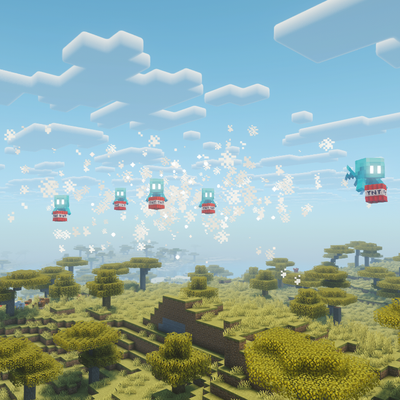
Allay Airstrike
Adds an Allay Remote item that calls in Allays to strike your target with TNT
 mod
Modrinth · Minecraft
ReachHUD
ReachHUD is a lightweight client-side mod that displays real-time reach distance when aiming at entities such as players, mobs, and animals.