Minecraft version
Back to mods 
Modrinth · Minecraft mod
-FakePlayer-
A next-generation fake player mod that optimizes and provides more practical features, making it suitable as a companion in the game.
Choose a version Pick your version below, then grab the matching file.
Quick answer
Which -FakePlayer- release matches 26.3?
Best match for your filters 26.3-fabric-1.2.5
Game version 26.3
Loader Fabric
-FakePlayer- 26.3-fabric-1.2.5 targets 26.3 with Fabric. Installation on the client is optional. Installation on the dedicated server is optional. No extra mods listed for this file.
Where it goes
Is -FakePlayer- required on the client, server, or both?
Installation on the client is optional. Installation on the dedicated server is optional.
Client Optional
Dedicated server Optional
Loader for this release Fabric
Required install it here Optional supported, not mandatory Not supported do not install here Source doesn’t say do not assume
The source marks this as usable on both the client and server.
What else does -FakePlayer- 26.3-fabric-1.2.5 need?
26.3-fabric-1.2.5 on 26.3. Every mod below is checked against that same setup.
This file does not list any required mods. Do not add a library just because a different file uses it.
This file does not list any required or optional mods.
Before you install it
Add -FakePlayer- without breaking your instance.
Built for -FakePlayer- 26.3-fabric-1.2.5 on 26.3. Pick another file and the loader, install side or required mods may change.
- 01
Stick to this file
Use 26.3-fabric-1.2.5. It targets 26.3 with Fabric; another release may have different loader, side or dependency requirements.
- 02
Bring the mods it needs
This file does not list any required mods. Do not add a library just because a different file uses it.
- 03
Put it on the correct side
Installation on the client is optional. Installation on the dedicated server is optional.
- 04
Pick the file you checked
Use the “Get this file” button beside 26.3-fabric-1.2.5. It opens that exact file at the source.
About this project
What does -FakePlayer- add?
Summon fake players who fight for you and handle the boring grind while you're busy or away. They behave like real players: same inventory, same combat, same survival needs.
Core Idea
Fake players are full in-game characters you create with a command. Each one can:
- Follow you and fight enemies you point them at
- Run repetitive tasks on their own — mining, farming, chopping, planting, fishing, trading, looting, organizing
- Be possessed directly: sneak + right-click to see through their eyes and play as them
Fake Player Traits
- Fake players do not count toward the server's maximum player count.
- They keep ticking even when the world is frozen, and they do not block sleeping through the night.
Summoning
Two ways to create one:
/0— spawns a fake player with an auto-generated name (001, 002, 003…)/0 <name>— spawns one with the name you choose
After running the command, wait about one second. The fake player appears after the short delay. If the name is taken, already spawning, too long, or banned, you'll get a message explaining why it failed.
Working with Them
Right-click a fake player to open its inventory. The screen has three areas.
Inventory and Containers
The fake player has 41 storable slots:
- Left column, 4 slots — armor: helmet / chestplate / leggings / boots. Placing an item here equips it.
- Center column, bottom slot — offhand. Placing an item here puts it in the left hand.
- Lower 4×9 area, 36 slots — 27 backpack slots plus 9 hotbar slots. The selected hotbar slot is the main hand; the fake player switches weapons automatically when needed.
4 armor + 1 offhand + 36 backpack/hotbar = the full 41-slot inventory. The bottom row of the lower-left panel has 4 Collect filter slots, which are not part of the 41-slot inventory; see the Collect switch below. The remaining slots are buttons, switches, or display-only.
Top-center head slot: skin changer (left-click random skin, right-click clear skin — needs StraySkins).
Below it are two special slots:
- Equip — click to equip the best armor immediately; keeps checking for upgrades; turning it off removes the armor.
- Undying — click to toggle an infinite totem effect. Lethal damage triggers the totem effect without needing a totem in the inventory, and it can trigger repeatedly.
Offhand pack/unpack: hold a shulker box and right-click the offhand slot. An empty box packs all of the fake player's items (including equipment) into it; a non-empty box first dumps the fake player's 41 slots on the ground, then unpacks the box into the backpack and auto-equips armor.
Possession
Sneak + right-click a fake player to take control. Your view moves to it. Release sneak to exit; it also ends if you move too far away or change dimension.
Behavior Switches (12)
Icons are colored when on and gray when off. The switches are independent — turning one on never switches another off. Ranged or mace may show a yellow paused state when their required gear is missing; click again to re-enable.
Manual:
- Attack — swings every second at whatever is in front; auto-equips a sword when the main hand is empty.
- Mine — keeps mining the block you are looking at with the best tool, shows cracking, and breaks it.
- Use (main hand) — right-clicks the thing ahead: entity, block, or just uses the item.
- Dual-use — right-clicks with both hands in turn (for example, bonemeal and saplings). It takes priority over main-hand use.
Combat:
- Melee — locks onto nearby enemies (hostiles, things attacking you, and PvP targets first), chases, jump-crits, equips the best weapon by combined damage × attack speed × enchantment level, and backs off when too close. Also moves to support a nearby player who attacks a mob or is attacked by one.
- Defense — faces enemies with a shield, deflects fireballs, shulker bullets, and wind charges; drops water to survive falls; douses fire and webs; extinguishes nearby flames.
- Ranged — shoots from up to 64 blocks with a bow or crossbow and keeps distance. Pauses and falls back to melee when out of arrows.
- Mace — within 3 blocks, throws a wind charge to launch into the air and smash down. Pauses when missing a mace or wind charge.
Utility:
- Auto-eat — feeds itself from the offhand. Golden foods when hurt, best normal food when hungry, and periodic top-ups; 5-second cooldown after eating.
- Equip — wears the best armor set, re-checks every 15 seconds, and removes armor when turned off.
- Mending — every 20 seconds (while standing on ground), if an equipped item has Mending and is damaged, converts all XP into orbs so vanilla Mending can repair it.
- Fishing — casts and reels automatically, checks whether the water is open on the first bite, and stops when active or when most other work modes are on.
Mode Switches (19)
- Sneak — holds sneak.
- Crawl — stays low and crawls.
- Sprint — keeps sprinting.
- Jump — jump-crits in melee, climbs ladders, floats up in water, and jumps gaps.
- Active — master switch for self-movement. When off, the fake player stays put; when on, it can wander, chase targets, and run chores. Attack, mine, and use still work in place.
- Follow — stays with you and tries to ride your vehicle; it dismounts when you do. Teleports if you get more than 32 blocks away or switch dimensions while you are on the ground.
- Anchor — remembers a spot, including dimension, and checks every 30 seconds. Active fake players walk back if more than 32 blocks away and stop within 2 blocks; idle fake players teleport back. It never crosses dimensions.
- Forward — walks straight ahead; drives boats, minecarts, and horses forward when riding.
- Backward — walks backward.
- Left — strafes left.
- Right — strafes right.
- Spectator — stands still, looks at the nearest player about once a second, and occasionally does an idle animation.
- Spin — keeps the model rotating for display.
- Pickup — walks to reachable dropped items within 16 blocks; stops when full or fighting.
- Storage — moves excess items into nearby chests, pulls missing items back, and upgrades item quality. Whitelist includes armor (while Equip is on), tools, shield, bow/crossbow, fishing rod, mace, wind charges, totems, cobblestone, water bucket, arrows, food, saplings (while Woodcut is on), and trade goods (while Trade is on).
- Trade — visits nearby villagers and buys only the trades you pre-checked, up to 12 times per offer.
- Collect — digs the closest matching block from the 4 Collect filter slots on the bottom row of the lower-left panel, or cobblestone, within 16 blocks. Each filter slot holds one block; if they are empty, only cobblestone is targeted. Builds a pillar to reach high blocks and avoids dead ends.
- Woodcut — works with Collect to chop logs and leaves, prefers log pillars, and plants saplings on open ground.
- Farm — harvests and replants crops, nether wart, sugarcane, and bamboo; harvests melons and pumpkins with an axe.
Right Quick Buttons (6)
- Combat — left-click arms active, sprint, jump, melee, defense, auto-eat, equip, and Mending; it does not enable ranged. Right-click disables all regular mode switches.
- PvP — left-click starts or joins a duel; right-click ends all duels involving you.
- Sort — left-click merges and sorts items; right-click dumps everything.
- XP extract — converts stored XP into orbs for you (left-click) or the fake player (right-click).
- Mount — left-click makes you ride the fake player; right-click makes the fake player ride you. Right-click again to dismount the fake player.
- Exit — right-click saves and removes; left-click removes without saving.
Auto-refill
Items that run out in the main hand or offhand are replaced automatically from the backpack, including from inside shulker boxes. Always on, no switch needed.
Dueling (PvP)
Start a duel from the PvP button, /0 <name> pvp [target], or /00 pvp for the nearest fake player. A 5-second countdown plays and can be canceled by either side; the fake player crouches during it.
After the countdown, the fake player enables active, sprint, jump, melee, and auto-eat, turns storage off, and locks onto the target. It re-locks every 20 ticks. When the target is more than 12 blocks away, it has a 25% chance every 3–6 seconds to throw an ender pearl and close the distance.
Kills and shattered totems each score a point. The duel ends when one side dies, with a broadcast of score and winner. A dead fake player is removed permanently. Creative players cannot start or accept duels; switching to creative during a duel ends it. Participants also get colored names and model outlines.
You cannot open a participant's inventory or possess them during a duel. If a participant disconnects, the duel ends.
Configuration Screen
Press \ or open it from Mod Menu. Settings:
- Allow or deny opening fake player inventories
- Draw sight lines showing what fake players look at
- Enable or disable possession
- Trade checkboxes in villager screens
- 24-block spawn-range overlay around idle fake players
- Death drops on or off
- Fake player count cap (0 = none allowed)
- Live count display (green under cap, red over cap)
Death drops and the count cap require operator permission. Settings save automatically.
Commands
| Command | Effect |
|---|---|
/0 |
Summon a fake player with an auto-generated name |
/0 <name> |
Summon a fake player with the given name |
/0 <name> clear |
Remove that fake player |
/00 clear |
Remove all fake players |
/00 load |
Reload saved fake players |
/00 players <count> |
Spawn up to the given number of fake players around you, 1–100 |
/00 list |
List online fake players |
/00 tp |
Teleport active fake players to you |
/0 <name> tp |
Teleport that fake player to you |
/00 summon |
Active fake players follow you |
/00 summon no |
Stop all following |
/0 <name> look |
Make the fake player look at you |
/00 look |
Set inactive fake players to spectator behavior |
/00 look no |
Cancel spectator behavior |
/0 <name> mimic |
Enter possession |
/00 |
Put all fake players into combat state; does not enable ranged or mace |
/00 mace |
Enable mace for all fake players |
/00 mace no |
Disable mace for all fake players |
/00 ranged |
Enable ranged for all fake players |
/00 ranged no |
Disable ranged for all fake players |
/00 undying |
Enable undying for all fake players (admin) |
/00 undying no |
Disable undying for all fake players (admin) |
/00 stop |
Disable activity for all active fake players |
/0 <name> pvp [target] |
Start a duel |
/00 pvp |
Duel the nearest fake player |
/00 pvp no |
End all fake player duels |
/00 help |
Show command help |
Compatibility
- Client and server both need the mod.
- Best paired with StraySkins for proper fake player skins.
Project description from Modrinth.
Pick your setup
-FakePlayer- by Minecraft version and loader
Choose the version and loader you play, then open the matching release.
Minecraft version
26.2
1 loader buildMinecraft version
1.21.11
1 loader buildCheck the dependencies, then try the file in a copied instance before changing a world you care about.
Recent files
-FakePlayer- versions and loaders
26.3-fabric-1.2.5
fakeplayer-26.3-fabric-1.2.5.jar
1 Nov 2026
Client Optional Server Optional Dependencies No extras listed Listed on Release listing
Check the 26.3 · Fabric setup 26.3Fabric release
26.3-fabric-1.2.3
fakeplayer-26.3-fabric-1.2.3.jar
17 Oct 2026
Client Optional Server Optional Dependencies No extras listed Listed on Release listing
Check the 26.3 · Fabric setup 26.3Fabric release
Looking for an older file? The official Modrinth project page is in Resources.
 mod
CurseForge + Modrinth · Minecraft
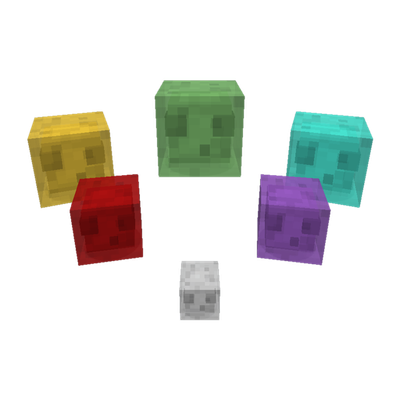
Productive Slimes 2
This is a mod that can let players to get resources from slime, this mod added many type of slime that will generate different recouces such as iron, gold and diamond.
 mod
CurseForge + Modrinth · Minecraft
Durability Vewer Continuation
Armor and Tool durability HUD
 mod
CurseForge + Modrinth · Minecraft
Collective
🎓 Collective is a shared library with common code for all of Serilum's mods.