LambDynamicLights Needed by Glowing Tools 1.4.2 for Fabric 1.20.4
requiredNo matching file
CurseForge · Minecraft mod
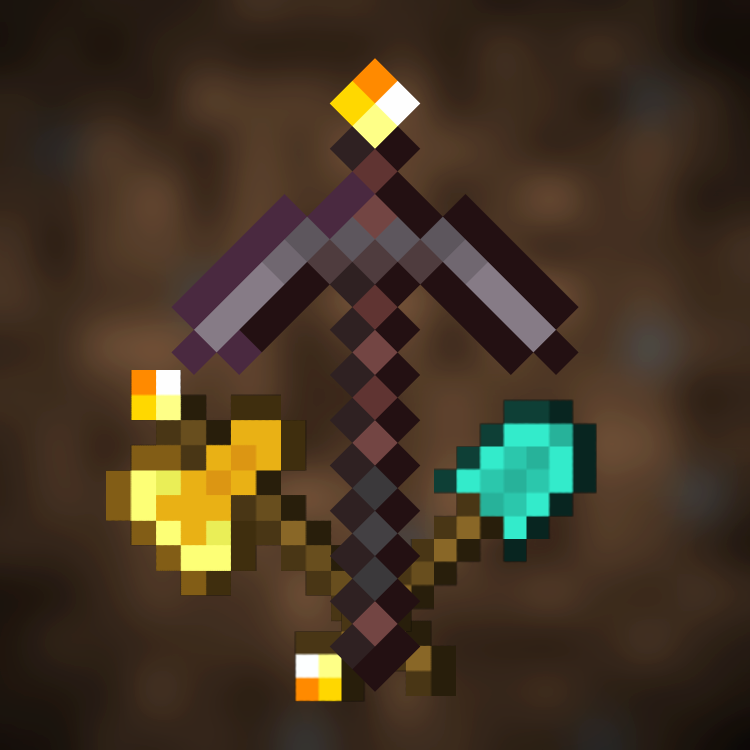
Adds glowing tools so you don't have to unequip your shield or use a fullbright mod to see while you're busy mining in caves! Works with shaders (tested with BSL and Complementary on Iris)! Requires LambDynamicLights!
Quick answer
Glowing Tools 1.4.2 for Fabric 1.20.4 targets 1.20.4 with Fabric. The project page does not say whether it belongs on the client. The project page does not say whether it belongs on the dedicated server. 3 required mods need a matching file.
Where it goes
The project page does not say whether it belongs on the client. The project page does not say whether it belongs on the dedicated server.
The source does not explicitly classify this release as client-only or server-only.
Glowing Tools 1.4.2 for Fabric 1.20.4. Change the file and its required mods may change too.
Install LambDynamicLights, Sodium/Embeddium Dynamic Lights, LambDynamicLights - Dynamic Lights first, but 3 required mods have no matching file for this setup. Do not mix loader builds to force a match.
We only count dependency files that match this setup. A file for another loader does not fill the gap.
Before you install it
Built for Glowing Tools 1.4.2 for Fabric 1.20.4. Pick another file and the loader, install side or required mods may change.
Use Glowing Tools 1.4.2 for Fabric 1.20.4. It targets 1.20.4 with Fabric; another release may have different loader, side or dependency requirements.
Install LambDynamicLights, Sodium/Embeddium Dynamic Lights, LambDynamicLights - Dynamic Lights first, but 3 required mods have no matching file for this setup. Do not mix loader builds to force a match.
The project page does not say whether it belongs on the client. The project page does not say whether it belongs on the dedicated server.
Use the “Get this file” button beside Glowing Tools 1.4.2 for Fabric 1.20.4. It opens that exact file at the source.
About this project
Adds glowing tools so you don't have to unequip your shield or use a fullbright mod to see while you're busy mining in caves! Works with shaders (tested with BSL and Complementary on Iris)!
Requires LambDynamicLights / DynamicLights Reforged!
Currently translated:
Help with translations would be very appreciated!





There is a legacy resource pack included, if you prefer a rather subtle texture instead of a torch on the tool.



Project description from CurseForge.
Pick your setup
Choose the version and loader you play, then open the matching release.
Check the dependencies, then try the file in a copied instance before changing a world you care about.
Recent files
glowing-tools-1.4.2+1.20.4.jar
12 Aug 2024
glowing_tools_forge-1.4.2+1.20.2-com.miluum.jar
6 Jan 2024
glowing_tools_forge-1.4.2+1.20.1-com.miluum.jar
6 Jan 2024
glowing_tools_forge-1.4.2+1.19.2-com.miluum.jar
6 Jan 2024
glowing-tools-1.4.2+1.20.2.jar
6 Jan 2024
glowing-tools-1.4.2+1.20.1.jar
6 Jan 2024
glowing-tools-1.4.2+1.19.2.jar
6 Jan 2024
glowing-tools-1.4.1+1.20.2.jar
27 Nov 2023
glowing-tools-1.4.1+1.20.1.jar
27 Nov 2023
glowing-tools-1.4.1+1.19.2.jar
27 Nov 2023
glowing_tools_forge-1.4.1+1.20.2-com.miluum.jar
27 Nov 2023
glowing_tools_forge-1.4.1+1.20.1-com.miluum.jar
27 Nov 2023
Looking for an older file? The official CurseForge project page is in Resources.
 mod
modA simple mod that adds various type of hammers, that mine 3x1 area
 mod
modA simple mod that adds various type of excavators, that mine 3x1 area
 mod
modAs the title says, weird this hasn't been done already.