Minecraft version
Back to mods 
Modrinth · Minecraft mod
Intelibuild
Intelibuild is a Fabric client-side mod focused on utilities for builders and developers. Open-Source.
Choose a version Pick your version below, then grab the matching file.
Quick answer
Which Intelibuild release matches 26.3?
Best match for your filters 1.2+26.3
Game version 26.3
Loader Fabric
Intelibuild 1.2+26.3 targets 26.3 with Fabric. It must be installed on the client. Do not install it on the dedicated server. No extra mods listed for this file.
Where it goes
Is Intelibuild required on the client, server, or both?
It must be installed on the client. Do not install it on the dedicated server.
Client Required
Dedicated server Not supported
Loader for this release Fabric
Required install it here Optional supported, not mandatory Not supported do not install here Source doesn’t say do not assume
This file is marked client-only.
What else does Intelibuild 1.2+26.3 need?
1.2+26.3 on 26.3. Every mod below is checked against that same setup.
This file does not list any required mods. Do not add a library just because a different file uses it.
This file does not list any required or optional mods.
Before you install it
Add Intelibuild without breaking your instance.
Built for Intelibuild 1.2+26.3 on 26.3. Pick another file and the loader, install side or required mods may change.
- 01
Stick to this file
Use 1.2+26.3. It targets 26.3 with Fabric; another release may have different loader, side or dependency requirements.
- 02
Bring the mods it needs
This file does not list any required mods. Do not add a library just because a different file uses it.
- 03
Put it on the correct side
It must be installed on the client. Do not install it on the dedicated server.
- 04
Pick the file you checked
Use the “Get this file” button beside 1.2+26.3. It opens that exact file at the source.
About this project
What does Intelibuild add?
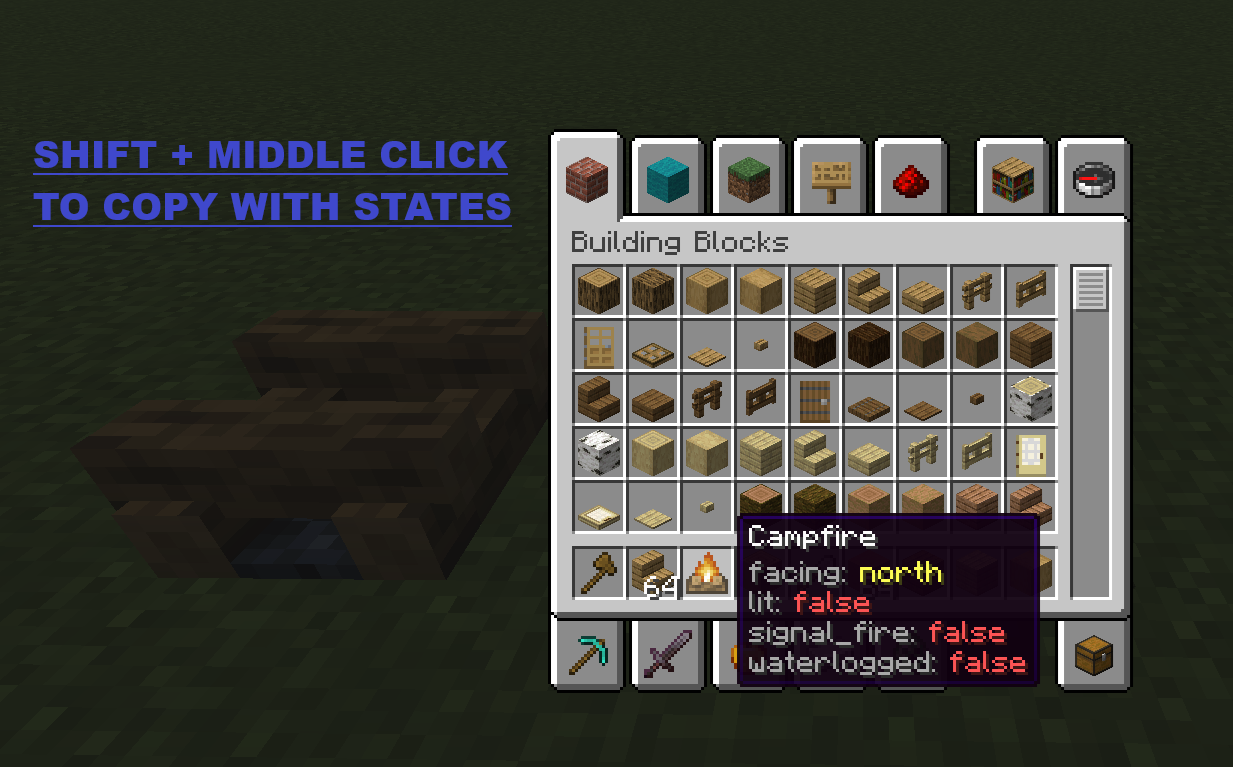
Copy Block States
Hold Left Ctrl + middle-click on a block in Creative mode to copy it with all its state properties (facing, waterlogged, axis, half, etc.).
Properties are displayed as colored lore on the copied item:
| Color | Meaning |
|---|---|
| Light gray | Property name |
| Aqua | true value |
| Light red | false value |
| Yellow | Non-boolean value |
Block ID Panel
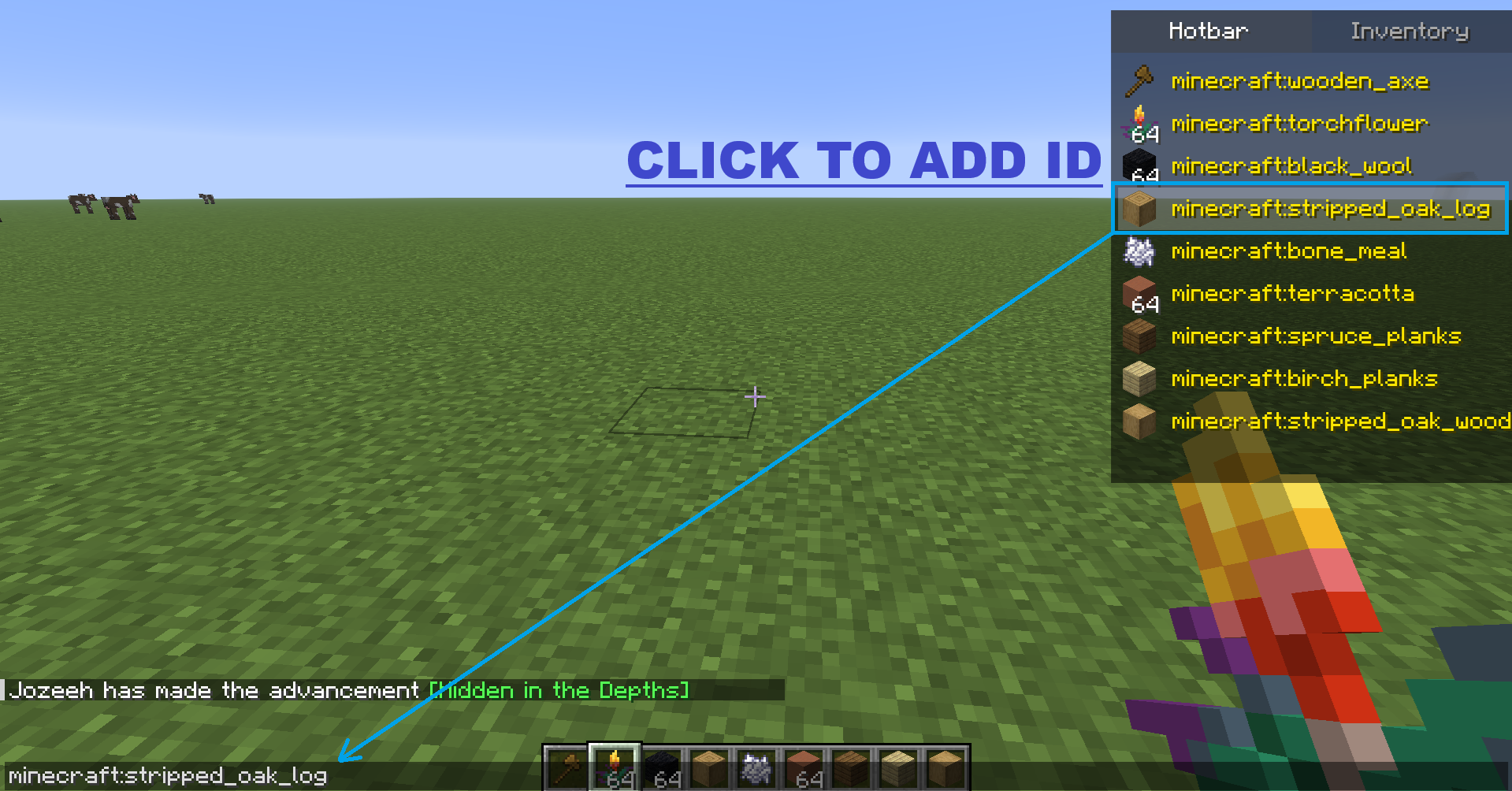
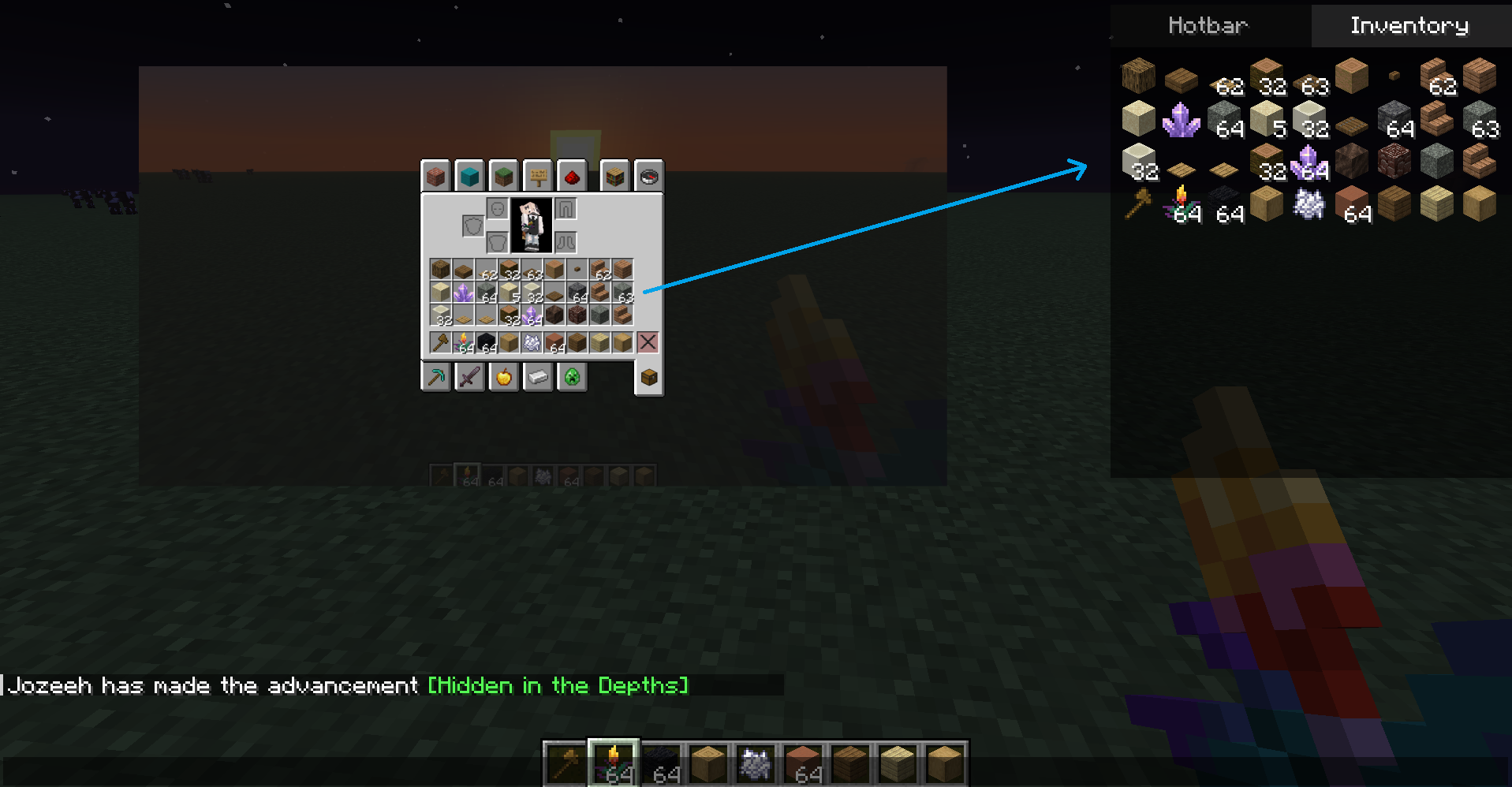
When you open chat (T), a panel appears at the top-right corner with two tabs:
| Tab | Content |
|---|---|
| Hotbar | Icon + full item ID (e.g. minecraft:stone) in yellow text |
| Inventory | 4x9 grid showing every item in your inventory |
Click any item in the panel to insert its full namespaced ID into the chat input.
- F6 — Toggles panel visibility.
- The key is rebindable from Minecraft controls → Intelibuild category.
Project description from Modrinth.
Pick your setup
Intelibuild by Minecraft version and loader
Choose the version and loader you play, then open the matching release.
Minecraft version
26.2
1 loader buildMinecraft version
26.1.2
1 loader buildMinecraft version
26.1.1
1 loader buildMinecraft version
26.1
1 loader buildMinecraft version
1.21.11
1 loader buildCheck the dependencies, then try the file in a copied instance before changing a world you care about.
Recent files
Intelibuild versions and loaders
1.2+26.3
intelibuild-1.2+26.3.jar
4 Nov 2026
Client Required Server Not supported Dependencies No extras listed Listed on Release listing
Check the 26.3 · Fabric setup 26.3Fabric release
Looking for an older file? The official Modrinth project page is in Resources.
 mod
CurseForge + Modrinth · Minecraft
Jump Over Fences
Don't let walls and fences stop you! Jump over them!
 mod
CurseForge + Modrinth · Minecraft
White Pumpkins
Adds Minecraft Story Mode inspired white pumpkins that will generate in the pale garden. Made for SpookyJam 2024
 mod
CurseForge + Modrinth · Minecraft
The Lead Age
A vanilla+ expansion that introduces lead ore, customizable leaded glass & more. Includes compatibility with Create & Farmer's Delight!