Minecraft version
Back to mods 
Modrinth · Minecraft mod
AstikorCarts
Original AstikorCarts reuploaded for Modrinth. No further changes were made, as the mod is no longer being maintained. This mod adds carts that can be pulled by ridden entities and/or the player.
Choose a version Pick your version below, then grab the matching file.
Quick answer
Which AstikorCarts release should I use?
Latest stable file 1.1.2
Game version 1.19.2
Loader Forge
AstikorCarts 1.1.2 targets 1.19.2 with Forge. Installation on the client is optional. Installation on the dedicated server is optional. No extra mods listed for this file.
Where it goes
Is AstikorCarts required on the client, server, or both?
Installation on the client is optional. Installation on the dedicated server is optional.
Client Optional
Dedicated server Optional
Loader for this release Forge
Required install it here Optional supported, not mandatory Not supported do not install here Source doesn’t say do not assume
The source marks this as usable on both the client and server.
What else does AstikorCarts 1.1.2 need?
1.1.2. Change the file and its required mods may change too.
This file does not list any required mods. Do not add a library just because a different file uses it.
This file does not list any required or optional mods.
Before you install it
Add AstikorCarts without breaking your instance.
Built for AstikorCarts 1.1.2. Pick another file and the loader, install side or required mods may change.
- 01
Stick to this file
Use 1.1.2. It targets 1.19.2 with Forge; another release may have different loader, side or dependency requirements.
- 02
Bring the mods it needs
This file does not list any required mods. Do not add a library just because a different file uses it.
- 03
Put it on the correct side
Installation on the client is optional. Installation on the dedicated server is optional.
- 04
Pick the file you checked
Use the “Get this file” button beside 1.1.2. It opens that exact file at the source.
About this project
What does AstikorCarts add?
NO LONGER MAINTAINED
This is a reuploaded version to allow for creating modpacks using Modrinth. For newer Versions, check out AstikorCarts Redux (NeoForge) and NiftyCarts (Fabric)
Carts and cart specific controls:
Supply Cart
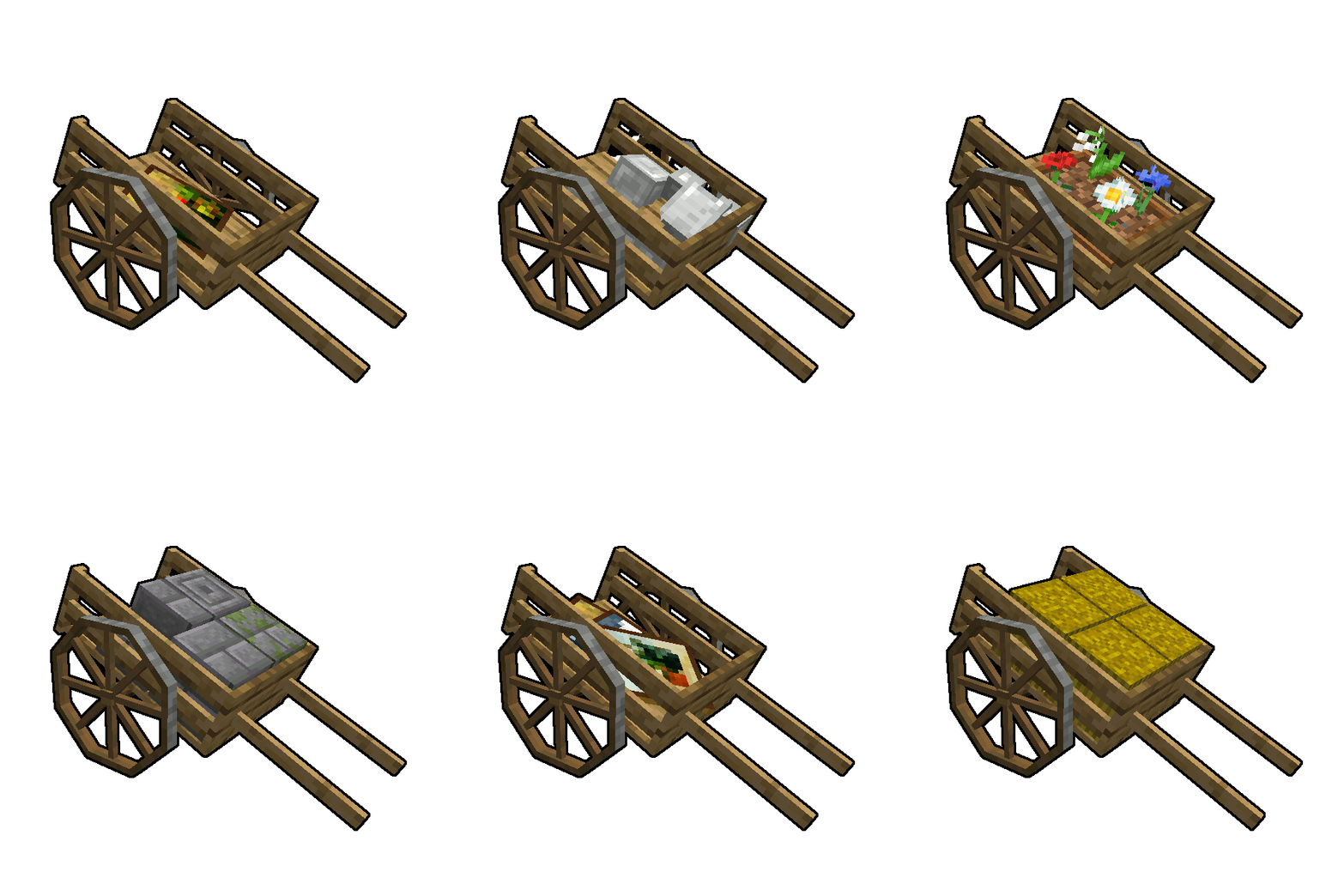
This cart is the oldest of this mod. It comes with a double chest inventory and has room for a friend of yours to sit comfortably on its back. Good luck on the adventures you shall overcome together.
Controls:
The carts inventory can be accessed by sneaking while right clicking it. If you right click it without sneaking, you will start riding the cart instead.
Plow
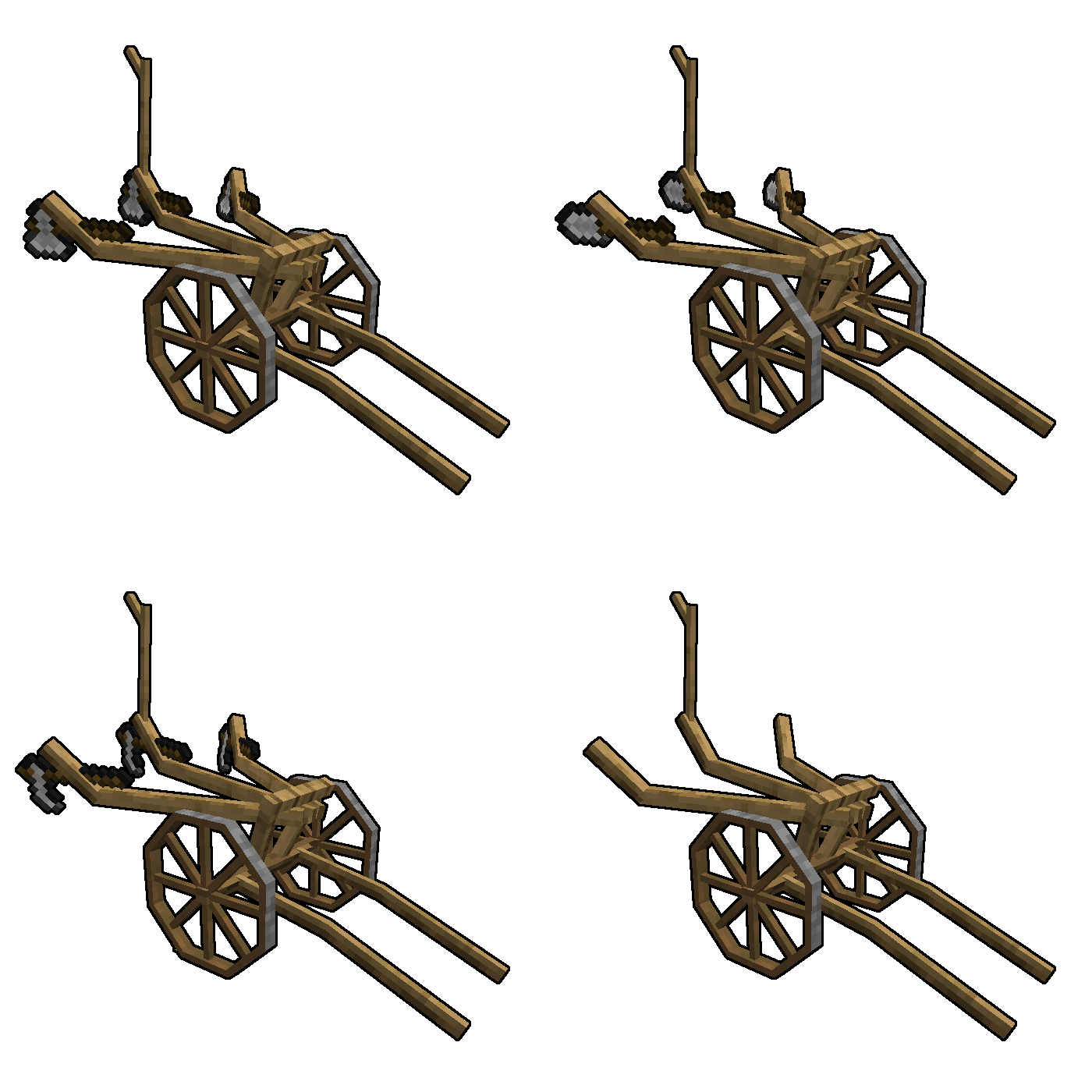
The plow is a useful cart and has been slightly repurposed in v0.1.2.0. Not only can you put hoes in its inventory slots to till up to 3 blocks at once, but also shovels to turn dirt into a path for connecting interesting places within your world.
Controls:
The plowing mode can be toggled by right clicking it. Just like the cart, it's inventory can be accessed by sneaking while right clicking it.
Animal Cart
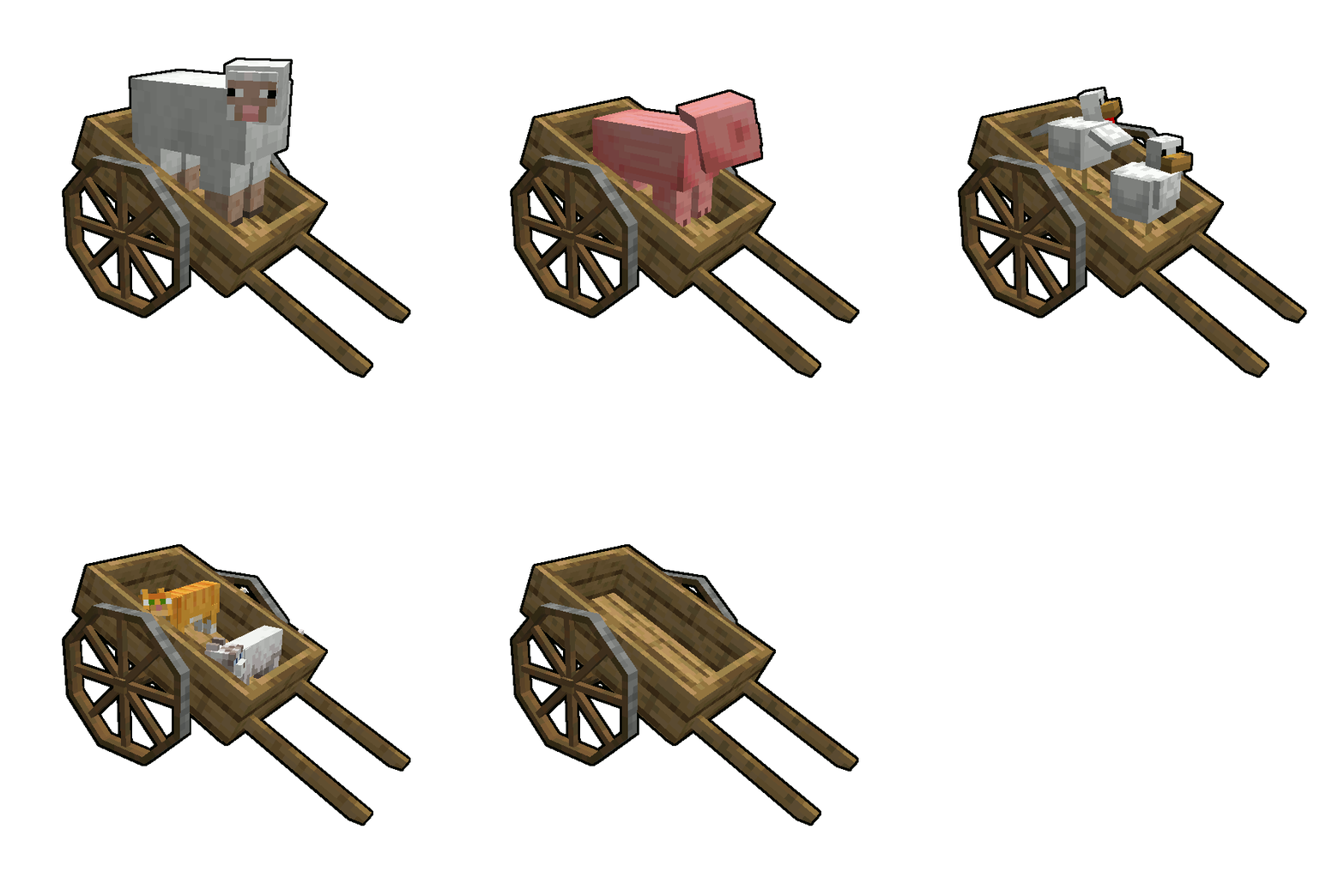
This cart is a boat on wheels. Use it to allow both your human and non-human friends to travel alongside you without sweating.
Controls:
You can push entities into the cart to take them along with you and release them by right clicking the cart while sneaking. Right click it while not sneaking and you will start riding the cart yourse
Project description from Modrinth.
Pick your setup
AstikorCarts by Minecraft version and loader
Choose the version and loader you play, then open the matching release.
Minecraft version
1.18.2
1 loader buildMinecraft version
1.16.5
1 loader buildMinecraft version
1.16.4
1 loader buildMinecraft version
1.16.3
1 loader buildMinecraft version
1.12.2
1 loader buildCheck the dependencies, then try the file in a copied instance before changing a world you care about.
Recent files
AstikorCarts versions and loaders
1.1.2
astikorcarts-1.19.2-1.1.2.jar
3 Mar 2025
Client Optional Server Optional Dependencies No extras listed Listed on Release listing
Check the 1.19.2 · Forge setup 1.19.2Forge release
1.1.2
astikorcarts-1.18.2-1.1.2.jar
3 Mar 2025
Client Optional Server Optional Dependencies No extras listed Listed on Release listing
Check the 1.18.2 · Forge setup 1.18.2Forge release
1.1.1
astikorcarts-1.16.5-1.1.1.jar
3 Mar 2025
Client Optional Server Optional Dependencies No extras listed Listed on Release listing
Check the 1.16.5 · Forge setup 1.16.31.16.41.16.5Forge release
0.1.2.8
astikorcarts-1.12.2-0.1.2.8.jar
3 Mar 2025
Client Optional Server Optional Dependencies No extras listed Listed on Release listing
Check the 1.12.2 · Forge setup 1.12.2Forge release
Looking for an older file? The official Modrinth project page is in Resources.
 mod
mod CurseForge + Modrinth · Minecraft
Better Search
Search for items even with typos, in other languages and more!
 mod
mod CurseForge + Modrinth · Minecraft
Thirst Was Taken 2
Adds a survival thirst bar, drinking, and water purity to Minecraft.
 mod
mod CurseForge + Modrinth · Minecraft
Down the Rabbit Hole
A Very Fairy Tale/Wonderland focused mod!