Mod Menu Optional for copypaster 3.5.1
optionalMatching file found Matched file: 21.0.0-beta.1

Modrinth · Minecraft mod
Copy and paste Minecraft structures with player-relative positioning, ghost preview, persistent undo, and an optional browser editor.
Quick answer
copypaster 3.5.1 targets 26.3 with Fabric. Installation on the client is optional. Installation on the dedicated server is optional. No extra mods listed for this file.
Where it goes
Installation on the client is optional. Installation on the dedicated server is optional.
The source marks this as usable on both the client and server.
3.5.1. Change the file and its required mods may change too.
This file does not list any required mods. Do not add a library just because a different file uses it.
2 extra mods were pulled in by other dependencies. Indented rows show who needs each one. We only count dependency files that match this setup. A file for another loader does not fill the gap.
Before you install it
Built for copypaster 3.5.1. Pick another file and the loader, install side or required mods may change.
Use 3.5.1. It targets 26.3 with Fabric; another release may have different loader, side or dependency requirements.
This file does not list any required mods. Do not add a library just because a different file uses it.
Installation on the client is optional. Installation on the dedicated server is optional.
Use the “Get this file” button beside 3.5.1. It opens that exact file at the source.
About this project
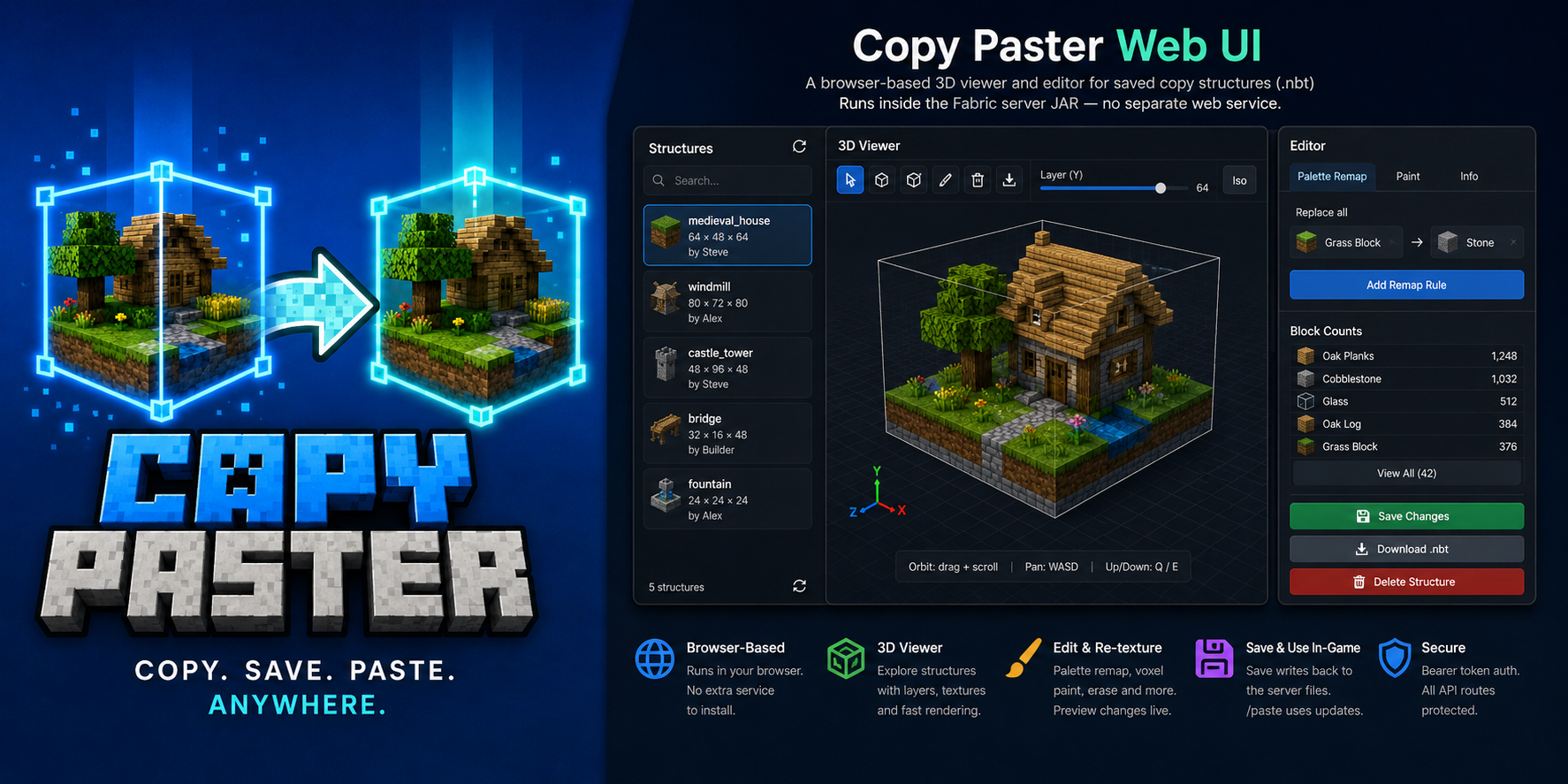
Copy cuboid regions to files. Paste them back exactly where you mean to — anchored to your position.




Copy Paster is a Fabric client + server mod for survival and creative builders who want a fast, visual way to duplicate structures without leaving the game. Select a box with keybinds, name it in chat, then paste it later — position follows where you stand at copy time and paste time, so offsets stay intuitive.
[ / ] copy — two corners, live wireframe preview, name in chat/pasterotate, /pastemirror, /pastemove with cascaded undo/pasteundo with persistent snapshots under copypaster/undos/ (survives restart)copypaster.* nodes to non-ops; vanilla operators always allowed.nbtuk_ua) — full UI strings alongside EnglishSource: github.com/matrunchyk/copypaster · Changelog · Issues
| Where | What |
|---|---|
| Dedicated server | Matching copy_paster-<version>+<mc>.jar in mods/ + Fabric API |
| Each player who copies | Same JAR (same MC version) in client mods/ + bind [ / ] |
Pick your JAR (server and every copying client must match):
| Minecraft | Java | Example artifact |
|---|---|---|
| 1.21.11 | 21 | copy_paster-3.5.1+1.21.11.jar |
| 26.2 | 25 | copy_paster-3.5.1+26.2.jar |
| 26.3 | 25 | copy_paster-3.5.1+26.3.jar |
Requires Fabric Loader 0.19.5+ and Fabric API.
Server-only mode: /paste, /copylist, /copyinfo, /copyblocks, /copydelete, /copyweb, and the web UI still work. World copy requires the client mod and keybinds (or /copy with coords).
Optional: Mod Menu + Cloth Config for in-game client settings.
[ on corner 1, then ] on corner 2 (wireframe follows your crosshair for the end corner)./copy x1 y1 z1 x2 y2 z2 without the client mod (requires copypaster.copy).a–z, 0–9, _, -, max 64 chars). Type cancel to abort (timeout from server config, default 60 s).at — see commands)./paste <name> — if the ghost warns about overwrites, run the suggested … confirm command./pasteinfo while looking at the build, or /pasteundolist, then /pasteundo <id>.Examples:
/paste house
/paste house at 100 64 -20
/paste house rotate 90 mirror left_right noair confirm
| Command | Description |
|---|---|
/copyhelp |
Command summary (copy, paste, undo, web UI) |
/copy x1 y1 z1 x2 y2 z2 |
Copy region via coordinates (chat naming) |
/copyblocks <name> [page] |
Block type shopping list (paginated) |
/paste <name> |
Paste at player-relative anchor |
/paste <name> at <x> <y> <z> |
Paste with min corner at world coordinates |
/paste <name> rotate <90|180|270> |
Rotate before placing |
/paste <name> mirror <left_right|front_back> |
Mirror before placing |
/paste <name> noair |
Skip air blocks in the structure |
/paste <name> … confirm |
Paste after overwrite warning |
/pasteundo [id] |
Undo latest paste or a specific undo id |
/pasteinfo [distance] |
Undo ID and details for paste at crosshair |
/pasteundolist |
List pastes still available for undo |
/pastecancel |
Dismiss overwrite preview without pasting |
/pasteselect <undo id> |
Highlight a paste; transforms target it |
/pasterotate [90|180|270] |
Rotate an existing paste (cascaded undo) |
/pastemirror x|z |
Mirror an existing paste |
/pastemove <dx> <dy> <dz> |
Nudge an existing paste |
/pastemove at <x> <y> <z> |
Move paste min corner to coordinates |
/copylist |
List saved structures |
/copyinfo <name> |
Size, dimension, offset, metadata |
/copydelete <name> |
Remove .nbt + .json |
/copyweb |
Print web UI URL (when enabled) |
Access: vanilla operator always has full access. With LuckPerms, non-ops need copypaster.* nodes (see README for the full permission table).
| Input | Action |
|---|---|
[ |
Set corner 1 (look at a solid block) |
] |
Set corner 2 and send region to server |
| Chat name | Save structure after corners are set |
cancel in chat |
Abort naming session |
Keybinds default to [ and ] on new installs — rebind under Options → Controls → Copy Paster if needed.
Browser 3D viewer/editor for saved structures. Enable in config/copypaster-server.yml (web.enabled: true), restart, then run /copyweb. Features: orbit + WASD pan, Colors/Textures modes, palette remap, voxel paint, import/export .nbt.
| Max volume | limits.maxVolume in server config (default 32 768) |
| Copy session timeout | limits.sessionTimeoutSeconds (default 60) |
| Files | Server copypaster/structures/ — <name>.nbt + <name>.json |
| Undo | Saved under copypaster/undos/ until /pasteundo; survives restart |
MIT — Copyright (c) 2026 Serhii Matrunchuk
Project description from Modrinth.
Pick your setup
Choose the version and loader you play, then open the matching release.
Check the dependencies, then try the file in a copied instance before changing a world you care about.
Recent files
copy_paster-3.5.1+26.3.jar
18 Sept 2026
copy_paster-3.5.1+26.2.jar
18 Sept 2026
copy_paster-3.5.1+1.21.11.jar
18 Sept 2026
copy_paster-3.5.0+26.3.jar
18 Sept 2026
copy_paster-3.5.0+26.2.jar
18 Sept 2026
copy_paster-3.5.0+1.21.11.jar
18 Sept 2026
copy_paster-3.4.1+26.2.jar
22 Aug 2026
copy_paster-3.4.1+1.21.11.jar
22 Aug 2026
copy_paster-3.4.0+26.2.jar
22 Aug 2026
copy_paster-3.4.0+1.21.11.jar
22 Aug 2026
copy_paster-3.3.0+26.2.jar
22 Aug 2026
copy_paster-3.3.0+1.21.11.jar
22 Aug 2026
Looking for an older file? The official Modrinth project page is in Resources.
 mod
modStops you from breaking blocks you don't want to break
 mod
modLeaves should be soft, lilypads shouldn't block swimming, and bamboo should be climbable. A super configurable vanilla-like mod that softens foliage!!! <3 <3 <3 Also slowdown, dethorned berry bushes and an in game config menu through vanilla options menus.
 mod
modAllows you to sell your unwanted Pokemon!