Quick answer
Which Mob Health Indicators release matches Fabric?
Best match for your filters 1.5.4
Game version 1.21.10, 1.21.9
Loader Fabric, Quilt
Mob Health Indicators 1.5.4 targets 1.21.10, 1.21.9 with Fabric, Quilt. It must be installed on the client. Do not install it on the dedicated server. All 2 required mods have matching files.
Where it goes
Is Mob Health Indicators required on the client, server, or both?
It must be installed on the client. Do not install it on the dedicated server.
Client Required
Dedicated server Not supported
Loader for this release Fabric, Quilt
Required install it here Optional supported, not mandatory Not supported do not install here Source doesn’t say do not assume
This file is marked client-only.
What else does Mob Health Indicators 1.5.4 need?
1.5.4 on Fabric. Every mod below is checked against that same setup.
Install Fabric API, Cloth Config API first. We found matching files for this game-version and loader setup. 1 comes through another mod in the chain.
3 listed on this file 1 pulled in by one of those mods
Mod Menu Optional for Mob Health Indicators 1.5.4 optionalMatching file found Matched file: 16.0.1
Matching file found Matched file: [1.21.10] Fabric API 0.138.4+1.21.10
Matching file found Matched file: 20.0.149+fabric
Matching file found Matched file: 2.8.2+1.21.10
1
extra mod was pulled in by another dependency.
Indented rows show who needs each one. We only count dependency files that match this setup. A file for another loader does not fill the gap.
Before you install it
Add Mob Health Indicators without breaking your instance.
Built for Mob Health Indicators 1.5.4 on Fabric. Pick another file and the loader, install side or required mods may change.
- 01
Stick to this file
Use 1.5.4. It targets 1.21.10, 1.21.9 with Fabric, Quilt; another release may have different loader, side or dependency requirements.
- 02
Bring the mods it needs
Install Fabric API, Cloth Config API first. We found matching files for this game-version and loader setup. 1 comes through another mod in the chain.
- 03
Put it on the correct side
It must be installed on the client. Do not install it on the dedicated server.
- 04
Pick the file you checked
Use the “Get this file” button beside 1.5.4. It opens that exact file at the source.
About this project
What does Mob Health Indicators add?
MobHealthIndicators Mod
This mod renders a health bar on top of all mobs and players. It works fully client-side, with options to enable blacklist, whitelist, light level-based rendering (renders the health bar at the same light level as the mob) and more. The mod can also be fully disabled using the settings accessible via the /MobHealthIndicators in-game command, configuration screen or keybind.
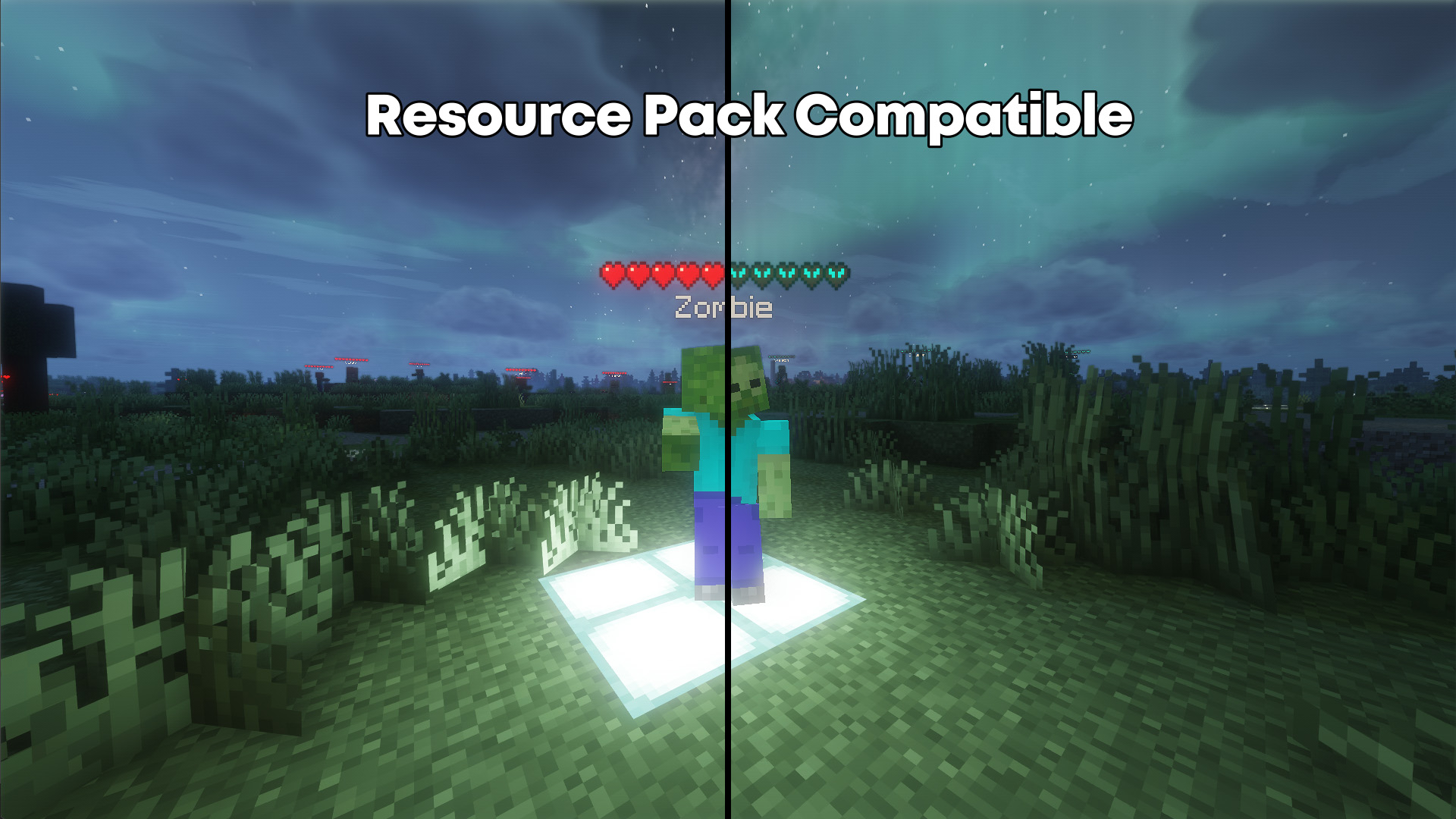
This mod is fully client-side, even on servers; however, installing it on the server will not have any effect. aside from this, it is also compatible with resource packs, meaning it will use the heart texture from your resource pack for consistency.
MobHealthIndicators Configuration Commands
Use /MobHealthIndicators or /mhi for short to list all settings and their current values. Typing a command without the suffix shows the current value.
Commands
config
Opens the config menu, also accessible through mod menu. 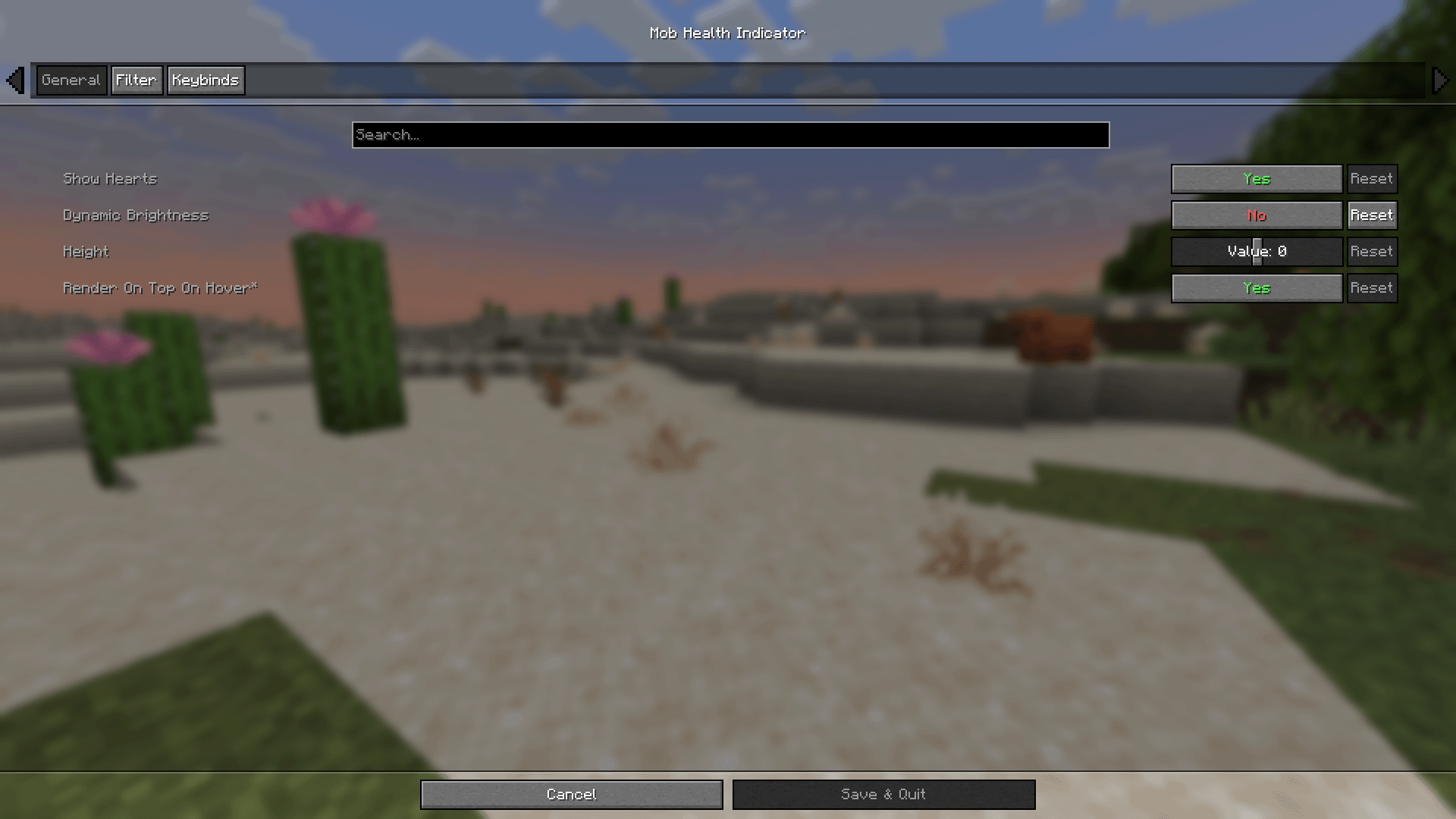
showHearts [true/false]
Toggles whether the healthbar is rendered.
dynamicBrightness [true/false]
Controls if health bar brightness matches mob's brightness. 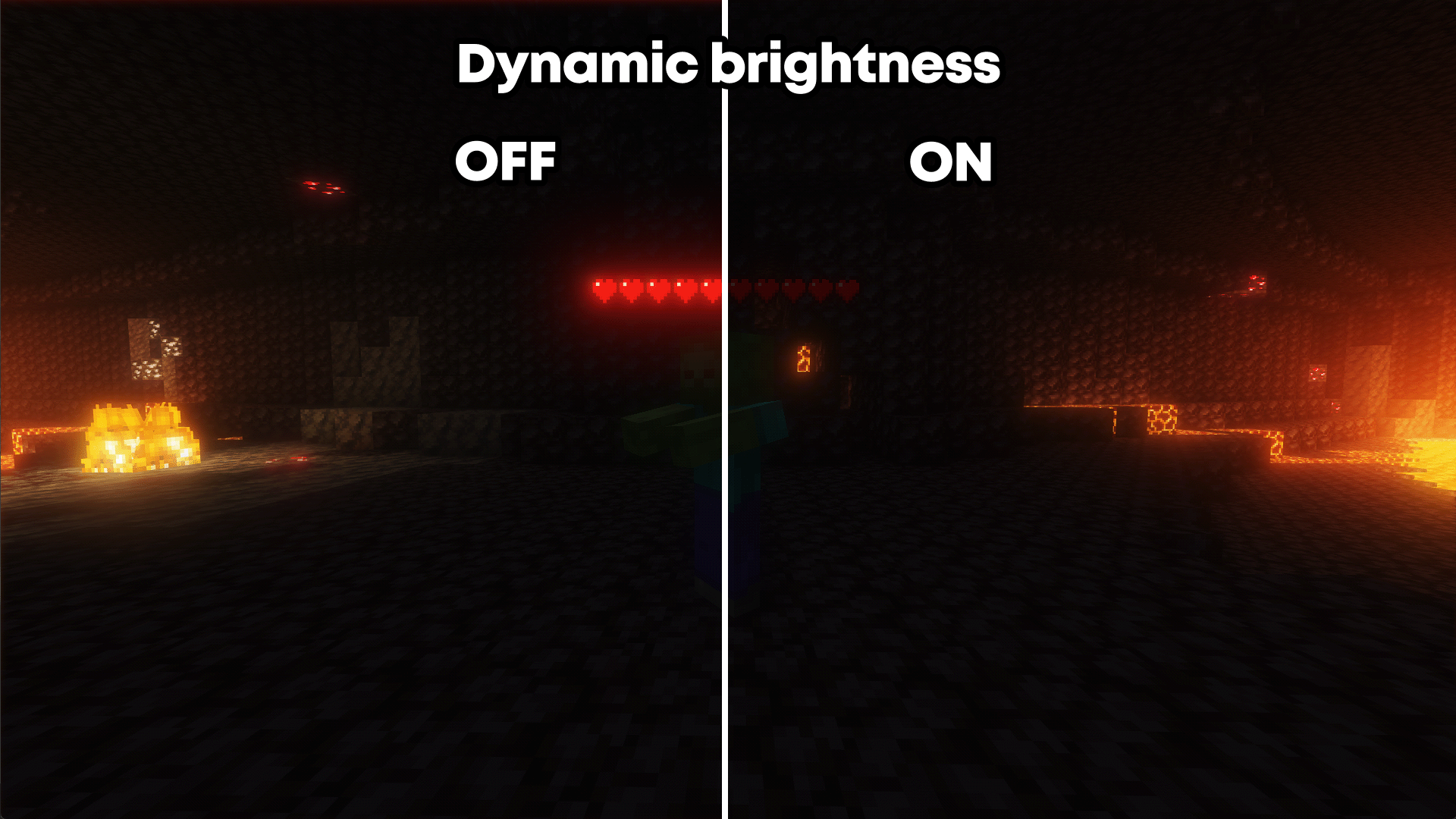
height [number]
Adjusts the vertical position of the health bar above mobs.
renderOnTopOnHover [true/false]
Makes the healthbar render over obtrusions if the entity is aimed at and within reach.
infiniteHoverRange [true/false]
Extends hover range from 3–4 blocks to unlimited.
blackList [enable/disable]
Toggles blacklist filtering of entities.
blackList add/remove [entity type]
Adds or removes an entity from the blacklist.
whiteList [enable/disable]
Toggles whitelist filtering of entities.
whiteList add/remove [entity type]
Adds or removes an entity from the whitelist.
showHostile [true/false]
Toggles health bar visibility for hostile mobs.
showPassive [true/false]
Toggles health bar visibility for passive mobs.
showSelf [true/false]
Toggles whether your own health bar is shown.
onlyShowDamaged [true/false]
Only shows health bars for damaged entities.
onlyShowOnHover [true/false]
Only displays healthbar when the mob is hovered over.
Project description from Modrinth.
Pick your setup
Mob Health Indicators by Minecraft version and loader
Choose the version and loader you play, then open the matching release.
Minecraft version
1.21.10
3
loader builds Minecraft version
1.21.9
3
loader builds Minecraft version
1.21.8
1
loader build Minecraft version
1.21.7
1
loader build Minecraft version
1.21.6
1
loader build Minecraft version
1.21.5
1
loader build Minecraft version
1.21.4
1
loader build Minecraft version
1.21
1
loader build Minecraft version
1.20.6
1
loader build Minecraft version
1.20.5
1
loader build Minecraft version
1.20.4
1
loader build Check the dependencies, then try the file in a copied instance before changing a world you care about.
Recent files
Mob Health Indicators versions and loaders
MobHealthIndicators-1.5.4-1.21.10-fabric.jar
7 Dec 2025
Client Required Server Not supported Dependencies 2 required · matched Listed on Release listing
Check the 1.21.10 · Fabric setup → 1.21.101.21.9FabricQuilt release
MobHealthIndicators-1.5.3-1.21.10.jar
3 Dec 2025
Client Required Server Not supported Dependencies 2 required · 2 unchecked Listed on Release listing
Check the 1.21.10 · Fabric setup → 1.21.101.21.9FabricQuilt beta
MobHealthIndicators-1.5.3-1.21.10.jar
17 Oct 2025
Client Required Server Not supported Dependencies 2 required · 2 unchecked Listed on Release listing
Check the 1.21.10 · Fabric setup → 1.21.101.21.9Fabric release
MobHealthIndicators-1.5.2-1.21.10.jar
16 Oct 2025
Client Required Server Not supported Dependencies 2 required · 2 unchecked Listed on Release listing
Check the 1.21.10 · Fabric setup → 1.21.101.21.9Fabric release
MobHealthIndicators-1.5.1-1.21.9.jar
7 Oct 2025
Client Required Server Not supported Dependencies 2 required · 2 unchecked Listed on Release listing
Check the 1.21.10 · Fabric setup → 1.21.101.21.9Fabric release
MobHealthIndicators-1.5.1-1.21.8.jar
1 Aug 2025
Client Required Server Not supported Dependencies 1 required · 1 unchecked Listed on Release listing
Check the 1.21.8 · Fabric setup → 1.21.61.21.71.21.8Fabric release
MobHealthIndicators-1.5-1.21.8.jar
31 Jul 2025
Client Required Server Not supported Dependencies 1 required · 1 unchecked Listed on Release listing
Check the 1.21.8 · Fabric setup → 1.21.61.21.71.21.8Fabric release
MobHealthIndicators-1.4.6-1.21.5.jar
17 Jul 2025
Client Required Server Not supported Dependencies 1 required · 1 unchecked Listed on Release listing
Check the 1.21.5 · Fabric setup → MobHealthIndicators-1.4.5-1.21.5.jar
7 Jul 2025
Client Required Server Not supported Dependencies 1 required · 1 unchecked Listed on Release listing
Check the 1.21.5 · Fabric setup → MobHealthIndicators-1.4.4-1.21.5.jar
30 Jun 2025
Client Required Server Not supported Dependencies 1 required · 1 unchecked Listed on Release listing
Check the 1.21.5 · Fabric setup → MobHealthIndicator-1.4.3-1.21.5.jar
4 May 2025
Client Required Server Not supported Dependencies 1 required · 1 unchecked Listed on Release listing
Check the 1.21.5 · Fabric setup → MobHealthIndicator-1.4.2-1.21.5.jar
14 Apr 2025
Client Required Server Not supported Dependencies 1 required · 1 unchecked Listed on Release listing
Check the 1.21.5 · Fabric setup → 
