Fabric API Needed by Music Shuffle music-shuffle-1.2.1.jar
requiredMatching file found Matched file: 0.161.0+26.3
CurseForge · Minecraft mod
Shuffle ALL released Minecraft songs. Add your own as well.
Quick answer
Music Shuffle music-shuffle-1.2.1.jar targets 26.3 with Fabric. The project page does not say whether this file belongs on the client, dedicated server, or both. All 1 required mods have matching files.
Where it goes
The project page does not say whether this file belongs on the client, dedicated server, or both.
The source does not explicitly classify this release as client-only or server-only.
music-shuffle-1.2.1.jar. Change the file and its required mods may change too.
Install Fabric API first. We found matching files for this game-version and loader setup.
We only count dependency files that match this setup. A file for another loader does not fill the gap.
Before you install it
Built for Music Shuffle music-shuffle-1.2.1.jar. Pick another file and the loader, install side or required mods may change.
Use music-shuffle-1.2.1.jar. It targets 26.3 with Fabric; another release may have different loader, side or dependency requirements.
Install Fabric API first. We found matching files for this game-version and loader setup.
The project page does not say whether this file belongs on the client, dedicated server, or both.
Use the “Get this file” button beside music-shuffle-1.2.1.jar. It opens that exact file at the source.
About this project
Shuffles ALL Minecraft songs during gameplay.
All official Minecraft update soundtracks are included.
Music Player Menu
Shuffle, reorder, and skip through the queue. 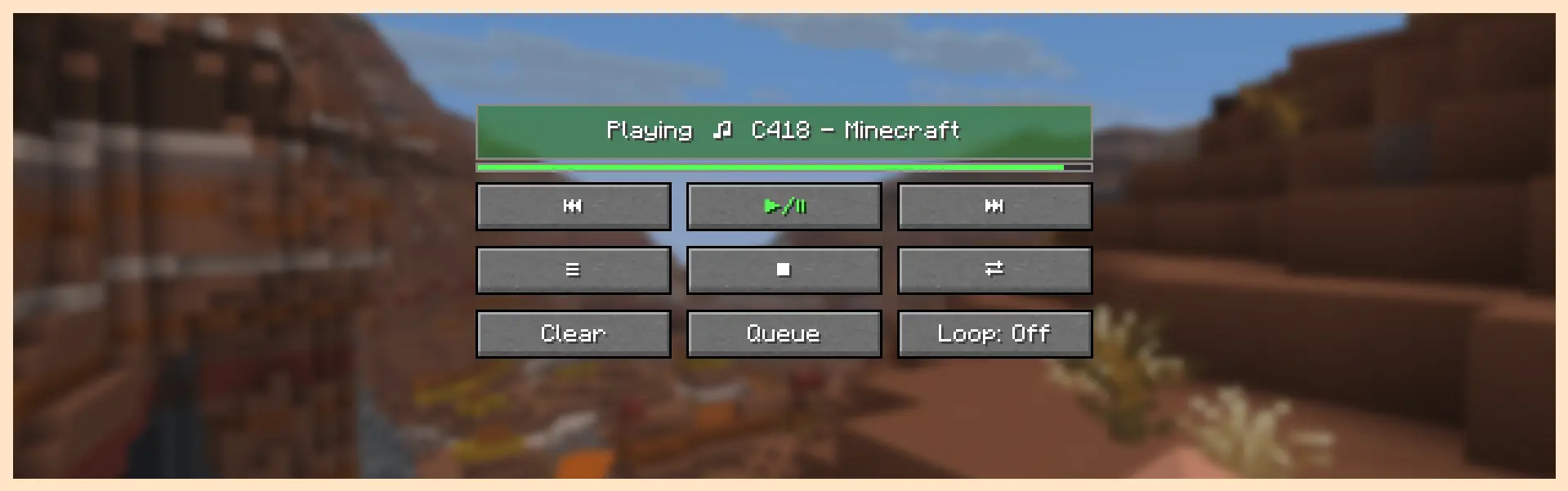
Track Config Menu
Disable songs from the queue. Sort and play by album.
Add your own .ogg or .wav files to the directory. 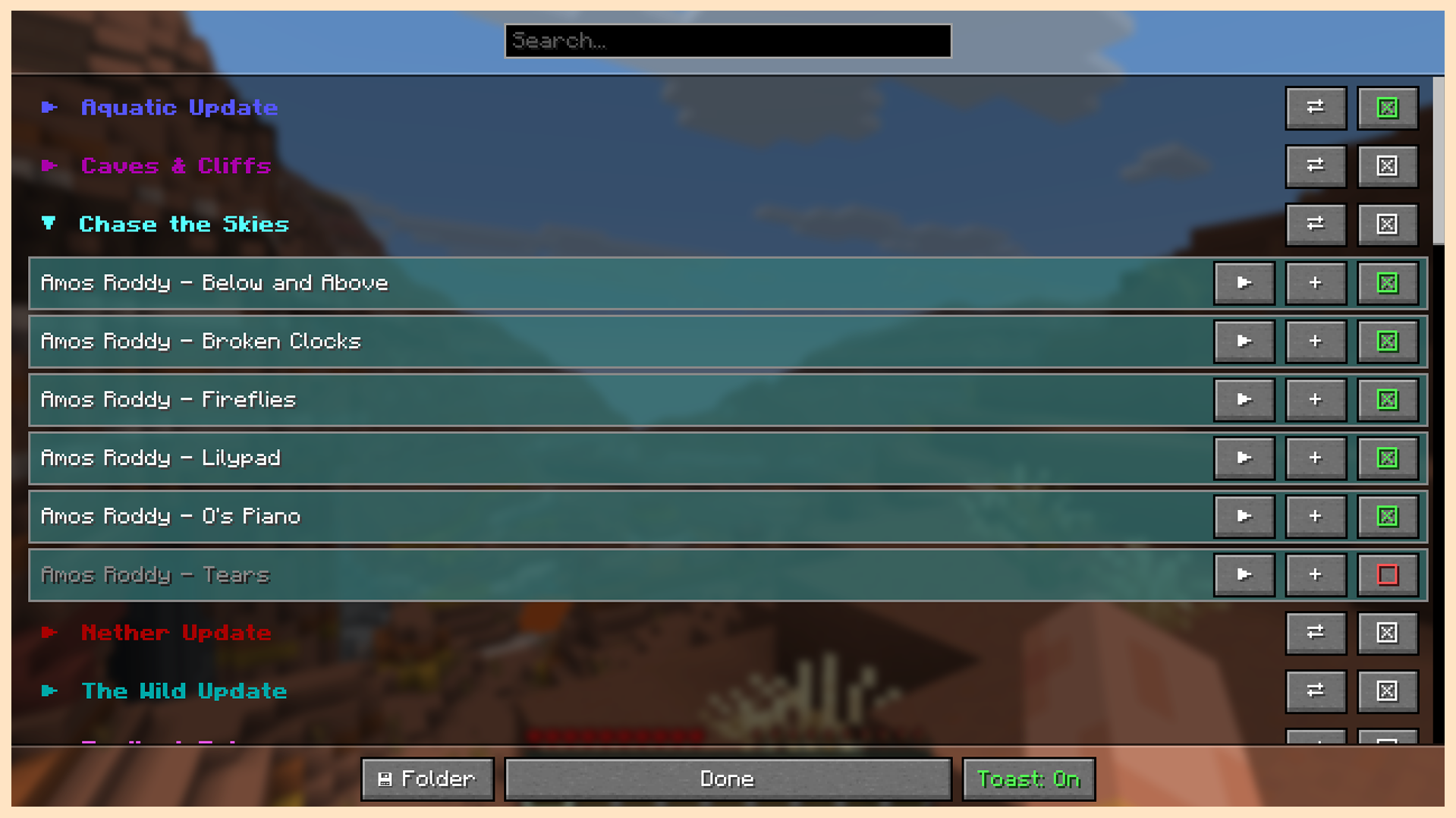
In Game Music Toast
Appears when a new song begins to play. Visibility can by toggled. 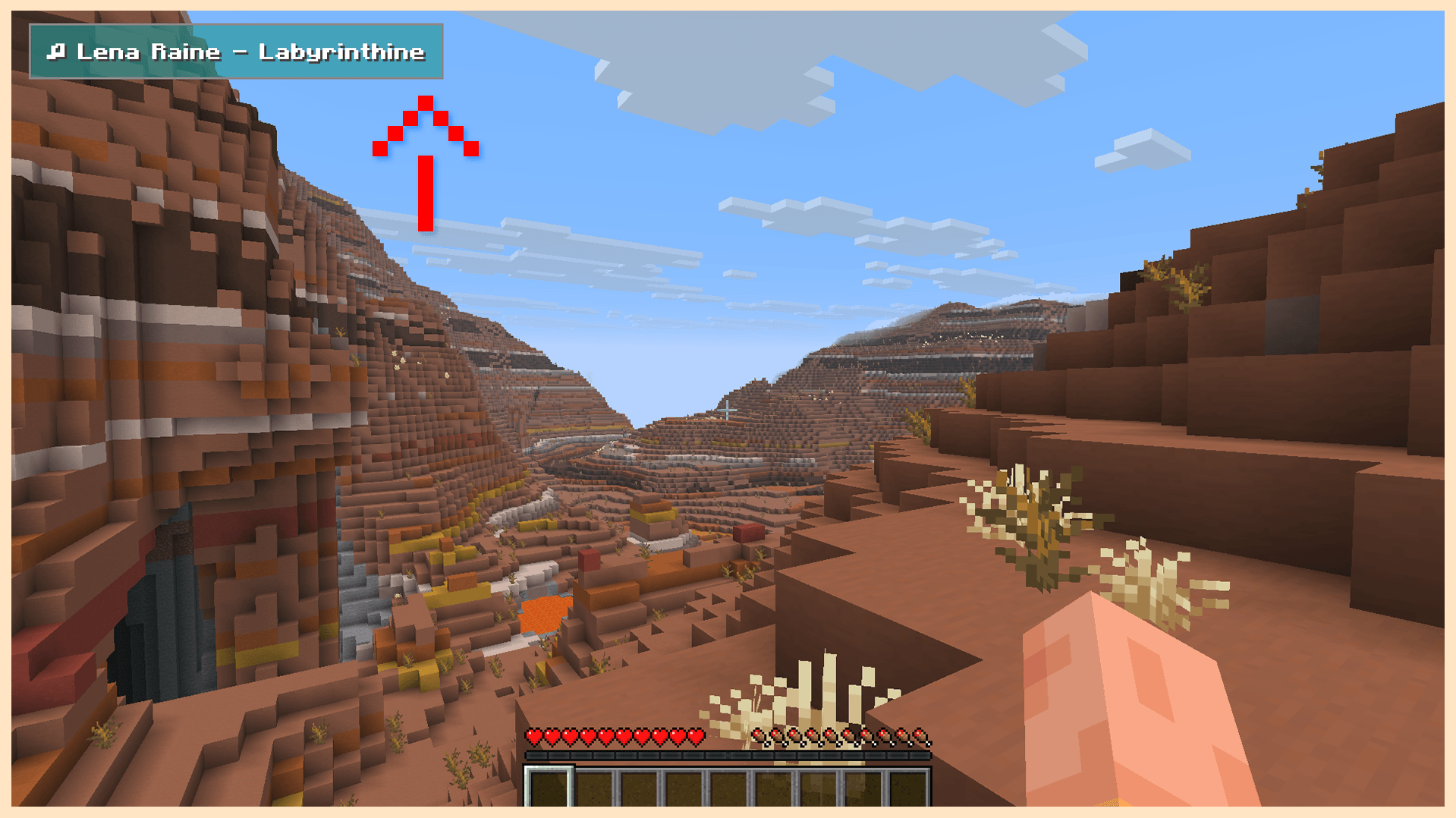
Music Player Menu Button
Accessed through the options menu or through a bindable hotkey. 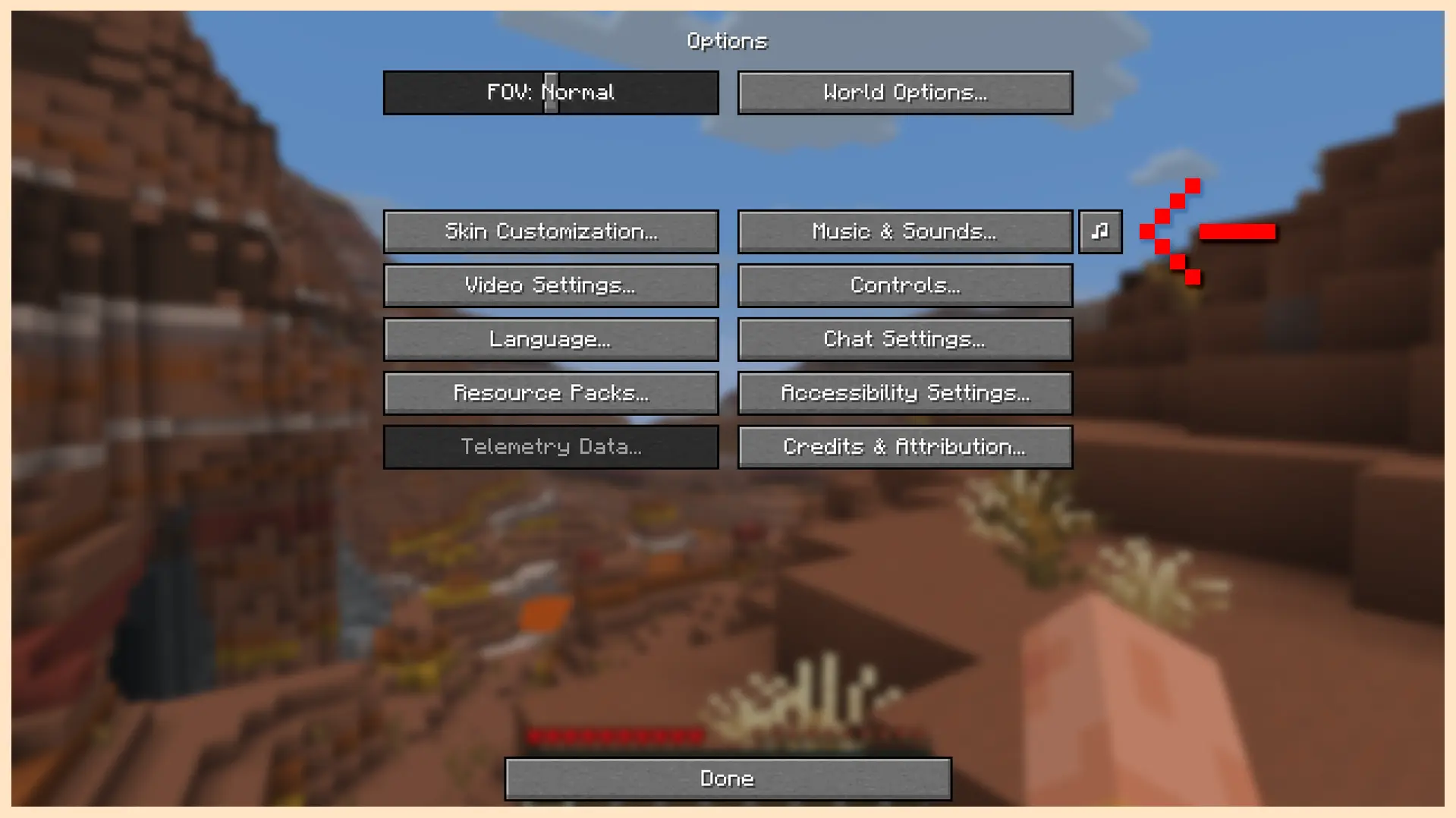
🎵 Minecraft Volumes Included
Volume Alpha
Volume Beta
Aquatic Update
Nether Update
Caves & Cliffs
The Wild Update
Trails & Tales
Tricky Trials
Chase the Skies
Chaos Cubed
🔍 About
Music disc tracks are disabled by default.
Can be re-enabled through the in game config.
Two loop modes. Loop song, and loop queue.
Song queuing is not biome dependent.
Music volume is controlled by the default music slider.
The mod can be easily disabled with the stop button.
While disabled, music control is given back to the game.
Project description from CurseForge.
Pick your setup
Choose the version and loader you play, then open the matching release.
Check the dependencies, then try the file in a copied instance before changing a world you care about.
Recent files
20 Sept 2026
20 Jul 2026
23 May 2026
21 May 2026
21 May 2026
17 May 2026
15 May 2026
Looking for an older file? The official CurseForge project page is in Resources.
 mod
modHide or adjust the transparency of armor, glint, and offhand items - with full multiplayer sync. No dependencies required.
 mod
modRestores the old combat system from Minecraft 1.8 and the animations from 1.7.10. Fully configurable
 mod
modSimulates blocks and entities to catch up after being unloaded for a period of time.