Fabric API Needed by PureVanilla 1.0.1
requiredMatching file found Matched file: 0.155.2+26.1.2

Modrinth · Minecraft mod
The official mod for the PureVanilla server. Easily connect to the server using the best possible ping.
Quick answer
PureVanilla 1.0.1 targets 26.1.2 with Fabric. It must be installed on the client. Do not install it on the dedicated server. All 1 required mods have matching files.
Where it goes
It must be installed on the client. Do not install it on the dedicated server.
This file is marked client-only.
1.0.1 on 26.1.2. Every mod below is checked against that same setup.
Install Fabric API first. We found matching files for this game-version and loader setup.
We only count dependency files that match this setup. A file for another loader does not fill the gap.
Before you install it
Built for PureVanilla 1.0.1 on 26.1.2. Pick another file and the loader, install side or required mods may change.
Use 1.0.1. It targets 26.1.2 with Fabric; another release may have different loader, side or dependency requirements.
Install Fabric API first. We found matching files for this game-version and loader setup.
It must be installed on the client. Do not install it on the dedicated server.
Use the “Get this file” button beside 1.0.1. It opens that exact file at the source.
About this project
PureVanilla Server List is a small client-side Fabric mod that makes joining PureVanilla easier from Minecraft's multiplayer screen.
Instead of manually adding server addresses, the mod adds a PureVanilla panel directly inside the multiplayer server list. From there, you can see the server message, check regional pings, and join through the fastest available route.
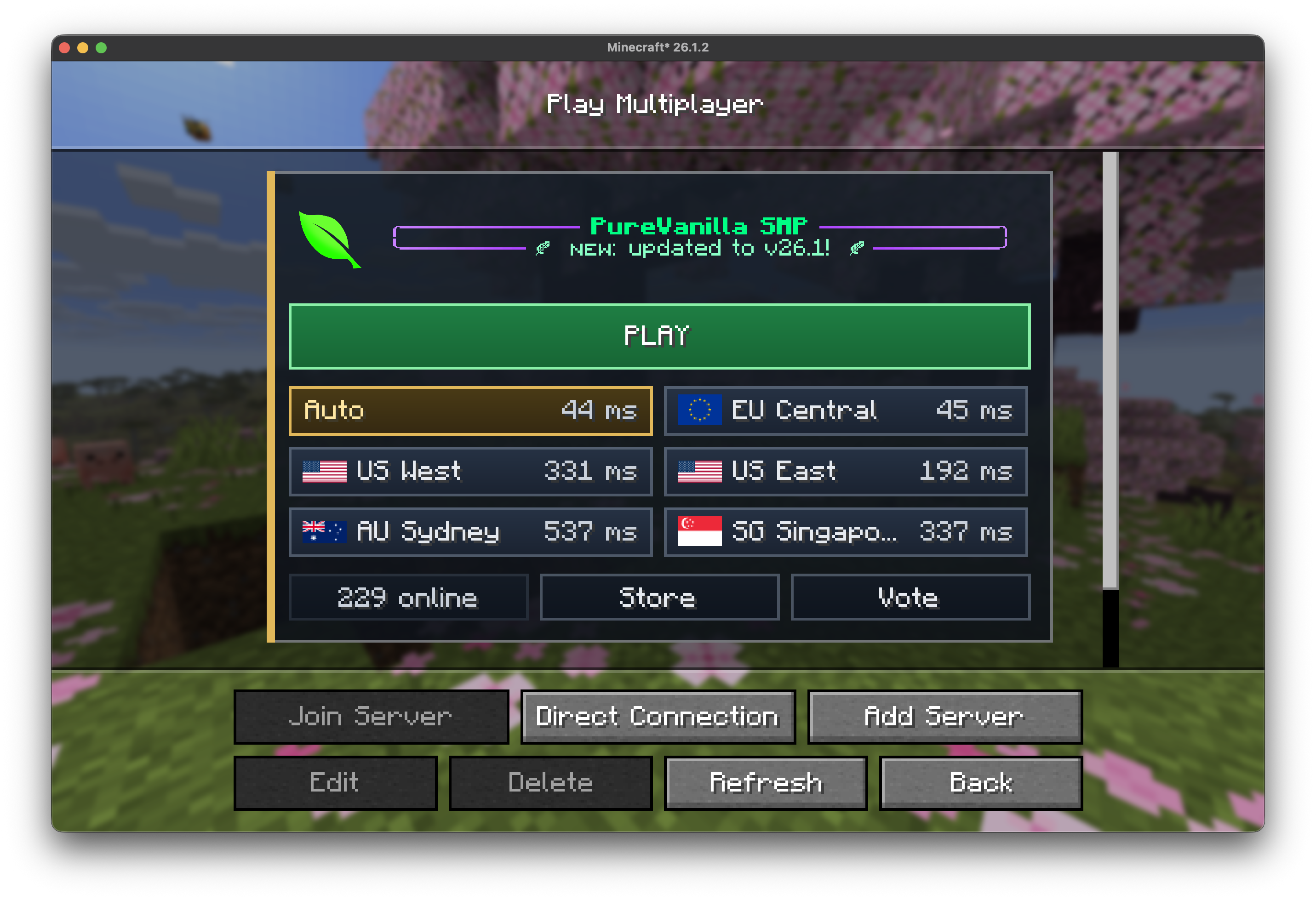
PLAY button, using the lowest-ping region when available.26.1.20.19.2 or newer25 or newerThis is a client-side mod. You only need to install it on your own Minecraft client.
mods folder.Multiplayer.PLAY to join using the best detected route.Status Page to check for outages or maintenance.Project description from Modrinth.
Pick your setup
Choose the version and loader you play, then open the matching release.
Check the dependencies, then try the file in a copied instance before changing a world you care about.
Recent files
purevanilla-server-list-1.0.1.jar
23 May 2026
Looking for an older file? The official Modrinth project page is in Resources.
 mod
modCreates an area or distance sonic attack with 2 new horns.
 mod
modGive piglins different items to receive different loot!
 mod
modAdds the possibility of enchanting the new Mace with Channeling so that when we hit a mob from above it will be struck by lightning if it thunders.