Minecraft version
Back to mods 
Modrinth · Minecraft mod
Iris Utils
This is a simple mod that adds the option to swap shaders with the up and down arrow keys and also allows the player to download a shader from modrinth with the dlshader command.
Choose a version Pick your version below, then grab the matching file.
Quick answer
Which Iris Utils release matches 1.20.3?
Best match for your filters 1.0.0
Game version 1.20.1, 1.20.3, 1.20.4
Loader Fabric
Iris Utils 1.0.0 targets 1.20.1, 1.20.3, 1.20.4 with Fabric. It must be installed on the client. Do not install it on the dedicated server. No extra mods listed for this file.
Where it goes
Is Iris Utils required on the client, server, or both?
It must be installed on the client. Do not install it on the dedicated server.
Client Required
Dedicated server Not supported
Loader for this release Fabric
Required install it here Optional supported, not mandatory Not supported do not install here Source doesn’t say do not assume
This file is marked client-only.
What else does Iris Utils 1.0.0 need?
1.0.0 on 1.20.3. Every mod below is checked against that same setup.
This file does not list any required mods. Do not add a library just because a different file uses it.
This file does not list any required or optional mods.
Before you install it
Add Iris Utils without breaking your instance.
Built for Iris Utils 1.0.0 on 1.20.3. Pick another file and the loader, install side or required mods may change.
- 01
Stick to this file
Use 1.0.0. It targets 1.20.1, 1.20.3, 1.20.4 with Fabric; another release may have different loader, side or dependency requirements.
- 02
Bring the mods it needs
This file does not list any required mods. Do not add a library just because a different file uses it.
- 03
Put it on the correct side
It must be installed on the client. Do not install it on the dedicated server.
- 04
Pick the file you checked
Use the “Get this file” button beside 1.0.0. It opens that exact file at the source.
About this project
What does Iris Utils add?
About:
This is a simple mod that adds the option to swap Iris shaders with the up and down arrow keys, and also allows the player to download a shader from modrinth with the /dlshader <url> command.
Since this is an Iris addon, it requires the correct versions of Iris and Sodium to be present to function
I am not affiliated in any way with iris or any of the shaders or their creators shown in these examples.
NOTE:
Since this mod can download shaders if you ask it to, it will affect your file system. The source code is available if you click on the 'view source' button under the links section if you want to verify it yourself.
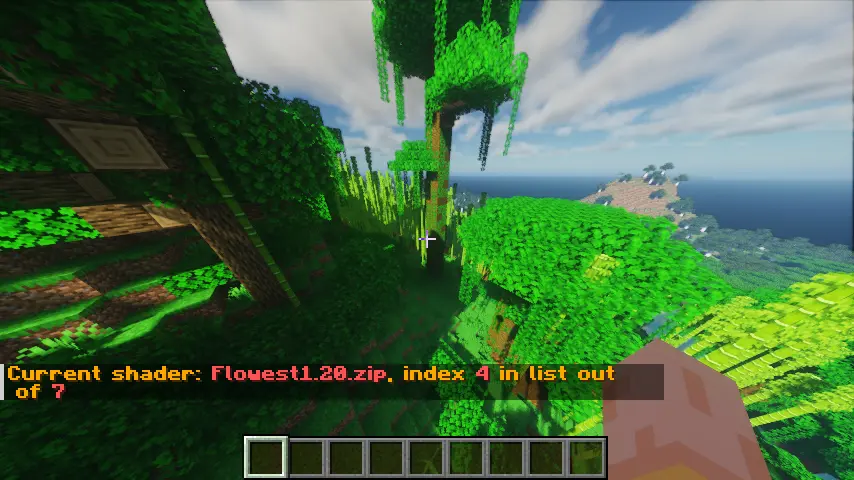
An example of the shader swapping info:
The command to download a shaderpack:
You can include either https://, http:// or nothing at the start, and it will be accepted.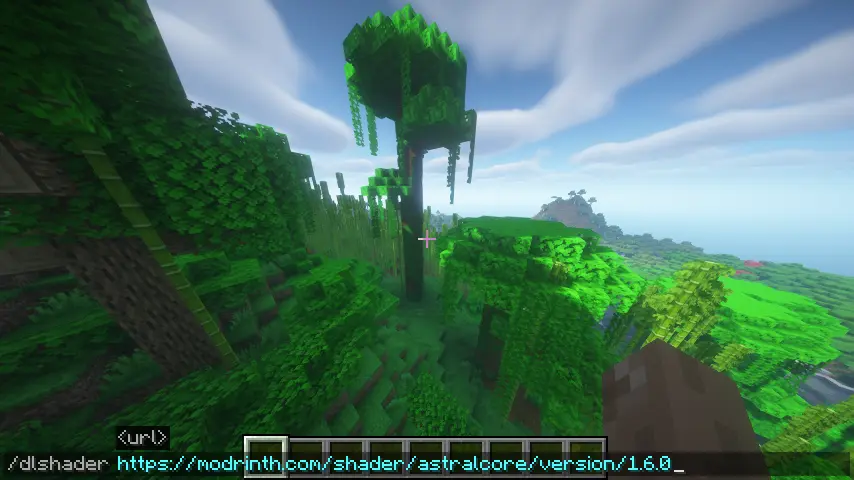
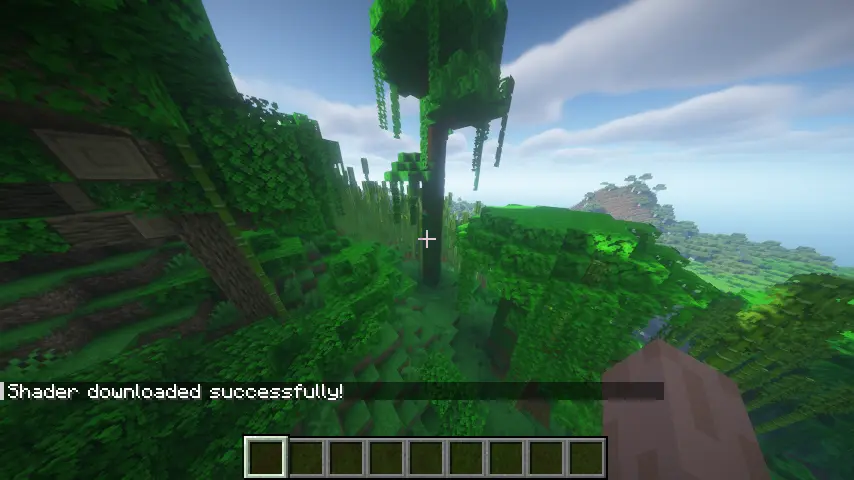
A shader being downloaded correctly
Failures
There are two main reasons a shader may fail to download:
- The shader you're trying to download has the same name as one already present
- An internet connection error
Both are shown in screenshots below.
If there is a connection error, the game may freeze for a few seconds before the connection attempt times out. This is set to 5 seconds by default but can be changed with the /dlshadertimeout command. This command takes in the time (in milliseconds) that the client should try to download the shader for.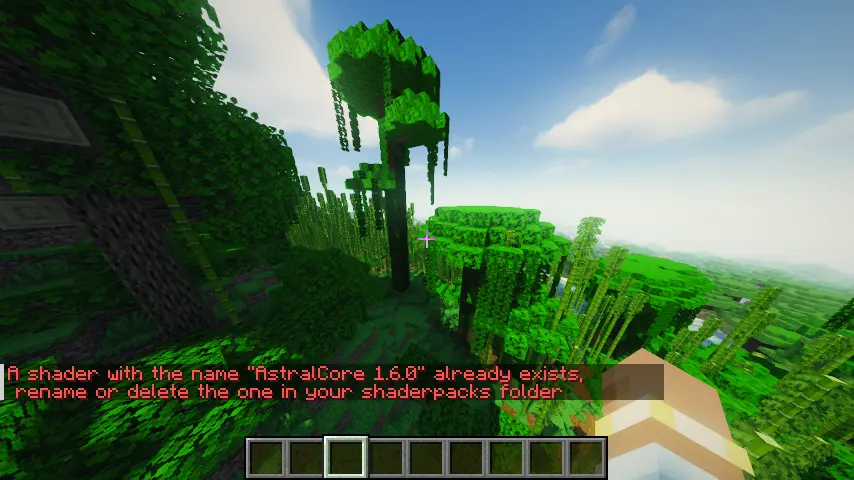
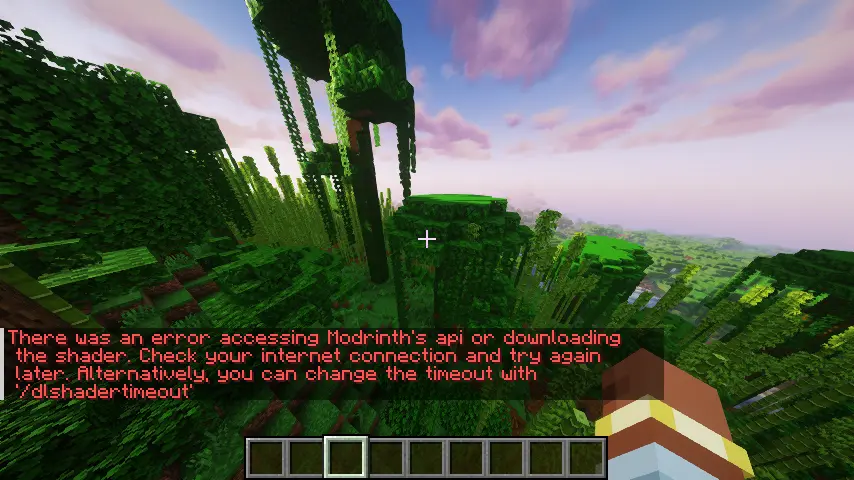
Project description from Modrinth.
Pick your setup
Iris Utils by Minecraft version and loader
Choose the version and loader you play, then open the matching release.
Minecraft version
1.20.3
1 loader buildMinecraft version
1.20.1
1 loader buildCheck the dependencies, then try the file in a copied instance before changing a world you care about.
Recent files
Iris Utils versions and loaders
1.0.0
endermans-iris-utils-1.0.0.jar
26 Aug 2026
Client Required Server Not supported Dependencies No extras listed Listed on Release listing
Check the 1.20.3 · Fabric setup 1.20.11.20.31.20.4Fabric release
Looking for an older file? The official Modrinth project page is in Resources.