Quilted Fabric API (QFAPI) / Quilt Standard Libraries (QSL) Needed by Custom Selection Box 1.5.0-beta2
requiredMatching file found Matched file: 2.0.0-beta.9+0.58.0-1.19

Modrinth · Minecraft mod
Change appearance of the box highlighting the block you're looking at
Quick answer
Custom Selection Box 1.5.0-beta2 targets 1.19 with Quilt. It must be installed on the client. Do not install it on the dedicated server. 1 required mod needs a matching file.
Where it goes
It must be installed on the client. Do not install it on the dedicated server.
This file is marked client-only.
1.5.0-beta2 on 1.19. Every mod below is checked against that same setup.
Install Quilted Fabric API (QFAPI) / Quilt Standard Libraries (QSL), Architectury API, Fabric Language Kotlin first, but 1 required mod has no matching file for this setup. Do not mix loader builds to force a match. 1 comes through another mod in the chain.
1 extra mod was pulled in by another dependency. Indented rows show who needs each one. We only count dependency files that match this setup. A file for another loader does not fill the gap.
Before you install it
Built for Custom Selection Box 1.5.0-beta2 on 1.19. Pick another file and the loader, install side or required mods may change.
Use 1.5.0-beta2. It targets 1.19 with Quilt; another release may have different loader, side or dependency requirements.
Install Quilted Fabric API (QFAPI) / Quilt Standard Libraries (QSL), Architectury API, Fabric Language Kotlin first, but 1 required mod has no matching file for this setup. Do not mix loader builds to force a match. 1 comes through another mod in the chain.
It must be installed on the client. Do not install it on the dedicated server.
Use the “Get this file” button beside 1.5.0-beta2. It opens that exact file at the source.
About this project
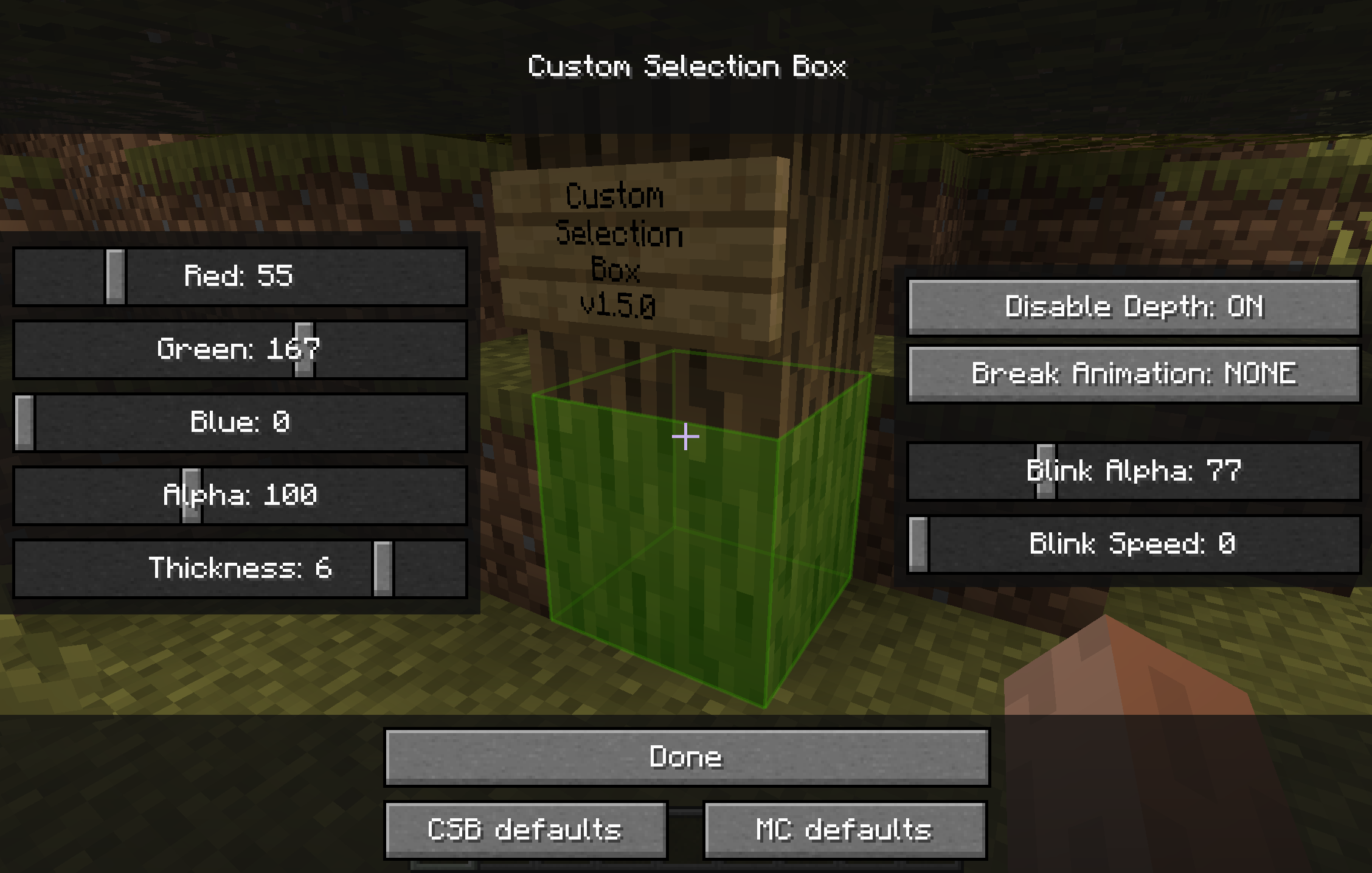
There was an awesome mod called "Custom Block Selection Box" by BeastGamer
But it edits base classes, so it wasn't compatible with so many other mods, it was for Minecraft 1.3.1, and not updated for ages, and also all downloadlinks are broken...
-> It's just OUTDATED
So I made a new one, without any baseclass edited (using MinecraftForge), with an awesome settings screen,
and for the newer Minecraft version (starting with 1.5)!
(And during the time I was gone, shedaniel maintained a fork :P)
I also added some new functions:
And shedaniel added:
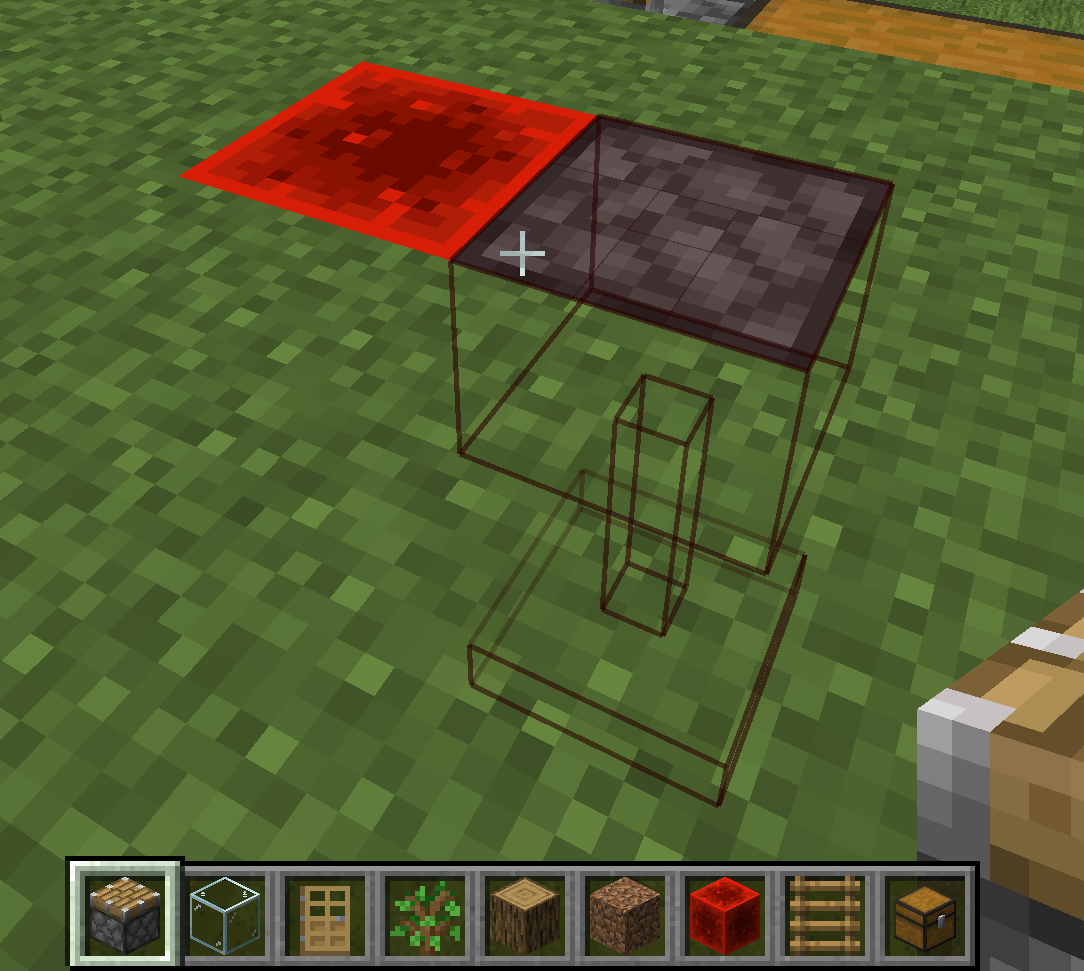
If ModMenu/ModSettings is installed, you can access the config screen from there.
Otherwise, a button will be added in Options > Video Settings
If you're ready to engage with code, check the CONTRIBUTING docs
Project description from Modrinth.
Pick your setup
Choose the version and loader you play, then open the matching release.
Check the dependencies, then try the file in a copied instance before changing a world you care about.
Recent files
customselectionbox-1.5.0-beta2.jar
24 Aug 2022
customselectionbox-1.5.0-beta2.jar
24 Aug 2022
Looking for an older file? The official Modrinth project page is in Resources.