Elytra Trims Optional for Trims - Color Splash! v1.3.4+packaged
optionalMatching file found Matched file: 4.8.3

Modrinth · Minecraft mod
Expands the available materials used while trimming armor - compatible with multiple other mods and more to come!
Quick answer
Trims - Color Splash! v1.3.4+packaged targets 26.1, 26.1.1, 26.1.2 with Fabric, Forge, NeoForge. Installation on the client is optional. Installation on the dedicated server is optional. No extra mods listed for this file.
Where it goes
Installation on the client is optional. Installation on the dedicated server is optional.
The source marks this as usable on both the client and server.
v1.3.4+packaged. Change the file and its required mods may change too.
This file does not list any required mods. Do not add a library just because a different file uses it.
3 extra mods were pulled in by other dependencies. Indented rows show who needs each one. We only count dependency files that match this setup. A file for another loader does not fill the gap.
Before you install it
Built for Trims - Color Splash! v1.3.4+packaged. Pick another file and the loader, install side or required mods may change.
Use v1.3.4+packaged. It targets 26.1, 26.1.1, 26.1.2 with Fabric, Forge, NeoForge; another release may have different loader, side or dependency requirements.
This file does not list any required mods. Do not add a library just because a different file uses it.
Installation on the client is optional. Installation on the dedicated server is optional.
Use the “Get this file” button beside v1.3.4+packaged. It opens that exact file at the source.
About this project
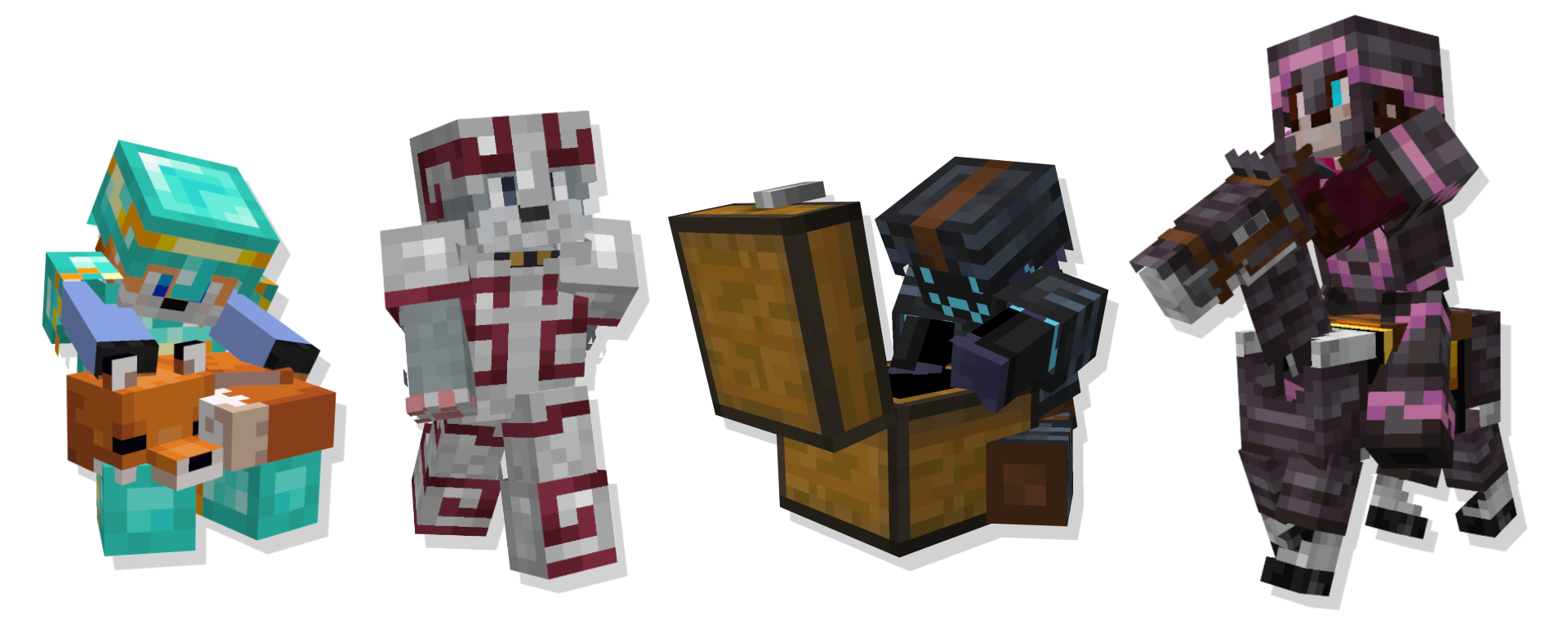

Please join the Discord if you have questions!
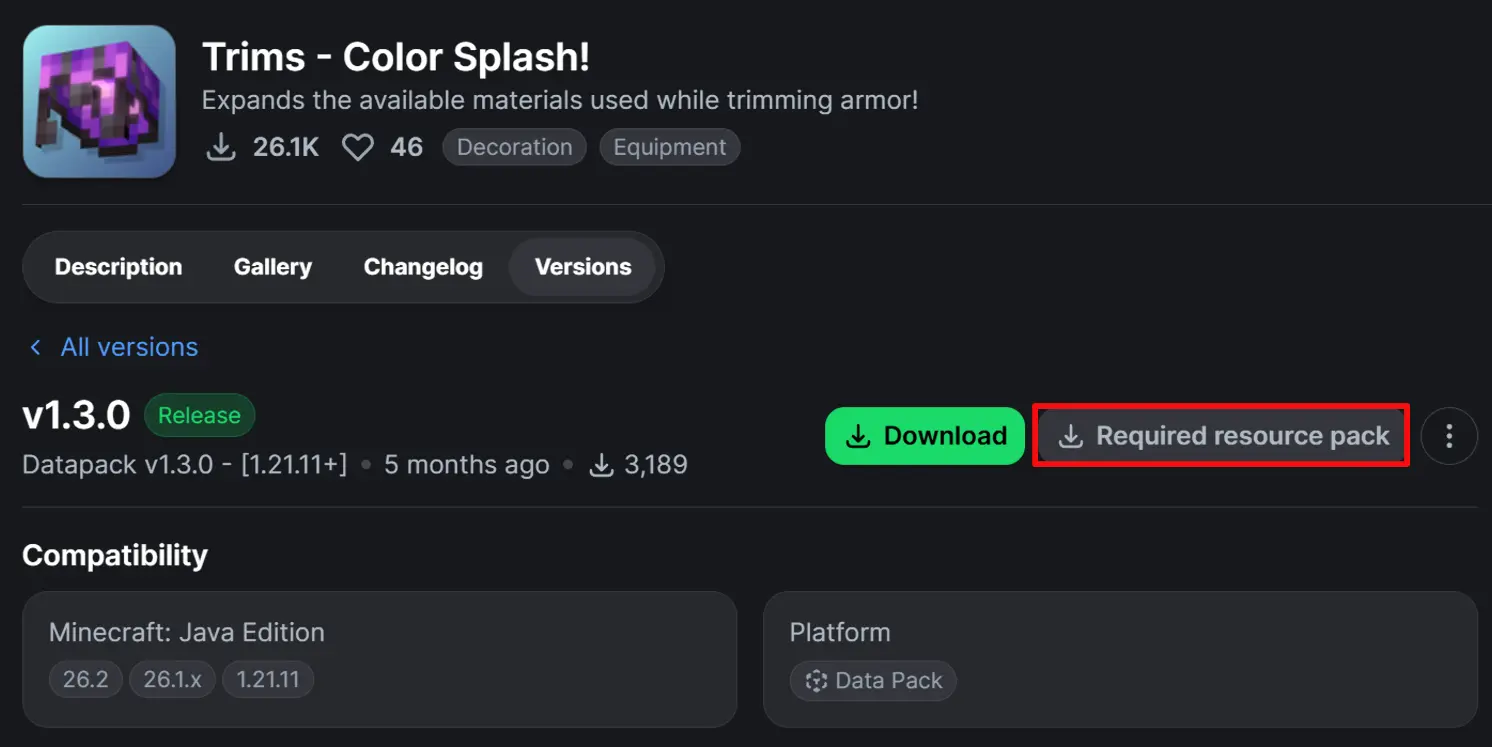
(When using the data pack version, please make sure you also install the required resource pack as it is needed for it to function correctly!)
 Armadillo Scute |
 Blaze Rod |
 Blue Ice |
 Breeze Rod |
 Crying Obsidian |
 Dragon Breath |
 Dripstone Block |
 Echo Shard |
 End Crystal |
 Ender Pearl |
 Ghast Tear |
 Glowstone Dust |
 Heart Of The Sea |
 Leather |
 Magma Cream |
 Nautilus Shell |
 Nether Star |
 Nether Wart |
 Netherite Scrap |
 Obsidian |
 Phantom Membrane |
 Prismarine Shard |
 Prismarine Crystals |
 Rabbit Hide |
 Rose Gold |
 Shulker Shell |
 Slime Ball |
 Turtle Scute |
 Glass Armadillo Scute ->
  Brick (< 1.20.5) Rose Gold ->
  Honey Block (< 1.21)
 Resin Brick ->
  Magma Block (< 1.21.4) Breeze Rod ->
  Pearlescent Froglight (< 1.21)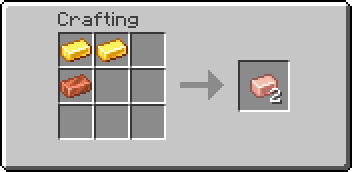
(Shapeless)



A: First, drop the trim material on the ground, pick it up again, and try crafting. If the issue persists, restart your server. If neither of these steps resolves the problem, please report the issue in the Discord Server or on the github page.
A: If the issue continues after trying the fixes above, double-check that you have installed the datapack correctly. If you are certain the datapack is installed right, please report the issue in the Discord Server or on the github page.
A: You might need to restart your world, server, or realm. The recipes should function correctly after the restart.
A: When using the datapack version, you must download and install the required resource pack.
A: The main download button on Modrinth only provides the datapack, not the resource pack. You need to go to the "Versions" tab to find and download the resource pack file. (see img at the top of the page)
Project description from Modrinth.
Pick your setup
Choose the version and loader you play, then open the matching release.
Showing the newest 12 of 78 game versions. Older files are in the list below.
Check the dependencies, then try the file in a copied instance before changing a world you care about.
Recent files
trims-color-splash-v1.3.4.jar
9 Aug 2026
Trims Color Splash [DP]-v1.3.4 - 26.1+.zip
9 Aug 2026
trims-color-splash-v1.3.3.jar
19 Jul 2026
Trims Color Splash [DP]-v1.3.3 - 26.1+.zip
19 Jul 2026
trims-color-splash-v1.3.2.jar
8 Jul 2026
Trims Color Splash [DP]-v1.3.2 - 26.1+.zip
8 Jul 2026
trims-color-splash-v1.3.1.jar
30 Jun 2026
Trims Color Splash [DP]-v1.3.1 - 26.3+.zip
24 Jun 2026
trims-color-splash-v1.3.0.jar
23 Feb 2026
Trims Color Splash [DP]-v1.3.0 - 1.21.11+.zip
23 Feb 2026
trims-color-splash-v1.3.0.jar
23 Feb 2026
Trims Color Splash [DP]-v1.3.0 - 1.21.9-10.zip
23 Feb 2026
Looking for an older file? The official Modrinth project page is in Resources.
 mod
modBuild a functional Minecraft kitchen to cook, fry, bake, steam, and boil food with specialized cooking stations.
 mod
modOverhauls minecraft's baking system to be integrated with create.
 mod
modA Mashup of the Legend of Zelda Series and Minecraft!