Minecraft version
Back to mods 
Modrinth · Minecraft mod
MineboxAdditions
MineboxAdditions is a mod that adds blatant features to your average Minebox gameplay !
Choose a version Pick your version below, then grab the matching file.
Quick answer
Which MineboxAdditions release should I use?
Latest stable file 1.15.9
Game version 26.2
Loader Fabric
MineboxAdditions 1.15.9 targets 26.2 with Fabric. It must be installed on the client. Do not install it on the dedicated server. No extra mods listed for this file.
Where it goes
Is MineboxAdditions required on the client, server, or both?
It must be installed on the client. Do not install it on the dedicated server.
Client Required
Dedicated server Not supported
Loader for this release Fabric
Required install it here Optional supported, not mandatory Not supported do not install here Source doesn’t say do not assume
This file is marked client-only.
What else does MineboxAdditions 1.15.9 need?
1.15.9. Change the file and its required mods may change too.
This file does not list any required mods. Do not add a library just because a different file uses it.
This file does not list any required or optional mods.
Before you install it
Add MineboxAdditions without breaking your instance.
Built for MineboxAdditions 1.15.9. Pick another file and the loader, install side or required mods may change.
- 01
Stick to this file
Use 1.15.9. It targets 26.2 with Fabric; another release may have different loader, side or dependency requirements.
- 02
Bring the mods it needs
This file does not list any required mods. Do not add a library just because a different file uses it.
- 03
Put it on the correct side
It must be installed on the client. Do not install it on the dedicated server.
- 04
Pick the file you checked
Use the “Get this file” button beside 1.15.9. It opens that exact file at the source.
About this project
What does MineboxAdditions add?
MineboxAddition
MineboxAddition is a Minecraft Fabric Mod for version 26.1.X that introduces exciting features for your Minebox gameplay !
Features
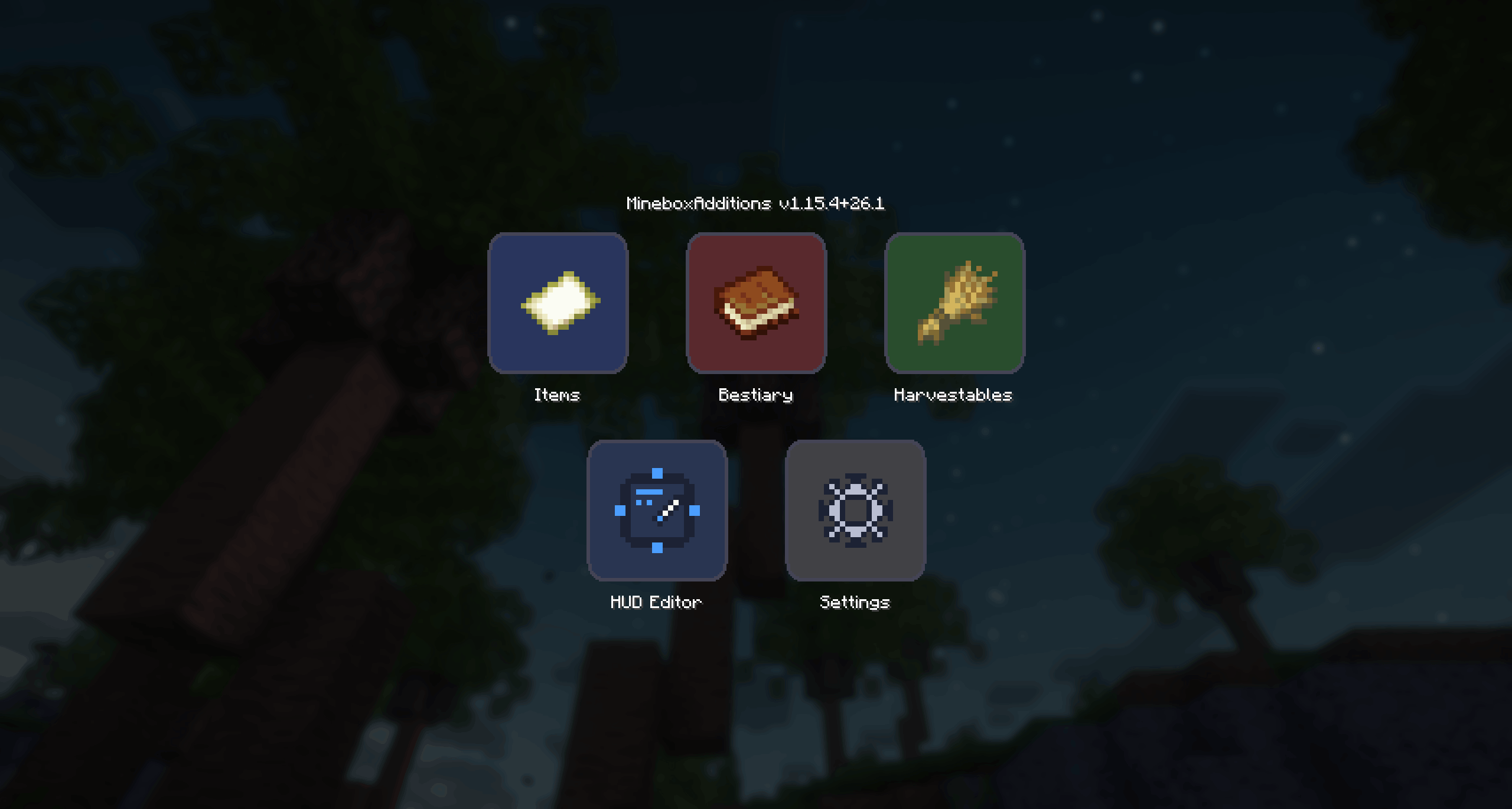
Access MineboxAdditions menu by pressing default M key.
On French keyboard layouts the key is bound to , ("virgule").
You can edit the mod Keybinds as you would normally do in the MInecraft settings Options -> Controls -> Key Binds
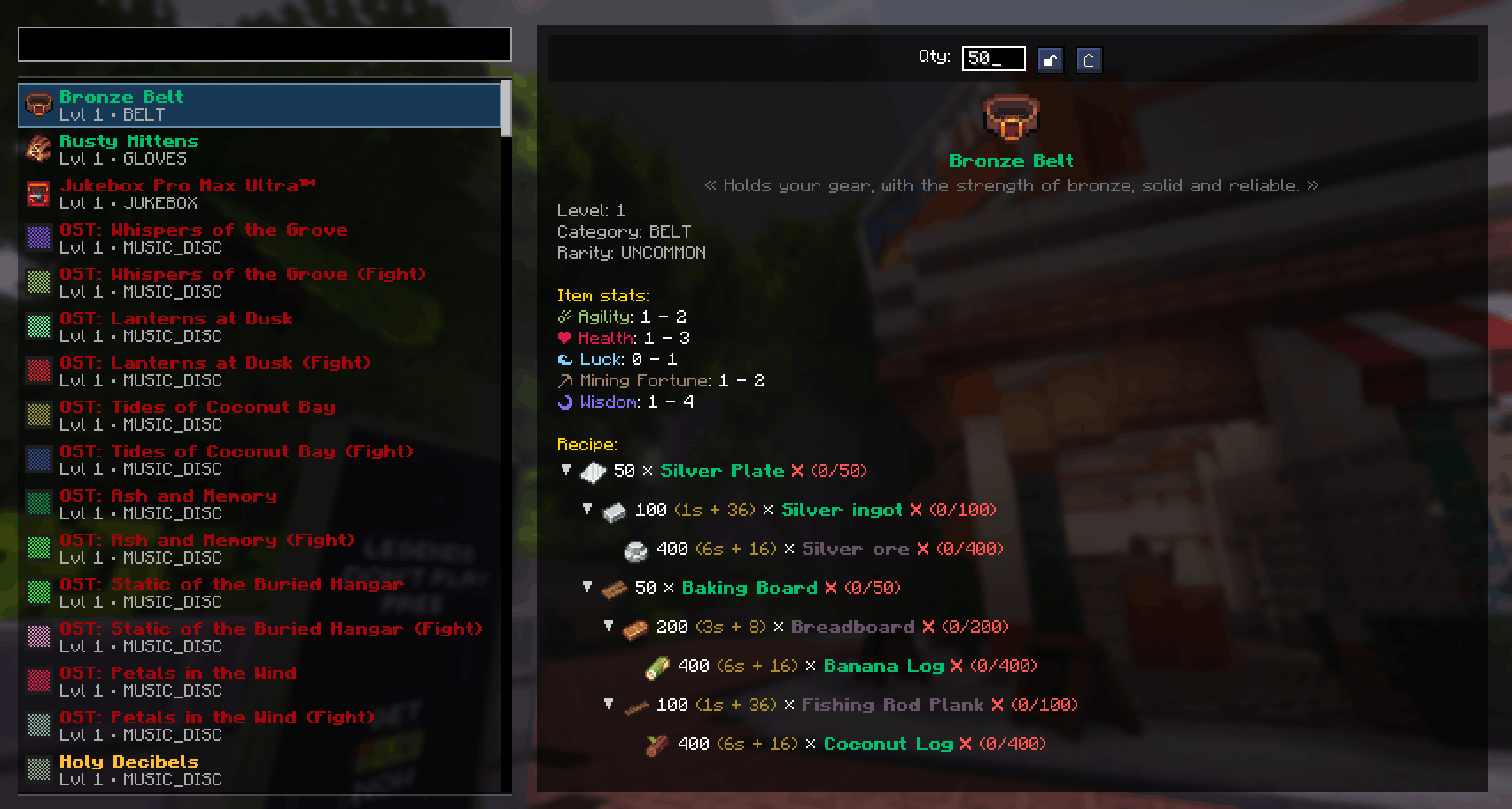
In-game Atlas
Recipes calculator and items relations, from the comfort of your game window.
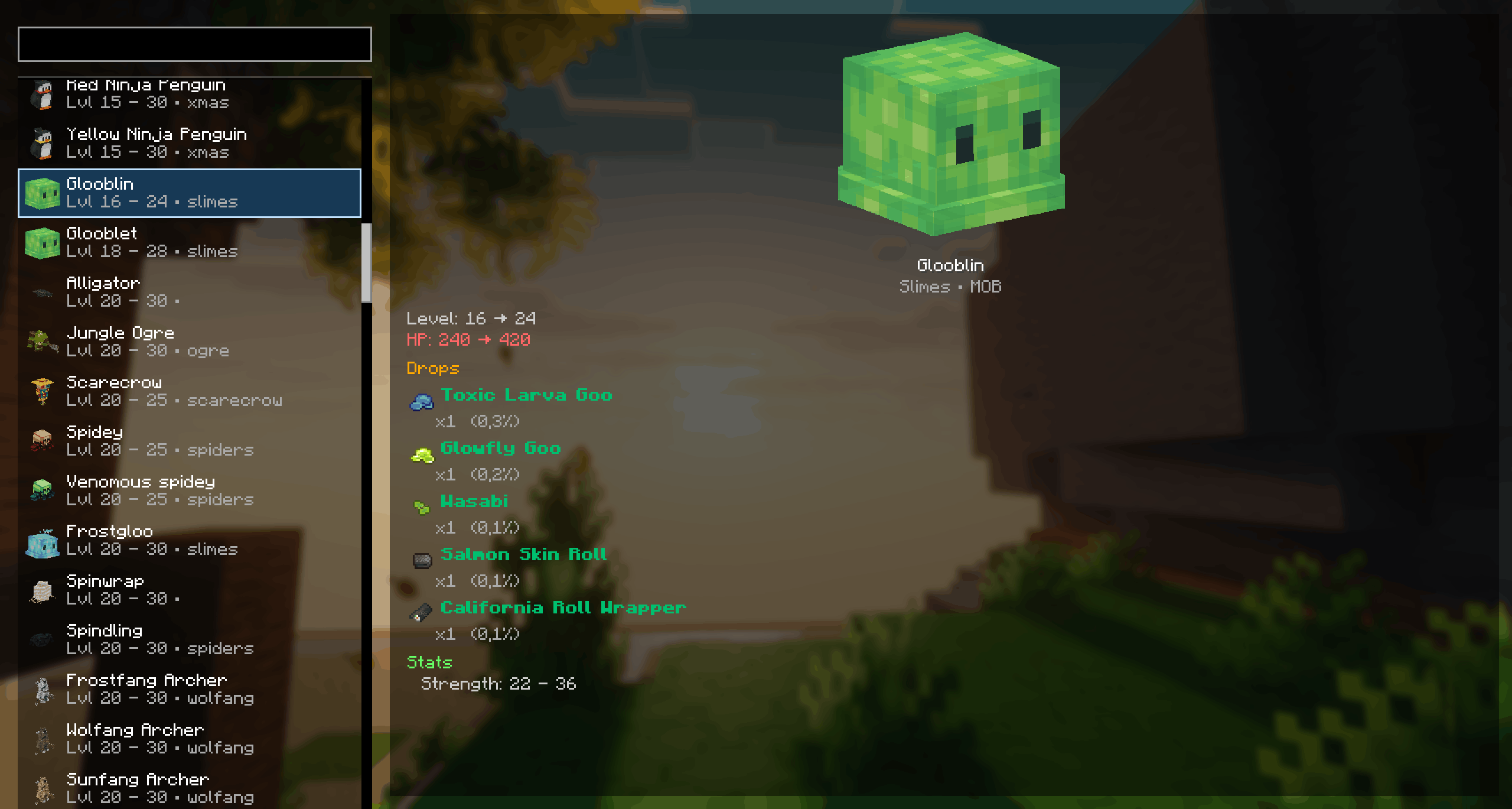
In-game Bestiary
Check out mob drops, stats and spawning locations
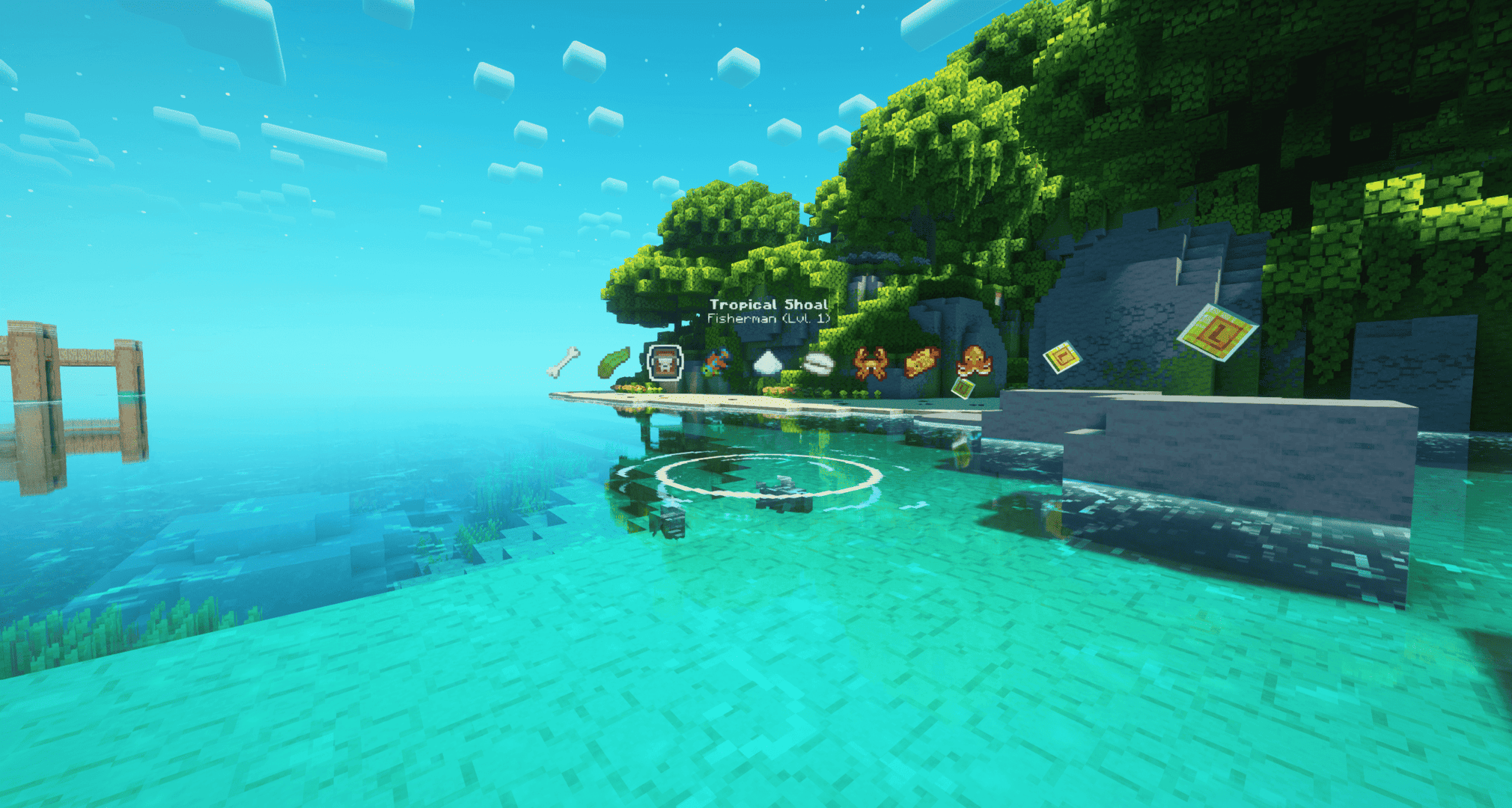
Fishing HUD
Display the list of fishes and items you can catch for any shoal.
The weather conditions are taken into account aswell as the time and moon phases.
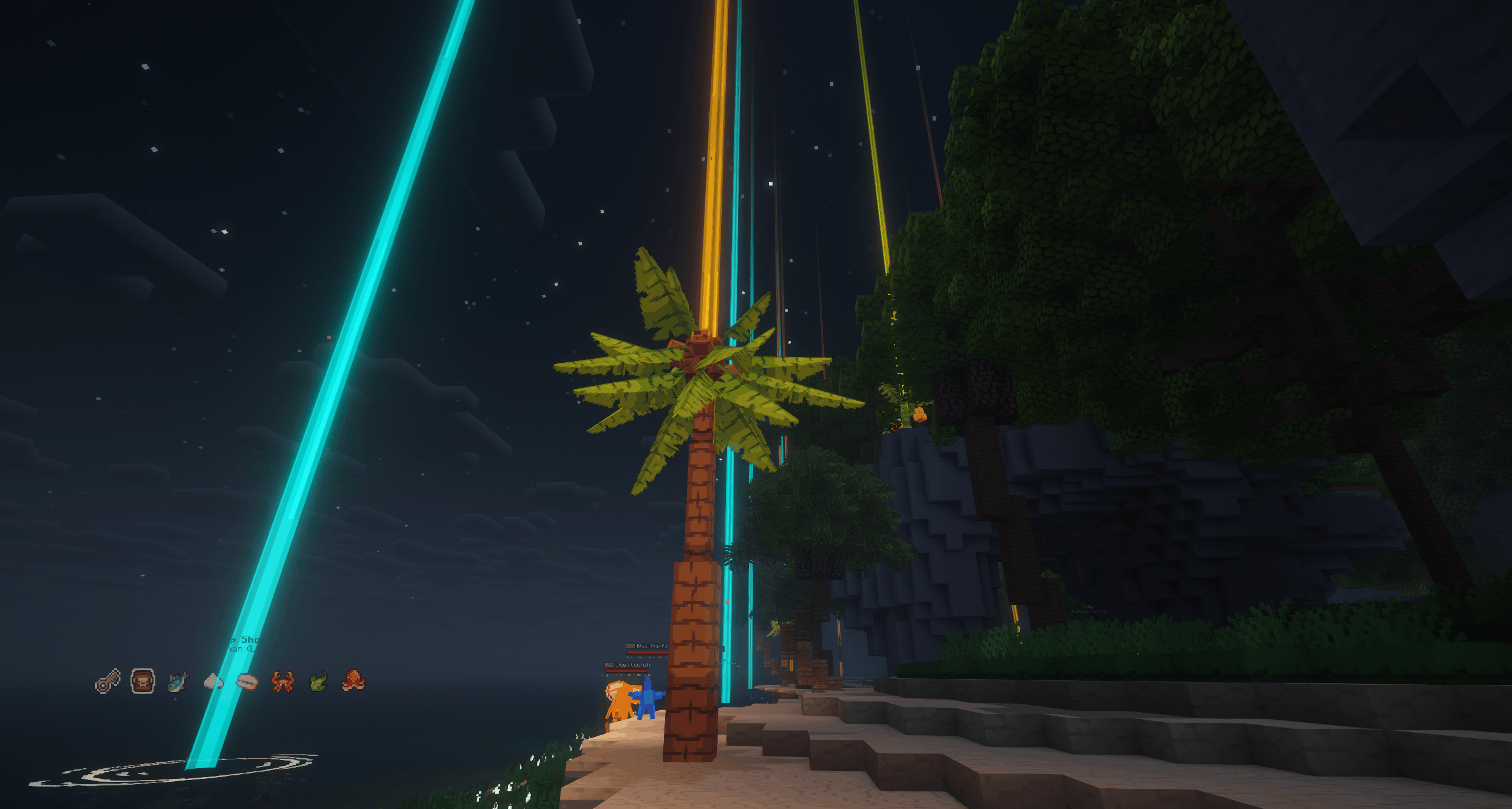
Harvestables locations
Select what you want to gather, and locate it easily with colored beams.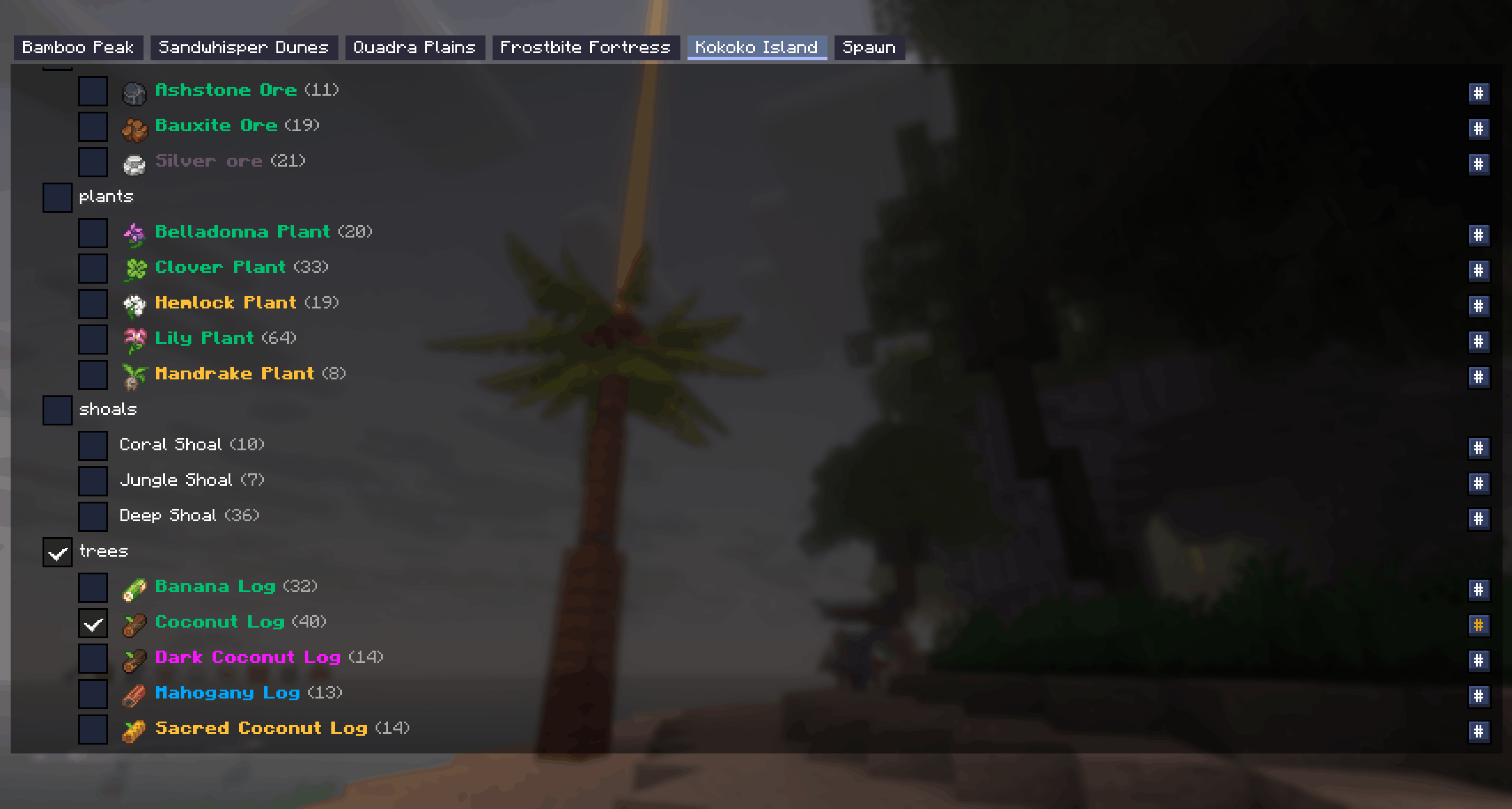
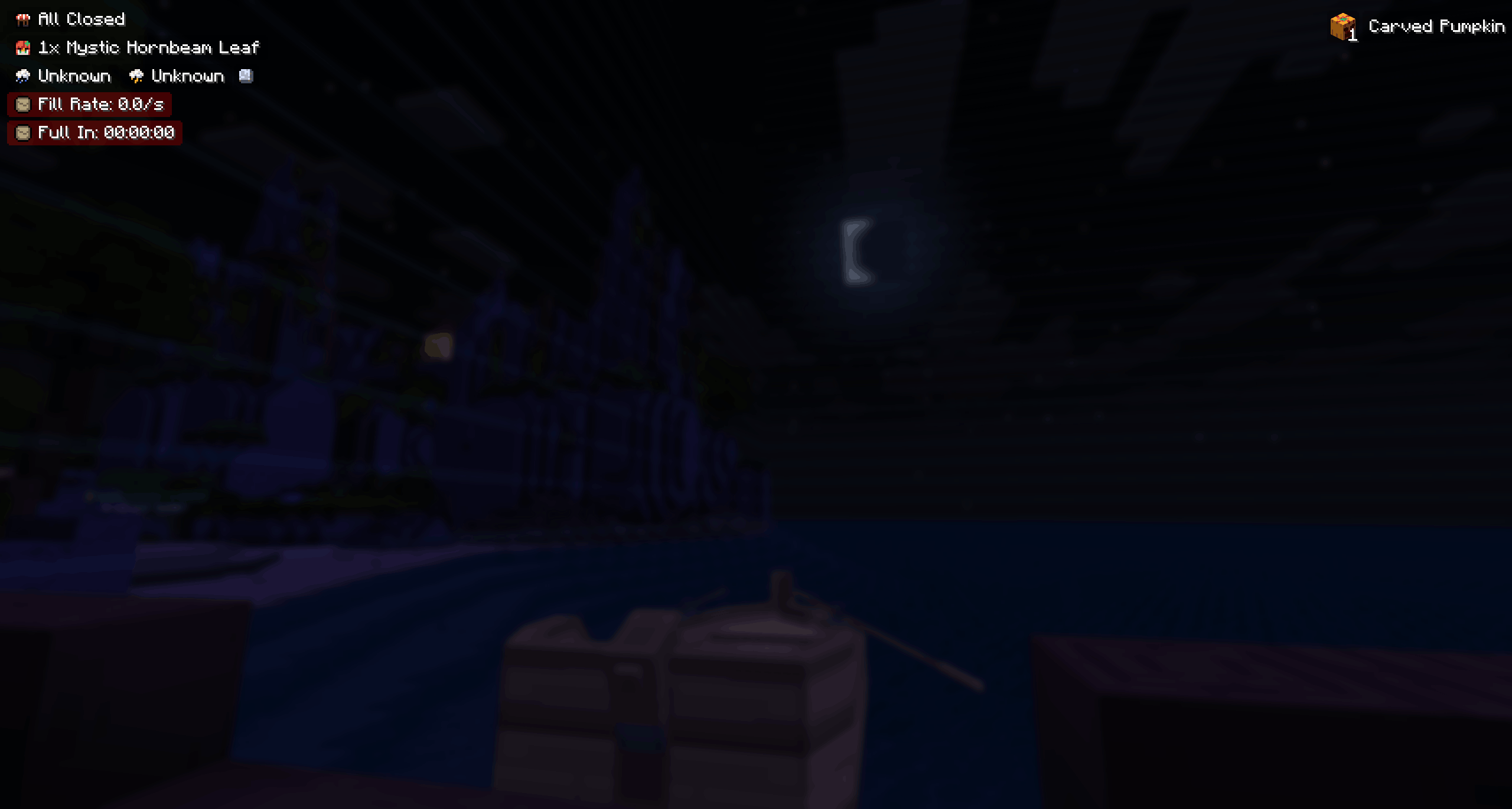
Hud and Hud editor
Display important information like upcoming weather, mermaid request, shop offers, full moon indicator.
Drag, disable, the placement is up to you !
Museum indicators
Know exactly from any inventory which items are missing in your museum.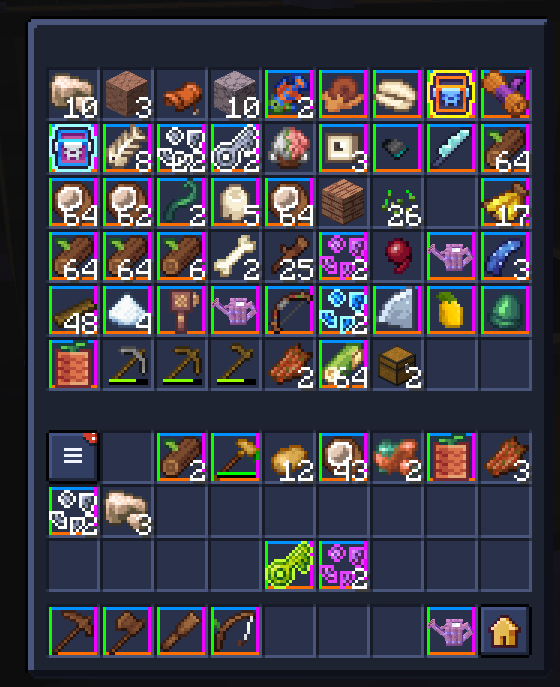
Wardrobe-like feature
Save your own sets and equip them quickly from your /extrainv !
This system is intended from non-sub users as Minebox now implements their own Wardrobe system.
Alerts Settings
Toast alerts when server shops open, toast alerts when another MineboxAdditions user discover what the shop offers.
Supported shops : Mouse, Bakery, Buckstar, Sharkoffee
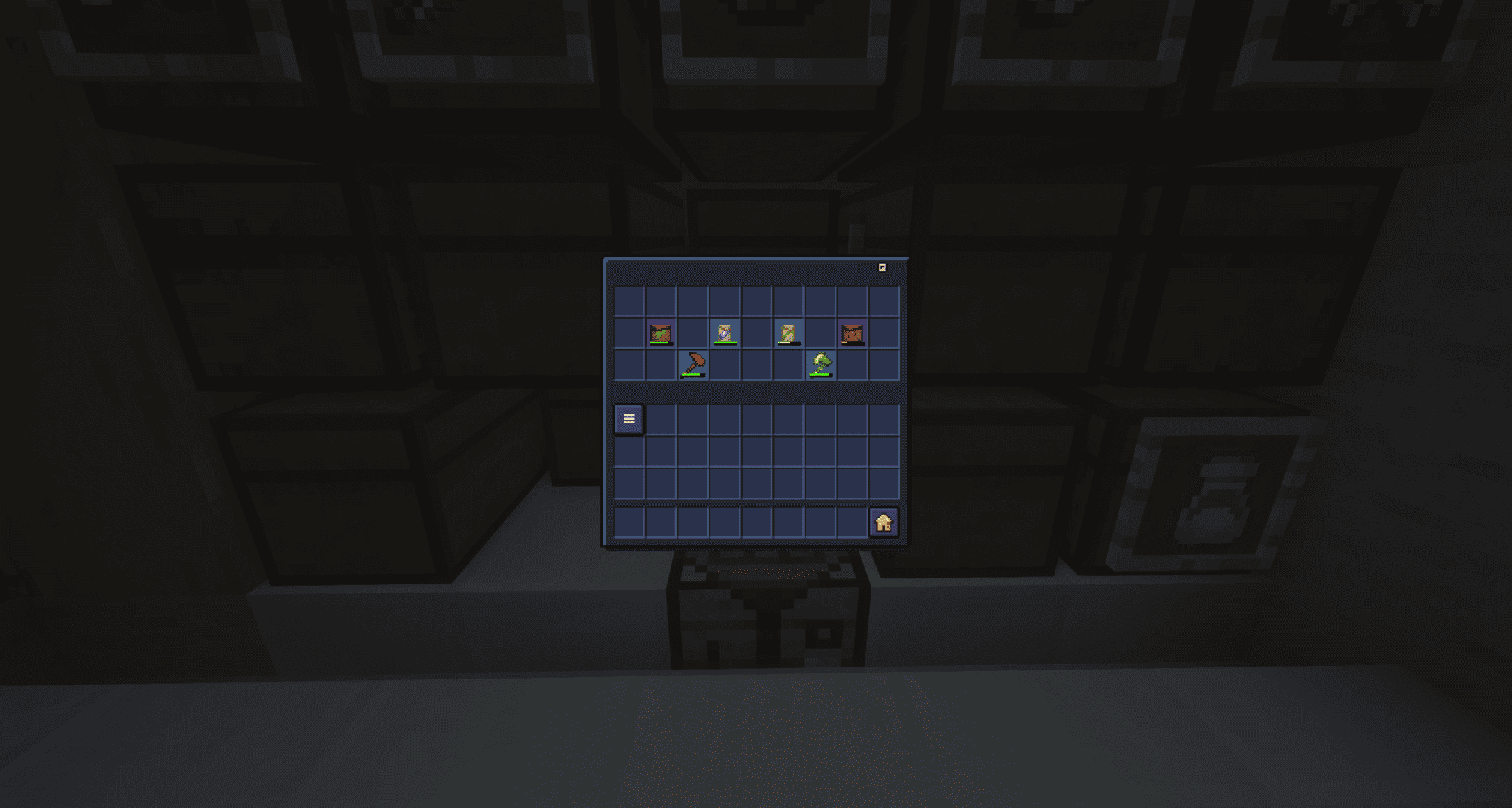
Durability bars and Items background rarities
Display a durability bar for haversacks filling, for tools durability.
Background colors for item rairities with customizable transparency and shape.
Items pickup tooltips
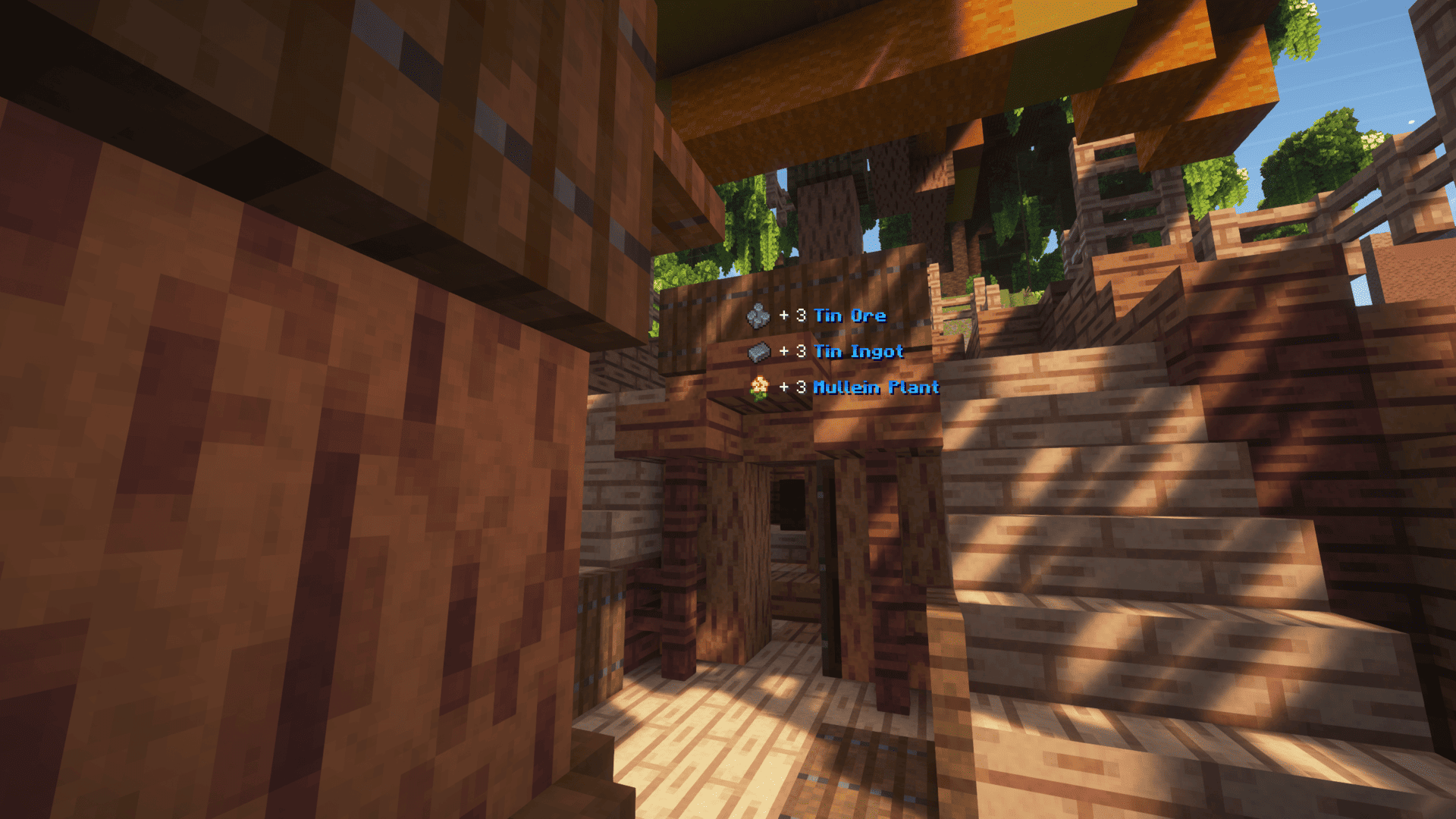
Know exactly what enters your inventory when farming.
You can configure how much lines to display, for how long...
Other features
- Shinies alerts > Send (and receive) alerts when other MineboxAdditions users finds a shiny mob
- Base Stats > Display item base stats by pressing [LEFT ALT] on their tooltip
- TP to island on connect
Available locales
- French
- English
- Polish
- Chinese
- Russian
Project description from Modrinth.
Pick your setup
MineboxAdditions by Minecraft version and loader
Choose the version and loader you play, then open the matching release.
Minecraft version
26.1.2
1 loader buildMinecraft version
26.1.1
1 loader buildMinecraft version
26.1
1 loader buildMinecraft version
1.21.8
1 loader buildMinecraft version
1.21.7
1 loader buildMinecraft version
1.21.5
1 loader buildMinecraft version
1.21.4
1 loader buildMinecraft version
1.21.3
1 loader buildCheck the dependencies, then try the file in a copied instance before changing a world you care about.
Recent files
MineboxAdditions versions and loaders
1.15.9
mineboxadditions-1.15.9+26.2.jar
2 Sept 2026
Client Required Server Not supported Dependencies No extras listed Listed on Release listing
Check the 26.2 · Fabric setup 26.2Fabric release
1.15.8
mineboxadditions-1.15.8+26.2.jar
7 Aug 2026
Client Required Server Not supported Dependencies No extras listed Listed on Release listing
Check the 26.2 · Fabric setup 26.2Fabric release
1.15.7
mineboxadditions-1.15.7+26.2.jar
2 Aug 2026
Client Required Server Not supported Dependencies No extras listed Listed on Release listing
Check the 26.2 · Fabric setup 26.2Fabric release
1.15.6
mineboxadditions-1.15.6+26.2.jar
25 Jul 2026
Client Required Server Not supported Dependencies 4 required · 4 unchecked Listed on Release listing
Check the 26.2 · Fabric setup 26.2Fabric release
1.15.5
mineboxadditions-1.15.5+26.1.jar
14 Jun 2026
Client Required Server Not supported Dependencies 2 required · 2 unchecked Listed on Release listing
Check the 26.1.2 · Fabric setup 26.126.1.126.1.2Fabric release
1.15.4
mineboxadditions-1.15.4+26.1.jar
5 Jun 2026
Client Required Server Not supported Dependencies No extras listed Listed on Release listing
Check the 26.1.2 · Fabric setup 26.126.1.126.1.2Fabric release
1.15.3
mineboxadditions-1.15.3+26.1.jar
5 Jun 2026
Client Required Server Not supported Dependencies No extras listed Listed on Release listing
Check the 26.1.2 · Fabric setup 26.126.1.126.1.2Fabric release
1.15.2
mineboxadditions-1.15.2+26.1.jar
3 Jun 2026
Client Required Server Not supported Dependencies 2 required · 2 unchecked Listed on Release listing
Check the 26.1.2 · Fabric setup 26.126.1.126.1.2Fabric release
1.15.1
mineboxadditions-1.15.1+26.1.jar
2 Jun 2026
Client Required Server Not supported Dependencies No extras listed Listed on Release listing
Check the 26.1.2 · Fabric setup 26.126.1.126.1.2Fabric release
1.15.0
mineboxadditions-1.15.0-beta+26.1.jar
2 Jun 2026
Client Required Server Not supported Dependencies 2 required · 2 unchecked Listed on Release listing
Check the 26.1.2 · Fabric setup 26.126.1.126.1.2Fabric release
1.14.3
mineboxadditions-1.14.3+1.21.7.jar
2 Jan 2026
Client Required Server Not supported Dependencies No extras listed Listed on Release listing
Check the 1.21.8 · Fabric setup 1.21.71.21.8Fabric release
1.14.2
mineboxadditions-1.14.2+1.21.7.jar
8 Nov 2025
Client Required Server Not supported Dependencies 1 required · 1 unchecked Listed on Release listing
Check the 1.21.8 · Fabric setup 1.21.71.21.8Fabric release
Looking for an older file? The official Modrinth project page is in Resources.
 mod
CurseForge + Modrinth · Minecraft
PolyHitbox
Improves performance of hitbox rendering and adds per-hover and per-damaged (i-frame) colors. By Polyfrost, best with OneClient.
 mod
Modrinth · Minecraft
Tier Tagger
See every player's PvP tier in their nametag. Supports Tier Tests, MCTiers, PvPTiers, SubTiers and MCPVP
 mod
Modrinth · Minecraft
Thnder's Quality of Life Enhancements
Thnder's Quality of Life Enhancements adds gameplay improvements to inventory(sorting, open shulker box), hotbar (no looping) and more.