Minecraft version
Back to mods 
Modrinth · Minecraft mod
Puns
This mod makes the game a trillion times better through the power of puns! Every pun is intended!
Choose a version Pick your version below, then grab the matching file.
Quick answer
Which Puns release should I use?
Latest stable file 1.2
Game version 1.21.9, 1.21.10
Loader NeoForge
Puns 1.2 targets 1.21.9, 1.21.10 with NeoForge. Installation on the client is optional. Installation on the dedicated server is optional. No extra mods listed for this file.
Where it goes
Is Puns required on the client, server, or both?
Installation on the client is optional. Installation on the dedicated server is optional.
Client Optional
Dedicated server Optional
Loader for this release NeoForge
Required install it here Optional supported, not mandatory Not supported do not install here Source doesn’t say do not assume
The source marks this as usable on both the client and server.
What else does Puns 1.2 need?
1.2. Change the file and its required mods may change too.
This file does not list any required mods. Do not add a library just because a different file uses it.
This file does not list any required or optional mods.
Before you install it
Add Puns without breaking your instance.
Built for Puns 1.2. Pick another file and the loader, install side or required mods may change.
- 01
Stick to this file
Use 1.2. It targets 1.21.9, 1.21.10 with NeoForge; another release may have different loader, side or dependency requirements.
- 02
Bring the mods it needs
This file does not list any required mods. Do not add a library just because a different file uses it.
- 03
Put it on the correct side
Installation on the client is optional. Installation on the dedicated server is optional.
- 04
Pick the file you checked
Use the “Get this file” button beside 1.2. It opens that exact file at the source.
About this project
What does Puns add?
Why wait until gameplay to start the fun? The React‑o‑Pun Screen greets players before the title menu with a randomized pun and a flurry of animated reactions. Of course it's not just a useless and cringy screen! It’s a grandiose stage for wordplay, whimsy and maximum enjoyment for everybody!
- Randomized Puns: Each visit serves up a fresh pun, ensuring no two intros feel entirely the same. May contain traces of nuts.
- Reactions: From neat to absolute cringe, the possible set of reactions lets you “respond” to the pun with an impactful click. Embrace the puns and the cringe!
- Dynamic Animations: Buttons wobble, spin, and scatter with parabolic motion, while shockwaves ripple outward when pressed, making every reaction feel alive.
- Cinematic Flair: Fading backgrounds, easing curves, and shake effects give the screen polish worthy of a comedy show intro.
- Unskippable Charm: ESC won’t save you, as you’ll have to face the pun head‑on. It’s pun‑ishment with style. Trying to excape the machine this way will just result in more magnificent puns, haha!
The React‑o‑Pun Screen sets the tone for the entire mod: playful, maximally polished, and impossible to ignore. It’s the perfect warm‑up act before diving into the pun‑filled chaos of the game.
Command and Configuration Guide
Overview
The Puns mod displays interactive question/answer screens at specific moments (before the title screen or during world loading) and allows players to react with neutral, positive or negative votes. All reactions can be recorded and used to compute statistics (positive points, negative points, total votes, and approval rating).
Since custom entries can now be created freely, the content is no longer limited to puns. Any question/answer pair can be used, turning the mod into a lightweight in-game polling, questionnaire tool or whatever you decide. Server administrators can distribute questions and review aggregated player feedback via the remote statistics backend or local files.
Commands
All commands are registered under /puns. Regular players can use the basic send sub-command; all other features require permission level 2 (default for operators).
Player Commands
/puns send
Sends a random active entry to all players and opens the voting screen./puns send <players>
Sends a random entry to the specified players./puns send <players> <color>
Same as above, but forces the text color (any ChatFormatting color name, e.g.gold,dark_purple)./puns send <players> <color> <bold> <italic>
Full style control (bold and italic aretrueorfalse).
Administrator Commands (requires op level 2)
Vote Commands
/puns vote
Opens a random entry for all players./puns vote <players>
Opens a random entry for the selected players./puns vote <players> create <question> <answer>
Immediately creates a new custom entry and opens the voting screen (targets all players if no target specified).<answer>is fully optional.Example:
/puns vote create "Do you like the new spawn?" ""/puns vote <players> byID <id>
Opens the entry with the specified ID for the selected players.
Search and Open Specific Entries
/puns vote <players> find fuzzy any <search term>
Fuzzy-search (ignores punctuation) in question or answer, picks one random match, opens voting screen./puns vote <players> find fuzzy question <search term>
Fuzzy-search only in the question./puns vote <players> find fuzzy answer <search term>
Fuzzy-search only in the answer./puns vote <players> find exact any <search term>
Exact substring search in question or answer./puns vote <players> find exact both <question part> <answer part>
Exact substring match on both parts (either part may be empty).
<players> is optional and defaults to all players. Search types: fuzzy or exact. Modes: any, question, answer, both (for exact only).
Management Commands
/puns add <question> <answer>
Adds a new custom entry tocustom_puns.jsonand reloads the list./puns remove <id>
Removes the custom entry with the specified ID and reloads./puns reload
Reloads the pun list from files/remote (syncs to all clients)./puns list
Prints the full list of active entries to the server log (or client console if executed by player).
File Management Commands
/puns deleteFile
Deletespuns.json(falls back to bundled/remote/custom)./puns clearFile
Clearspuns.jsonto an empty array./puns clearCustom
Clears all entries incustom_puns.json.
Configuration Options (config/puns-common.toml)
| Option | Default | Description |
|---|---|---|
enableDebug |
false | Prints extensive debug information to the log. Only enable when troubleshooting. |
enableOnline |
true | Master switch for communication with the external statistics server. When false, reactions are stored only locally/in-memory. |
enableLocalStats |
true | Enables hybrid statistics mode (recommended). Custom entries use local stats; remote-matching entries use the backend. |
onlyPuns |
false | If true, after voting the client immediately shows another random entry (continuous pun mode). Only for pre-title screen. |
enablePunsBeforeTitle |
true | Shows a pun entry immediately before the main title screen. |
enablePunsDuringLevelLoad |
false | Replaces the normal world-loading screen with the interactive voting screen. |
Setting up different usage scenarios
1. Use only the official remote dataset (default public server behavior)
- Leave
puns.jsonandcustom_puns.jsonabsent or empty in<game_dir>/puns/ - Keep
enableOnline = true - The mod automatically downloads the authoritative list from the remote server
2. Use only a personal curated list (no remote data at all)
- Place your own
puns.jsonfile in<game_dir>/puns/(this file is authoritative) - Create a
custom_puns.jsonunless you want additional entries, though this is not necessary in this scenario - Set
enableOnline = false(recommended) - All statistics are stored locally in
<game_dir>/puns/local_stats.json
3. Curated list + allow runtime custom entries
- Provide base list as
puns.json - Optionally pre-fill
custom_puns.json - Keep
enableOnline = false(ortrueif you still want remote stats for matching entries) - Use
/puns vote create …to add new entries at runtime
4. Questionnaire / polling setup
- Delete or leave empty the default
puns.json - Set
enableOnline = falseandenableLocalStats = true - Populate
custom_puns.jsonwith your questions or use/puns vote create - Responses are stored locally in
<game_dir>/puns/ - Statistics can be retrieved from
local_stats.jsonin<game_dir>/puns/
By combining file-based lists, config options, and in-game creation/management commands, server administrators have full control over content and statistics behavior; from classic pun delivery to fully customized in-game surveys and polls.
Project description from Modrinth.
Pick your setup
Puns by Minecraft version and loader
Choose the version and loader you play, then open the matching release.
Minecraft version
1.21.9
1 loader buildMinecraft version
1.21.8
1 loader buildMinecraft version
1.21.7
1 loader buildMinecraft version
1.21.6
1 loader buildMinecraft version
1.21.5
1 loader buildMinecraft version
1.21.4
1 loader buildMinecraft version
1.21.3
1 loader buildMinecraft version
1.21.2
1 loader buildMinecraft version
1.21.1
1 loader buildMinecraft version
1.21
1 loader buildMinecraft version
1.20.1
2 loader buildsShowing the newest 12 of 13 game versions. Older files are in the list below.
Check the dependencies, then try the file in a copied instance before changing a world you care about.
Recent files
Puns versions and loaders
1.2
Puns-1.21.10-1.2.jar
30 Nov 2025
Client Optional Server Optional Dependencies No extras listed Listed on Release listing
Check the 1.21.10 · NeoForge setup 1.21.91.21.10NeoForge release
1.2
Puns-1.21.8-1.2.jar
30 Nov 2025
Client Optional Server Optional Dependencies No extras listed Listed on Release listing
Check the 1.21.8 · NeoForge setup 1.21.61.21.71.21.8NeoForge release
1.2
Puns-1.21.5-1.2.jar
30 Nov 2025
Client Optional Server Optional Dependencies No extras listed Listed on Release listing
Check the 1.21.5 · NeoForge setup 1.21.5NeoForge release
1.2
Puns-1.21.4-1.2.jar
30 Nov 2025
Client Optional Server Optional Dependencies No extras listed Listed on Release listing
Check the 1.21.4 · NeoForge setup 1.21.21.21.31.21.4NeoForge release
1.2
Puns-1.21.1-1.2.jar
30 Nov 2025
Client Optional Server Optional Dependencies No extras listed Listed on Release listing
Check the 1.21.1 · NeoForge setup 1.211.21.1NeoForge release
1.2
Puns-1.20.1-1.2.jar
30 Nov 2025
Client Optional Server Optional Dependencies No extras listed Listed on Release listing
Check the 1.20.1 · Forge setup 1.201.20.1ForgeNeoForge release
1.1
Puns-1.21.10-1.1.jar
16 Nov 2025
Client Optional Server Optional Dependencies No extras listed Listed on Release listing
Check the 1.21.10 · NeoForge setup 1.21.91.21.10NeoForge release
1.1
Puns-1.21.8-1.1.jar
16 Nov 2025
Client Optional Server Optional Dependencies No extras listed Listed on Release listing
Check the 1.21.8 · NeoForge setup 1.21.61.21.71.21.8NeoForge release
1.1
Puns-1.21.5-1.1.jar
16 Nov 2025
Client Optional Server Optional Dependencies No extras listed Listed on Release listing
Check the 1.21.5 · NeoForge setup 1.21.5NeoForge release
1.1
Puns-1.21.4-1.1.jar
16 Nov 2025
Client Optional Server Optional Dependencies No extras listed Listed on Release listing
Check the 1.21.4 · NeoForge setup 1.21.21.21.31.21.4NeoForge release
1.1
Puns-1.21.x-1.1.jar
16 Nov 2025
Client Optional Server Optional Dependencies No extras listed Listed on Release listing
Check the 1.21.1 · NeoForge setup 1.211.21.1NeoForge release
1.1
Puns-1.20.1-1.1.jar
16 Nov 2025
Client Optional Server Optional Dependencies No extras listed Listed on Release listing
Check the 1.20.1 · Forge setup 1.201.20.1ForgeNeoForge release
Looking for an older file? The official Modrinth project page is in Resources.
 mod
mod CurseForge + Modrinth · Minecraft
NotEnoughItems Unofficial 1.7.10
A continuation of NotEnoughItems for 1.7.10 by the developers of Gregtech: New Horizons modpack, with features either inspired and/or backported from JustEnoughItems
 mod
mod CurseForge + Modrinth · Minecraft
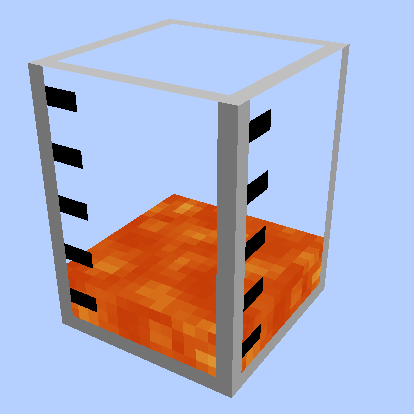
Large Fluid Tank
Add some types of tanks, which can be combined vertically. Tanks can hold Fluids and Potions.
 mod
mod CurseForge + Modrinth · Minecraft
Additional Enchanted Miner
This mod adds some miners like BC's quarry.