Minecraft version
Back to mods 
Modrinth · Minecraft mod
HexHopper
Place hoppers in all 6 directions and rotate both push and pull independently with a compass. Six faces, full control.
Choose a version Pick your version below, then grab the matching file.
Quick answer
Which HexHopper release should I use?
Latest stable file 1.0.0
Game version 26.3
Loader Fabric
HexHopper 1.0.0 targets 26.3 with Fabric. Installation on the client is optional. Installation on the dedicated server is optional. No extra mods listed for this file.
Where it goes
Is HexHopper required on the client, server, or both?
Installation on the client is optional. Installation on the dedicated server is optional.
Client Optional
Dedicated server Optional
Loader for this release Fabric
Required install it here Optional supported, not mandatory Not supported do not install here Source doesn’t say do not assume
The source marks this as usable on both the client and server.
What else does HexHopper 1.0.0 need?
1.0.0. Change the file and its required mods may change too.
This file does not list any required mods. Do not add a library just because a different file uses it.
This file does not list any required or optional mods.
Before you install it
Add HexHopper without breaking your instance.
Built for HexHopper 1.0.0. Pick another file and the loader, install side or required mods may change.
- 01
Stick to this file
Use 1.0.0. It targets 26.3 with Fabric; another release may have different loader, side or dependency requirements.
- 02
Bring the mods it needs
This file does not list any required mods. Do not add a library just because a different file uses it.
- 03
Put it on the correct side
Installation on the client is optional. Installation on the dedicated server is optional.
- 04
Pick the file you checked
Use the “Get this file” button beside 1.0.0. It opens that exact file at the source.
About this project
What does HexHopper add?
HexHopper
Place hoppers in all 6 directions. Rotate push and pull independently with a compass.
Vanilla hoppers are locked: they always pull from above and can only push downward or sideways. HexHopper removes that restriction. When you place a hopper, it faces the surface you clicked — including up. Use a compass to reconfigure any hopper after placement without breaking it.
How it works
Placement
Hold a hopper and click any face of a block. The hopper's push direction (the spout) will face the surface you clicked. The pull direction (the funnel opening) is set automatically based on where you're looking — it picks the closest direction that isn't already taken by the push.
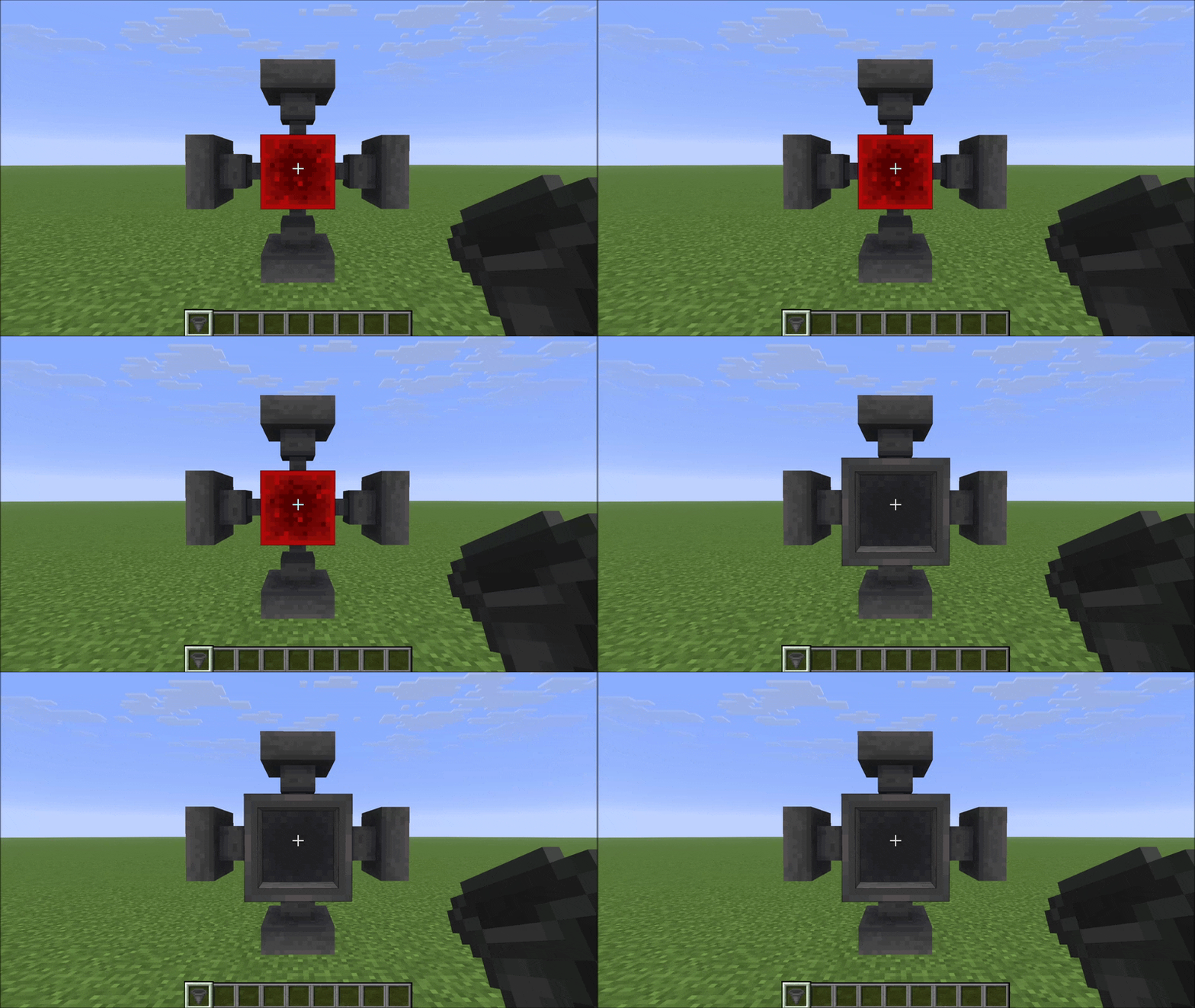
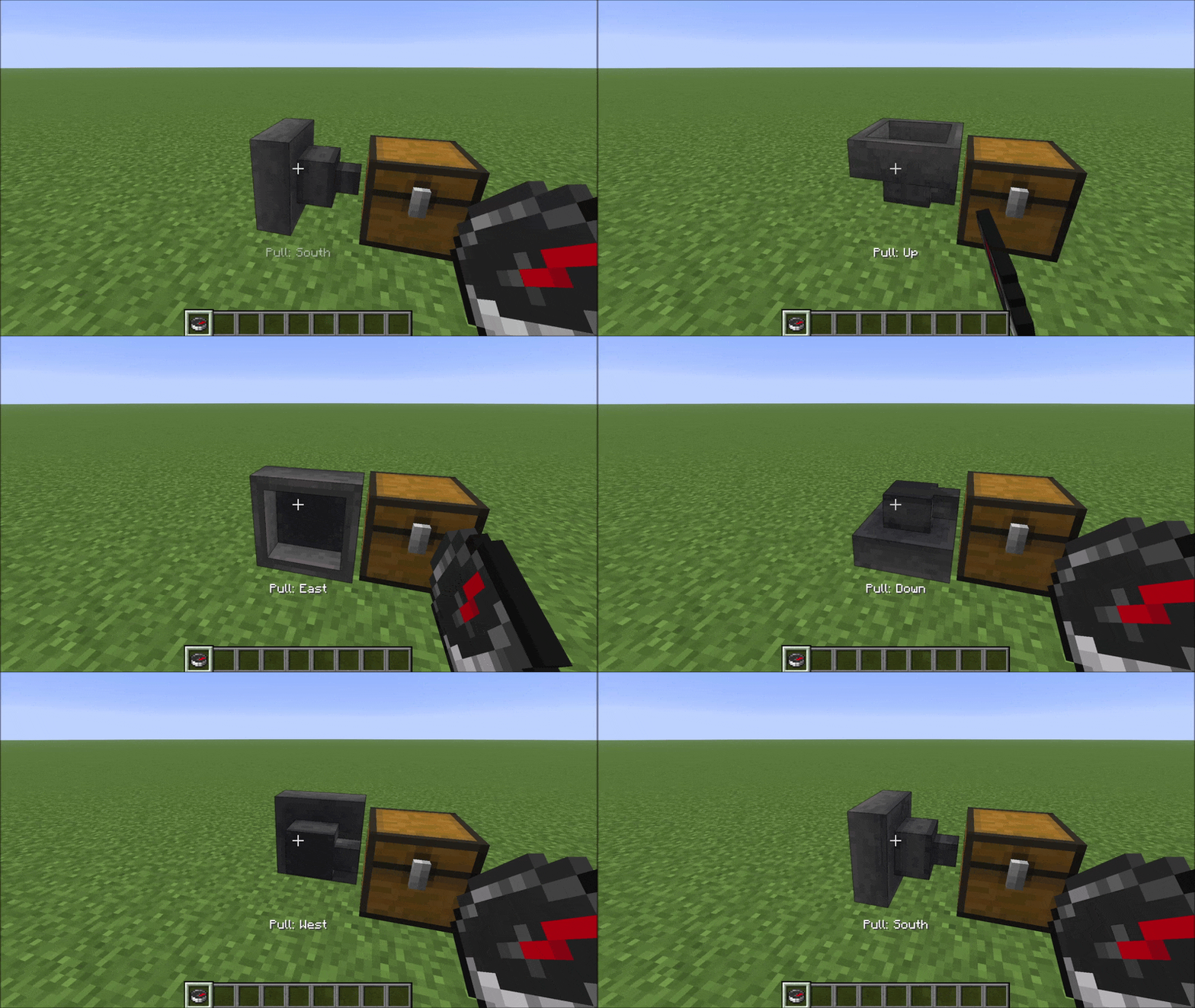
Compass: right-click rotates pull direction
Hold a compass and right-click a hopper to cycle its pull direction (funnel) through the five valid options. A message appears in the action bar after each click showing the current pull direction.
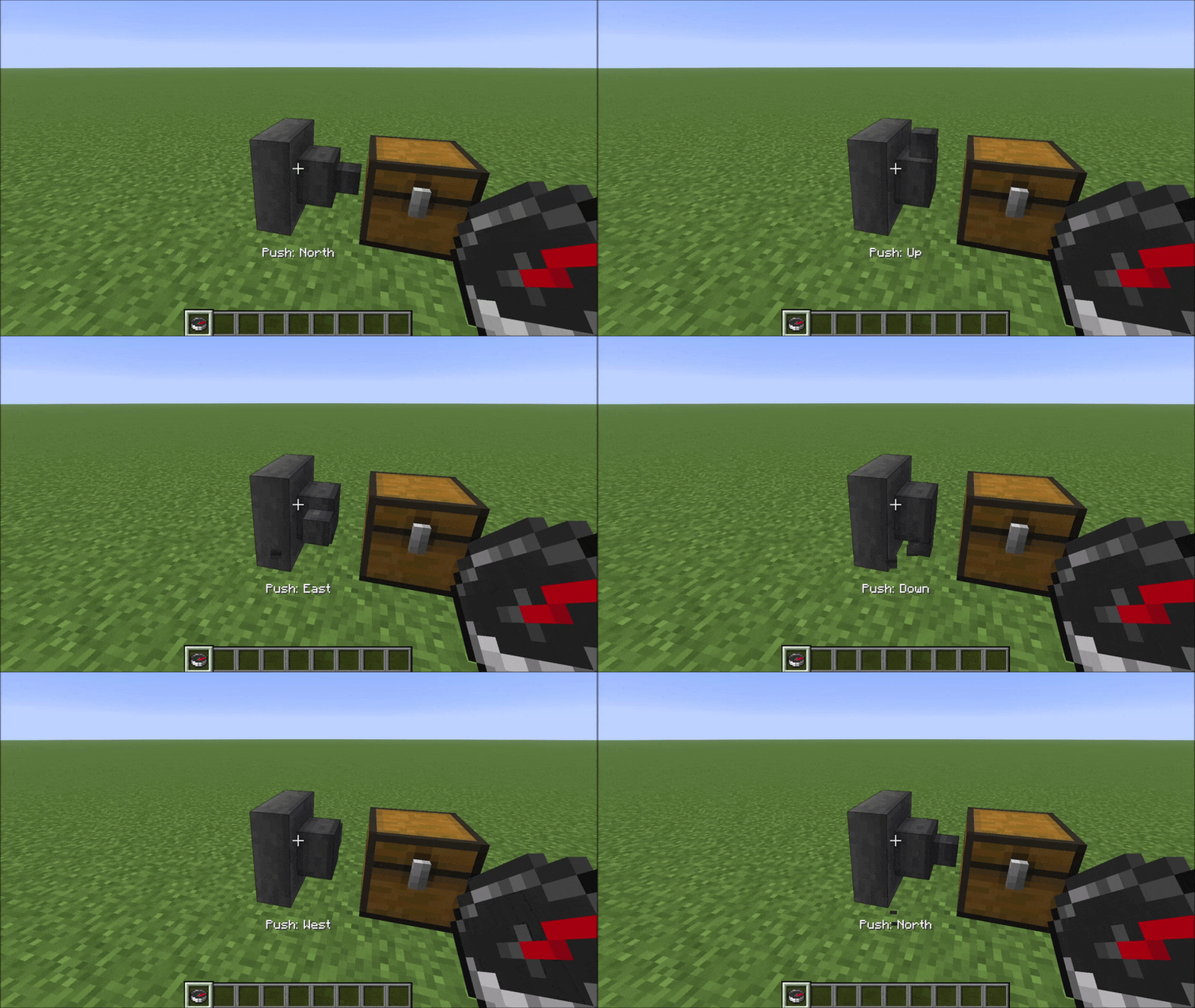
Compass: left-click rotates push direction
Hold a compass and left-click a hopper to cycle its push direction (spout) through the five valid options. The same action bar message appears confirming the new push direction.
Compatibility
HexHopper modifies vanilla HopperBlock and HopperBlockEntity using Mixins. It is compatible with:
- Existing worlds — hoppers placed before installing the mod default to pull=Up, which matches vanilla behaviour exactly
- MinecartHoppers — fall back to vanilla pull=Up behaviour
- Mods that don't touch hopper logic — storage mods, visual mods, etc.
Not compatible with mods that also modify HopperBlock or HopperBlockEntity (other hopper-direction mods, some deep storage mods). HexHopper also overrides assets/minecraft/blockstates/hopper.json — resource packs or mods that replace the same file will conflict visually.
Project description from Modrinth.
Pick your setup
HexHopper by Minecraft version and loader
Choose the version and loader you play, then open the matching release.
Minecraft version
26.2-snapshot-6
1 loader buildMinecraft version
26.2
1 loader buildCheck the dependencies, then try the file in a copied instance before changing a world you care about.
Recent files
HexHopper versions and loaders
1.0.0
hexhopper-1.0.0+mc26.3.jar
15 Sept 2026
Client Optional Server Optional Dependencies No extras listed Listed on Release listing
Check the 26.3 · Fabric setup 26.3Fabric release
1.0.0
hexhopper-1.0.0+mc26.2.jar
16 Jun 2026
Client Optional Server Optional Dependencies No extras listed Listed on Release listing
Check the 26.2 · Fabric setup 26.2Fabric release
1.0.0
hexhopper-v1.0.0+mc26.2-snapshot-6.jar
8 May 2026
Client Optional Server Optional Dependencies No extras listed Listed on Release listing
Check the 26.2-snapshot-6 · Fabric setup 26.2-snapshot-6Fabric release
Looking for an older file? The official Modrinth project page is in Resources.
 mod
CurseForge + Modrinth · Minecraft
Polydium
Well-rounded client-side optimization mod. Extremely compatible Vulkan backend for 1.21.11-26.1.2. By Polyfrost, best with OneClient.
 mod
CurseForge + Modrinth · Minecraft
KoHs Inventory Tweaks
Fast, precise, and fully customizable client-side inventory controls
 mod
Modrinth · Minecraft
ModernFix
All-in-one mod that improves performance, reduces memory usage, and fixes many bugs. Compatible with all your favorite performance mods!