Minecraft version
Back to mods 
Modrinth · Minecraft mod
Player Clone
Player Clone that lets you create and control clones of any player via commands. Use it to simulate PvP battles, create custom arenas, or build your own clone army. Perfect for servers, testing strategies, or dynamic video content.
Choose a version Pick your version below, then grab the matching file.
Quick answer
Which Player Clone release matches 1.19.2?
Best match for your filters 0.2.0+1.19.2
Game version 1.19.2
Loader Forge
Player Clone 0.2.0+1.19.2 targets 1.19.2 with Forge. Installation on the client is optional. Installation on the dedicated server is optional. No extra mods listed for this file.
Where it goes
Is Player Clone required on the client, server, or both?
Installation on the client is optional. Installation on the dedicated server is optional.
Client Optional
Dedicated server Optional
Loader for this release Forge
Required install it here Optional supported, not mandatory Not supported do not install here Source doesn’t say do not assume
The source marks this as usable on both the client and server.
What else does Player Clone 0.2.0+1.19.2 need?
0.2.0+1.19.2 on 1.19.2. Every mod below is checked against that same setup.
This file does not list any required mods. Do not add a library just because a different file uses it.
This file does not list any required or optional mods.
Before you install it
Add Player Clone without breaking your instance.
Built for Player Clone 0.2.0+1.19.2 on 1.19.2. Pick another file and the loader, install side or required mods may change.
- 01
Stick to this file
Use 0.2.0+1.19.2. It targets 1.19.2 with Forge; another release may have different loader, side or dependency requirements.
- 02
Bring the mods it needs
This file does not list any required mods. Do not add a library just because a different file uses it.
- 03
Put it on the correct side
Installation on the client is optional. Installation on the dedicated server is optional.
- 04
Pick the file you checked
Use the “Get this file” button beside 0.2.0+1.19.2. It opens that exact file at the source.
About this project
What does Player Clone add?
🧍♂️ Player Clone — Create, Battle, and Control Your Own Army of Clones!


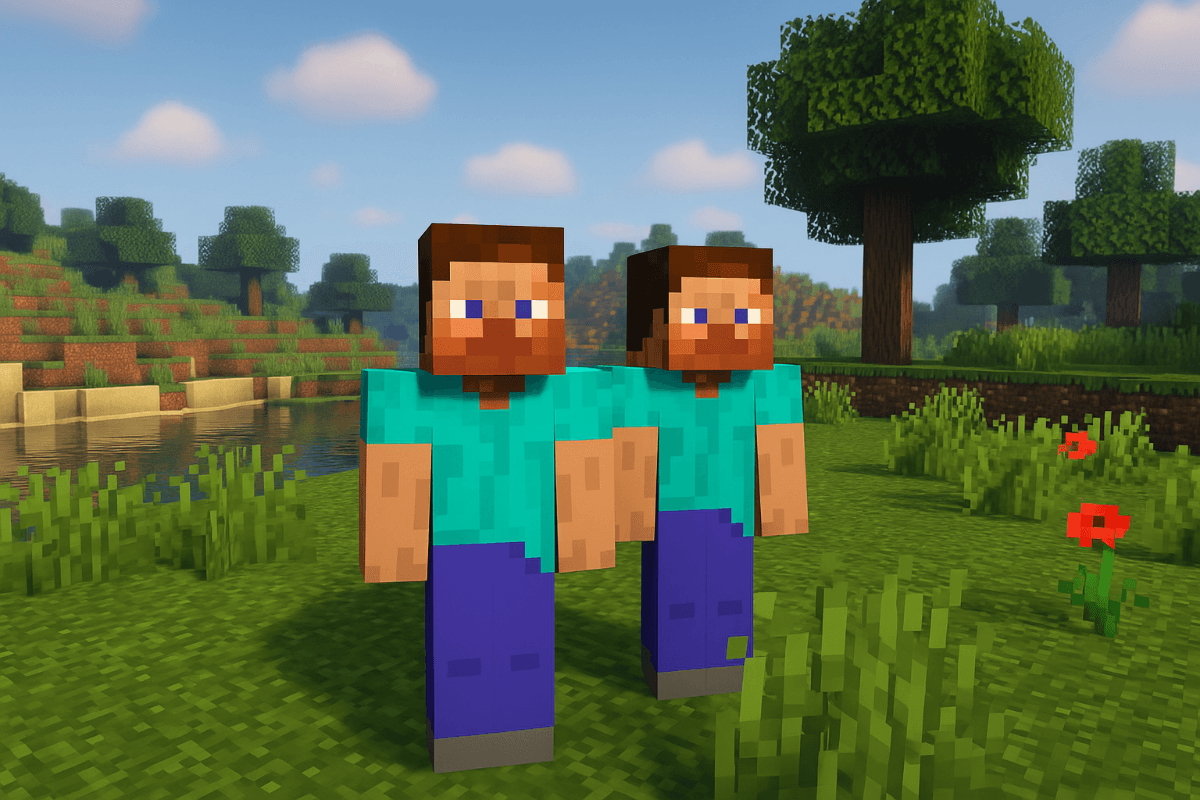
Ever wondered what it would be like to fight alongside yourself… or against yourself?
Player Clone brings that fantasy to life! With a powerful and intuitive command system, you can summon clones of any player and throw them into epic battles. Whether you're setting up custom PvP arenas, testing strategies, or recording cinematic combat, this mod provides a professional-grade toolset for clone management.
🧪 Key Features
- 👥 Smart Cloning: Summon clones of any player (Mojang or TLauncher accounts supported).
- 🧨 Massive Spawning: Create entire battalions with a single command.
- 📍 Precision Control: Fully compatible with
/execute. Spawn clones at specific coordinates or relative to other entities. - ⚔️ Advanced AI Combat: - Free-For-All (FFA): Every clone for themselves.
- Team Battle: Clones group up by username to fight other teams.
- 🌍 Multi-language Support: Now localized in English, Spanish (ES, MX, VE), and French!
- ⏹️ Instant Reset: Stop battles and reset AI behavior or remove clones by name instantly.
⌨️ Command Reference
The mod uses a smart syntax tree. Required arguments are in < >, optional arguments are in [ ].
| Command | Description |
|---|---|
/playerclone <username> [category] [pos] |
Spawns a single clone. category (pro/medio/noob) and pos are optional. |
/playerclone <username> <amount> [category] [pos] |
Spawns multiple clones. amount is required. |
/playerclone <username> remove |
Removes all active clones associated with that username. |
/playerclone ffa |
Initiates a Free-For-All battle mode among all clones. |
/playerclone team |
Initiates a Team Battle mode (grouped by username). |
/playerclone stop |
Immediately stops any active battle and resets AI. |
/playerclone help |
Displays the interactive help menu with hover tooltips. |
🛠️ Technical Highlights
- Brigadier Integration: Fully native command feel with smart Tab-completion.
- Coordinate Support: Supports absolute and relative coordinates (
~ ~ ~/^ ^ ^). - Server Friendly: Optimized for performance even with multiple entities active.
🚀 Upcoming Features (In Development)
- Ownership System: Clones that recognize you as their owner.
- Follow Mode: Order your clones to follow you or guard a position.
- Dynamic Reskin: Change a clone's skin on the fly without despawning.
🧩 Perfect for:
- Minigame Servers: Create custom waves of enemies.
- Mapmakers: Script complex battles using Datapacks and
/execute. - Content Creators: Generate dynamic combat scenes for videos.
Try it, share it, and unleash the chaos.
Your greatest enemy… might just be yourself.
Compatible with Minecraft 1.19.2, 1.20.1, and 1.21
Project description from Modrinth.
Pick your setup
Player Clone by Minecraft version and loader
Choose the version and loader you play, then open the matching release.
Minecraft version
1.20.1
1 loader buildMinecraft version
1.19.2
1 loader buildCheck the dependencies, then try the file in a copied instance before changing a world you care about.
Recent files
Player Clone versions and loaders
0.2.0+1.19.2
playerclone-0.2.0+1.19.2.jar
29 Mar 2026
Client Optional Server Optional Dependencies No extras listed Listed on Release listing
Check the 1.19.2 · Forge setup 1.19.2Forge release
0.1.0+1.19.2
playerclone-0.1.0+1.19.2.jar
19 May 2025
Client Optional Server Optional Dependencies No extras listed Listed on Release listing
Check the 1.19.2 · Forge setup 1.19.2Forge release
Looking for an older file? The official Modrinth project page is in Resources.
 mod
CurseForge + Modrinth · Minecraft
LDLib
LDLib is a libarary mod for custom rendering, modular gui.
 mod
CurseForge + Modrinth · Minecraft
TofuCraftReload
This mod is a remake of Old Mod TofuCraft made by tsuteto. add soybean As a new all-purpose food!
 mod
CurseForge + Modrinth · Minecraft
Questlog
Adds a quest system designed to make info conveyance in modpacks far more intuitive!