Minecraft version
Back to mods 
Modrinth · Minecraft mod
CopyComponent
Allows you to copy a component/nbt data of an item
Choose a version Pick your version below, then grab the matching file.
Quick answer
Which CopyComponent release should I use?
Latest stable file 1.0.0
Game version 1.21.11
Loader NeoForge
CopyComponent 1.0.0 targets 1.21.11 with NeoForge. It must be installed on the client. Do not install it on the dedicated server. No extra mods listed for this file.
Where it goes
Is CopyComponent required on the client, server, or both?
It must be installed on the client. Do not install it on the dedicated server.
Client Required
Dedicated server Not supported
Loader for this release NeoForge
Required install it here Optional supported, not mandatory Not supported do not install here Source doesn’t say do not assume
This file is marked client-only.
What else does CopyComponent 1.0.0 need?
1.0.0. Change the file and its required mods may change too.
This file does not list any required mods. Do not add a library just because a different file uses it.
This file does not list any required or optional mods.
Before you install it
Add CopyComponent without breaking your instance.
Built for CopyComponent 1.0.0. Pick another file and the loader, install side or required mods may change.
- 01
Stick to this file
Use 1.0.0. It targets 1.21.11 with NeoForge; another release may have different loader, side or dependency requirements.
- 02
Bring the mods it needs
This file does not list any required mods. Do not add a library just because a different file uses it.
- 03
Put it on the correct side
It must be installed on the client. Do not install it on the dedicated server.
- 04
Pick the file you checked
Use the “Get this file” button beside 1.0.0. It opens that exact file at the source.
About this project
What does CopyComponent add?
CopyComponent
Allows you to copy a component/nbt data of an item with a keybind.
To use:
- Open any inventorylike screen.
- Hover the item you want to copy
- Press the copy keybind, by default
F3+K. Can be changed under the debug category. - Voila! Copy it in a text file, if you want to read it.
Project description from Modrinth.
Pick your setup
CopyComponent by Minecraft version and loader
Choose the version and loader you play, then open the matching release.
Check the dependencies, then try the file in a copied instance before changing a world you care about.
Recent files
CopyComponent versions and loaders
1.0.0
copy_component-neoforge-1.21.11-1.0.0.jar
15 Feb 2026
Client Required Server Not supported Dependencies No extras listed Listed on Release listing
Check the 1.21.11 · NeoForge setup 1.21.11NeoForge release
1.0.0
CopyComponent-forge-1.21.11-1.0.0.jar
15 Feb 2026
Client Required Server Not supported Dependencies No extras listed Listed on Release listing
Check the 1.21.11 · Forge setup 1.21.11Forge release
1.0.0
copy_component-fabric-1.21.11-1.0.0.jar
15 Feb 2026
Client Required Server Not supported Dependencies 1 required · 1 unchecked Listed on Release listing
Check the 1.21.11 · Fabric setup 1.21.11FabricQuilt release
Looking for an older file? The official Modrinth project page is in Resources.
 mod
mod CurseForge + Modrinth · Minecraft
Lootr (Forge & NeoForge)
A mod that makes it so nobody misses out on Loot! All loot chests are instanced per player and visually unique.
 mod
mod CurseForge + Modrinth · Minecraft
Neo Vitae
Spill blood for power. Altars that consume life, sigils that bend the world, custom demons in an endless dungeon, sentient armor that drinks souls, a shield that pays your damage in essentia. Datapack-driven from the ground up.
 mod
mod CurseForge + Modrinth · Minecraft
Better Lore
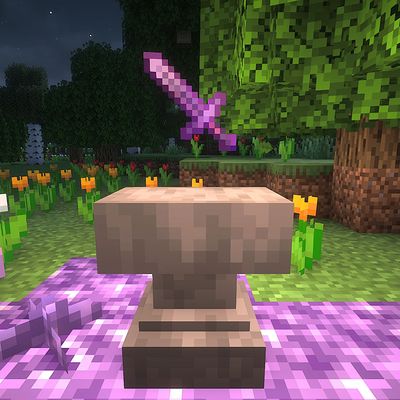
Better Lore adds a survival-friendly extension to the anvil. You can now create unique items by customizing your name or adding lore to them using anvil!