Minecraft version
Back to mods 
Modrinth · Minecraft mod
Project: MCSR Ranked
Minecraft Live Speedrunning Match Mod!
Choose a version Pick your version below, then grab the matching file.
Quick answer
Which Project: MCSR Ranked release should I use?
Latest stable file 5.8.14
Game version 1.16.1
Loader Fabric
Project: MCSR Ranked 5.8.14 targets 1.16.1 with Fabric. Installation on the client is optional. Installation on the dedicated server is optional. No extra mods listed for this file.
Where it goes
Is Project: MCSR Ranked required on the client, server, or both?
Installation on the client is optional. Installation on the dedicated server is optional.
Client Optional
Dedicated server Optional
Loader for this release Fabric
Required install it here Optional supported, not mandatory Not supported do not install here Source doesn’t say do not assume
The source marks this as usable on both the client and server.
What else does Project: MCSR Ranked 5.8.14 need?
5.8.14. Change the file and its required mods may change too.
This file does not list any required mods. Do not add a library just because a different file uses it.
This file does not list any required or optional mods.
Before you install it
Add Project: MCSR Ranked without breaking your instance.
Built for Project: MCSR Ranked 5.8.14. Pick another file and the loader, install side or required mods may change.
- 01
Stick to this file
Use 5.8.14. It targets 1.16.1 with Fabric; another release may have different loader, side or dependency requirements.
- 02
Bring the mods it needs
This file does not list any required mods. Do not add a library just because a different file uses it.
- 03
Put it on the correct side
Installation on the client is optional. Installation on the dedicated server is optional.
- 04
Pick the file you checked
Use the “Get this file” button beside 5.8.14. It opens that exact file at the source.
About this project
What does Project: MCSR Ranked add?

MCSR Ranked
MCSR Ranked is the best place to learn and play Minecraft speedrunning.
Practice with friends, compete for elo, and climb the ranks – First to beat the game wins.
Ranked Mode / Casual Mode
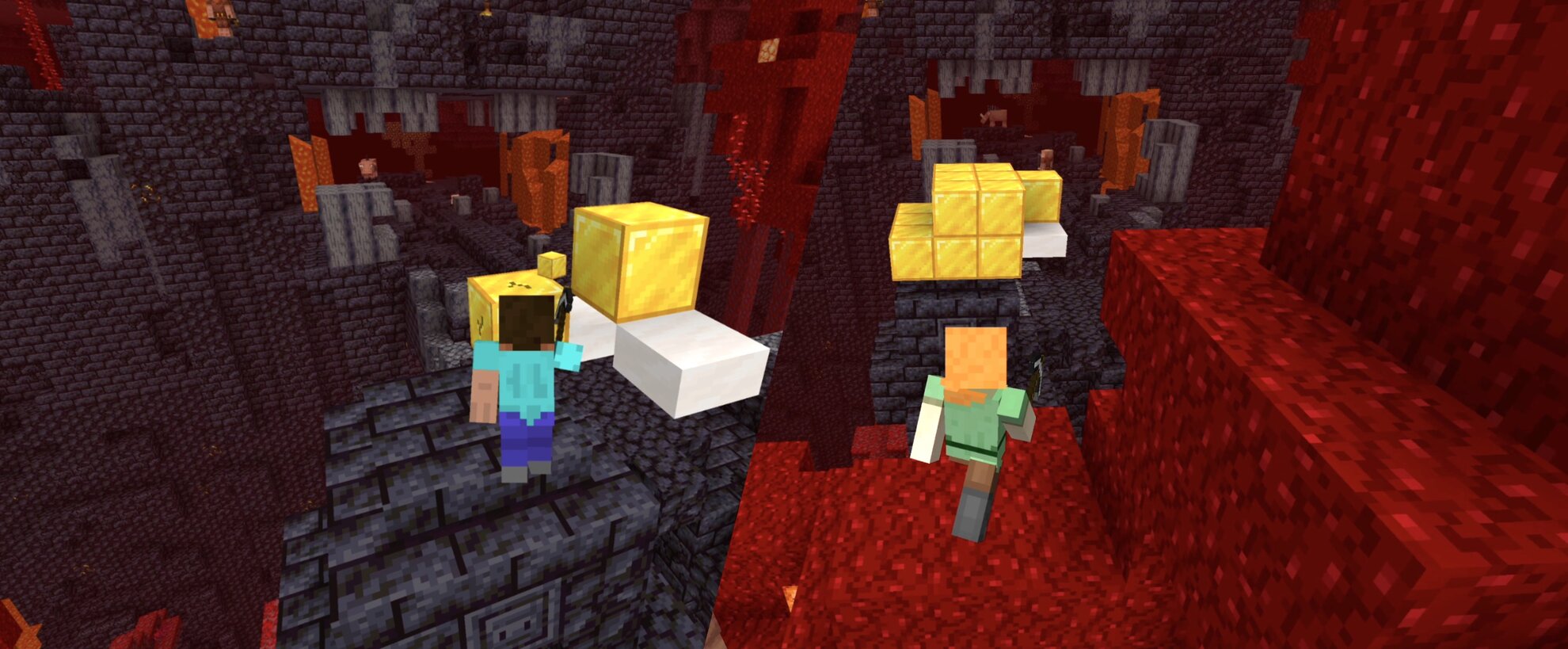
Put your elo on the line!
Race an opponent head-to-head in a Minecraft speedrun in separate worlds but on the same seed!
- Every seed has a good overworld and nether, making it fast-paced and great for learning
- Standardized piglin trades, blaze rates, and more even the playing field
- Keep pace with your opponent with live advancements and an overlay showing their split
- Match replays and player statistics let you learn from every game and track your progress.
Private Rooms
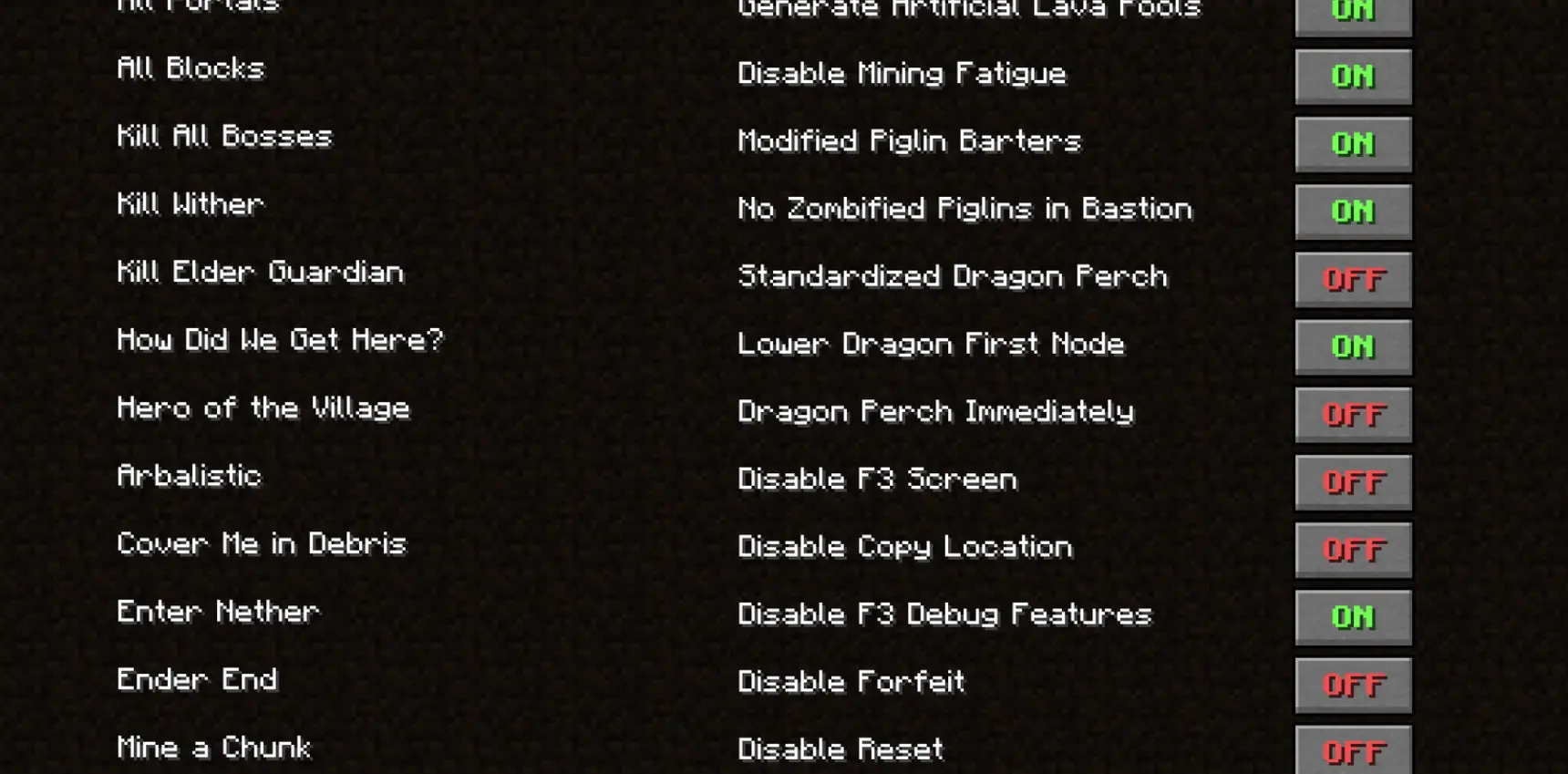
Craft your gameplay!
Try new categories, host tournaments, or practice with friends in private rooms!
- Play random, filtered, or set seeds
- Customize game rules and speedrun categories
- View live advancements, splits, and chat messages of all players
Weekly Race
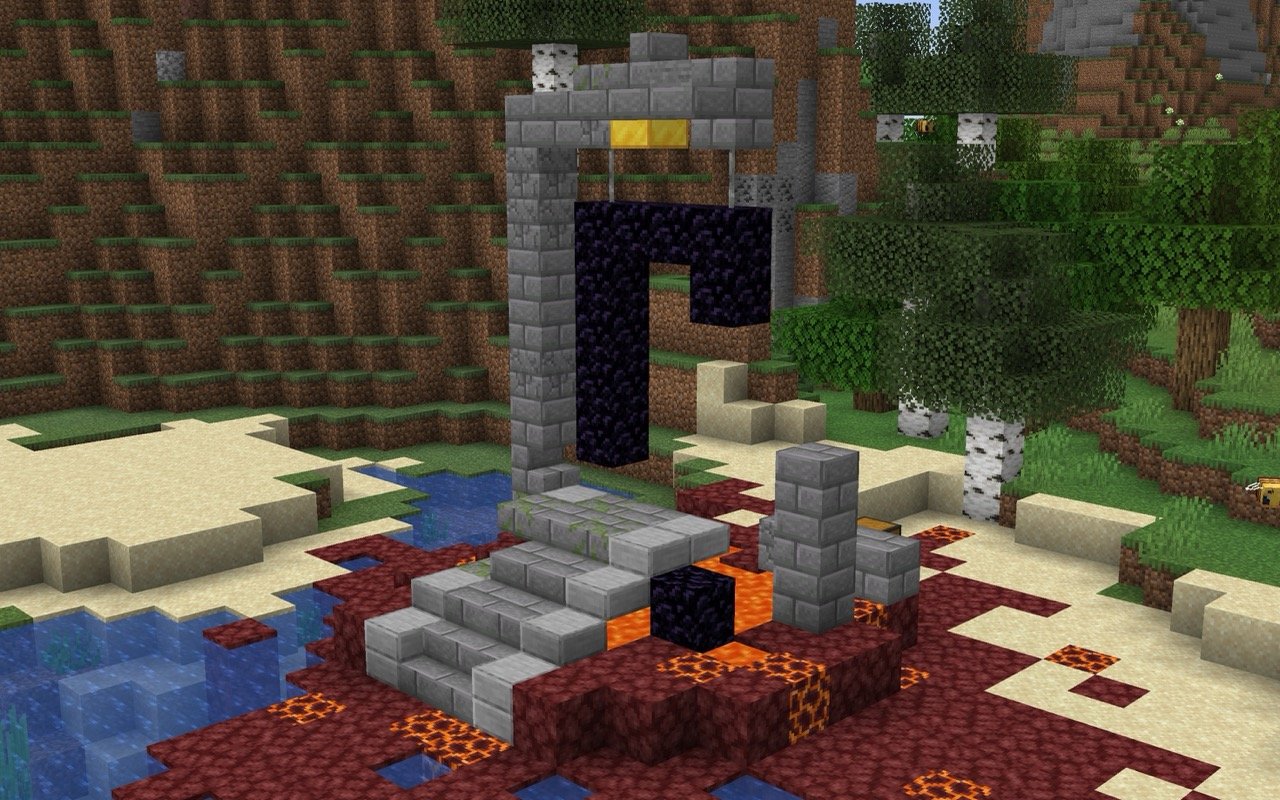
A new seed every week
With a separate leaderboard and a new seed handpicked every week, Weekly Race brings set seed speedrunning to MCSR Ranked.
- Refine your route and push your time lower throughout the week
- Learn from the best – watch the fastest runners' replays or race their ghosts
- Get the same flint drops, piglin trades, and blaze rates every run
Season Leaderboard

You can check leaderboard of the current season's highest Elo players from the server! Challenge the Top 100!
or you can also check on website: https://mcsrranked.com/leaderboard
Chatting
In every match, you can chat with your opponent. If you find someone toxic, you can report or mute them.
The report button is located in the lower left corner of the match select screen.
The UUIDs of muted players are stored in a mute_players.txt file in your home directory.
Discord Integration

If you play this mod, it will appear on your Discord profile!
It's cool, but you can also disable it in settings if you don't want to.
Auto Update Installer
For prevent conflicts with older versions of this mod, you must use the latest version to connect to the server.
Yeah, we know it's little cumbersome. So, there is an Auto Update Installer.
If a new version is found, Auto Update Installer will appear.
so if you proceed update, you just need to relaunch Minecraft.
Old versions of this mod will be automatically deleted from mods directory. No need to delete them yourself :)
Requirements
- Minecraft 1.16.1
- Fabric Loader 0.16+
Mod Restrictions
To be fair play, only the limited mods in the Allowed Mod List can be used, and will crash if you use a mod not included in the list. (Crash explains which mod is the problem.)
Install Tutorial
Project description from Modrinth.
Pick your setup
Project: MCSR Ranked by Minecraft version and loader
Choose the version and loader you play, then open the matching release.
Check the dependencies, then try the file in a copied instance before changing a world you care about.
Recent files
Project: MCSR Ranked versions and loaders
5.8.14
mcsrranked-5.8.14.jar
4 Aug 2026
Client Optional Server Optional Dependencies No extras listed Listed on Release listing
Check the 1.16.1 · Fabric setup 1.16.1Fabric release
5.8.13
mcsrranked-5.8.13.jar
4 Aug 2026
Client Optional Server Optional Dependencies No extras listed Listed on Release listing
Check the 1.16.1 · Fabric setup 1.16.1Fabric release
5.8.11
mcsrranked-5.8.11.jar
30 Jul 2026
Client Optional Server Optional Dependencies No extras listed Listed on Release listing
Check the 1.16.1 · Fabric setup 1.16.1Fabric release
5.8.9
mcsrranked-5.8.9.jar
20 Jul 2026
Client Optional Server Optional Dependencies No extras listed Listed on Release listing
Check the 1.16.1 · Fabric setup 1.16.1Fabric release
5.8.8
mcsrranked-5.8.8.jar
17 Jul 2026
Client Optional Server Optional Dependencies No extras listed Listed on Release listing
Check the 1.16.1 · Fabric setup 1.16.1Fabric release
5.8.6
mcsrranked-5.8.6.jar
12 Jul 2026
Client Optional Server Optional Dependencies No extras listed Listed on Release listing
Check the 1.16.1 · Fabric setup 1.16.1Fabric release
5.8.5
mcsrranked-5.8.5.jar
11 Jul 2026
Client Optional Server Optional Dependencies No extras listed Listed on Release listing
Check the 1.16.1 · Fabric setup 1.16.1Fabric release
5.8.3
mcsrranked-5.8.3.jar
9 Jul 2026
Client Optional Server Optional Dependencies No extras listed Listed on Release listing
Check the 1.16.1 · Fabric setup 1.16.1Fabric release
5.8.1
mcsrranked-5.8.1.jar
13 Jun 2026
Client Optional Server Optional Dependencies No extras listed Listed on Release listing
Check the 1.16.1 · Fabric setup 1.16.1Fabric release
5.8.0
mcsrranked-5.8.0.jar
11 Jun 2026
Client Optional Server Optional Dependencies No extras listed Listed on Release listing
Check the 1.16.1 · Fabric setup 1.16.1Fabric release
5.7.13
mcsrranked-5.7.13.jar
22 May 2026
Client Optional Server Optional Dependencies No extras listed Listed on Release listing
Check the 1.16.1 · Fabric setup 1.16.1Fabric release
5.7.12
mcsrranked-5.7.12.jar
8 May 2026
Client Optional Server Optional Dependencies No extras listed Listed on Release listing
Check the 1.16.1 · Fabric setup 1.16.1Fabric release
Looking for an older file? The official Modrinth project page is in Resources.
 mod
mod CurseForge + Modrinth · Minecraft
VeinMiner Hotkey
Veinminer Addon - Use a hotkey to veinmine with a dynamic crosshair & block highlighting & shape selector
 mod
mod Modrinth · Minecraft
SoundboardPlus
A Soundboard for Simple Voice Chat. Supports mp3 format, inbuild yt-dlp, and categories.
 mod
mod Modrinth · Minecraft
Create: Cyber Goggles
A client-side mod for Create that provides modular assistance features.