Mod Menu Optional for Lattice 1.0.0+26.1-26.1.2
optionalMatching file found Matched file: 18.0.0-alpha.8

Modrinth · Minecraft mod
The Minecraft side of Lattice: local couch co-op where each player uses their own keyboard and mouse in their own instance. Requires Lattice Weaver.
Quick answer
Lattice 1.0.0+26.1-26.1.2 targets 26.1, 26.1.1, 26.1.2 with Fabric. It must be installed on the client. Do not install it on the dedicated server. 1 required mod needs a matching file.
Where it goes
It must be installed on the client. Do not install it on the dedicated server.
This file is marked client-only.
1.0.0+26.1-26.1.2 on 26.1. Every mod below is checked against that same setup.
Install Fabric API first, but 1 required mod has no matching file for this setup. Do not mix loader builds to force a match. 2 come through another mod in the chain.
2 extra mods were pulled in by other dependencies. Indented rows show who needs each one. We only count dependency files that match this setup. A file for another loader does not fill the gap.
Before you install it
Built for Lattice 1.0.0+26.1-26.1.2 on 26.1. Pick another file and the loader, install side or required mods may change.
Use 1.0.0+26.1-26.1.2. It targets 26.1, 26.1.1, 26.1.2 with Fabric; another release may have different loader, side or dependency requirements.
Install Fabric API first, but 1 required mod has no matching file for this setup. Do not mix loader builds to force a match. 2 come through another mod in the chain.
It must be installed on the client. Do not install it on the dedicated server.
Use the “Get this file” button beside 1.0.0+26.1-26.1.2. It opens that exact file at the source.
About this project
Local couch co-op for Minecraft Java. Run multiple Minecraft instances on one Windows PC and give each local player their own keyboard, mouse, cursor, HUD, and settings profile.
Lattice is the Minecraft adapter for Lattice Weaver, the Windows companion app that handles guided device setup and player-slot routing.
Download Weaver | Latest Release | Buy License | Support
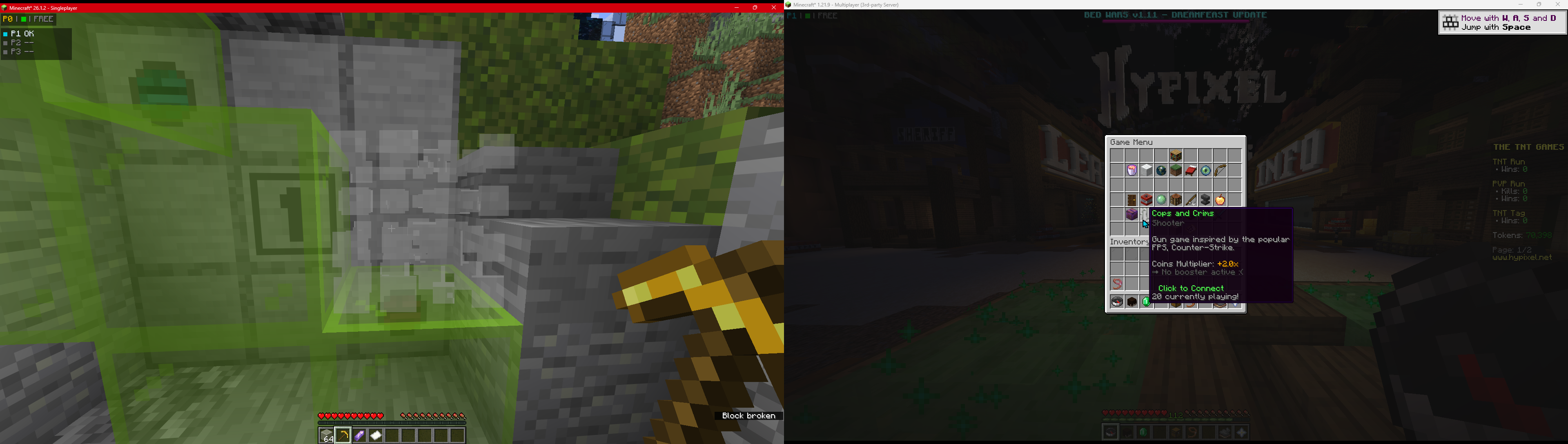
Lattice lets several people share one Windows PC and play Minecraft at the same time, each in their own instance with their own keyboard and mouse.
mods folder.Example JVM args if setting slots manually:
-Dlattice.player=0  # Player 1 / P0
-Dlattice.player=1  # Player 2 / P1
-Dlattice.player=2  # Player 3 / P2
Lattice currently supports Fabric-based Minecraft versions from 1.20 through 26.1.2.
Use the file whose name matches your target compatibility range:
| Minecraft version | Lattice file range |
|---|---|
1.20 |
1.20 |
1.20.1 - 1.20.6 |
1.20.1-1.20.6 |
1.21 - 1.21.4 |
1.21-1.21.4 |
1.21.5 |
1.21.5 |
1.21.6 - 1.21.8 |
1.21.6-1.21.8 |
1.21.9 - 1.21.11 |
1.21.9-1.21.11 |
26.1 - 26.1.2 |
26.1-26.1.2 |
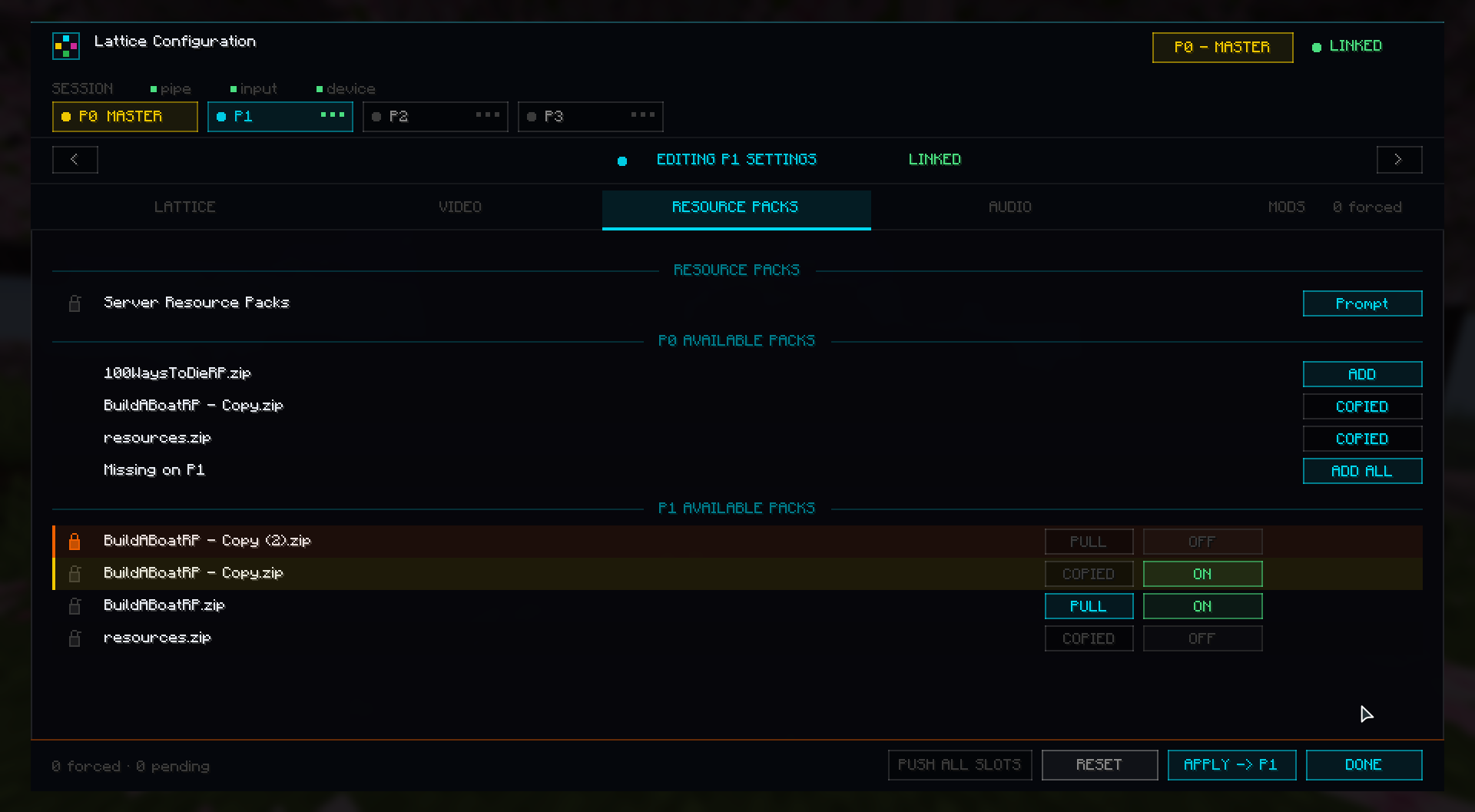
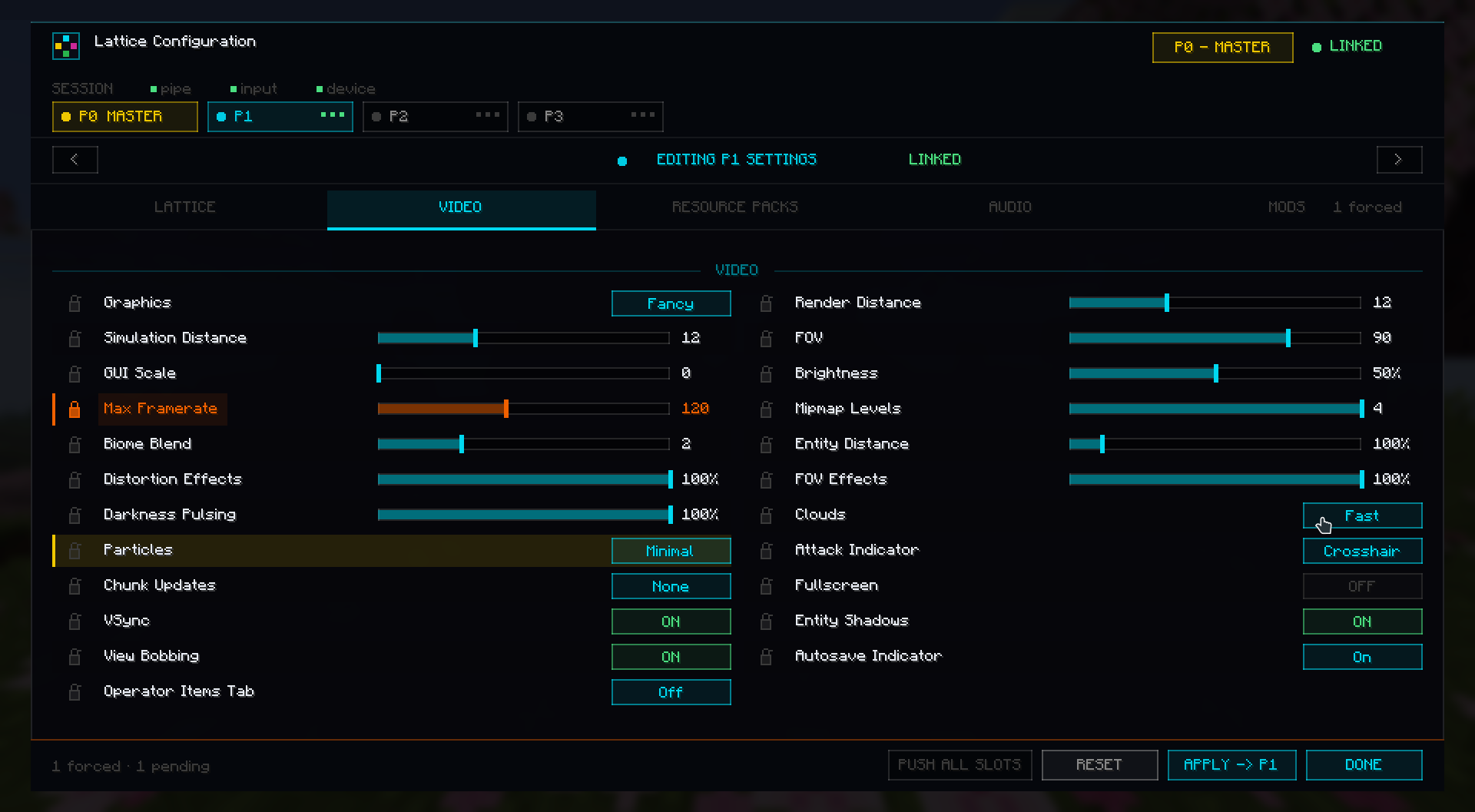
From the P0 configuration screen, Lattice can stage and push supported settings to routed-player instances.
Current control areas include:
Some settings vary by Minecraft version or by the target mod's config format, so the control surface may differ slightly between instances.
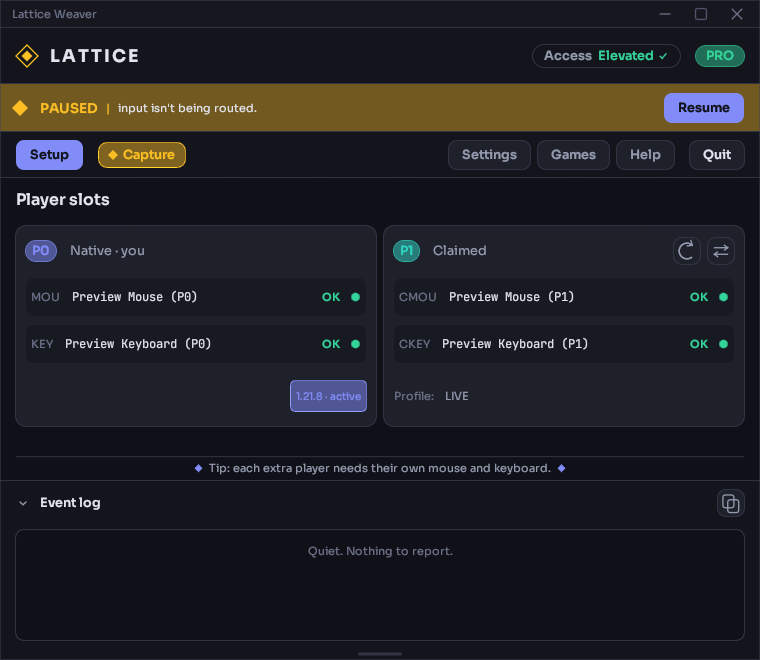
This mod requires Lattice Weaver. Weaver is distributed separately because it handles Windows-side setup, device assignment, player slots, and game-adapter connections.
Project description from Modrinth.
Pick your setup
Choose the version and loader you play, then open the matching release.
Showing the newest 12 of 22 game versions. Older files are in the list below.
Check the dependencies, then try the file in a copied instance before changing a world you care about.
Recent files
latticework-1.0.0+26.1-26.1.2.jar
25 Apr 2026
Looking for an older file? The official Modrinth project page is in Resources.
 mod
A configurable visual representation of your reach and hit distances
 mod
Add old school cannons to your world
 mod
Allow users to link their Minecraft accounts to various services and automatically whitelist them based on specified conditions