Fabric API Needed by WAIG: Where Am I Going 1.1.12
requiredMatching file found Matched file: 0.161.0+26.2

Modrinth · Minecraft mod
Fabric mod for Minecraft, adds a minimal RPG-inspired compass HUD to the game.
Quick answer
WAIG: Where Am I Going 1.1.12 targets 26.2 with Fabric. It must be installed on the client. Do not install it on the dedicated server. All 1 required mods have matching files.
Where it goes
It must be installed on the client. Do not install it on the dedicated server.
This file is marked client-only.
1.1.12 on 26.2 Fabric. Every mod below is checked against that same setup.
Install Fabric API first. We found matching files for this game-version and loader setup.
We only count dependency files that match this setup. A file for another loader does not fill the gap.
Before you install it
Built for WAIG: Where Am I Going 1.1.12 on 26.2 Fabric. Pick another file and the loader, install side or required mods may change.
Use 1.1.12. It targets 26.2 with Fabric; another release may have different loader, side or dependency requirements.
Install Fabric API first. We found matching files for this game-version and loader setup.
It must be installed on the client. Do not install it on the dedicated server.
Use the “Get this file” button beside 1.1.12. It opens that exact file at the source.
About this project
Fabric mod for Minecraft, adds a minimal RPG-inspired compass HUD to the game.
This mod is client side only.
 : In case it is not shown the short demo gif showcasing the HUD can be found here and in the image gallery.
minecraft-base-folder/config/waig.confighud-show-mode: config key to enable the compass HUD only in certain circumstances (default: always)always the HUD will always be displayedinventory the HUD will be displayed only if the player carries a compass in the inventoryhand the HUD will be displayed only if the player holds a compass in the main hand or off-handcompass-items: config key to list all items that count as compass equivalent. When hud-show-mode is set toinventory or hand, the mod checks if any of the listed items are in the inventory or held, and if so will show the HUD.If you like this project and want to support me you can buy me a coffee - everything is greatly appreciated, you are the best! <3
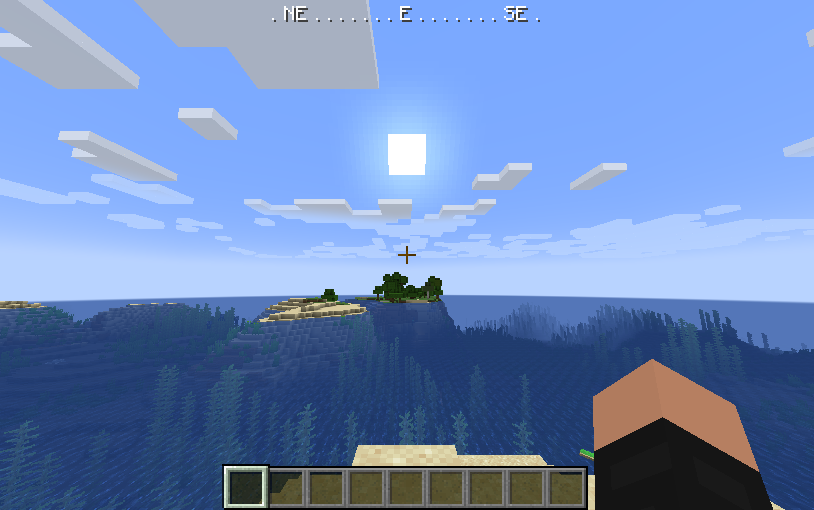
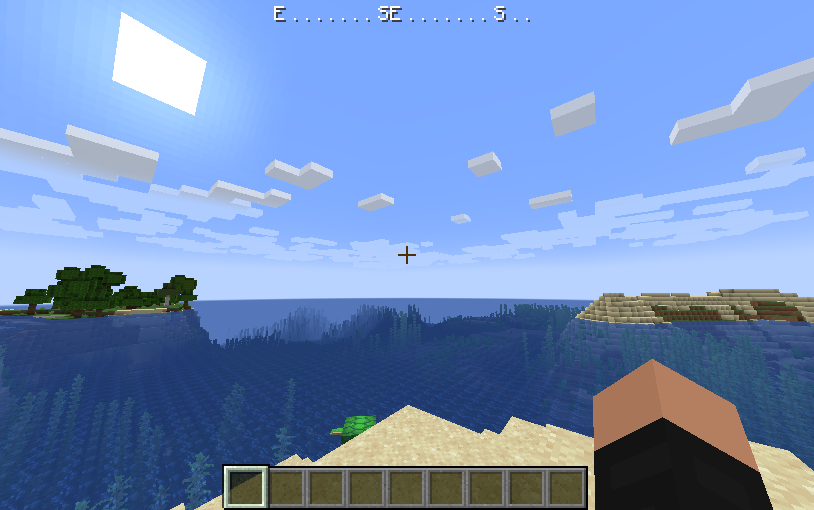
Project description from Modrinth.
Pick your setup
Choose the version and loader you play, then open the matching release.
Showing the newest 12 of 32 game versions. Older files are in the list below.
Check the dependencies, then try the file in a copied instance before changing a world you care about.
Recent files
waig-1.1.12-mc26.2.jar
28 Jun 2026
Looking for an older file? The official Modrinth project page is in Resources.
 mod
Experience dynamic music that adapts to what happens in Minecraft!
 mod
A fully client-side mod that enhances vanilla villager trading screen with mod supports
 mod
A lightweight mod that adds useful commands (like /tpa /repeat) and tweaks