
Minecraft version
Back to mods 
Modrinth · Minecraft mod
Overlayer
Overlay custom images anywhere on your game screen, with full control over position, scale, opacity, and layer order.
Choose a version Pick your version below, then grab the matching file.
Quick answer
Which Overlayer release should I use?
Latest stable file fabric-1.0.2
Game version 26.3
Loader Fabric
Overlayer fabric-1.0.2 targets 26.3 with Fabric. It must be installed on the client. Do not install it on the dedicated server. No extra mods listed for this file.
Where it goes
Is Overlayer required on the client, server, or both?
It must be installed on the client. Do not install it on the dedicated server.
Client Required
Dedicated server Not supported
Loader for this release Fabric
Required install it here Optional supported, not mandatory Not supported do not install here Source doesn’t say do not assume
This file is marked client-only.
What else does Overlayer fabric-1.0.2 need?
fabric-1.0.2. Change the file and its required mods may change too.
This file does not list any required mods. Do not add a library just because a different file uses it.
This file does not list any required or optional mods.
Before you install it
Add Overlayer without breaking your instance.
Built for Overlayer fabric-1.0.2. Pick another file and the loader, install side or required mods may change.
- 01
Stick to this file
Use fabric-1.0.2. It targets 26.3 with Fabric; another release may have different loader, side or dependency requirements.
- 02
Bring the mods it needs
This file does not list any required mods. Do not add a library just because a different file uses it.
- 03
Put it on the correct side
It must be installed on the client. Do not install it on the dedicated server.
- 04
Pick the file you checked
Use the “Get this file” button beside fabric-1.0.2. It opens that exact file at the source.
About this project
What does Overlayer add?
Overlayer

Overlayer is a client-side Minecraft mod that allows you to overlay any image (PNG, JPG, BMP, GIF, etc.) onto your game screen.
✨ Features
- Add image – Supports PNG, JPG, JPEG, BMP, GIF, TIF, ICO, PCX.etc
- Intuitive GUI – Edit entries in a clean settings screen.
- Live preview– See changes instantly as you adjust sliders.
- Game-aware – Images can be set to show only while playing or only on the main menu.
- Lightweight – Minimal performance impact.
📦 Installation
Download the latest Overlayer release compatible with your game and mod loader from the Releases page,
or from the Version list
🙏 Credits
- iCafe – Image processing library used for reading/writing various image formats.
Repository
📄 License
This project is licensed under the MIT License – see the LICENSE file for details.
Project description from Modrinth.
Pick your setup
Overlayer by Minecraft version and loader
Choose the version and loader you play, then open the matching release.
Minecraft version
26.2
2 loader buildsMinecraft version
1.21.5
2 loader buildsMinecraft version
1.21.1
2 loader buildsMinecraft version
1.20
1 loader buildCheck the dependencies, then try the file in a copied instance before changing a world you care about.
Recent files
Overlayer versions and loaders
fabric-1.0.2
overlayer-fabric-1.0.2.jar
16 Oct 2026
Client Required Server Not supported Dependencies No extras listed Listed on Release listing
Check the 26.3 · Fabric setup 26.3Fabric release
fabric-1.0.2.1
overlayer.jar
25 Sept 2026
Client Required Server Not supported Dependencies No extras listed Listed on Release listing
Check the 26.2 · Fabric setup 26.2Fabric release
fabric-1.0.2.1
overlayer-1.0.2.1.jar
25 Sept 2026
Client Required Server Not supported Dependencies No extras listed Listed on Release listing
Check the 1.21.1 · Fabric setup 1.21.1Fabric release
fabric-1.0.2
overlayer-1.0.2.jar
20 Sept 2026
Client Required Server Not supported Dependencies No extras listed Listed on Release listing
Check the 1.20 · Fabric setup 1.20Fabric release
neo-1.0.2
overlayer-1.0.2.jar
19 Sept 2026
Client Required Server Not supported Dependencies No extras listed Listed on Release listing
Check the 26.3 · NeoForge setup 26.3NeoForge release
fabric-1.0.2
overlayer-1.0.2.jar
19 Sept 2026
Client Required Server Not supported Dependencies No extras listed Listed on Release listing
Check the 1.21.5 · Fabric setup 1.21.5Fabric release
fabric-1.0.2
overlayer.jar
19 Sept 2026
Client Required Server Not supported Dependencies No extras listed Listed on Release listing
Check the 26.2 · Fabric setup 26.2Fabric release
neo-1.0.2
overlayer-1.0.2.jar
26 Aug 2026
Client Required Server Not supported Dependencies No extras listed Listed on Release listing
Check the 26.2 · NeoForge setup 26.2NeoForge release
fabric-1.0.2
overlayer-1.0.2.jar
23 Aug 2026
Client Required Server Not supported Dependencies No extras listed Listed on Release listing
Check the 1.21.1 · Fabric setup 1.21.1Fabric release
neo-1.0.2
overlayer-1.0.2.jar
22 Aug 2026
Client Required Server Not supported Dependencies No extras listed Listed on Release listing
Check the 1.21.1 · NeoForge setup 1.21.1NeoForge release
neo-1.0.1
overlayer-1.0.1.jar
26 Jul 2026
Client Required Server Not supported Dependencies No extras listed Listed on Release listing
Check the 1.21.5 · NeoForge setup 1.21.5NeoForge release
fabric-1.0.1
overlayer-1.0.1.jar
26 Jul 2026
Client Required Server Not supported Dependencies No extras listed Listed on Release listing
Check the 1.21.5 · Fabric setup 1.21.5Fabric release
Looking for an older file? The official Modrinth project page is in Resources.
 mod
mod CurseForge + Modrinth · Minecraft
Fish of Thieves
A mod adds all of the fish from Sea of Thieves, fish fer ye pirate!
 mod
mod CurseForge + Modrinth · Minecraft
Experience Skills
Earn separate experience for each skill just by playing — walking, mining, fighting, swimming, fishing, etc. — and level them up for attribute bonuses that grow with every level.
 mod
mod CurseForge + Modrinth · Minecraft
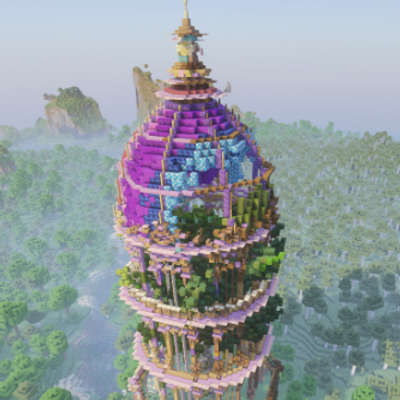
Much More Dungeons
Four handcrafted dungeons and six procedural jigsaw labyrinths, each with tiered loot, themed spawners and a named guardian, linked by treasure maps. Fabric, NeoForge and Forge, 1.20.1 to 26.3.