Fzzy Config Needed by Bannerpoint 1.2.0 for NeoForge 26.1.2
requiredMatching file found Matched file: fzzy_config-0.7.7+26.1+neoforge
CurseForge · Minecraft mod
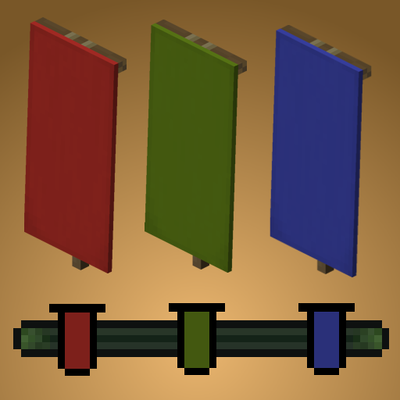
Turn banners into locator bar waypoints
Quick answer
Bannerpoint 1.2.0 for NeoForge 26.1.2 targets 26.1, 26.1.1, 26.1.2 with NeoForge. The project page does not say whether this file belongs on the client, dedicated server, or both. All 2 required mods have matching files.
Where it goes
The project page does not say whether this file belongs on the client, dedicated server, or both.
The source does not explicitly classify this release as client-only or server-only.
1.2.0 for NeoForge 26.1.2 on 26.1.2. Every mod below is checked against that same setup.
Install Fzzy Config, Kotlin for Forge first. We found matching files for this game-version and loader setup. 1 comes through another mod in the chain.
1 extra mod was pulled in by another dependency. Indented rows show who needs each one. We only count dependency files that match this setup. A file for another loader does not fill the gap.
Before you install it
Built for Bannerpoint 1.2.0 for NeoForge 26.1.2 on 26.1.2. Pick another file and the loader, install side or required mods may change.
Use 1.2.0 for NeoForge 26.1.2. It targets 26.1, 26.1.1, 26.1.2 with NeoForge; another release may have different loader, side or dependency requirements.
Install Fzzy Config, Kotlin for Forge first. We found matching files for this game-version and loader setup. 1 comes through another mod in the chain.
The project page does not say whether this file belongs on the client, dedicated server, or both.
Use the “Get this file” button beside 1.2.0 for NeoForge 26.1.2. It opens that exact file at the source.
About this project
Bannerpoint allows turning banners into waypoints that show up in the locator bar. Waypoints can be made by either naming the banner in an anvil and placing it, or by binding it to a map. Both methods can be toggled in the config. Waypoints made this way have unique icons with a color matching the banner's base color. Hold Tab to show all banner names above their icons in the locator bar, or Shift to show only the name of the banner you're looking towards. Names can also be shown with a dedicated keybind (hold or toggle), always, or automatically for the banner at your crosshair, all configurable in the client config. The distance to each banner is shown next to its name, which servers can turn off in the common config. To deactivate the waypoint, simply break the banner or remove it from the map it's bound to. The maximum range of banner waypoints can be configured, with the default being the same as the maximum range of player waypoints (60 million blocks).
Bannerpoint can be used as a fully server-side mod, but requires a resource pack on the client for banner waypoint icons. The resource pack can be installed either by simply downloading it and enabling it on in the client, or if running a Fabric server, by installing Polymer on the server and turning on Auto Host, which will automatically prompt connecting clients to download the resource pack. Showing banner names and distances requires having the mod installed on the client.
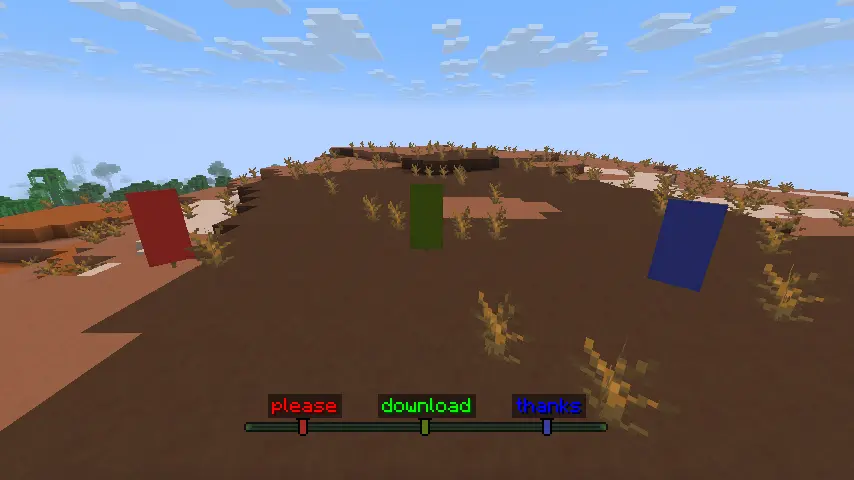
Project description from CurseForge.
Pick your setup
Choose the version and loader you play, then open the matching release.
Check the dependencies, then try the file in a copied instance before changing a world you care about.
Recent files
bannerpoint-neoforge-1.2.0-26.1.2.jar
23 Nov 2026
bannerpoint-fabric-1.2.0-26.1.2.jar
23 Nov 2026
bannerpoint-1.1.2+26.1.2-fabric.jar
20 Jul 2026
bannerpoint-1.1.2+26.1.2-neoforge.jar
20 Jul 2026
bannerpoint-1.1.1+26.1.2-fabric.jar
13 Jun 2026
bannerpoint-1.1.1+26.1.2-neoforge.jar
13 Jun 2026
bannerpoint-1.1.0+26.1.2-fabric.jar
9 Jun 2026
bannerpoint-1.1.0+26.1.2-neoforge.jar
9 Jun 2026
bannerpoint-1.0.2+26.1.2-fabric.jar
1 Jun 2026
bannerpoint-1.0.2+26.1.2-neoforge.jar
1 Jun 2026
bannerpoint-1.0.1+26.1.2-fabric.jar
12 May 2026
bannerpoint-1.0.1+26.1.2-neoforge.jar
12 May 2026
Looking for an older file? The official CurseForge project page is in Resources.
 mod
Reduced delay between music tracks, next track keybind, now playing widget and more
 mod
Farming automation mod with planters, machines, modules, and power gen.
 mod
A module for Tuanzi's server, which requires the client to install it.