NuclearCraft: Neoteric Optional for Multi Builder Tool MultiBuilder-26.1-1.3.0.jar
optionalNo matching file
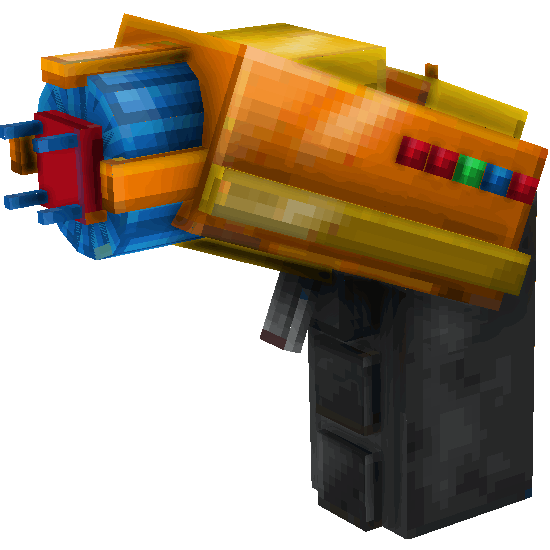
CurseForge · Minecraft mod
Build Multiblocks with one click
Quick answer
Multi Builder Tool MultiBuilder-26.1-1.3.0.jar targets 26.1.2 with NeoForge. The project page does not say whether this file belongs on the client, dedicated server, or both. No extra mods listed for this file.
Where it goes
The project page does not say whether this file belongs on the client, dedicated server, or both.
The source does not explicitly classify this release as client-only or server-only.
MultiBuilder-26.1-1.3.0.jar on 26.1.2. Every mod below is checked against that same setup.
This file does not list any required mods. Do not add a library just because a different file uses it.
We only count dependency files that match this setup. A file for another loader does not fill the gap.
Before you install it
Built for Multi Builder Tool MultiBuilder-26.1-1.3.0.jar on 26.1.2. Pick another file and the loader, install side or required mods may change.
Use MultiBuilder-26.1-1.3.0.jar. It targets 26.1.2 with NeoForge; another release may have different loader, side or dependency requirements.
This file does not list any required mods. Do not add a library just because a different file uses it.
The project page does not say whether this file belongs on the client, dedicated server, or both.
Use the “Get this file” button beside MultiBuilder-26.1-1.3.0.jar. It opens that exact file at the source.
About this project
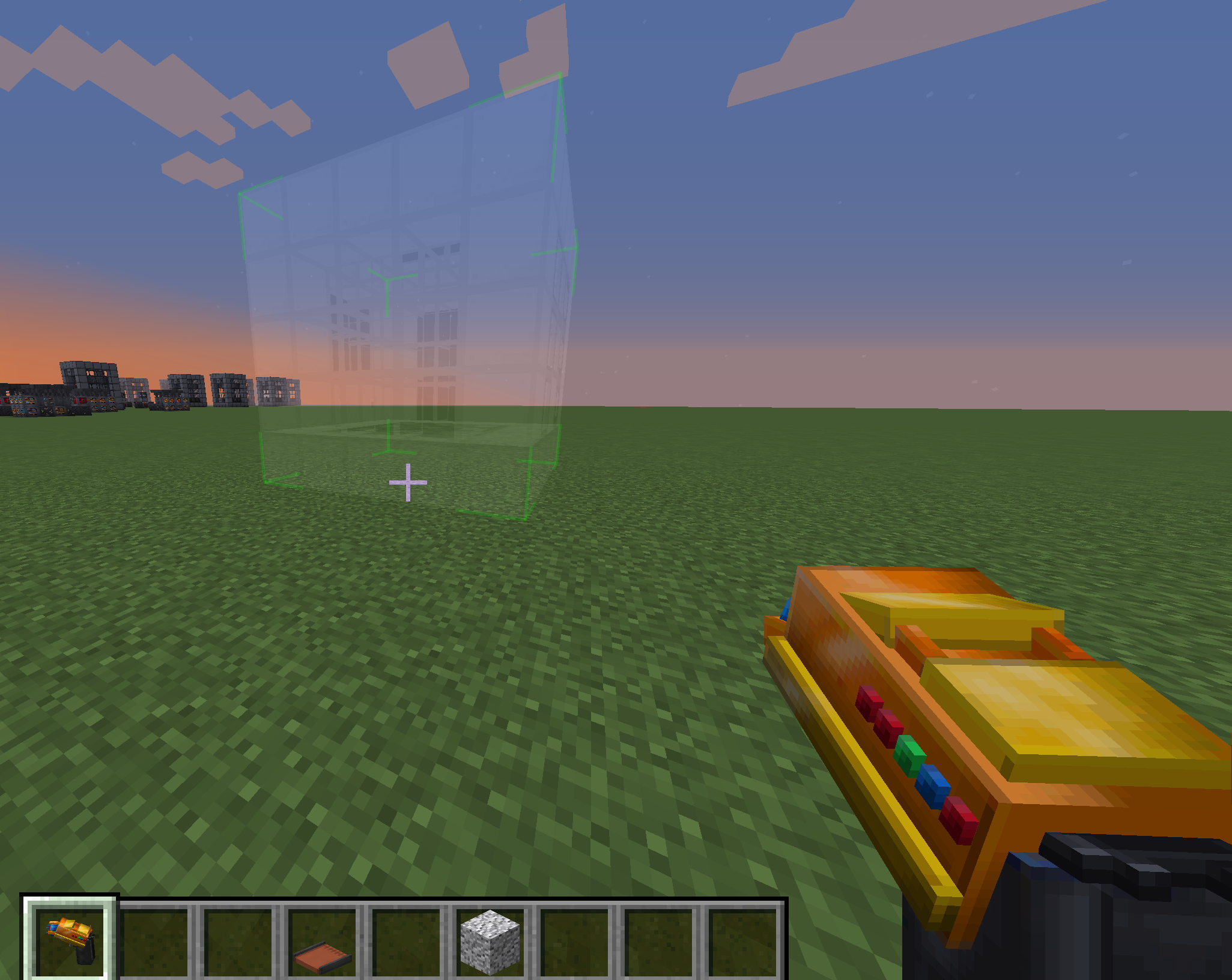
Tired of building numerous structures by hand?
undefined
Use MBTool!
If you like to group structures you can simply create a sub-folder in mbtool_structures folder eg. "reactors", and place all reactor structures inside. This also can be done with kubejs, see example below.
MbtoolKJSEvents.InitMbtoolStructures(event => { for(let i = 0; i < event.structures.length; i++) { console.log(event.structures[i].getId()); console.log(event.structures[i].getName()); console.log(event.structures[i].getStructureNbt()); console.log(event.structures[i].getGroup()); event.structures[i].setStructureNbt(CompoundTag.fromJSON({})); // set structure nbt (you can use this to change the structure, but be careful!) var nbt = event.structures[i].getStructureNbt(); // get structure nbt nbt.palette[0].Name = 'minecraft:iron_block'; // change first block in palette to iron block event.structures[i].setStructureNbt(nbt); // set structure nbt again //if you wish to remove structure, then set some non existing block nbt.palette[0].Name = 'minecraft:not_existing_block'; event.structures[i].setStructureNbt(nbt); // set structure nbt again // Example if you wish to pack all reactors into Group if (event.structures[i].getId().toString().toLowerCase().includes('reactor')) { event.structures[i].setGroup('Reactors'); } }});

SHIFT+use to open GUI
SHIFT+SCROLL to rotate structure before placement
Multibuilder Tool has own inventory where you store blocks needed for building
Better structure selection GUI with search field and multiblocks previews
Implemented server-client sync. When client joins the server, it will have only structures what server sent
Easy to add new structures. In your data pack locate NBT structure files in following path: data/mbtool/mbtool_structures/my_custom_structure.nbt
Add translations for your structure: "mbtool.structure.my_custom_structure": "Your structure name"
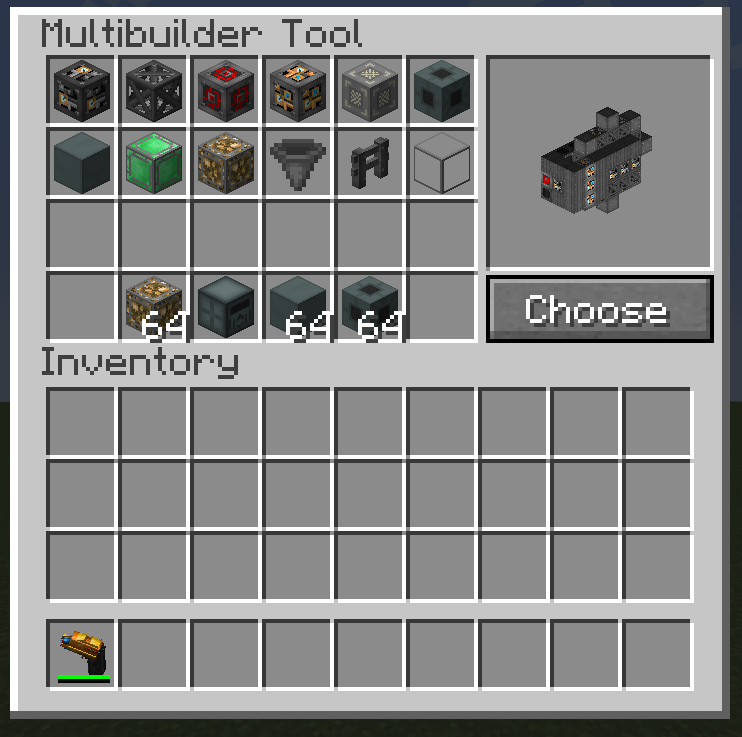
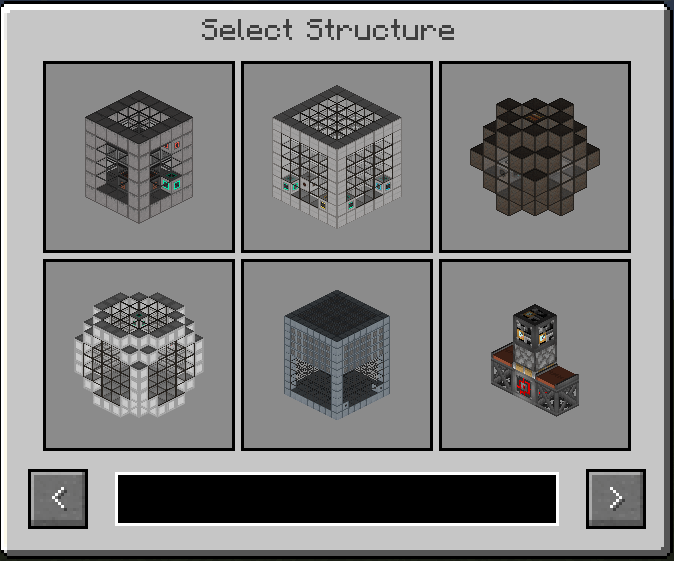
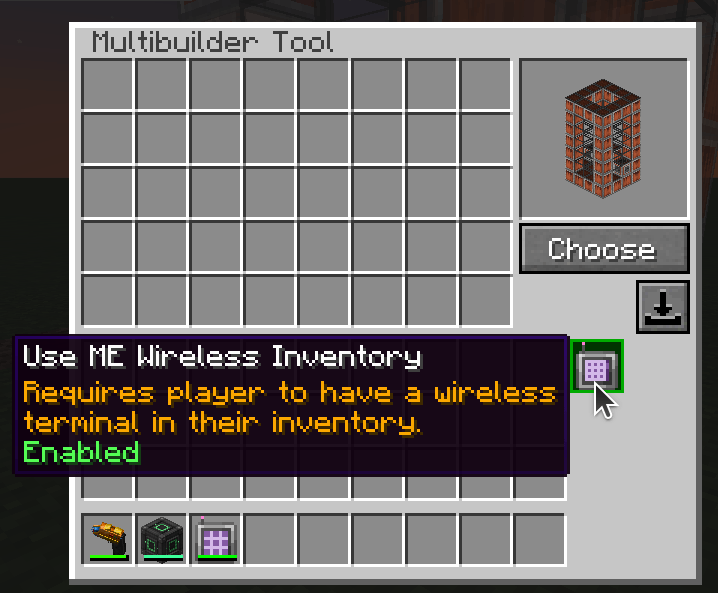
Allows to use AE2 ME storage for buildings if you have linked Wireless terminal in your inventory
Supports structures from: Mekanism, Immersive Engineering, Immersive Petroleum, NuclearCraft, QMD, IC2, TConstruct, Extreme Reactors, Draconic Evolution
Add your own multistructures.
undefined
undefined
Project description from CurseForge.
Pick your setup
Choose the version and loader you play, then open the matching release.
Check the dependencies, then try the file in a copied instance before changing a world you care about.
Recent files
24 Jul 2026
Looking for an older file? The official CurseForge project page is in Resources.
 mod
5th Version of the QDC Quantum Dis-Assembly Craft mod. Focusing on QOL Usability and other Mods Compatibility.
 mod
Lets your Minecraft Fabric or NeoForge server snooze when idle, slashing CPU usage without missing a block!
 mod
Shield Bash Lite adds a perfect-block mechanic that briefly stuns melee attackers when you raise your shield at the right moment