Fabric API Needed by One World Folder OneWorldFolder 1.1.4
requiredMatching file found Matched file: [26.3] Fabric API 0.166.0+26.3

CurseForge · Minecraft mod
A minecraft fabric mod, that allows any minecraft instance to access the default saves folder located in the .minecraft directory.
Quick answer
One World Folder OneWorldFolder 1.1.4 targets 26.3 with Fabric. The project page does not say whether this file belongs on the client, dedicated server, or both. All 1 required mods have matching files.
Where it goes
The project page does not say whether this file belongs on the client, dedicated server, or both.
The source does not explicitly classify this release as client-only or server-only.
OneWorldFolder 1.1.4. Change the file and its required mods may change too.
Install Fabric API first. We found matching files for this game-version and loader setup.
We only count dependency files that match this setup. A file for another loader does not fill the gap.
Before you install it
Built for One World Folder OneWorldFolder 1.1.4. Pick another file and the loader, install side or required mods may change.
Use OneWorldFolder 1.1.4. It targets 26.3 with Fabric; another release may have different loader, side or dependency requirements.
Install Fabric API first. We found matching files for this game-version and loader setup.
The project page does not say whether this file belongs on the client, dedicated server, or both.
Use the “Get this file” button beside OneWorldFolder 1.1.4. It opens that exact file at the source.
About this project
A minecraft fabric mod, that allows minecraft to access the default saves folder located in .minecraft. To open the world select screen click on the OneWorldFolder icon next to the Singleplayer button. If you like my mods consider supporting the development by buying me a coffee:

One world folder has a config to change its behavior. The config-file currently must be edited manually.
There are two possible locations for this config file:
.minecraft/config/oneworldfolder/oneworldfolder.jsoncurrentMinecraftInstanceFolder/config/oneworldfolder/oneworldfolder.jsonThe config with the highest priority will be used.
The generated default config looks like this:
{
    "external_saves_directory": "--auto-detect",
    "priority": -1,
    "swap_owf_and_singleplayer_button": false,
    "replace_singleplayer_button": false,
    "additional_resourcepacks_dirs": []
}
This config will automatically detect the default saves folder located in .minecraft.
saves folderTo use a custom saves folder set external_saves_directory to your desired directory:
{
    "external_saves_directory": "C:/Users/username/mycoolsaves",
    "priority": -1,
    "swap_owf_and_singleplayer_button": false,
    "replace_singleplayer_button": false,
    "additional_resourcepacks_dirs": []
}
resourcepacks folder (since v. 1.0.13)To use a custom resourcepacks folder add your desired directory to additional_resourcepacks_dirs:
{
    "external_saves_directory": "C:/Users/username/mycoolsaves",
    "priority": -1,
    "swap_owf_and_singleplayer_button": false,
    "replace_singleplayer_button": false,
    "additional_resourcepacks_dirs": [
        "C:/Users/username/mycoolresourcepacks"
    ]
}
In the above example the mycoolresourcepacks folder acts exactly as the resourcepacks folder of your Minecraft instance.
swap_owf_and_singleplayer_button (since v. 1.0.8): The single player button now opens your specified external saves folder. The OneWorldFolder button now opens the normal saves folder of the current instance.replace_singleplayer_button (since v. 1.0.8): The single player button now opens your specified external saves folder. No extra buttons are added. If this is enabled (set to true), the swap_owf_and_singleplayer_button option will be ignored.Project description from CurseForge.
Pick your setup
Choose the version and loader you play, then open the matching release.
Showing the newest 12 of 22 game versions. Older files are in the list below.
Check the dependencies, then try the file in a copied instance before changing a world you care about.
Recent files
oneworldfolder-1.1.4-26.3.jar
20 Sept 2026
oneworldfolder-1.1.3-26.2.jar
19 Jun 2026
oneworldfolder-1.1.3-26.1.2.jar
10 Apr 2026
oneworldfolder-1.1.3-26.1.1.jar
3 Apr 2026
oneworldfolder-1.1.3-26.1.1.jar
3 Apr 2026
oneworldfolder-1.1.3-26.1.jar
27 Mar 2026
oneworldfolder-1.1.2-1.21.11.jar
13 Mar 2026
oneworldfolder-1.1.0-1.21.11.jar
26 Jan 2026
oneworldfolder-1.0.18-1.21.11.jar
19 Dec 2025
oneworldfolder-1.0.17-1.21.11.jar
10 Dec 2025
oneworldfolder-1.0.16-1.21.10.jar
7 Oct 2025
oneworldfolder-1.0.16-1.21.9.jar
3 Oct 2025
Looking for an older file? The official CurseForge project page is in Resources.
 mod
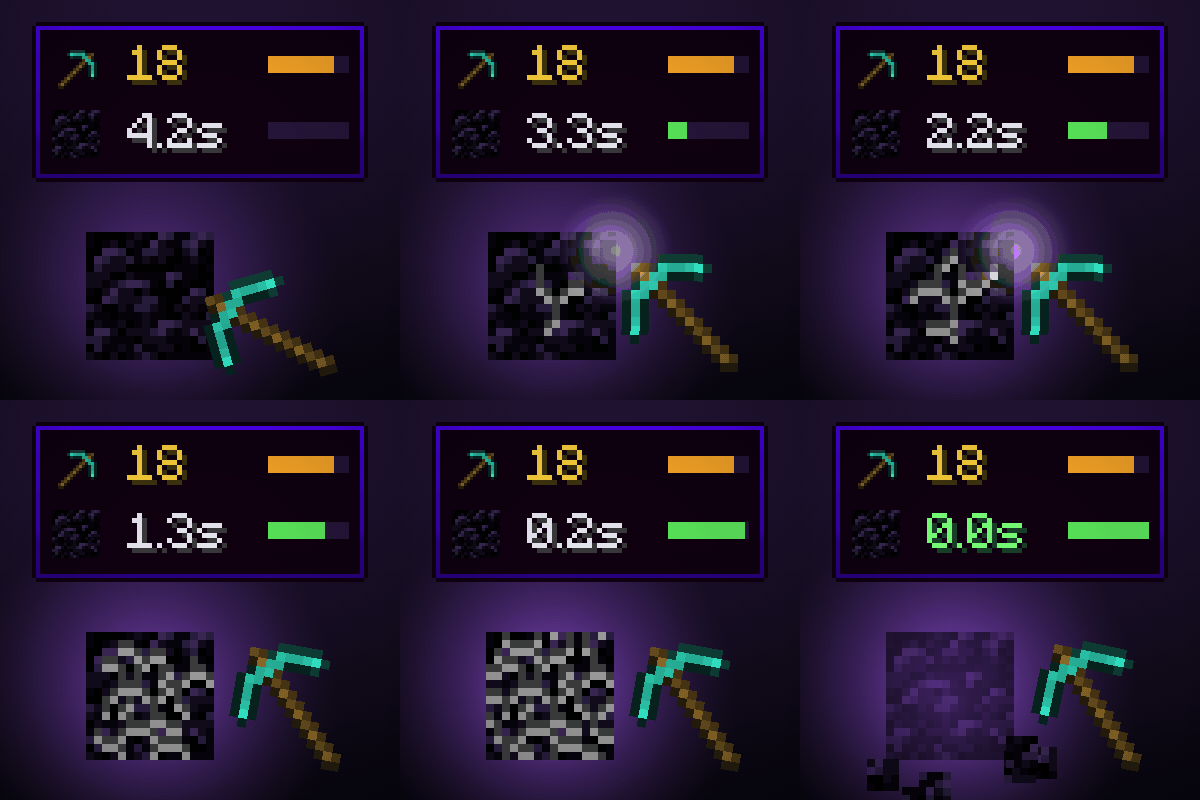
See a tool's mining speed (with Efficiency) and how long it takes to break the block you're looking at. Client-side.
 mod
Borderless fullscreen with a 3-mode system and configurable F11, plus a growing set of video and quality-of-life options Minecraft doesn't expose. Every setting defaults to vanilla. Client-side, no dependencies, optional Sodium integration.
 mod
Client-side visual body-profile mod offering Vanilla and Chibi profiles without altering player hitboxes.