Minecraft version
Back to mods 
Modrinth · Minecraft mod
AetherTune
Automatic optimizer for Sodium. Tunes everything to your RAM
Choose a version Pick your version below, then grab the matching file.
Quick answer
Which AetherTune release should I use?
Latest stable file 1.1.0
Game version 26.3
Loader NeoForge
AetherTune 1.1.0 targets 26.3 with NeoForge. It must be installed on the client. Do not install it on the dedicated server. No extra mods listed for this file.
Where it goes
Is AetherTune required on the client, server, or both?
It must be installed on the client. Do not install it on the dedicated server.
Client Required
Dedicated server Not supported
Loader for this release NeoForge
Required install it here Optional supported, not mandatory Not supported do not install here Source doesn’t say do not assume
This file is marked client-only.
What else does AetherTune 1.1.0 need?
1.1.0. Change the file and its required mods may change too.
This file does not list any required mods. Do not add a library just because a different file uses it.
This file does not list any required or optional mods.
Before you install it
Add AetherTune without breaking your instance.
Built for AetherTune 1.1.0. Pick another file and the loader, install side or required mods may change.
- 01
Stick to this file
Use 1.1.0. It targets 26.3 with NeoForge; another release may have different loader, side or dependency requirements.
- 02
Bring the mods it needs
This file does not list any required mods. Do not add a library just because a different file uses it.
- 03
Put it on the correct side
It must be installed on the client. Do not install it on the dedicated server.
- 04
Pick the file you checked
Use the “Get this file” button beside 1.1.0. It opens that exact file at the source.
About this project
What does AetherTune add?


Client-side optimization made simple.
AetherTune automatically adjusts Sodium and Minecraft optimization settings according to your available hardware, providing an optimized experience without requiring manual configuration.
⚡ Optimization Profiles

✨ Features
- Automatic Render & Simulation Distance — Adjusts distances according to your hardware.
- FPS Optimization — Configures your maximum FPS for a smoother experience.
- Graphics Optimization — Automatically adjusts particles, clouds and graphics quality.
- Lighting & VSync — Optimizes lighting, VSync and related settings.
- Entity Optimization — Adjusts entity distance and shadows.
- Advanced Sodium Settings — Configures performance and quality options from Sodium 0.8.x.
- Hardware Detection — Automatically detects available RAM, CPU and GPU.
- Configuration Management — Saves and restores your optimization settings.
📦 Requirements
- Sodium
- Fabric API

Project description from Modrinth.
Pick your setup
AetherTune by Minecraft version and loader
Choose the version and loader you play, then open the matching release.
Minecraft version
26.2
2 loader buildsMinecraft version
26.1.2
2 loader buildsMinecraft version
26.1.1
2 loader buildsMinecraft version
26.1
2 loader buildsMinecraft version
1.21.11
1 loader buildMinecraft version
1.21.10
1 loader buildMinecraft version
1.21.9
1 loader buildMinecraft version
1.21.8
1 loader buildMinecraft version
1.21.7
1 loader buildMinecraft version
1.21.6
1 loader buildMinecraft version
1.21.5
1 loader buildShowing the newest 12 of 24 game versions. Older files are in the list below.
Check the dependencies, then try the file in a copied instance before changing a world you care about.
Recent files
AetherTune versions and loaders
1.1.0
aethertune-1.1.0-neoforge-26.3.jar
24 Nov 2026
Client Required Server Not supported Dependencies No extras listed Listed on Release listing
Check the 26.3 · NeoForge setup 26.3NeoForge release
1.1.0
aethertune-1.1.0-neoforge-26.2.jar
23 Nov 2026
Client Required Server Not supported Dependencies 1 required · 1 unchecked Listed on Release listing
Check the 26.2 · NeoForge setup 26.2NeoForge release
1.1.0
aethertune-1.1.0-neoforge-26.1.2.jar
23 Nov 2026
Client Required Server Not supported Dependencies 1 required · 1 unchecked Listed on Release listing
Check the 26.1.2 · NeoForge setup 26.1.226.1.126.1NeoForge release
1.1.0-26x
aethertune-1.1.0-26x.jar
23 Nov 2026
Client Required Server Not supported Dependencies 1 required · 1 unchecked Listed on Release listing
Check the 26.3 · Fabric setup 26.326.226.1.226.1.1 release
1.1.0-NeoForge
aethertune-1.1.0-neoforge-26.1.2.jar
19 Nov 2026
Client Required Server Not supported Dependencies No extras listed Listed on Release listing
Check the 26.1.2 · NeoForge setup 26.1.226.1.126.1NeoForge release
1.1.0-NeoForge
aethertune-1.1.0-neoforge-26.2.jar
19 Nov 2026
Client Required Server Not supported Dependencies 1 required · 1 unchecked Listed on Release listing
Check the 26.2 · NeoForge setup 26.2NeoForge release
1.1.0-NeoForge
aethertune-1.1.0-neoforge-26.3.jar
19 Nov 2026
Client Required Server Not supported Dependencies 1 required · 1 unchecked Listed on Release listing
Check the 26.3 · NeoForge setup 26.3NeoForge release
1.0.1-1.20x
aethertune-1.0.1-1.20x.jar
14 Nov 2026
Client Required Server Not supported Dependencies 1 required · 1 unchecked Listed on Release listing
Check the 1.20.6 · Fabric setup 1.20.61.20.51.20.41.20.3 release
26x
aethertune-1.1.0-26x.jar
22 Oct 2026
Client Required Server Not supported Dependencies 1 required · 1 unchecked Listed on Release listing
Check the 26.3 · Fabric setup 26.126.1.126.1.226.2 release
1.0.1-1.21x
aethertune-1.0.1-1.21x.jar
2 Sept 2026
Client Required Server Not supported Dependencies 1 required · 1 unchecked Listed on Release listing
Check the 1.21.11 · Fabric setup 1.211.21.11.21.101.21.11 release
1.0.0-1.21x
AetherTune-1.0.0-MC1.21.1.jar
1 Sept 2026
Client Required Server Not supported Dependencies No extras listed Listed on Release listing
Check the 1.21.11 · Fabric setup 1.211.21.11.21.101.21.11 beta
Looking for an older file? The official Modrinth project page is in Resources.
 mod
CurseForge + Modrinth · Minecraft
VO: Better Dogs
Enhances vanilla wolves with unique personalities (Aggressive, Pacifist, Normal), smarter AI, safety behaviors, and combat improvements.
 mod
CurseForge + Modrinth · Minecraft
The Last Block of Us
This mod adds a variety of items, weapons, mobs, and more inspired by the video game The Last of Us.
 mod
CurseForge + Modrinth · Minecraft
DG Natural Reproduction
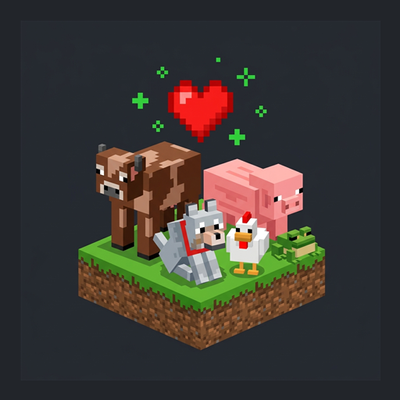
Natural Reproduction allows all passive mobs in Minecraft to autonomously breed and multiply when environmental conditions are ideal, while rewarding thoughtful pasture management and multi-generational genetics investment.