Fabric API Needed by Forecasted 1.0.1
requiredMatching file found Matched file: 0.154.1+26.2

Modrinth · Minecraft mod
This mod added a simple HUD that shows the time of day, playtime, weather, etc. And it can even be customized!
Quick answer
Forecasted 1.0.1 targets 26.2 with Fabric. It must be installed on the client. Do not install it on the dedicated server. All 1 required mods have matching files.
Where it goes
It must be installed on the client. Do not install it on the dedicated server.
This file is marked client-only.
1.0.1 on 26.2. Every mod below is checked against that same setup.
Install Fabric API first. We found matching files for this game-version and loader setup.
We only count dependency files that match this setup. A file for another loader does not fill the gap.
Before you install it
Built for Forecasted 1.0.1 on 26.2. Pick another file and the loader, install side or required mods may change.
Use 1.0.1. It targets 26.2 with Fabric; another release may have different loader, side or dependency requirements.
Install Fabric API first. We found matching files for this game-version and loader setup.
It must be installed on the client. Do not install it on the dedicated server.
Use the “Get this file” button beside 1.0.1. It opens that exact file at the source.
About this project
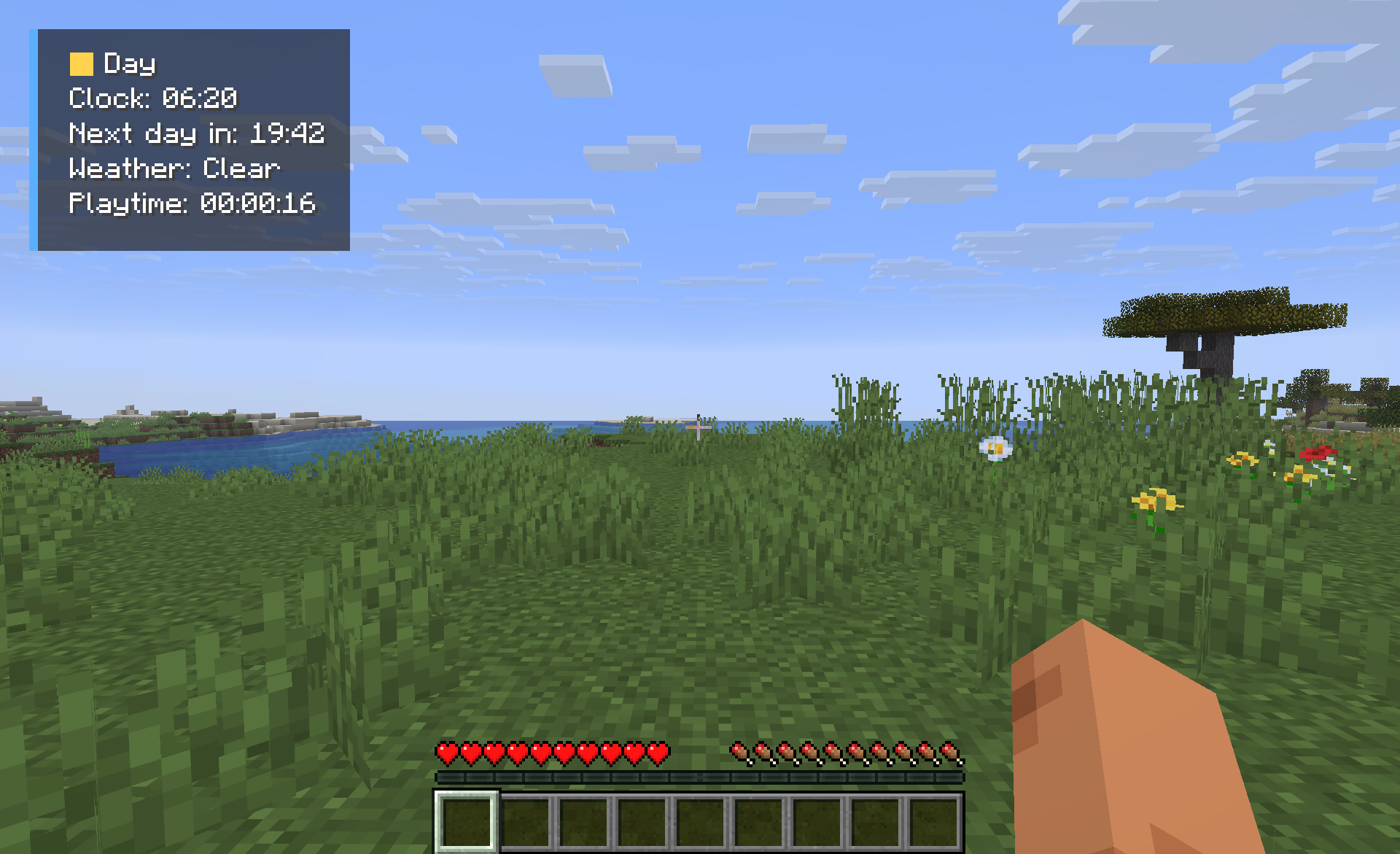 Forecast gives you an simple display that shows you what you need to know when you are playing Minecraft. You do not have to open the debug screen to see this information.
You can see what time it is in Minecraft, what the weather is like if it is day or night how long you have been playing and how much time is left until the day. All of this is shown in a window that you can move around and change to fit your screen.
Features
Forecast is helpful when you are playing Minecraft. You can see the things without having to look around for them.
You can start using Forecast away. You just have to install it on your computer. You are ready to go. You do not have to put it on your server.
Project description from Modrinth.
Pick your setup
Choose the version and loader you play, then open the matching release.
Check the dependencies, then try the file in a copied instance before changing a world you care about.
Recent files
forecast-1.0.1.jar
17 Jul 2026
forecast-1.0.0.jar
17 Jul 2026
Looking for an older file? The official Modrinth project page is in Resources.
 mod
modDiscover, highlight, inspect, modify - your vanilla & modded mob encyclopedia
 mod
modSupercharge shulker boxes with browsing, inserting and extracting contents directly from your inventory.
 mod
modFancy storage for fancy folks. A unique alternatives to your average backpack mod.