Minecraft version
Back to mods 
Modrinth · Minecraft mod
The Graveyard
Upon death, you will find yourself in the Graveyard Dimension.
Choose a version Pick your version below, then grab the matching file.
Quick answer
Which The Graveyard release should I use?
beta file 1.5.1+mod
Game version 26.1, 26.1.1, 26.1.2
Loader Fabric, Forge, NeoForge
The Graveyard 1.5.1+mod targets 26.1, 26.1.1, 26.1.2 with Fabric, Forge, NeoForge. Installation on the client is optional. Installation on the dedicated server is optional. No extra mods listed for this file.
Where it goes
Is The Graveyard required on the client, server, or both?
Installation on the client is optional. Installation on the dedicated server is optional.
Client Optional
Dedicated server Optional
Loader for this release Fabric, Forge, NeoForge
Required install it here Optional supported, not mandatory Not supported do not install here Source doesn’t say do not assume
The source marks this as usable on both the client and server.
What else does The Graveyard 1.5.1+mod need?
1.5.1+mod. Change the file and its required mods may change too.
This file does not list any required mods. Do not add a library just because a different file uses it.
This file does not list any required or optional mods.
Before you install it
Add The Graveyard without breaking your instance.
Built for The Graveyard 1.5.1+mod. Pick another file and the loader, install side or required mods may change.
- 01
Stick to this file
Use 1.5.1+mod. It targets 26.1, 26.1.1, 26.1.2 with Fabric, Forge, NeoForge; another release may have different loader, side or dependency requirements.
- 02
Bring the mods it needs
This file does not list any required mods. Do not add a library just because a different file uses it.
- 03
Put it on the correct side
Installation on the client is optional. Installation on the dedicated server is optional.
- 04
Pick the file you checked
Use the “Get this file” button beside 1.5.1+mod. It opens that exact file at the source.
About this project
What does The Graveyard add?
STILL IN BETA
Please report any bugs to this discord: https://discord.gg/CW5CA6t6Zu
🪦 The Graveyard
Upon death, you will find yourself in the Graveyard.
The Graveyard is a dimension where dead people lie forever, or until they find a way out.
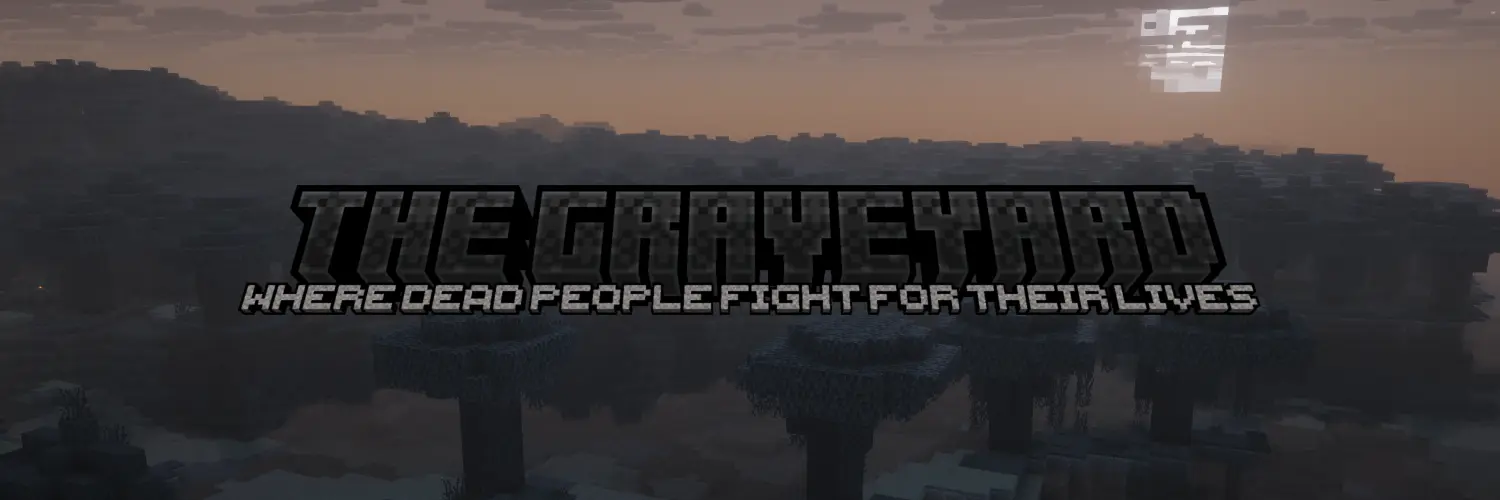
👻 The dimension
The Graveyard is a mirror dimension of the Overworld. It has the same terrain, but it is only a Pale Garden biome.
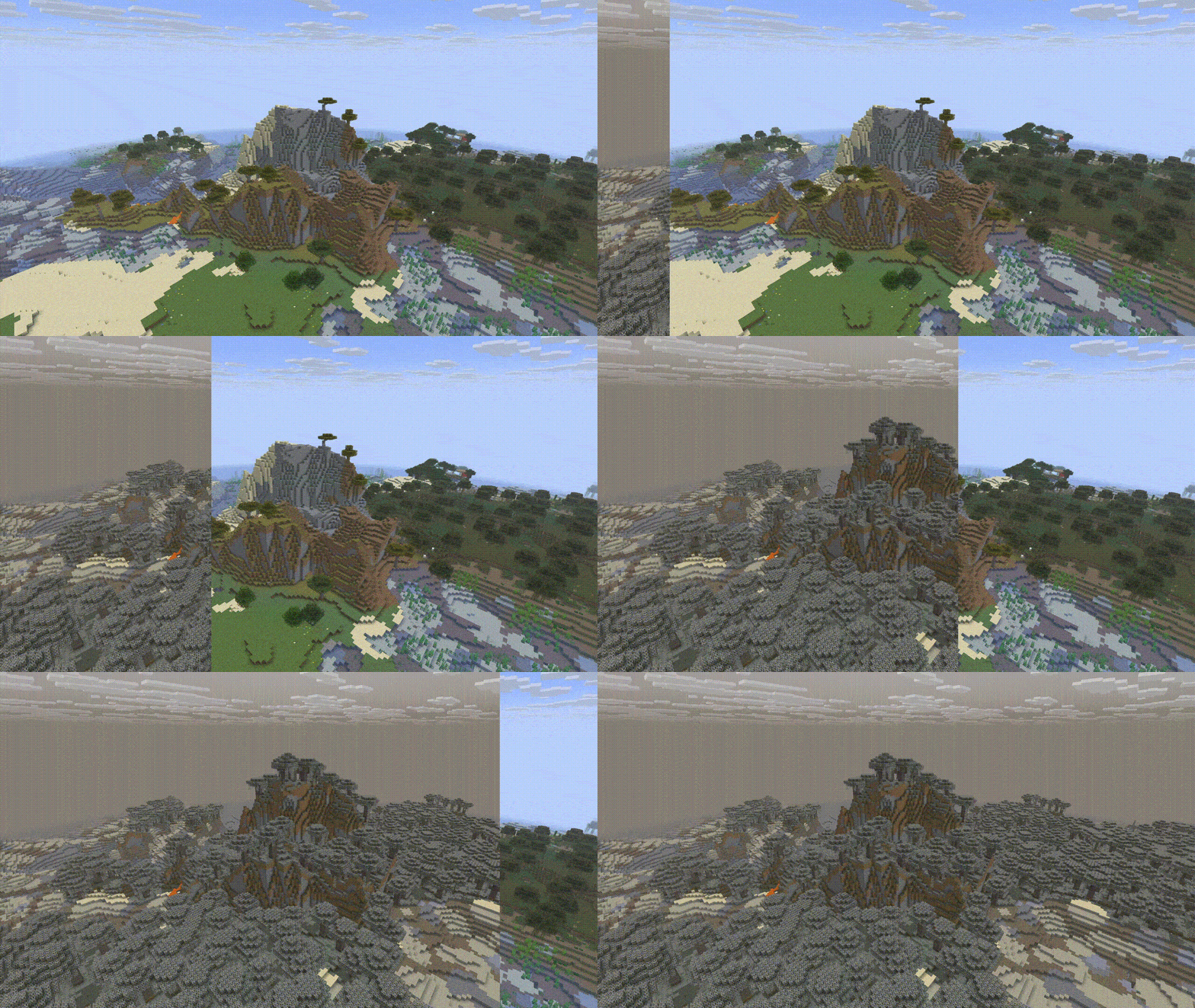
When you die, you will fall from the sky of the Graveyard, over the spawn coordinates.
In the Graveyard, you are very weak, but immortal. You are unable to sprint and destroying blocks is a tedious task.
When looking around, you might see the people of the Overworld wandering, and they will also be able to see your ghost in the Overworld. These ghosts are live representations of players, meaning that you can interact between dimensions.
Some of the hostile mobs from the Graveyard have special ablities that they do not have anywhere else.
Shields break upon use in the Graveyard.
🕯️ The soul
Even if you are immortal, you still have something to worry about: your soul.
Your soul acts as your health bar, where it depeats when getting hit by mobs or simply by taking damage from most damage sources. It is displayed in your chest slot.
You can heal your soul by crouching while holding the remains of the mobs you killed. This will use up the items.
List of consumables
- Rotten Flesh
- Bone
- Spider Eye
- Gunpowder
- Slime Ball
- Ender Pearl
- Creaking Heart
- Ink Sac
- Glow Ink Sac
Your soul has 200 energy, but it starts at 50. There are buffs scaled based on how much energy you have, but when at 0, you get major debuffs.
You can check how much energy you have by hovering over your soul located in the chest slot.
🧟 Revival
There are three ways to get out of the Graveyard.
The people from the Overworld can craft a Recovery Core and drop it at a ghost's feet to recover them, but this is not a full revival. They will come back at a capped 5 hearts.
Players stuck in the Graveyard can still get out by themselves. They will need to craft a Reawakening Apple and when the soul is at 200 energy, the player can consume the apple to go back to the Overworld at a capped 3 hearts.
To fully save someone from the Graveyard, a player from the Overworld will need to upgrade a Recovery Core to a Resurrection Crystal. This item can be dropped to a ghost's feet or to a recovered/reawakened player to fully resurrect them.
See crafting recipes in Gallery Tab
Info
Keep Inventory is always off to prevent players from smuggling items in the Graveyard.
Operators can run the command /function graveyard:give_items to obtain the Recovery Core, the Resurrection Crystal and the Reawakening Apple.
Installation
Server Installation (Datapack)
Go in the main server file
Open world -> datapacks
Upload the datapack in the datapacks folder
World Installation (Datapack)
Press Win + R and enter %appdata%
Open .minecraft -> saves -> -> datapacks
Upload the datapack in the datapacks folder
(Note that if you are using a launcher like Modrinth App or Prism Launcher, you'll need to go on your instance on the launcher and click on Open Folder.)
Server Installation (Mod)
Go in the main server file
Open mods
Upload the mod in the mods folder
Project description from Modrinth.
Pick your setup
The Graveyard by Minecraft version and loader
Choose the version and loader you play, then open the matching release.
Minecraft version
26.1.2
5 loader buildsMinecraft version
26.1.1
5 loader buildsMinecraft version
26.1
5 loader buildsCheck the dependencies, then try the file in a copied instance before changing a world you care about.
Recent files
The Graveyard versions and loaders
1.5.1+mod
the-graveyard-1.5.1.jar
14 Aug 2026
Client Optional Server Optional Dependencies No extras listed Listed on Release listing
Check the 26.2 · Fabric setup 26.126.1.126.1.226.2 beta
1.5.1
TheGraveyard_Beta_1.5.1.zip
14 Aug 2026
Client Optional Server Optional Dependencies No extras listed Listed on Release listing
Check the 26.2 · datapack setup 26.126.1.126.1.226.2 beta
1.5+mod
the-graveyard-1.5.jar
14 Aug 2026
Client Optional Server Optional Dependencies No extras listed Listed on Release listing
Check the 26.2 · Fabric setup 26.126.1.126.1.226.2 beta
1.5
TheGraveyard_Beta_1.5.zip
14 Aug 2026
Client Optional Server Optional Dependencies No extras listed Listed on Release listing
Check the 26.2 · datapack setup 26.126.1.126.1.226.2 beta
1.4+mod
the-graveyard-1.4.jar
12 Aug 2026
Client Optional Server Optional Dependencies No extras listed Listed on Release listing
Check the 26.2 · Fabric setup 26.126.1.126.1.226.2 beta
1.4
TheGraveyard_Beta_1.4.zip
12 Aug 2026
Client Optional Server Optional Dependencies No extras listed Listed on Release listing
Check the 26.2 · datapack setup 26.126.1.126.1.226.2 beta
1.3+mod
the-graveyard-1.3.jar
11 Aug 2026
Client Optional Server Optional Dependencies No extras listed Listed on Release listing
Check the 26.2 · Fabric setup 26.126.1.126.1.226.2 beta
1.3
TheGraveyard_Beta_1.3.zip
11 Aug 2026
Client Optional Server Optional Dependencies No extras listed Listed on Release listing
Check the 26.2 · datapack setup 26.126.1.126.1.226.2 beta
1.2+mod
the-graveyard-1.2.jar
10 Aug 2026
Client Optional Server Optional Dependencies No extras listed Listed on Release listing
Check the 26.2 · Fabric setup 26.126.1.126.1.226.2 beta
1.2
TheGraveyard_Beta_1.2.zip
10 Aug 2026
Client Optional Server Optional Dependencies No extras listed Listed on Release listing
Check the 26.2 · datapack setup 26.126.1.126.1.226.2 beta
1.1+mod
the-graveyard-1.1.jar
8 Aug 2026
Client Optional Server Optional Dependencies No extras listed Listed on Release listing
Check the 26.2 · Fabric setup 26.126.1.126.1.226.2 beta
1.1
TheGraveyard_Beta_1.1.zip
8 Aug 2026
Client Optional Server Optional Dependencies No extras listed Listed on Release listing
Check the 26.2 · datapack setup 26.126.1.126.1.226.2 beta
Looking for an older file? The official Modrinth project page is in Resources.
 mod
mod CurseForge + Modrinth · Minecraft
Floating Damage Indicators
Adds floating damage numbers above every target you hit, and your own incoming damage too. Color-coded by damage type.
 mod
mod CurseForge + Modrinth · Minecraft
Yori3o's Grappling Hooks
Adds vanilla-like and physically realistic grappling hooks.
 mod
mod CurseForge + Modrinth · Minecraft
NutritionZ
Nutrition system which has 5 nutrients to challenge your diet