Minecraft version
Back to mods 
Modrinth · Minecraft mod
Cobble Models
Easy to use placeable Cobblemon Models!
Choose a version Pick your version below, then grab the matching file.
Quick answer
Which Cobble Models release matches Fabric?
Best match for your filters 1.0.0
Game version 1.21.1, 1.21.10, 1.21.11
Loader Fabric
Cobble Models 1.0.0 targets 1.21.1, 1.21.10, 1.21.11 with Fabric. Do not install it on the client. It must be installed on the dedicated server. No extra mods listed for this file.
Where it goes
Is Cobble Models required on the client, server, or both?
Do not install it on the client. It must be installed on the dedicated server.
Client Not supported
Dedicated server Required
Loader for this release Fabric
Required install it here Optional supported, not mandatory Not supported do not install here Source doesn’t say do not assume
This file is marked server-only.
What else does Cobble Models 1.0.0 need?
1.0.0 on Fabric. Every mod below is checked against that same setup.
This file does not list any required mods. Do not add a library just because a different file uses it.
This file does not list any required or optional mods.
Before you install it
Add Cobble Models without breaking your instance.
Built for Cobble Models 1.0.0 on Fabric. Pick another file and the loader, install side or required mods may change.
- 01
Stick to this file
Use 1.0.0. It targets 1.21.1, 1.21.10, 1.21.11 with Fabric; another release may have different loader, side or dependency requirements.
- 02
Bring the mods it needs
This file does not list any required mods. Do not add a library just because a different file uses it.
- 03
Put it on the correct side
Do not install it on the client. It must be installed on the dedicated server.
- 04
Pick the file you checked
Use the “Get this file” button beside 1.0.0. It opens that exact file at the source.
About this project
What does Cobble Models add?
CobbleModels
CobbleModels is a server-side Cobblemon addon that allows you to place static, uncatchable Pokémon statues in your world. Models retain their properties, persist across restarts, and are fully immune to battles, damage, AI, and gravity.
Features
- Easy Commands (requires
cobblemodels.adminpermission):/cmodel spawn <pokemon> <modelName> [props]– Spawn a new model/cmodel despawn <modelName>– Remove a model/cmodel scale <modelName> <scale>– Adjust model size/cmodel rename <old> <new>– Rename a model/cmodel guior/cmodel admin– Open the management UI
- Tab Completion: Works for species, model names, and property/skin tokens (including custom species).
- Persistent Models: Model data is saved in
cobblemodels.jsonwith name, position, rotation, scale, visibility, and properties. - Configurable Defaults:
cobblemodels-config.jsonlets you set default scale, visibility, facing, skin/property presets, and GUI settings. - Advanced GUI:
- List view shows species, scale, coordinates, and property summary
- Bulk actions: show/hide all, re-apply settings, respawn missing models
- Per-model panel: teleport, move to you, rotate, scale, nudges, visibility toggle, rename via chat, delete with optional confirmation
- Preset cycling: left/right click to apply presets instantly
- Changes update the live entity immediately and save to disk
Notes & Limits
- Scale is clamped between 0.1 and 10
- Preset suggestions pull from the config plus existing models
- Long property strings are truncated in the GUI
Project description from Modrinth.
Pick your setup
Cobble Models by Minecraft version and loader
Choose the version and loader you play, then open the matching release.
Minecraft version
1.21.10
1 loader buildMinecraft version
1.21.9
1 loader buildMinecraft version
1.21.8
1 loader buildMinecraft version
1.21.7
1 loader buildMinecraft version
1.21.6
1 loader buildMinecraft version
1.21.5
1 loader buildMinecraft version
1.21.4
1 loader buildMinecraft version
1.21.3
1 loader buildMinecraft version
1.21.2
1 loader buildMinecraft version
1.21.1
1 loader buildCheck the dependencies, then try the file in a copied instance before changing a world you care about.
Recent files
Cobble Models versions and loaders
1.0.0
cobblemodels-v2.jar
25 Jan 2026
Client Not supported Server Required Dependencies No extras listed Listed on Release listing
Check the 1.21.11 · Fabric setup 1.21.11.21.101.21.111.21.2 release
Looking for an older file? The official Modrinth project page is in Resources.
 mod
CurseForge · Minecraft
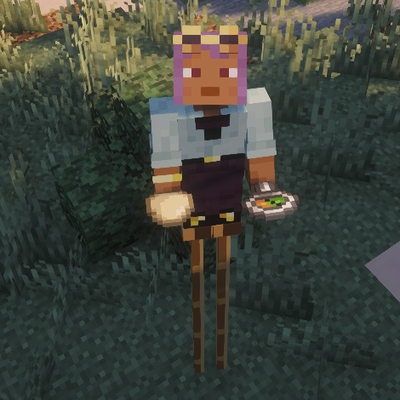
Peg Stilts
double jump while wearing these boots adds 1-2-3 height to your player. Crouch to decrease height.
 mod
CurseForge · Minecraft
InfiniteCore
A lightweight client-side Fabric mod focused on PvP visuals, performance optimizations, and useful HUDs for Minecraft 1.21.11.
 mod
CurseForge · Minecraft
ReignClient
Client companion for the Reign Cobblemon server: phone menus, GTS, Pokébuilder, Poké Radar, rift HUD and a cleaner battle HUD.