Sodium Optional for Borderless Mining Updated 1.2.3+1.21.11-neoforge
optionalMatching file found Matched file: mc1.21.11-0.8.14-neoforge

Modrinth · Minecraft mod
Borderless Mining updated for the latest version with Sodium Config API support
Quick answer
Borderless Mining Updated 1.2.3+1.21.11-neoforge targets 1.21.11 with NeoForge. It must be installed on the client. Do not install it on the dedicated server. No extra mods listed for this file.
Where it goes
It must be installed on the client. Do not install it on the dedicated server.
This file is marked client-only.
1.2.3+1.21.11-neoforge. Change the file and its required mods may change too.
This file does not list any required mods. Do not add a library just because a different file uses it.
We only count dependency files that match this setup. A file for another loader does not fill the gap.
Before you install it
Built for Borderless Mining Updated 1.2.3+1.21.11-neoforge. Pick another file and the loader, install side or required mods may change.
Use 1.2.3+1.21.11-neoforge. It targets 1.21.11 with NeoForge; another release may have different loader, side or dependency requirements.
This file does not list any required mods. Do not add a library just because a different file uses it.
It must be installed on the client. Do not install it on the dedicated server.
Use the “Get this file” button beside 1.2.3+1.21.11-neoforge. It opens that exact file at the source.
About this project
This is an updated version of Borderless Mining.
No, it doesn't. Since 26.1 Minecraft sets a window flag to fix input method editors not displaying properly for certain languages. This does NOT make the window borderless despite the video settings toggle being called "Exclusive Fullscreen". Sodium doesn't do this either, so you still need a borderless mod!
Most (if not all) currently available borderless mods for the latest Minecraft version use an approach that causes microstutter and increased input latency on some system configurations. Borderless Mining uses an approach that does not cause those problems.
These issues exist on my system with an Nvidia GPU running Windows 11 with the latest drivers. Borderless Mining, however, does not cause them and performs identically to exclusive fullscreen.
Shown below is a frametime and click to photon latency comparison between Borderless Mining and a popular borderless mod with borderless fullscreen enabled, created using Intel PresentMon:
-4483622762184718857 was used at /tp @p 80 86 69 300 20 on Minecraft 1.21.11 with Sodium installed

Project description from Modrinth.
Pick your setup
Choose the version and loader you play, then open the matching release.
Check the dependencies, then try the file in a copied instance before changing a world you care about.
Recent files
borderlessmining-1.2.3+1.21.11-neoforge.jar
4 Apr 2026
borderlessmining-1.2.3+1.21.11-fabric.jar
4 Apr 2026
borderlessmining-1.2.3+26.1-fabric.jar
4 Apr 2026
borderlessmining-1.2.3+26.1-neoforge.jar
4 Apr 2026
borderlessmining-1.2.2+26.1-fabric.jar
31 Mar 2026
borderlessmining-1.2.2+26.1-neoforge.jar
31 Mar 2026
borderlessmining-1.2.1+26.1-fabric.jar
24 Mar 2026
borderlessmining-1.2.1+26.1-neoforge.jar
24 Mar 2026
borderlessmining-1.2.0+1.21.11-neoforge.jar
15 Mar 2026
borderlessmining-1.2.0+1.21.11-fabric.jar
15 Mar 2026
Looking for an older file? The official Modrinth project page is in Resources.
 mod
YM!BCM adds a scrollable and searchable mod list to the left side of your creative menu, with a favorite function.
 mod
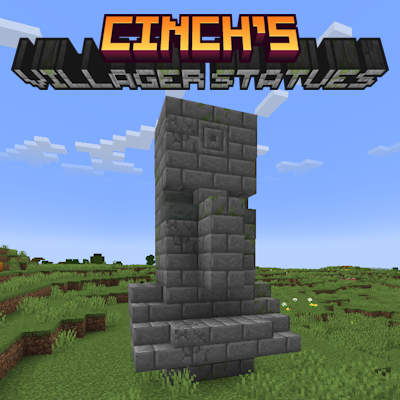
Simply adds ancient statues of villagers to almost all biomes in the overworld.
 mod
Simple server-side or singleplayer mod that allows you to use a lead on almost any mob in Minecraft.