Minecraft version
Back to mods 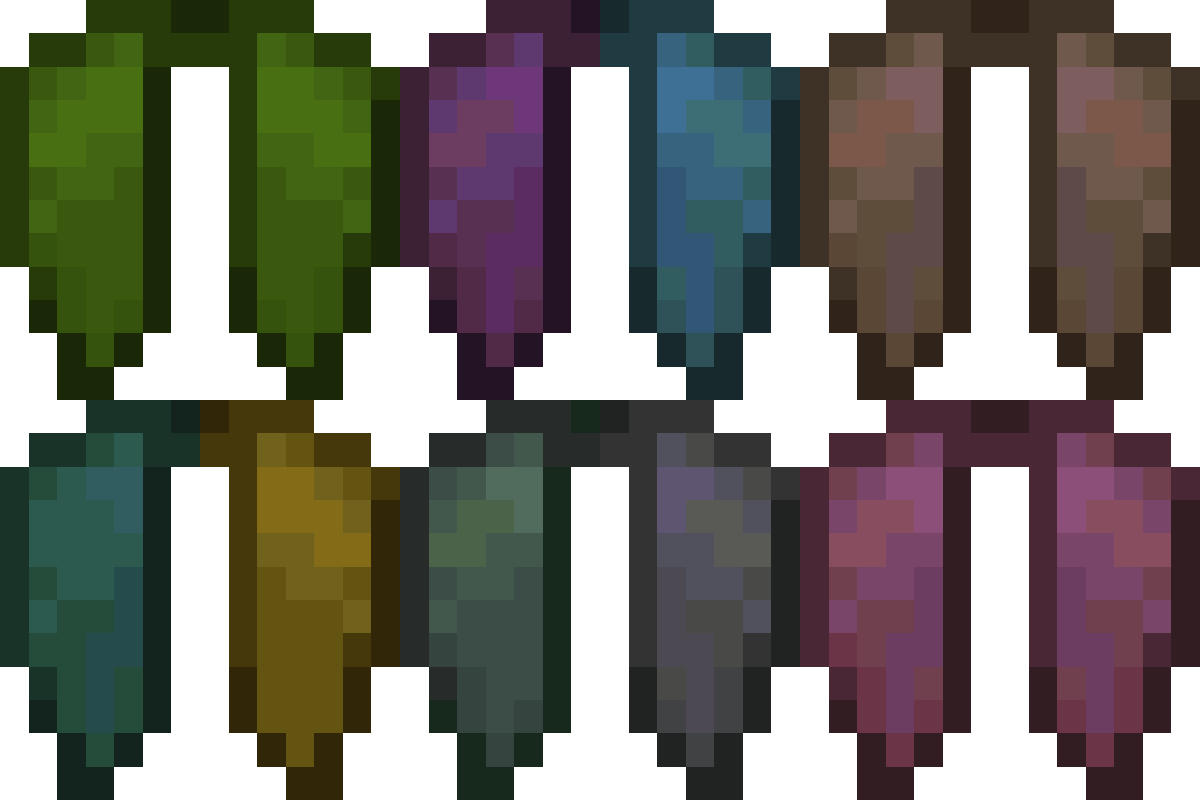
CurseForge · Minecraft mod
Customizable Elytra
Adds a variety of colorful ways to customize your elytra!
Choose a version Pick your version below, then grab the matching file.
Quick answer
Which Customizable Elytra release should I use?
Latest stable file [NeoForge] Customizable Elytra 2.2.8+26.1
Game version 26.1, 26.1.1, 26.1.2
Loader NeoForge
Customizable Elytra [NeoForge] Customizable Elytra 2.2.8+26.1 targets 26.1, 26.1.1, 26.1.2 with NeoForge. The project page does not say whether this file belongs on the client, dedicated server, or both. No extra mods listed for this file.
Where it goes
Is Customizable Elytra required on the client, server, or both?
The project page does not say whether this file belongs on the client, dedicated server, or both.
Client Source doesn’t say
Dedicated server Source doesn’t say
Loader for this release NeoForge
Required install it here Optional supported, not mandatory Not supported do not install here Source doesn’t say do not assume
The source does not explicitly classify this release as client-only or server-only.
What else does Customizable Elytra [NeoForge] Customizable Elytra 2.2.8+26.1 need?
[NeoForge] Customizable Elytra 2.2.8+26.1. Change the file and its required mods may change too.
This file does not list any required mods. Do not add a library just because a different file uses it.
This file does not list any required or optional mods.
Before you install it
Add Customizable Elytra without breaking your instance.
Built for Customizable Elytra [NeoForge] Customizable Elytra 2.2.8+26.1. Pick another file and the loader, install side or required mods may change.
- 01
Stick to this file
Use [NeoForge] Customizable Elytra 2.2.8+26.1. It targets 26.1, 26.1.1, 26.1.2 with NeoForge; another release may have different loader, side or dependency requirements.
- 02
Bring the mods it needs
This file does not list any required mods. Do not add a library just because a different file uses it.
- 03
Put it on the correct side
The project page does not say whether this file belongs on the client, dedicated server, or both.
- 04
Pick the file you checked
Use the “Get this file” button beside [NeoForge] Customizable Elytra 2.2.8+26.1. It opens that exact file at the source.
About this project
What does Customizable Elytra add?
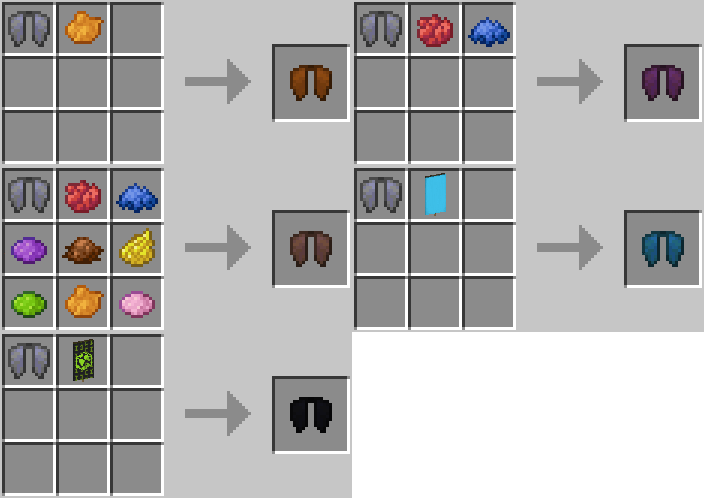
Allows Elytra to be dyed and have banners placed onto them, in the same way as leather armor and shields
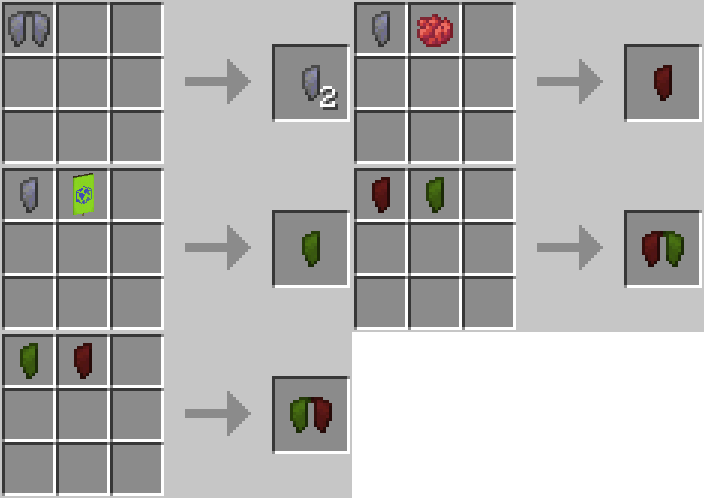
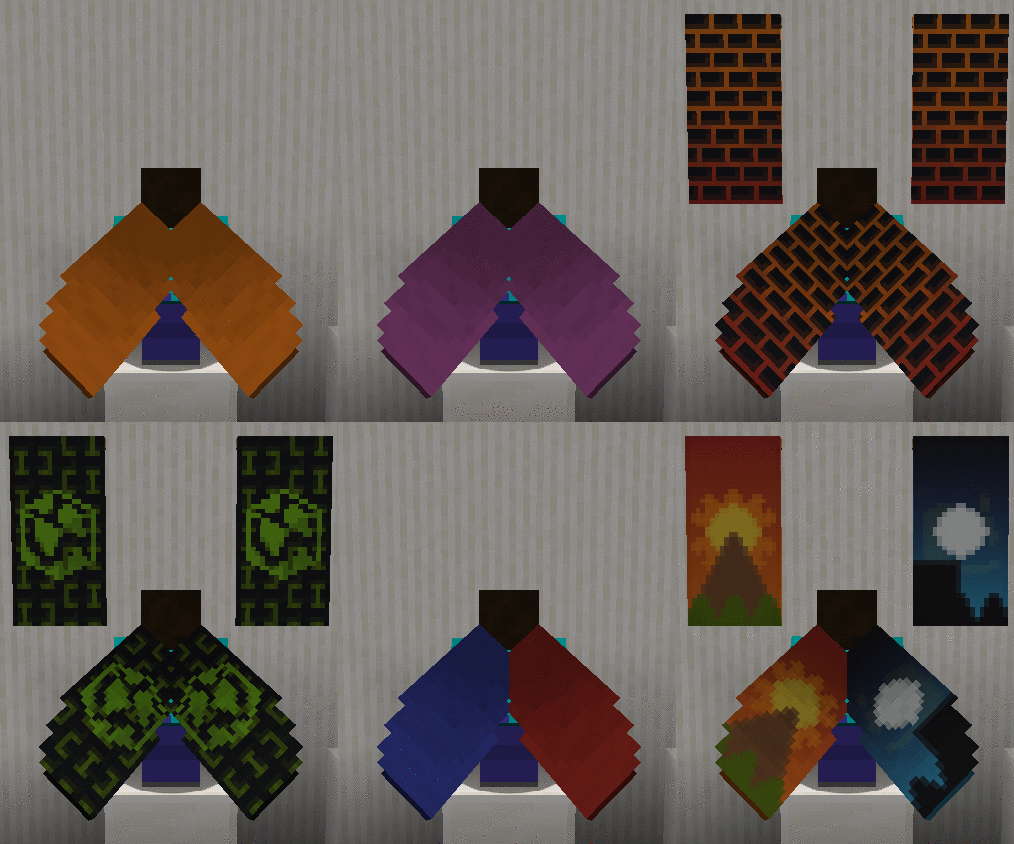
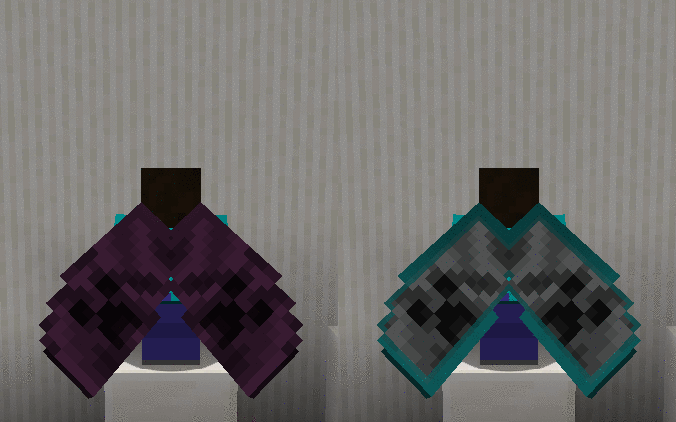
New in 1.20: Supports Armor Trims!
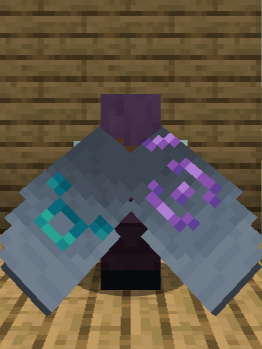
Additional Features & FAQ
Works with capes!
(You can also hide your cape from appearing on your elytra by just crafting it with a piece of paper!)
Craft with Glow Ink Sac to make your elytra glow in the dark!
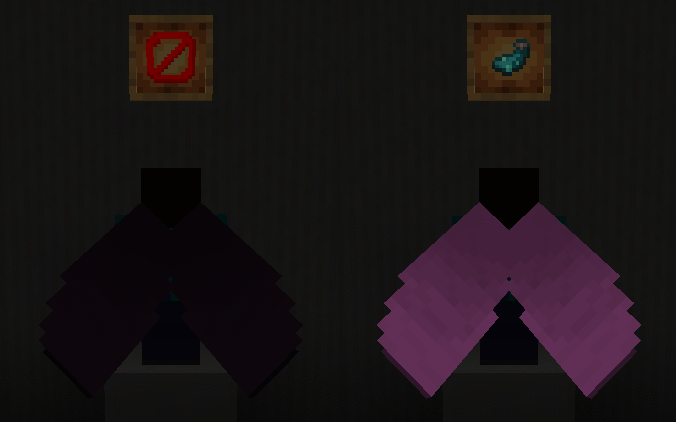
(Also works with Upgrade Aquatic's and Caves & Cliff's Backport Glow Ink Sacs in 1.16!)
FAQ
Is this mod compatible with banners added from other mods?
As of the latest version, the following mods are compatible: Additional Banners, Rats, Ice and Fire, Autumnity, Buzzier Bees, Neapolitan, Alex's Mobs and Penguin-Lib
Will my enchantments/custom name stay if I customize my elytra?
Yes, any changes you made to your elytra will be preserved if you customize it
How do I remove the customization?
You can turn your elytra back into a vanilla one by right-clicking on a cauldron filled with water while holding it!
Videos
(3:06 If The Timestamp Doesn't Work!)
Project description from CurseForge.
Pick your setup
Customizable Elytra by Minecraft version and loader
Choose the version and loader you play, then open the matching release.
Minecraft version
26.1.1
3 loader buildsMinecraft version
26.1
3 loader buildsMinecraft version
1.21.11
3 loader buildsMinecraft version
1.21.10
3 loader buildsMinecraft version
1.21.8
3 loader buildsMinecraft version
1.21.5
3 loader buildsMinecraft version
1.21.4
3 loader buildsMinecraft version
1.21.3
3 loader buildsMinecraft version
1.21.1
3 loader buildsMinecraft version
1.21
3 loader buildsMinecraft version
1.20.6
3 loader buildsShowing the newest 12 of 28 game versions. Older files are in the list below.
Check the dependencies, then try the file in a copied instance before changing a world you care about.
Recent files
Customizable Elytra versions and loaders
[NeoForge] Customizable Elytra 2.2.8+26.1
customizableelytra-neoforge-2.2.8+26.1.jar
20 May 2026
Client Source doesn’t say Server Source doesn’t say Dependencies No extras listed Listed on Release listing
Check the 26.1.2 · NeoForge setup NeoForge26.126.1.126.1.2 release
[Forge] Customizable Elytra 2.2.8+26.1
customizableelytra-forge-2.2.8+26.1.jar
20 May 2026
Client Source doesn’t say Server Source doesn’t say Dependencies No extras listed Listed on Release listing
Check the 26.1.2 · Forge setup Forge26.126.1.126.1.2 release
[Fabric] Customizable Elytra 2.2.8+26.1
customizableelytra-fabric-2.2.8+26.1.jar
20 May 2026
Client Source doesn’t say Server Source doesn’t say Dependencies 2 required · 2 unchecked Listed on Release listing
Check the 26.1.2 · Fabric setup Fabric26.126.1.126.1.2 release
[NeoForge] Customizable Elytra 2.2.8+1.21.11
customizableelytra-neoforge-2.2.8+1.21.11.jar
8 Feb 2026
Client Source doesn’t say Server Source doesn’t say Dependencies No extras listed Listed on Release listing
Check the 1.21.11 · NeoForge setup NeoForge1.21.11 release
[Forge] Customizable Elytra 2.2.8+1.21.11
customizableelytra-forge-2.2.8+1.21.11-all.jar
8 Feb 2026
Client Source doesn’t say Server Source doesn’t say Dependencies No extras listed Listed on Release listing
Check the 1.21.11 · Forge setup Forge1.21.11 release
[Fabric] Customizable Elytra 2.2.8+1.21.11
customizableelytra-fabric-2.2.8+1.21.11.jar
8 Feb 2026
Client Source doesn’t say Server Source doesn’t say Dependencies 2 required · 2 unchecked Listed on Release listing
Check the 1.21.11 · Fabric setup Fabric1.21.11 release
[Fabric] Customizable Elytra 2.2.8+1.21.10
customizableelytra-fabric-2.2.8+1.21.10.jar
5 Dec 2025
Client Source doesn’t say Server Source doesn’t say Dependencies 2 required · 2 unchecked Listed on Release listing
Check the 1.21.10 · Fabric setup Fabric1.21.10 release
[NeoForge] Customizable Elytra 2.2.8+1.21.10
customizableelytra-neoforge-2.2.8+1.21.10.jar
5 Dec 2025
Client Source doesn’t say Server Source doesn’t say Dependencies No extras listed Listed on Release listing
Check the 1.21.10 · NeoForge setup NeoForge1.21.10 release
[Forge] Customizable Elytra 2.2.8+1.21.10
customizableelytra-forge-2.2.8+1.21.10-all.jar
5 Dec 2025
Client Source doesn’t say Server Source doesn’t say Dependencies No extras listed Listed on Release listing
Check the 1.21.10 · Forge setup Forge1.21.10 release
[NeoForge] Customizable Elytra 2.2.8+1.21.8
customizableelytra-neoforge-2.2.8+1.21.8.jar
9 Aug 2025
Client Source doesn’t say Server Source doesn’t say Dependencies No extras listed Listed on Release listing
Check the 1.21.8 · NeoForge setup 1.21.8NeoForge release
[Forge] Customizable Elytra 2.2.8+1.21.8
customizableelytra-forge-2.2.8+1.21.8-all.jar
9 Aug 2025
Client Source doesn’t say Server Source doesn’t say Dependencies No extras listed Listed on Release listing
Check the 1.21.8 · Forge setup 1.21.8Forge release
[Fabric] Customizable Elytra 2.2.8+1.21.8
customizableelytra-fabric-2.2.8+1.21.8.jar
9 Aug 2025
Client Source doesn’t say Server Source doesn’t say Dependencies 2 required · 2 unchecked Listed on Release listing
Check the 1.21.8 · Fabric setup Fabric1.21.8 release
Looking for an older file? The official CurseForge project page is in Resources.
 mod
mod CurseForge + Modrinth · Minecraft
Progressive Hearts
A mini mod that adds three permanent progression apples that grant extra hearts forever. Inspired by the permanent improvements of Terraria's Calamity Mod and Infernum Mod
 mod
mod CurseForge · Minecraft
Stuff 'n Things
A compilation of new blocks and recipes for Minecraft. Layered Blocks, Slab Blocks, Light Blocks and Thatch / Mulch blocks to be used in custom Recipes.
 mod
mod CurseForge · Minecraft
Bubble Sword
Trap your friends in bubbles, smash them with a tennis racket, and watch them slide uncontrollably…