Fabric API Needed by Inventory Vault 1.2.0+1.21.11
requiredMatching file found Matched file: 0.141.6+1.21.11

Modrinth · Minecraft mod
Automatic and op-triggered inventory and echest snapshots
Quick answer
Inventory Vault 1.2.0+1.21.11 targets 1.21.11 with Fabric. Do not install it on the client. It must be installed on the dedicated server. All 1 required mods have matching files.
Where it goes
Do not install it on the client. It must be installed on the dedicated server.
This file is marked server-only.
1.2.0+1.21.11. Change the file and its required mods may change too.
Install Fabric API first. We found matching files for this game-version and loader setup.
We only count dependency files that match this setup. A file for another loader does not fill the gap.
Before you install it
Built for Inventory Vault 1.2.0+1.21.11. Pick another file and the loader, install side or required mods may change.
Use 1.2.0+1.21.11. It targets 1.21.11 with Fabric; another release may have different loader, side or dependency requirements.
Install Fabric API first. We found matching files for this game-version and loader setup.
Do not install it on the client. It must be installed on the dedicated server.
Use the “Get this file” button beside 1.2.0+1.21.11. It opens that exact file at the source.
About this project
Vault Inventory
Op-triggered, disk-persisted inventory backups for Fabric servers. A manual and automatic safety net for admin testing sessions — snapshot before loading a new mod or making a risky change, restore if something goes wrong.

Commands
/vault snapshot [player] [label] — save a snapshot (all online players if none given)
/vault list — show a player's saved snapshots
/vault restore [#] — restore a snapshot (newest if no number given)
Snapshots capture inventory, armor, offhand, and ender chest — full item data including enchantments and other components, not just IDs and counts. Every /vault restore first takes a safety snapshot of the target's current inventory, so a bad restore is never a one-way trip — just restore again to undo it.

The server also auto-snapshots every online player once per in-game day (configurable).
Permissions
Requires the vaultinventory.command permission node. Works out of the box with vanilla op (level 2+); grant the node through LuckPerms or any Fabric-permissions-api-compatible plugin to allow non-op access.
Configuration
config/vault-inventory.json:
maxSnapshotsPerPlayer (default 99) — oldest snapshots are pruned beyond this
autoSnapshotIntervalTicks (default 24000, one vanilla day) — set to 0 to disable auto-snapshots
Requirements
Fabric API. Server-side only — no client-side content.
Project description from Modrinth.
Pick your setup
Choose the version and loader you play, then open the matching release.
Check the dependencies, then try the file in a copied instance before changing a world you care about.
Recent files
vault-inventory-1.2.0+1.21.11.jar
4 Nov 2026
vault-inventory-1.2.0+26.2.jar
4 Nov 2026
vault-inventory-1.2.0+26.3.jar
4 Nov 2026
vault-inventory-1.1.0.jar
3 Nov 2026
vault-inventory-1.0.0.jar
16 Sept 2026
Looking for an older file? The official Modrinth project page is in Resources.
 mod
A complementary mod for Just Economy adding casino
 mod
An economy mod wich includes coins, casino chips, and two exchange machines
 mod
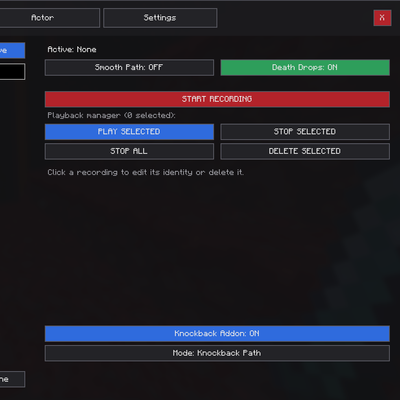
A GUI-powered Minecraft motion capture mod. Record and save player movements and actions, then replay recordings individually or launch multiple selected recordings together with one click. Customize character models, names, skins, and playback settings.