Minecraft version
Back to mods 
Modrinth · Minecraft mod
Automatic Tool Swap
Swaps the tools to the effective one if it's in hotbar
Choose a version Pick your version below, then grab the matching file.
This page is having a moment, so a few details may be a little behind.
Quick answer
Which Automatic Tool Swap release should I use?
Latest stable file 26.2.0
Game version 26.2
Loader NeoForge
Automatic Tool Swap 26.2.0 targets 26.2 with NeoForge. It must be installed on the client. Do not install it on the dedicated server. No extra mods listed for this file.
Where it goes
Is Automatic Tool Swap required on the client, server, or both?
It must be installed on the client. Do not install it on the dedicated server.
Client Required
Dedicated server Not supported
Loader for this release NeoForge
Required install it here Optional supported, not mandatory Not supported do not install here Source doesn’t say do not assume
This file is marked client-only.
What else does Automatic Tool Swap 26.2.0 need?
26.2.0. Change the file and its required mods may change too.
This file does not list any required mods. Do not add a library just because a different file uses it.
This file does not list any required or optional mods.
Before you install it
Add Automatic Tool Swap without breaking your instance.
Built for Automatic Tool Swap 26.2.0. Pick another file and the loader, install side or required mods may change.
- 01
Stick to this file
Use 26.2.0. It targets 26.2 with NeoForge; another release may have different loader, side or dependency requirements.
- 02
Bring the mods it needs
This file does not list any required mods. Do not add a library just because a different file uses it.
- 03
Put it on the correct side
It must be installed on the client. Do not install it on the dedicated server.
- 04
Pick the file you checked
Use the “Get this file” button beside 26.2.0. It opens that exact file at the source.
About this project
What does Automatic Tool Swap add?
Porting information for 26.1 update

This mod doesn't need to be installed on server, it works if only installed on client.
Swaps automatically to the correct tool when mining if it's in hotbar. It works with modded tools, too.
If you want to disable the swap you need to sneak while breaking the block.
There's also a key (default G) which disables/enables the switching.
You are allowed to put this mod in any modpack you like.
#Werbung #Ad
Project description from Modrinth.
Pick your setup
Automatic Tool Swap by Minecraft version and loader
Choose the version and loader you play, then open the matching release.
Minecraft version
26.1.2
1 loader buildMinecraft version
26.1.1
1 loader buildMinecraft version
26.1
1 loader buildMinecraft version
1.21.11
1 loader buildMinecraft version
1.21.10
1 loader buildMinecraft version
1.21.9
1 loader buildMinecraft version
1.21.8
1 loader buildMinecraft version
1.21.7
1 loader buildMinecraft version
1.21.6
1 loader buildMinecraft version
1.21.5
1 loader buildMinecraft version
1.21.4
1 loader buildShowing the newest 12 of 35 game versions. Older files are in the list below.
Check the dependencies, then try the file in a copied instance before changing a world you care about.
Recent files
Automatic Tool Swap versions and loaders
26.2.0
ToolSwap-26.2.0.jar
30 Jun 2026
Client Required Server Not supported Dependencies No extras listed Listed on Release listing
Check the 26.2 · NeoForge setup 26.2NeoForge release
26.1.1
ToolSwap-26.1.1.jar
30 Jun 2026
Client Required Server Not supported Dependencies No extras listed Listed on Release listing
Check the 26.1.2 · NeoForge setup 26.126.1.126.1.2NeoForge release
26.1.0
ToolSwap-26.1.0.jar
26 Mar 2026
Client Required Server Not supported Dependencies No extras listed Listed on Release listing
Check the 26.1.2 · NeoForge setup 26.126.1.126.1.2NeoForge release
21.11.0
ToolSwap-21.11.0.jar
9 Dec 2025
Client Required Server Not supported Dependencies No extras listed Listed on Release listing
Check the 1.21.11 · NeoForge setup 1.21.11NeoForge release
21.9.0
ToolSwap-21.9.0.jar
26 Oct 2025
Client Required Server Not supported Dependencies No extras listed Listed on Release listing
Check the 1.21.10 · NeoForge setup 1.21.91.21.10NeoForge release
21.5.0
ToolSwap-21.5.0.jar
26 Mar 2025
Client Required Server Not supported Dependencies No extras listed Listed on Release listing
Check the 1.21.8 · NeoForge setup 1.21.51.21.61.21.71.21.8 release
1.21-6.0.3
ToolSwap-1.21-6.0.3.jar
14 Feb 2025
Client Required Server Not supported Dependencies No extras listed Listed on Release listing
Check the 1.21.4 · NeoForge setup 1.211.21.11.21.21.21.3 release
1.21-6.0.2
ToolSwap-1.21-6.0.2.jar
3 Jan 2025
Client Required Server Not supported Dependencies No extras listed Listed on Release listing
Check the 1.21.4 · NeoForge setup 1.211.21.11.21.21.21.3 release
1.21-6.0.1
ToolSwap-1.21-6.0.1.jar
23 Dec 2024
Client Required Server Not supported Dependencies No extras listed Listed on Release listing
Check the 1.21.4 · NeoForge setup 1.211.21.11.21.21.21.3 release
1.21-6.0.0
ToolSwap-1.21-6.0.0.jar
2 Jul 2024
Client Required Server Not supported Dependencies No extras listed Listed on Release listing
Check the 1.21.1 · NeoForge setup 1.211.21.1NeoForge beta
1.20.1-5.0.6
ToolSwap-1.20.1-5.0.6.jar
19 May 2024
Client Required Server Not supported Dependencies No extras listed Listed on Release listing
Check the 1.20.6 · Forge setup 1.20.11.20.21.20.31.20.4 beta
1.20.1-5.0.4
ToolSwap-1.20.1-5.0.4.jar
31 Mar 2024
Client Required Server Not supported Dependencies No extras listed Listed on Release listing
Check the 1.20.4 · Forge setup 1.20.11.20.21.20.31.20.4 beta
Looking for an older file? The official Modrinth project page is in Resources.
 mod
mod CurseForge + Modrinth · Minecraft
Create: Transmission!
Minecraft Create addon that adds a single block: Transmission Chain! This block can be used to power belts in a cleaner way without using encased chain drive.
 mod
mod CurseForge + Modrinth · Minecraft
Trash Cans
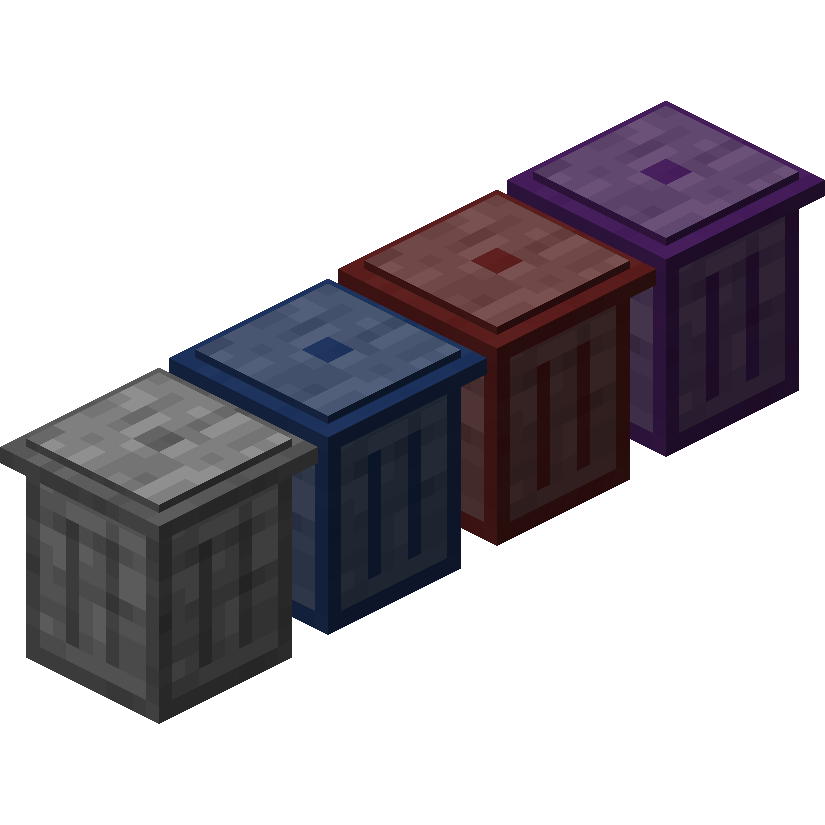
Trash Cans adds trash cans which can be used to void items, liquids, and energy!
 mod
mod CurseForge + Modrinth · Minecraft
Bok's Banging Butterflies
This mod adds butterflies with a full life cycle to the world of Minecraft. Butterflies can be caught or released using a butterfly net. Once caught, they can be bottled and placed in the world as decorative objects.