Fabric API Needed by Carpet PvP Practice 1.21.11-19+v261005
requiredMatching file found Matched file: 0.141.6+1.21.11

Modrinth · Minecraft mod
Carpet PvP is a mod with unique features for players to practice PvP efficiently.
Quick answer
Carpet PvP Practice 1.21.11-19+v261005 targets 1.21.11 with Fabric. Do not install it on the client. It must be installed on the dedicated server. All 1 required mods have matching files.
Where it goes
Do not install it on the client. It must be installed on the dedicated server.
This file is marked server-only.
1.21.11-19+v261005. Change the file and its required mods may change too.
Install Fabric API first. We found matching files for this game-version and loader setup.
We only count dependency files that match this setup. A file for another loader does not fill the gap.
Before you install it
Built for Carpet PvP Practice 1.21.11-19+v261005. Pick another file and the loader, install side or required mods may change.
Use 1.21.11-19+v261005. It targets 1.21.11 with Fabric; another release may have different loader, side or dependency requirements.
Install Fabric API first. We found matching files for this game-version and loader setup.
Do not install it on the client. It must be installed on the dedicated server.
Use the “Get this file” button beside 1.21.11-19+v261005. It opens that exact file at the source.
About this project
Carpet with PvP practice built in. It adds server-side bots that fight back, so you can practise on your own
server at any hour without a sparring partner. Everything runs on the server: a vanilla client can join and
fight.
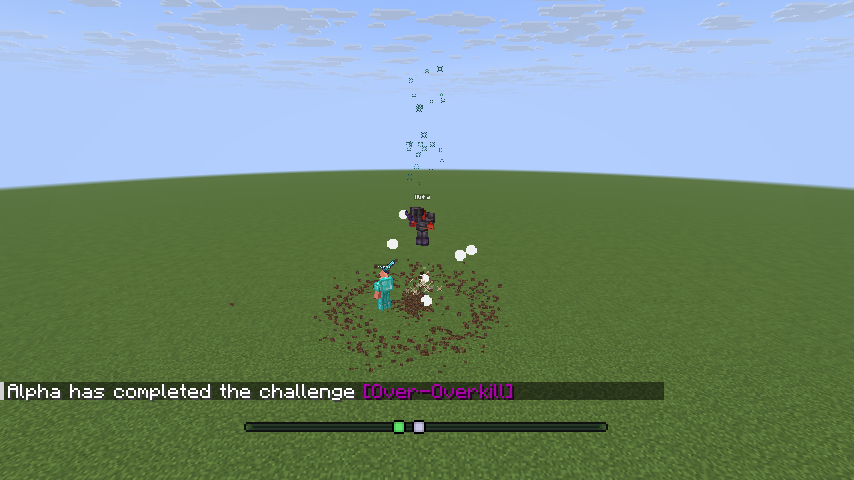
sword, smp, mace, crystal and ranged, each with its own kit.beginner to expert. They differ in reaction time, aim, click rate and/auto-setup sword average builds a fenced arena next to you, gives you and a bot/auto-setup stop puts every block and your inventory back./bot gui) that work with a vanilla client.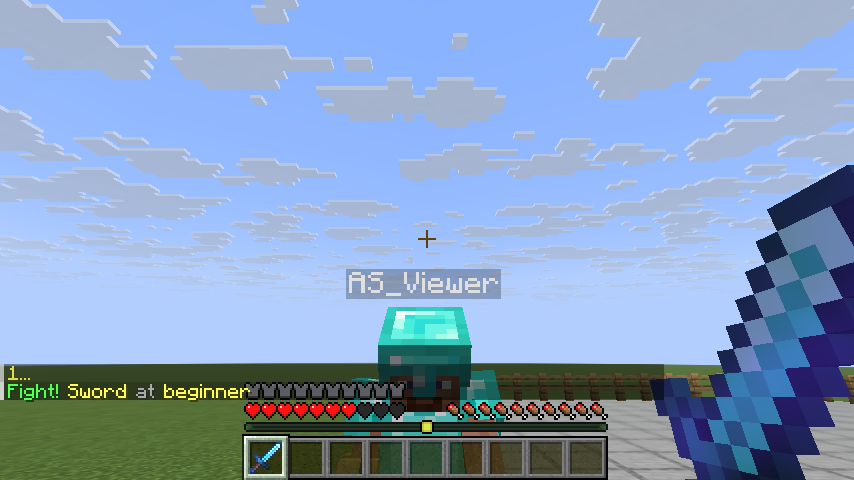
| Minecraft | Java | Fabric Loader | Fabric API |
|---|---|---|---|
| 1.21.11 | 21 or newer | 0.19.2 or newer | any for 1.21.11; built and tested with 0.141.6+1.21.11 |
| 26.2 | 25 or newer | 0.19.2 or newer | any for 26.2; built and tested with 0.161.0+26.2 |
| 26.3 | 25 or newer | 0.19.2 or newer | any for 26.3; built and tested with 0.161.0+26.3 |
Fabric API is required: without it the game stops at start-up and says so. The Minecraft launcher brings the
right Java by itself; on a server you install it yourself.
Singleplayer
mods folder (.minecraft/mods).Server
mods folder and start it.Use release 19 or newer.
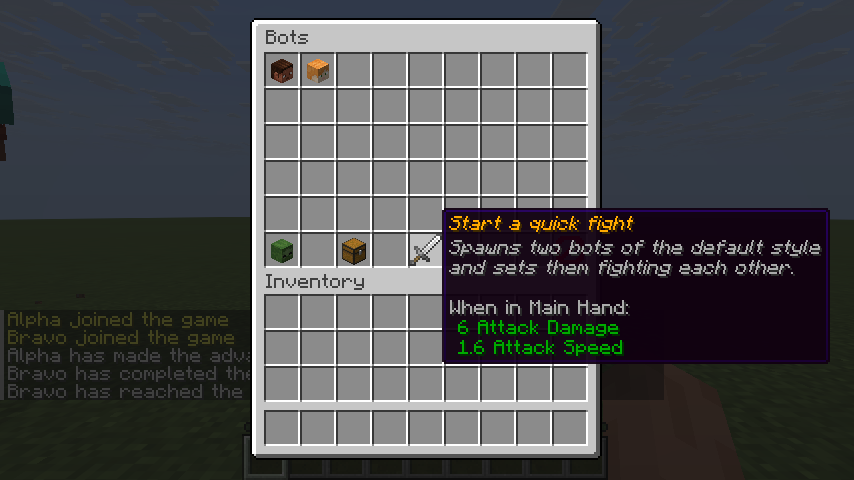
/bot spawn. A bot in diamond armour with a sword appears three/bot spawn again: they are named Bot1, Bot2 and so on./bot stop Bot1 makes it stand still. /player Bot1 kill removes it./bot spawn Tom mace expert spawns a bot named Tom that fights with asword, smp, mace, crystal, anchor and ranged; thebeginner, casual, average, skilled and expert./bot kit give @s sword gives you its kit, and /bot kit restore gives/bot opens a menu with the bots, their settings and the kits./auto-setup sword average builds a fenced arena next to you, gives you and a bot/auto-setup stop puts every block and/bot spawn A sword, /bot spawn B sword, then /bot duel A B.Every player may use /bot by default. A server admin restricts it to operators with/carpet commandBot ops.
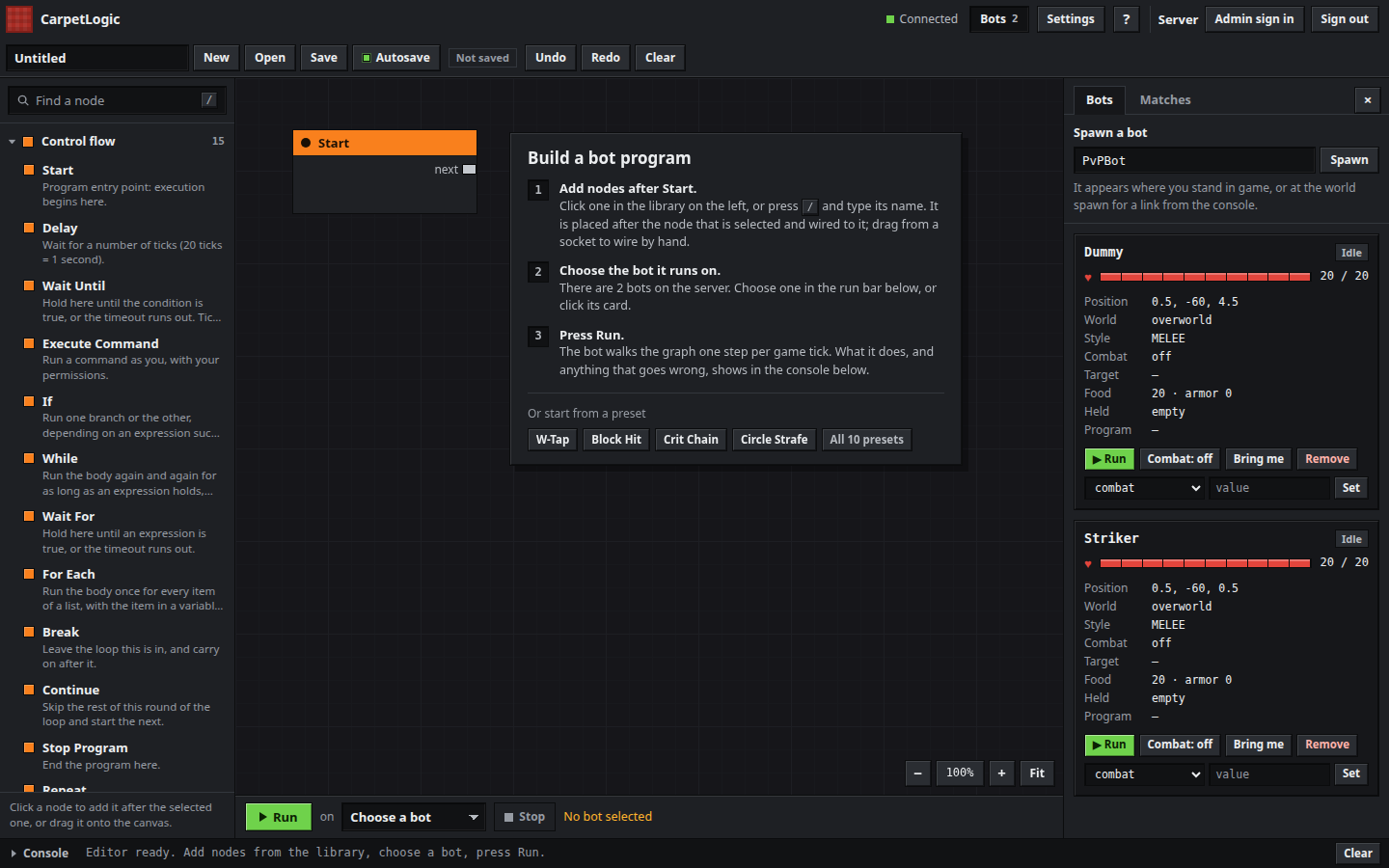
CarpetLogic is a visual editor: you chain nodes (move, look, fight, wait, branch, loop) and the bot does
what the graph says.
/carpetlogic open and click open in browser in chat. It is for operators by/carpet commandCarpetLogic true opens it to everyone.Start.Programs save themselves to the world folder. On a server that is not your own computer the admin has
to open the editor up first: see the
CarpetLogic page.
| Platform | Minecraft |
|---|---|
| Fabric | 1.21.11, 26.2, 26.3 |
| Paper | 1.21.11, 26.2, 26.3: a plugin with the bots, attached to each release on GitHub |
Java and Fabric API versions are in What you need. Minecraft 26.1.2 stays on release 17.
Project description from Modrinth.
Pick your setup
Choose the version and loader you play, then open the matching release.
Check the dependencies, then try the file in a copied instance before changing a world you care about.
Recent files
carpet-pvp-1.21.11-19.jar
5 Oct 2026
carpet-pvp-26.2-19.jar
5 Oct 2026
carpet-pvp-26.3-19.jar
5 Oct 2026
carpet-pvp-1.21.11-18.jar
4 Oct 2026
carpet-pvp-26.2-18.jar
4 Oct 2026
carpet-pvp-26.3-18.jar
4 Oct 2026
Carpet-PvP-17.jar
2 Jun 2026
Carpet-PvP-17.jar
8 May 2026
carpet-pvp-1.21.11-15.7+v260325.jar
25 Mar 2026
carpet-pvp-1.21.11-15.6+v260324.jar
24 Mar 2026
carpet-pvp-1.21.11-15.5+v260324.jar
24 Mar 2026
carpet-pvp-1.21.11-15.4+v260324.jar
24 Mar 2026
Looking for an older file? The official Modrinth project page is in Resources.