Fabric API Needed by Mining & Placing Animations 2.0.0
requiredMatching file found Matched file: 0.92.12+1.20.1
Modrinth · Minecraft mod
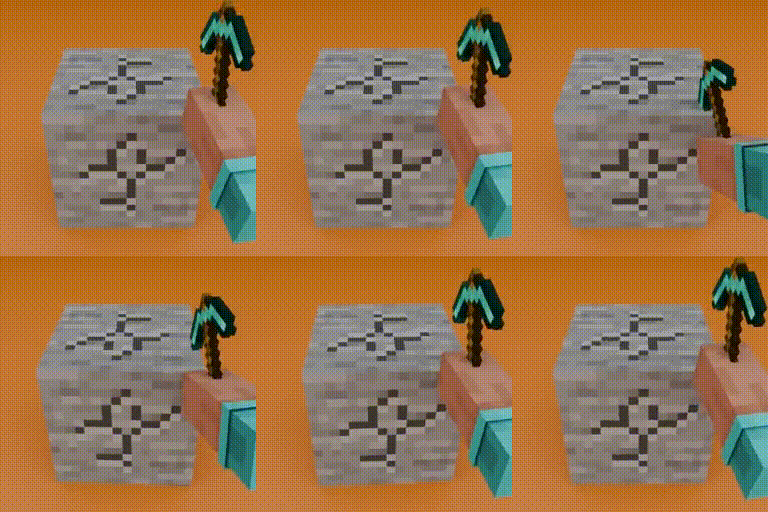
Adds customizable animations to blocks when mining and placing! (Mining Quakes successor)
Quick answer
Mining & Placing Animations 2.0.0 targets 1.20.1 with Fabric. It must be installed on the client. Do not install it on the dedicated server. All 1 required mods have matching files.
Where it goes
It must be installed on the client. Do not install it on the dedicated server.
This file is marked client-only.
2.0.0 on Fabric. Every mod below is checked against that same setup.
Install Fabric API first. We found matching files for this game-version and loader setup.
We only count dependency files that match this setup. A file for another loader does not fill the gap.
Before you install it
Built for Mining & Placing Animations 2.0.0 on Fabric. Pick another file and the loader, install side or required mods may change.
Use 2.0.0. It targets 1.20.1 with Fabric; another release may have different loader, side or dependency requirements.
Install Fabric API first. We found matching files for this game-version and loader setup.
It must be installed on the client. Do not install it on the dedicated server.
Use the “Get this file” button beside 2.0.0. It opens that exact file at the source.
About this project
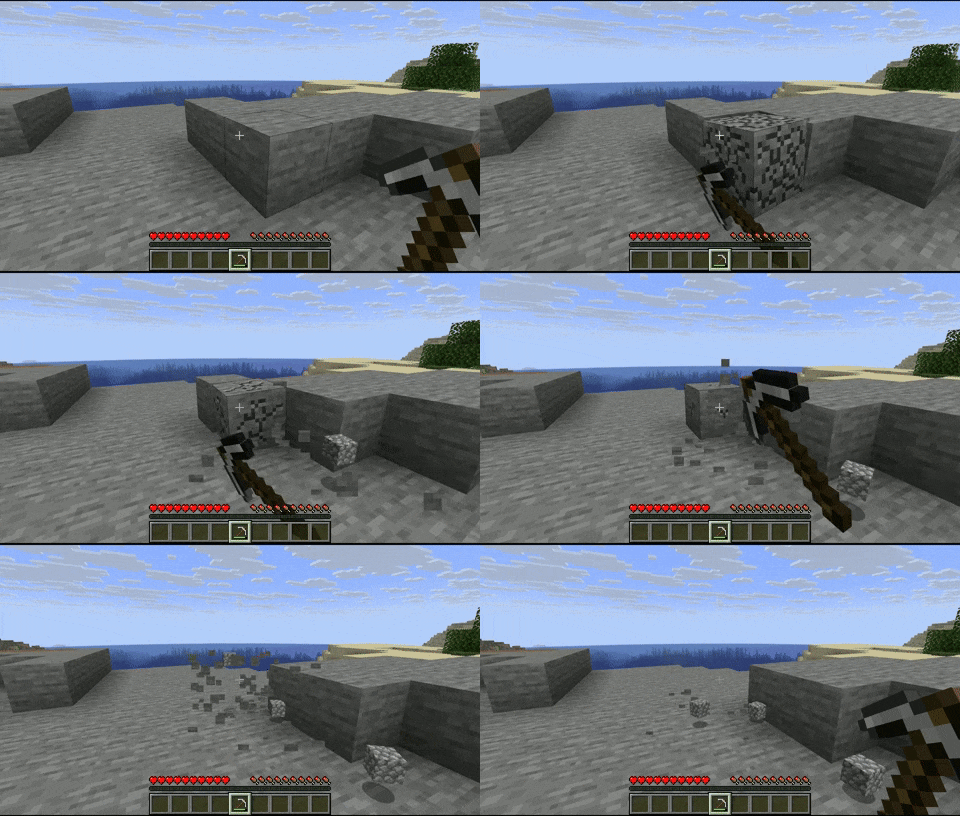
Blocks will now have an animation when mined and placed!
| Mining Animation | Placing Animation (only in 2.0.0+) |
|---|---|
 |
 |
The animations are fully customizable via resource packs.

animations_config.json:
{
  "global": {                 // all the blocks will have these animations by default
    "mining_animation": "mining_and_placing_animations:animations/global_mining_animation",
    "placing_animation": "mining_and_placing_animations:animations/global_placing_animation"
  },
  "specific": [               // you can set a specific animation for certain block(s)
    {
      "blocks": [
        "minecraft:dirt",
        "minecraft:stone",
        "#minecraft:slabs"    // you can use tags
      ],
      "mining_animation": "mining_and_placing_animations:animations/dirt_mining_animation",
      "placing_animation": "mining_and_placing_animations:animations/dirt_placing_animation"
    },
    {
      "blocks": [
        "minecraft:cobblestone"
      ],
      "mining_animation": "mining_and_placing_animations:animations/cobblestone"  // if you don't put a 'placing_animation', it will take the global placing animation, same for the mining animation
    }
  ],
  "mining_blacklist": [
    "#minecraft:beds",        // you can use tags
    "#minecraft:doors",
    "minecraft:oak_planks",
  ],
  "placing_blacklist": [
    "#minecraft:pressure_plates",
    "minecraft:rail",
    "minecraft:snow_block"
  ]
}
The animation files have to be under the directory 'animations'.
dirt_mining_animation.json (example of a possible mining animation, same for the placing animation):
{
  "duration": 0.15,           // length of the animation in seconds
  "pivot_point": [0.5, 1.0, 0.5],
  "keyframes": [
    {
      "time": 0.0,
      "translation": [0.0, 0.0, 0.0],
      "rotation": [-22.5, 0.0, 45.0],
      "scale": [0.5, 0.5, 0.5]
    },
    {
      "time": 0.05,
      "translation": [20.0, 0.0, -20.0],
      "rotation": [0.0, 0.0, 0.0],
      "scale": [1.0, 1.0, 1.0]
    },
    {
      "time": 0.10,
      "translation": [0.0, -15.0, 0.0],
      "rotation": [0.0, -90.0, 0.0],
      "scale": [1.5, 1.5, 1.5]
    },
    {
      "time": 0.15,
      "translation": [0.0, 0.0, 0.0],
      "rotation": [0.0, 0.0, 0.0],
      "scale": [1.0, 1.0, 1.0]
    }
  ]
}
You can have as many animations as you want!
Project description from Modrinth.
Pick your setup
Choose the version and loader you play, then open the matching release.
Check the dependencies, then try the file in a copied instance before changing a world you care about.
Recent files
mining_and_placing_animations-fabric-2.0.0.jar
2 May 2026
mining_and_placing_animations-fabric-2.0.0.jar
23 Apr 2026
mining_and_placing_animations-fabric-2.0.0.jar
23 Apr 2026
mining_and_placing_animations-fabric-2.0.0.jar
22 Apr 2026
mining_and_placing_animations-fabric-2.0.0.jar
22 Apr 2026
mining_and_placing_animations-fabric-2.0.0.jar
20 Apr 2026
mining_and_placing_animations-fabric-2.0.0.jar
20 Apr 2026
mining_quakes-fabric-1.1.3.jar
29 Oct 2025
mining_quakes-fabric-1.1.3.jar
29 Oct 2025
mining_quakes-fabric-1.1.3.jar
29 Oct 2025
mining_quakes-fabric-1.1.2.jar
12 Oct 2025
mining_quakes-fabric-1.1.1.jar
29 Aug 2025
Looking for an older file? The official Modrinth project page is in Resources.
 mod
This Mod adds the ability to add custom capes to your player including gifs and normal images with a resolution up to 2048x1024 you can also see other capes and vice versa and it also works with elytra models and wavey capes
 mod
Live chat from Twitch, YouTube, Kick & TikTok — right inside your Minecraft world.
 mod
Breaking grass, dirt, podzol and mycelium can drop seeds, crops and mushrooms, including seeds from other mods. Configurable, datapack-friendly and server-side.